VPN for Business: Features and Benefits

People use the internet and look for privacy; thus, they find VPNs. It touches on individual cases. When it comes to business, the tools change.

Some strive to find the best vpn for iOS, Android, MacOS, Windows, and Linux for commercial usage. It uses the same fundamentals of privacy and security but scales them to the company level. More details are in the article below. 

What Is a VPN?

A Virtual private network provides safety and anonymity for online activities. The service connects you to the remote server and allows you to hide your IP address and encrypt your sensitive info.

It helps users stay anonymous on websites that impose geographical restrictions. It also protects information from interception if using a public network. 

That is what most users are used to in terms of individual usage. Business usage also aims to provide safety by keeping valuable information enclosed.

What Does a VPN for Business Do?

The components of a business VPN suggest the following:

  • Prevent unsanctioned access to data – the network connects computers to the system. If someone tries to access the information without knowing the password, they will fail. 
  • Encrypt data to make it unreadable to third parties – if someone tries to pass the data for personal profit, a VPN for business makes it impossible due to encryption. 
  • Make remote work efficient – remote employees connect to the network, have authorized access from their PCs, and do not need to go to the office. It opens up more opportunities for both company leaders and employees. 
  • Help comply with specific industry requirements – some industries, like healthcare or insurance, demand additional layers of security to keep information hidden. Business VPNs provide such features and facilitate data management. 
  • Simplify collaboration – if companies need to work together on projects or in long-term cooperation, a VPN helps manage and sort the data the other party has access to. Thus, you prevent information leaks, maintain high-level security, and keep the data well-managed. 
  • Grow according to how the business grows – VPNs for businesses tailor tools to the needs of particular companies and are usually scalable. So, when the business meets new challenges, a VPN service will meet the requirements. 

Details on how VPN providers deliver these features depend on the service. Legislation peculiarities may impact these details considerably. It is appropriate to look for a VPN provider that operates in your country and complies with local laws and regulations. 

Benefits of Using a VPN

Generally, the benefits that VPN services bring to business customers include the following: 

  • commercially valuable information is secure;
  • sensitive data remains protected;
  • VPN prevents malicious initiatives and attempts;
  • you do not need to implement additional protective tools in collaboration;
  • providing access to new remote employees is less risky;
  • remote work is faster and more efficient because people operate within the same network;
  • centralized control means simplified problem-solving;
  • more flexible work opportunities mean comfortable conditions that contribute to better productivity. 

VPN services for businesses make the working process faster, simpler, and safer – so, generally, better. It saves much time on management and, from a long-term perspective, shows better budget efficiency.

Final Thoughts

Businesses have more requirements for VPN services because their demand is higher. Companies must save their customers’ and employees’ data, manage enormous amounts of information about potential customers and business partners, and so on.

These tasks suggest creating an enclosed network that would protect against any external or internal attempts. VPNs for businesses can provide such features and additional security layers. 

Choosing a credible VPN provider for your business is a complicated task. Consider reputation, years of expertise, encryption, connection protocols, and other aspects. Explore and call for professional consultations for better selection.

Tech Review – PROSCREENCAST – SC01 Miracast Dongle For TV, 4k

ProScreenCast provides integrated solutions for wireless screen sharing and digital signage. This is a scalable solution with a significant return on investment, including reduced meeting downtime and IT maintenance. SC01 doesn’t need an app, and WiFi (When there is no WiFi, you can only project what your device has downloaded to the big screen), plug-n-play. Ideal for hotels, home theatres and meetings. Internal and guest presenters can easily share their screens in an instant, improving the overall work and learning experience, while increasing productivity and participation.

This is nothing new in the tech world but it offer users portability and more options than other screen cast devices out there and is multiplatform with no app required, you do however get a dashboard to work from to change the settings to your needs and of course you need the right equipment to handle it and things stand out in 4K as you will see in the video below.


Set-Up

Apple 

First connect the WiFi of the receiver to the mobile phone, the name is “ProScreenCast-xxxxxx”, and the password is 12345678.
Next, enter “192.168.203.1” or scan the QR code to search in the browser.
Finally, click “Resolution” and select “3840p / 2160p / 60p”. The device supports high bit rate 60Hz, and 30p and 60p can be selected as needed.

Android 

The first step is to click WIFI on the phone settings page to locate and connect the device SC01 (name: ProScreenCast-xxxxxx, password: 12345678).
The second step is to type 192.168.203.1 in the mobile / tablet browser.
The third step is to click “Resolution” and select “3840p / 2160p / 60p”. The device supports high bit rate 60Hz, and 30p and 60p can be selected as needed.

Note: to transmit 4K video, make sure your monitor, video source, and HDMI cable support 4K@60Hz (HDMI 2.0). You can adjust the output resolution by setting to match your monitor. At the same time, you can turn HDR on and off.
When you enter the IP address and see the WiFi settings page, you can first click the arrow icon in the upper left corner to exit the page, and then select the resolution settings.

Features

  • True 4K@60Hz With HDR: SC01 Miracast dongle builds with HDMI 2.0 and supports up to 4k and HDR color.
  • Low Latency: Support both 2.4G/5.8G dual bands, ensuring you have full WiFi coverage and optimal speed for streaming.
  • Wide Compatibility: Support Miracast, Airplay, and DLNA. Compatible with Android, macOS, iOS, Windows, and ChromeOS.
  • Easy To Setup, No App Required: 3 steps to connect, no need app. Seniors and children can also connect in 3 mins.
  • Small And Portable: Mirror your device on the screen anytime, anywhere
  • 🎁 10% OFF For Your First Order! (Code: ICAST)

BUY

Video Review

New iOS App: Easily Control LG TV With iPhone or iPad

MeisterApps, a leading mobile app development company, announces the release of LG TV Remote Control Plus + app for iOS devices. The revolutionary app is designed to replace traditional remote controls, allowing users to control their LG Smart TVs with their iPhone or iPad.

MeisterApps Releases LG TV Remote Control Plus + App for iOS Devices

The LG TV Remote Control Plus + app provides users with an easy and fast keyboard to facilitate searches and a large touchpad for quick navigation. The app also has an auto-detect feature that recognizes LG Smart TVs on the same Wi-Fi network, making it easier for users to connect and control their TVs. Additionally, users can launch channels and apps directly from the app, switch channels up and down, adjust volume up and down, and mute and unmute their TVs.

The app can be downloaded for free in the Apple App Store. It supports current WebOS LG TVs and older LG Netcast TVs, ensuring that users can control their TVs, regardless of the model. With the LG TV Remote Control Plus + app, users can say goodbye to lost remotes, save time, and enjoy the latest technology. The app also eliminates the need for changing TV remote batteries, making it an eco-friendly choice.

The LG TV Remote app offers an extended range of operation for users thanks to its Wi-Fi connectivity. The iOS app allows for remote control of the TV from a distance, enabling users to operate the TV from other rooms in the house. The enhanced connectivity of the app eliminates the need for users to be in close proximity to the TV, providing a seamless and convenient user experience.

We are thrilled to announce our latest breakthrough in TV remote control technology that offers unparalleled convenience,” said Elard Tissot van Patot – marketing director for the company.

The conventional physical remote control has well-known limitations, in that it also lacks a keyboard. With our app, users no longer need to navigate through an on-screen keyboard or painstakingly enter search terms one letter at a time. Instead, they can simply enter the search terms using the keyboard on their mobile device, saving time and effort. It is an incredibly useful app for every LG TV owner. 

The LG TV Remote Control Plus+ app can be downloaded free of charge from the App Store. Users can upgrade to premium to get all features and remove ads.

Discover more:
www.lgtvremoteapp.com

Download app here:
https://cutt.ly/lg-tv-remote-control-plus-app

Anime and Mythology Collide in Dislyte, Now Available on iOS and Android

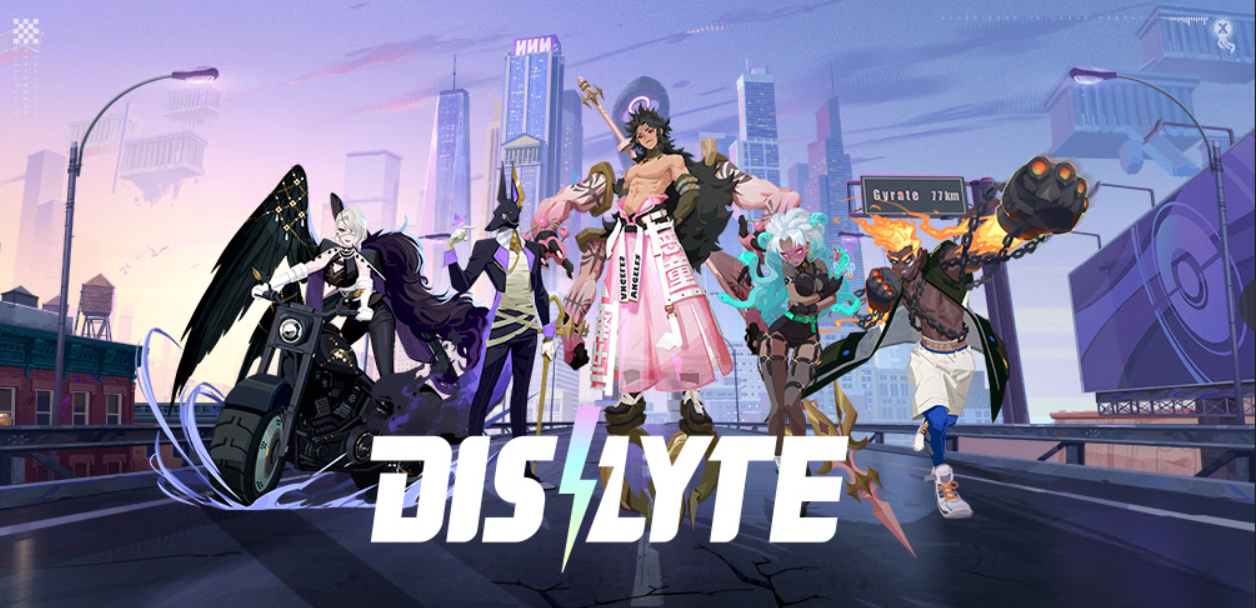
From the heralded creators of AFK Arena and Rise of Kingdoms: Lost CrusadeLilith Games announces today the stylish urban mythological RPG Dislyte is now available on iOS and Android devices. A mix of modern and mythos, Dislyte invites players to fight against the forces of evil with a team of five characters known as “Espers,” each of whom has been granted special abilities based on mythological deities from cultures around the world.
Based on Greek, Chinese, Norse, and Egyptian deities, Dislyte’s roster showcases a highly varied array of skills and absolutely fire character designs. Set in 2027, the gritty, futuristic urban environment sets the stage for some truly sick and stylish tune-infused battles. Enhanced by an intense electro-pop soundtrack, recruit a team of five beautifully 3D rendered heroes and clash against the forces of darkness in exciting turn-based RPG battles. Will good triumph over evil, or is the world doomed to plunge into everlasting darkness?
If PVP’s more your style, Dislyte features a mode titled Point War, an arena where players are randomly matched up with other Espers, allowing them to duke it out and level up their skills in the process. Dislyte also includes a gacha aspect; using earned gems, players can try their luck summoning Rare, Epic, or Legendary Espers via the Silver, Gold, or Platinum record players. Keeping to the company’s AFK roots, there is also an option to automate battles, allowing players to minimize the screens and do other things on their mobile devices during combat sequences.
Watch the all-new launch Dislyte launch trailer:

Key Features of Dislyte include: 
  • Battle to the Beat: The combat and various story elements in Dislyte are injected with distinctive pulse-pounding beats across EDM, techno, and pop genres.
  • Espers Worldwide: Explore and battle it out in an urban playground inspired by cities across the globe via spectacular, vibrant backdrops and scenes.
  • Fashionable (and Totally Bad*ss) Gods: Dislyte merges deep mythological themes with an engaging storyline where every Esper is dressed to impress with the attitude to match.
  • Musical Rewards: Uncover new sounds, implement different moods and drop the beat with Dislyte’s music-based “Gacha” gameplay system where you’ll unlock your rewards by “scratching” the turntable like a real DJ.
Dislyte is available now on the App Store and Google Play:

[iOS App Store] https://uberstrategist.link/dislyte-app-store-iOS
[Android Google Play] https://uberstrategist.link/dislyte-google-play

TFI leap card top-up app now available on Apple devices. How to top up inside. #TFI #Apps #Leapcard

The National Transport Authority has released the Leap Top-Up App on the Apple App Store, letting TFI Leap Card users with Apple devices check their balance, top-up on the go and collect pre-purchased tickets, including TaxSaver tickets. Finally says iOS users…

Transport for Ireland (TFI) Leap Card users with iPhone 7 or newer can now download the Leap Top-Up App from the Apple App Store and will no longer have to detour to a shop or ticket machine to load credit or ticket products bought earlier online.

While most Android users have been able to top-up using the app since 2016, it was not until October 2019 that Apple unlocked the ability for third party apps to access the on-board NFC for iPhone 7 and newer devices, with the release of iOS 13.

Chief Executive Officer of the National Transport Authority, Anne Graham said: “It has always been our ambition to make the TFI Leap Card Top-Up App available to a wider cohort of public transport users. I am delighted that we are now in a position to expand this service to Apple devices.

“We expect that the Apple app will be just as popular as the Android app. At the moment Android top-ups account for 30% of all TFI Leap Card top-ups. Based on these figures this additional service should result in 60% of all TFI Leap Card users topping up via a mobile app.

“In light of Covid-19, the ability to top-up from anywhere at any time from the comfort of your own home, will be a welcomed function for public transport user across the TFI network. Paying for your fare using the TFI Leap Card continues to be the safest way to complete your journey as restrictions are eased”.

Minister for Transport, Eamon Ryan said: “It is great to see the launch of the iOS Leap Top-Up App today. The TFI Leap Card along with the top-up app has made journeys across the TFI network more convenient for everyone.


PIC JULIEN BEHAL PHOTOGRAPHY
TFI Leap Card Top-Up App now available on Apple devices: The Minister for Transport, Eamon Ryan TD, joined CEO of the National Transport Authority, Anne Graham, as the NTA released the Leap Top-Up App on the Apple App Store, letting TFI Leap Card users with Apple devices check their balance, top-up on the go and collect pre-purchased tickets, including TaxSaver tickets.


“This additional feature for Apple device users will make public transport a more attractive option to people. TFI Leap customers are already making significant savings of up to 31% compared to cash payments.

“I look forward to seeing public transport users throughout the country availing of this hassle-free way of topping up their TFI Leap Card. I’d like to acknowledge the work that NTA has been doing in responding to customers’ needs by rolling out innovative products like this using the latest smartphone technology”.

To use the app, you simply touch the TFI Leap Card against your phone.

The iOS app has been in real-live customer testing for the last number of months and the National Transport Authority (NTA) says that the feedback has been very positive so far.

The Leap Top-Up App can be downloaded from the Apple and Android App store and further information on how you can use the feature can be found here.

Evernote announces Home for iOS and Android. #Evernote

Following the launch of Home for desktop and web earlier in the year,  Evernote, the productivity app that lets users remember everything and accomplish anything, is now rolling out this new feature for iOS and Android (OS 10 and up).

Home is a one-stop dashboard that gives users immediate access to their most recent and relevant information from one convenient location. Important notes, tags and shortcuts are instantly available and neatly organised upon opening the app, making Home the fastest way to get to things that matter.

As well as iOS and Android, Evernote Home is available to Mac, Windows and Evernote Web customers. iPhone and iPad users can get home today by updating their Evernote app from the iOS App Store.  It will be rolling out through the Google Play Store over the next few weeks.

About Home:

Home provides users with more than one way to organise their content, giving them the freedom to shape their Evernote experience and see the information they want, the way they want it. This new feature will enable users to work faster and stay focussed, helping them to keep on top of everything without feeling overwhelmed.

When opening Home, Evernote Basic and Premium users will find three default widgets:

  • Notes: Users can select “Recent” notes to quickly pick up where they left off with any project; or choose “Suggested” notes and let Evernote’s powerful AI surface the content needed
  • Scratch Pad: Users can stay in the zone by jotting down quick notes on Home’s scratch pad. Notes can be left there forever, erased or converted into a note at any time.
  • Recently captured: This widget shows users all the rich content saved recently, taking users straight to their web clips, images, documents, audio and emails.

Evernote Premium and Business subscription users also have access to widgets for Notebooks, Pinned Note, Tags and Shortcuts as well as the ability to customise their home background image to fit their personal style. The combination of these widgets provides a powerful way for Evernote users to see their content and manage it all.

Quick Checkers: Stunning features and germane winning strategies

Checkers, popularly referred to as draughts in the U.K, is a beloved board game that transcends time.

Believed to have been invented thousands of years ago, checkers is still as popular, if not more popular than when it was first played in the ancient city of Ur. Over the years, a number of variations have emerged in different parts of the world, with Spanish Draughts, Brazilian Checkers, Russian Checkers and Turkish Dama being some of the most popular.

Although traditionally played 1v1 on actual tabletops, checkers can in the modern day be played anywhere, at any time thanks to apps such as Quick Checkers—a free online checkers game available on iOS and Android devices.

What are some of the app’s impressive features?

Test your skills against random players

Unlike some pastimes which can be dross and unproductive, checkers is actually efficient when it comes to enhancing memory recall and boosting concentration skills. Do you consider yourself the ultimate checkers master? Then prove your worth against random gifted players from all over the world.

Different variations and real world locations

Different variations of checkers are played in different parts of the world.

It is for this reason that Quick Checkers supports multiple variations such as American Checkers/ English Draughts, International Checkers, Spanish Draughts, Brazilian Checkers, Russian Checkers and Turkish Dama—in an effort to accommodate a diverse range of players. Other than that, players can also compete in coveted real world locations such as New York, Paris, London, Amsterdam and Rio de Janeiro, provided they level up and earn experience in order to be granted access.

Amazing graphics and competitive ranking system

Quick Checkers not only has amazing graphics but also comes with a swift in-game chat system that conveniently allows you to communicate with friends and other players. Besides that, the competitive ranking system, comprising of a National and Global ranking, enables you to monitor your performances compared to other players from your region and around the globe respectively.

Here are a few of the relevant winning strategies:

Dominate the centre and advance en masse

One of the most widely made mistakes in checkers is positioning pieces on the edges at the start of a game in an effort to avoid capture. This isn’t an appropriate strategy, as it will only limit your options. Therefore, the most recommended strategy would be to place your checkers pieces at the centre of the board whilst advancing en masse.

Dominating the centre of the board will limit your opponent’s movement and increase your chances of capturing, while advancing en masse will ensure that you receive support from your surrounding checkers pieces.

Be the first to reach the king row

Kings are the most prestigious pieces in checkers, as they are permitted to perform a host of additional moves that always come in handy. As such, you should always endeavour to get to the king row first—ahead of your opponent—in order to get promoted.

It goes without saying that the more Kings your acquire, the higher your chances of capturing and winning the game.

Hold your king row in place

As you endeavour to acquire as many Kinged pieces as you can, remember to keep your king row intact for as long as deem fit. Preventing your opponent from getting Kinged pieces will restrict their options of movement and capturing, heavily limiting their strength.

As you apply these strategies, also remember to initiate forced moves, but only if they work in your favour.

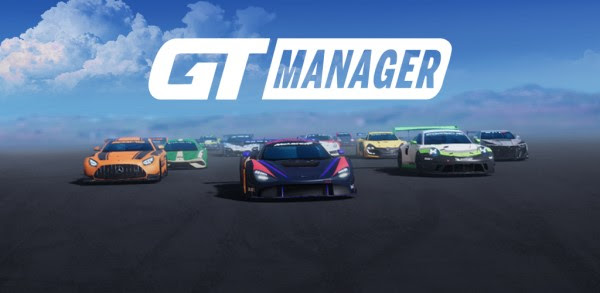
GT MANAGER – Racing Management Game Launches Today for iOS and Android. #Gaming #GTManager

Today GT Manager lets players take charge of a Gran Tourismo racing team and speed along the world’s most iconic racing tracks. In direct line with the rise of a new genre within the racing category, GT Manager – developed by French studio, The Tiny Digital Factory – allows players to build their own GT team in the ruthless world of motorsportsAvailable for free today on all app stores, GT Manager offers the best experience of motorsport management in the market.

A new game genre anchored in The Tiny Digital Factory’s legacy

GT Manager is the result of more than 10 years of experience building racing games from The Tiny Digital Factory team, having worked in partnership with Codemasters and Eden Games, including co-development on the official F1 Mobile Racing game, downloaded by 16 million players and played daily by 150,000 people. In offering unprecedented features and content, comparable to the best football management games, GT Manager carries the ambition to join the segment’s leader, F1 Manager, at the top of the rankings.

Racing games on mobile never managed to reach the top spots of mobile game rankings because of the lack of accuracy and the quality of the racing experience inherent to the devices’ small screens. GT Manager positions itself on the fast-growing segment of Sport Management games and in direct line with games conceived specifically for mobile in the racing category which represents five percent of current mobile games revenues.  The game plays in portrait mode and offers short game sessions to be played on the go.

GT Manager: sophisticated and accessible, the perfect balance for motorsport management games fans

Players will be able to master the art of the race as a racing team manager through an experience centered in management and tactical decisions taken from the pit.

The game offers a deep immersive experience in the universe of race management. Every player takes on the role of a young manager who will reinforce their expertise and network through their encounters with the leading experts of the track. Here, the engineer, the mechanic, the sponsoring manager are as important as the driver. It’s the player’s capacity to hone his skills which will allow him to make the difference in Career mode. This progressive evolution brings both sophistication and accessibility to the experience. GT Manager features a wide range of official GT championships licenced car models and authentic tracks to add to the authenticity.

GT Manager: An in-depth experience from the pit lane

Players take charge of every aspect of their GT team, before, during and after the race. From the development center and their headquarters, they will take all the major decisions regarding investments and the budget management of the team. From their team’s factory, the player can – through experience and investments – manage more and more aspects of the team’s life, from training to sponsorship scouting.

On the track, the race strategy is essential to get in front of one’s rivals. Going faster is not the solution to win. Tire wear, car settings and the information provided by your race team will have a major impact on the race’s results.

“GT Manager has been conceived by a team with many years of experience in developing racing games. GT Manager is the result of our expertise and we are proud to offer the first racing game fully developed, produced and edited by our Lyon-based studio from The Tiny Digital Factory”Stéphane Baudet, CEO of The Tiny Digital Factory, explained.

In GT Manager, players will…

  • Manage pilots from the pit without any driving skills required.
  • Collect 19 official cars from major brands with various GT championships, under licence : Porsche, Mercedes, McLaren, Nissan, Audi, Chevrolet, Renault / Alpine, Ford, Honda, Aston Martin, Brabham, Saleen.
  • Build their own headquarters (five buildings and 12 departments), invest in their production factory and in R&D, recruit pilots, engineers and sponsors…
  • Equip their factory with more than 200 different cards.
  • Score points in the championship ranking to move up the next league.
  • Improve the performances of cars and pilots’ statistics.
  • Take part in daily races in endurance, sprint, at night and in seasonal events, on 11 different iconic racetracks.
  • Compete online in 1vs1 races to build their weekly and seasonal rankings.
  • Choose their tire strategy and adapt their general race strategy to react to race incidents.

GT Manager is now available for free on the AppleGoogle, Huawei and Samsung stores!

Tech Review – Quntis 30W USB- C fast charger for Apple and Android devices. #Tech

Need a new affordable charging brick for your phone and dont even get the charger in the box Check out the Quntis 30w fast charger, This is slated for iOS devices but works on Android too and it is listed in their spec sheet, this is a compact charging block with a good long cable on tow to give you more flexibility not on that you get your devices charged quicker too and up to two hours in some cases, this works quite well on both Android and iOS devices as I have of course tested both.

Not only does this supply faster charging you can also do data transfer too up to 480 mps, Quntis Type-C to lightning cable supports fast data transfer of up to 480 Mbps. 1GB large files will transfer in 25s. Quntis 30W USB C Charger Plug with USB-C to Lightning Cable 2m provides a much more faster charging speed for your iPhone and iPad, eg. iPhone 11 can be charged from 0% to 50% in only 0.5h, 2.5 times faster than 5V/1A adapter. 2.5Hrs Full Charge for MacBook 12″, 3Hrs full charge for Nintendo Switch (With USB C to C Cable)

Check the video for a closer look and you can purchase on Amazon, Note you can buy this on the UK and DE store but if DE you get the two pin option like all tech purchased from DE.

Quntis sent us this sample and are seeing this review the same time as you.

Quntis 30w fast charger: 10% off UQuntis01 (store: Ulinek) End date: 01/31/2022