Become a virtual pilot with London’s Air Ambulance app HELIMED. #Pilot #Helimed

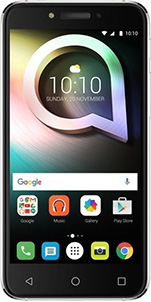
Medics fans can now become a virtual pilot with the all new London’s Air Ambulance app called HELIMED. The app allows you to take on roles such as an Air Ambulance Pilot, Paramedic and Doctor and Complete life-saving missions, based on real-life scenarios, in a race against time. The app is available on both Android and iOS platforms and completely free..  The app is simple to use with some details on what the app entails on opening,then you will be brought to your first mission.The app is targeted to school children aged 11 to 14 but anyone can try it out..


It is a truly exciting time for London’s Air Ambulance. We have launched an innovative educational resource as part of our charity’s schools’ outreach programme. The resource is an interactive App HELIMED, designed to inspire a new generation of enthusiastic, technologically skilled young people to pursue STEM (Science, Technology, Engineering and Mathematics) subjects and later careers. They could be the Advanced Trauma teams of the future!


HELIMED is completely free to download and provides an insightful look at the work of the charity. Players carry out London’s Air Ambulance missions, taking on the roles of a London’s Air Ambulance Doctor, Paramedic and Pilot to complete four life-saving missions, all in a race against time.  

Source


Netflix and binge watching. New binge scale reveals TV series we devour and savour. #Netflix

Netflix members around the world are making their own rules when it comes to watching TV. Instead of one episode per week, Netflix members choose to binge watch their way through a series – that is, on average, finishing an entire season in one week. Though binge watching is clearly the new normal, not all series are enjoyed the same way. Today Netflix unveils The Binge Scale, revealing which shows we devour and which we savour.

Binge Watching is the new norm in TV viewing behaviour. Instead of being held to an episode a week, we can now complete an entire season. However, while all series are being binged, not all are watched the same way – some are devoured and some are savoured.


o    Savour = on average members complete in 6 days / watch 1 hour, 45 minutes per day

o    Devour = on average members complete in 4 days / watch 2 hours, 30 minutes per day

Netflix examined global viewing* of more than 100 serialized TV series across more than 190 countries and found when members are focused on finishing a series, they watch a little over two hours a day to complete a season. When organizing series in relation to this benchmark, interesting patterns emerge, ranging from high energy narratives that are devoured to thought-provoking dramas that are savoured.


Series like Sense8, Orphan Black** and The 100 grab you, assault your senses, and as The Binge Scale shows, make it hard to pull away. The classic elements of horror and thrillers go straight for the gut, pushing the placement of series like The Walking Dead, American Horror Story and The Fall towards the devour end of the scale. Likewise, comedies with a dramatic bent, like Orange is the New Black, Nurse Jackie and Grace and Frankie, seem to tickle our fancy and make it easy to say ‘just one more.’

It’s no surprise that complex narratives, like that of House of Cards and Bloodline, are indulged at an unhurried pace. Nor that viewers take care to appreciate the details of dramas set in bygone eras, like Peaky Blinders and Mad Men. Maybe less obvious are irreverent comedies like BoJack Horseman, Love andUnbreakable Kimmy Schmidt. But the societal commentary that powers their densely layered comedy paired with characters that are as flawed as they are entertaining allow them to be savoured.

“As The Binge Scale indicates, the viewing experience of a series can range from the emotional to the thought-provoking,” said Cindy Holland, Vice President of Original Content at Netflix. “Netflix helps you to find a series to binge no matter your mood or occasion, and the freedom to watch that series at your own pace – whether that’s to appreciate the drama of Bloodline or power through Orange is the New Black.”


METHODOLOGY

Netflix analysed more than 100 serialized TV series across more than 190 countries between October 2015 and May 2016. The research examined member completion of the first season for all series. Data was only included for accounts that fully completed the season. Completion rates were organized into days and hours. The global median days to complete the first season of these series was five days. The median hours per session for completers overall was two hours and ten minutes. Series viewed less than two hours per day were identified as ‘savoured.’ Series viewed more than two hours per day were identified as ‘devoured.’ Series were not restricted by launch dates, runtime or number of episodes. Where a series falls on The Netflix Binge Scale has no relation to viewership.

** Not all series are available in all countries

Irishmoji a brand new app from Fanmoji featuring 150+ Irishmojis #Fanmoji #Irishmoji

Irishmoji is the brand new app from Fanmoji; featuring 150+ Irishmojis as is we had enough options already on the emoji front we love them,companies continue to give us options and they remain popular still today. We cant get enough it seems. So what has this new app got to offer us Tim Webber explains..

Irishmoji is the brand new app from Fanmoji; featuring 150+ Irishmojis and our new Irish Yourself feature. Irish Yourself will allow you to get match ready and show your mates you’re truly up for Ireland’s games at the Euros this summer.

Hearts in Irish colours, a hurly, Irish rugby and football jerseys, castles, islands, the Garda and St Patrick – Irishmoji is an app featuring well over 100 Irish emoji stickers, each one lovingly crafted by our illustrator Diarmuid Ó Catháin from Dublin.Irishmoji will allow you to bring your love of Ireland to your iMessage, WhatsApp and Google Hangouts chats in a big, bold way. You can also post Irishmojis to Twitter and Facebook.

You can Irish-up your messages with Irishmoji’s incredibly detailed stickers featuring everything you love about Ireland. Whether it’s sport or landmarks such as Kilkenny Castle or the Cliffs of Moher, Irish fry or a crisp sandwich, or classic phrases like “Scarlet” or “Deadly Buzz”, we’ve got you covered. You can even show your emotion through famous Irish faces like James Joyce and Molly Malone!

Irish Yourself – Create your very own Irishmoji!

Also added a great feature specifically for Euro2016 to celebrate the release of Irishmoji. Irish Fans will be able to get right behind the national team with our Irish Yourself feature which will enable them to create their own Irishmoji using their phone’s camera, and then send it to their mates in messages straight from the Irishmoji keyboard!

Tim Webber, Fanmoji founder, said:

“Ireland has such a deep cultural history in its buildings, landmarks and people, and along with the number of great symbols and phrases that lend themselves to emoji stickers and illustrations we thought it’d be a brilliant way to bring out the character of the country. Irishmoji was the natural name.”

“We ran a poll last month letting the people of Ireland vote on the final few things that should be in the first release of the app, and the response was amazing. Hopefully we’ve done a good job of representing the country; we certainly realise it’s an idea people are interested in.”

“We asked some of those people more questions about the app, and thanks to their feedback and the great support we’ve received so far, we’ve decided to drop the launch price from £1.49 to £0.79 (99 cent) in the hope that more people can get the Irishmoji app this way.

You’ll get 100+ Irishmojis immediately when you download the app. And, because we see this as something for the country as a whole, which we hope people will share with their friends and family, we’ve included a whole bunch of bonus Irishmojis too. As soon as you share the app, you’ll get another 20 Irishmojis, and when we hit 10,000 downloads you’ll all unlock the rest of the bonus stickers together.”


“We’ve been blown away by the support we’ve had, and hope we’ve done a good first job. We will continue to work hard on updates and improvements if people show they want them. ”

“Above all, we want people to have fun using the Irishmojis and creating their own through our new Irish Yourself feature. Hopefully it’s a great way to get behind the team this summer and show that support in messaging and on social.”

Illustrator Diarmuid Ó Catháin said

“I hope that people will enjoy using these new Irishmojis and adding a bit of local fun into their messaging. There has always been a distinct lack of country-specific stickers to choose from and hopefully Irishmoji will help fill that gap!”


“I have enjoyed the challenge of working on this project and I think that Fanmoji’s ethos of collaborating with local illustrators is great and that it helps ensure that an authentic side of the country is shown in Irishmoji.”

“I’m looking forward to getting these out there now and seeing the reaction. There’s a little something in there for everyone hopefully!”

How to get the app on your phone (it only takes a few taps):

iPhone:

  1. Search Irishmoji in the App Store and download. Or click: apple.co/25GZU10

  2. Open the app and the tutorial will take you through it.

  3. If you want to jump ahead, you go to Settings>General>Keyboard

  4. Tap Keyboards

  5. Tap Add New Keyboard

  6. Tap Irishmoji>Tap Irishmoji again and “allow full access”

  7. Open iMessage or WhatsApp and hold down the globe button in the corner to switch between your keyboards.

  8. Then Enjoy!

Android:

  1. Search Irishmoji in Google Play and download.  Or click: http://bit.ly/1VHmZ0I

  2. Open the app and the tutorial will take you through it, and help you add the Irishmoji keyboard to your phone. A few taps and it’s done.

  3. To access Irishmoji once it’s installed, switch between your standard keyboard and Irishmoji. (This process differs on various versions of Android phones.

My Name is TED – Luxury Lifestyle Leather Bags. #Irish #Kickstarter #DragonsDen #Tech

One of my favourite TV shows Dragons Den sadly came to its season finale last night with some great ideas,throughout the series there has been great inventions and ideas and it seems our talent pool is getting better and with what appears to be a turn in our economy it certainly welcome and we should see some more great exports from Ireland with goods. My Name is TED is an idea I like although it may seem expensive for some there is a market out there for the like. You could compare this to the smartphone industry from mid tier to high end,Offering luxury Lifestyle Leather bags and more you will pay a price heading towards top brands and so on but on a comparison level slightly cheaper but what is different here it is Irish and Artisan.


This also has an interesting backstory to it too with Ted Carbury loosing the use of his right hand side he still found a way to make creations and support his family of 11. These multifunctional or crossover bags can cater for more than just one need or a persons choice with multiple uses and for the tech fans and business folk alike out there they also offer built in charging and more,charging is still a problem and we as a nation are still suffering with battery anxiety.

These products are made with the best materials with the best people on board and for some it may only attract a niche market,With the outstanding quality here too the longevity of the products would not be an issue either,with multi-purpose functionality too they can cater for many in more ways than one and to top it off they look great too.

Check out the kickstarter campaign.

https://twitter.com/techbuzzireland/status/739560607251365890


Unique 11 – A new social gaming platform for sports fans. #StartUp #Gaming #Sports

Unique 11 is  a new social gaming platform for sports fans. And we have Steve Mc Comb here today to tell us all about the idea and how it came about…Over to you Steven….

My name is Steven McComb, I am the founder and Managing Director of Unique 11 – a new social gaming platform for sports fans. My background is in web development and I gave up my job of almost 7 years in February to go full time with the Unique 11 project. The driving force for me was the opportunity to take part in the Propel Programme, an accelerator programme for start-ups run by InvestNI.


We had launched the first full public version of our site at the start of recently finished English Premier League season and we received some encouraging progress with users signing up from 35 different countries. We have players from Scandinavia, Asia, the US, and of course the UK and Ireland. At our peak times during the season we reached 100,000 visits a month. Spotting an opportunity to capitalise on the hype surrounding Northern Ireland qualifying for their first major tournament in 30 years, I was able to secure a partnership with the Irish FA and we’ve teamed up to supply a customised Northern Ireland version of our online game available to play now at www.gawafantasyfootball.com. We also approached the FAI but unfortunately they were not interested in providing a similar gaming experience for their fans.


I’ve been lucky enough to team up with my brother Andrew and former work colleague Adam Young who do a great job looking after the creative direction of the business. As a massive football fan myself and getting to work alongside my brother  means I’m arguably one of the lucky few to actually be doing their dream job.

A Walk Through Dementia, A Virtual Reality app with an insight on dementia #VR #walkdementia

We all know someone with Dementia and someday we might have it ourselves but what do we actually know about it? For the majority probably not much but for those who case for people with dementia they would be pretty clued in. Virtual Reality AKA VR is now helping people in all kinds of avenues and this time round its here to provide an immersive insight on dementia via an app which is optimised for cardboard headsets,but works on any similar offerings out there today which there is plenty of..This can be also watched on your smartphone,so download today and get some insight and learn something new. This app is a big app to download  (627MB) so ensure you use Wi-Fi and also your device will need a gyroscope,you can however watch on You Tube 360.

Developed with the help of people living with dementia, and with support from UCL’s Dementia Research Centre, A Walk Through Dementia from Alzheimer’s Research UK is an innovative, free and unique perspective on a condition that affects 850,000 people in the UK.


Voiced by Dame Harriet Walter, and with an introduction from Jon Snow, A Walk Through Dementia is designed to help users think beyond memory loss to gain a fuller understanding of the practical and emotional impact of the condition. The app uses a combination of computer generated environments and 360 degree video sequences to illustrate in powerful detail how even the most everyday task of making a cup of tea can become a challenge for someone with dementia.

Via Google Play

Check out our new FACEBOOK PAGE


Pinhole Master is a light meter and exposure timer for pinhole photographers.#Mobile #Apps

Pinhole Master is a light meter and exposure timer for pinhole photographers, or anybody else photographing with long exposures. It uses your iPhone/iPad camera to determine the light level (Exposure Value) Not got the Lumu yet? See HERE  This is a must have app for the mobile photographer who uses mobiles and there is lots of them like it or not,Our mobile phones are no DSLRs but they can take excellent photos today which is also seeing sales drop on standalone cameras,something I have never owned myself and have being using my smartphone for many years to take snaps whatever they maybe.


Features include:

Supports apertures from f/1 to f/999, Exposure Index (ISO) from 1 to 9999

Fast and accurate EV readings displayed to one decimal place (computed as 64-bit internally)

Calibrate your device camera sensitivity in Settings with minimum and maximum EV levels to avoid bogus readings, especially in low light

Preview overlays of the EV level and camera/film parameters (which can be turned off in Settings)

Film/paper-specific reciprocity failure compensation from your own testing, manufacturer specifications or measurements you’ve found on the web

Sophisticated smoothed interpolation used in determining the compensated exposure time

Coordinates of your capture written to the log, along with a map of the location

Judicious use of GPS to conserve battery life

A modern user interface designed for efficient use in the field

Fully compatible with iPad (though not optimised for displays larger than iPhone 6/6s Plus)

Support for Lumu for precise incident light measurement

VIA 


Find the best place to have a pint with #PintsInTheSun web app. #Beers #Summer

We are being blessed lately with the good weather and most of us will frequent some watering holes over the coming days if not done already,Since the weekend when the great weather has started the beer gardens have been jammed with folks out having a well entitled pint,except for me due to my little ones communion day.. I did feel a bit left out..


Anyhow there is a web app which also works on your mobile phone which works simply by typing info the respective feilds to tell you exactly where is the best place to enjoy your Pint In The Sun but to get most of the shade too there is a slider on the end of the page which you drag to your required time of day, on testing is can be a bit laggy at times but it does what it says on the tin and finds the local pubs from using the search option..  Enjoy your pint sensibly..

Check out http://pintsinthesun.co.uk/ 

The 7-step guide to controlling smartphones with free Mobile Device Management #Miradore

MDM, short for Mobile Device Management, is one of those things most people don’t realize they need. When used wisely, though, MDM – meaning mainly web-based apps for admins to control how mobile devices work – is your ultimate chaos prevention tool. And it’s free, too!


Why everyone should use MDM

If you don’t believe it, try imagining what would happen if an IT manager had to apply settings manually on every computer in his company, blind to trends and problems that a central control panel would make obvious. Just like IT managers don’t use an “Excel only” approach to keeping inventory anymore, mobile devices have now graduated to a level where they need to be controlled and kept track of.

What about if the data on company, or personal smartphones and tablets, today’s powerful personal computers with cameras, microphones and other sensors, was leaked to malicious outsiders? Most of us understand why company PCs shouldn’t have all kinds of random software installed, so the prospect of living without any say over what goes on work phones does feel less than comfortable.

This is exactly why people do need MDM, and why we’ve put together this quick-start guide on getting up and running with Miradore Online, a free MDM product from a Finnish company. Miradore’s MDM offering comes with a slick user interface and lots of free features in the basic plan for unlimited devices. You’re just a few clicks away from better control over phones and tablets, including at-a-glance reports of all your devices and detailed reports on installed apps.

Step 1: Requirements

To get started, check that you have a suitable device. Miradore Online supports iOS 4 or later, Android 2.3.3 or later and Windows Phone 8 and 8.1. You can have a mixed environment with all three platforms. You also need a computer with a modern web browser.

If you can choose which kind of device to try it out in first, Android is the easiest. iOS requires an extra step when adding the first device, for security. But since you don’t have to do this for every device, it might be a good idea to get to it.

To add Apple devices to Miradore’s free MDM, you will need an Apple ID. If you have an account that’s used to administer Apple issues for many users in you company or home, that’s probably the one to choose.


Step 2: Sign up for Miradore Online

You’ll find the sign up form for Miradore Online at miradore.com by clicking Get Started you can also reach the sign up form directly from https://online.miradore.com. For a service like this, it’s a good idea to add real contact information and to understand the terms of use. In this case, it’s worth pointing out that Miradore’s services are operated within the EU, under local Finnish legislation. Finland’s privacy laws are even noted in the media for their exceptional strength.

Please remember to pick a strong password. Miradore Online is a powerful service that’s intended for controlling and locating mobile devices.


Step 3: Add devices

After the quick signup form, you’re ready to take control of your IT surroundings. Pick the kind of device you’re going to add. If you’re using Android or Windows Phone, go ahead and skip to step 5 for inviting a user.

Step 4: Give Miradore permission to control Apple devices

Say what you want about Apple, but they’re really serious about who gets to touch iOS devices. To be able to add remote management capabilities to an iPad, iPhone or iPod touch, you will need Apple’s blessing in the form of a certificate signed by both Apple and Miradore. This is a mixed bag, but luckily, you don’t have to do it for every device. The upside is that Apple gives Mobile Device Management tools like Miradore Online broad, controlled capabilities for device management access to iOS devices.

At this point, Miradore Online will give you a file to download, csr.txt, a Certificate Signing request. Download and save this file, but keep it private unless you really know this stuff. Click the link presented to open Apple’s portal for Push Certificate creation. Please sign in with your preferred Apple Account and move forward with the Certificate creation tool. Accept the terms and follow the instructions on the screen, using the csr.txt file you just downloaded.


When you’re done inputting the CSR, you will be able to download a certificate called something like “MDM_ Miradore Oy_Certificate.pem”. Keep this certificate private to you and Miradore. In fact, now return to the Miradore site and upload the .pem certificate file as instructed.


Step 5: Invite yourself 

We’re back to where we left off to get Apple’s blessing. At this point, both Android and iOS administrators will be able to invite the first user, probably you. It’s very straightforward and happens over e-mail or SMS. Either way, the user will receive a link to click on. If you don’t like waiting for e-mail (or wading through a packed inbox), go the SMS route.


Step 6: Enroll the first device to Miradore Online

Now, grab the device you wanted to enroll with the message you just sent. Just click the link in the SMS or e-mail and you will be presented with a screen like this one in your device’s browser. Assuming you’re presented with the right option, agree to continue, or pick another option.


Your browser will now download a management profile and your device will attempt to install it. On our iPhone, it looks like this. The Install button lets you get on with the process. You will be asked for one more confirmation to agree to trust the management system.

Now, there you have it. If you go back to the web browser on your computer, you’ll notice that the system soon recognizes that a phone has been added. Press Next to move on to some easy options or Skip to just start exploring your new management environment.


Step 7: Start taking control

If you pressed Next in the previous screen, you will be presented with some options for going forward. Setting a passcode is a really good way to start if you don’t have one. Even a simple PIN goes a long way to make sure nobody’s going to snoop through your photos, messages or e-mails.


If you choose Show device at this point, you will be taken to an information-rich view of the first item in your managed inventory. The view looks like the picture below.

Our suggestion is that you take a quick look through the information Miradore Online has on your phone within the tabs pointed at by the first arrow. A good starting point is the Applications view where you can prevent the device from using up all the data plans within your organization. Notice that location tracking needs to be activated if you want it on.

Moving on to the second arrow, the drop down menu under the profile icon, you’re given the option to go and fill out some profile information. It probably makes sense to do that at this point. On the My Settings page, scroll down and press Edit.


In the final step below, we’ll take a glance at the Dashboard, the place where all the magic will happen from now on.

8. Add devices and stay in the driver’s seat

We’re getting to the point where you will have to explore your new command center for your organization’s mobile computing. Before we let you go, let’s have a quick look at the main dashboard for Miradore Online, the place where you arrive every time you sign in.

To get more out the system, such as nice reports, go ahead and add more devices through Users or Welcome view.


There you have it: a quick walkthrough of setting up a modern Mobile Device Management system – for free. Other options on the market function similarly, by hooking into specific frameworks in Android and iOS phones to allow control over company property.

Nevertheless, we think Miradore Online is a great option to explore if you find yourself feeling out of control over your devices. Thanks to its friendly freemium model, you can go a long way to integrate it with your home or business life before having to budget for the competitively priced paid plans.