
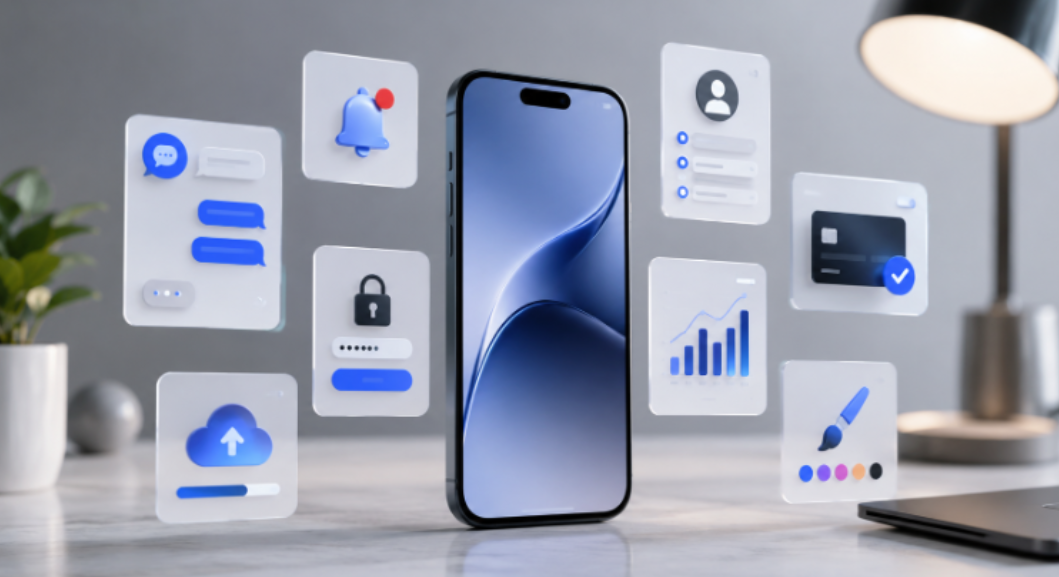
Phones carry somewhere around eighty apps on average. Nine get opened on any given day. The rest sit in folders, consuming storage and background resources while their best features gather dust behind menus nobody taps. Spending time on bizbet and poking around the settings panel before a first session teaches you something most apps never bother to teach. Here are eight features, spread across categories, that deserve a second look.
1. Notification Scheduling That Works Per Conversation
Group chats buzz at all hours. Work channels ping during dinner. Muting everything solves the noise but buries messages that matter. Most messaging apps now let you schedule quiet hours per conversation, not per app. Silence the group chat between 10 PM and 8 AM while keeping direct messages live.
Sportsbook session-time alerts run on a version of this logic, firing deposit reminders and sixty-minute pop-ups at intervals the user chose during setup. Both features, the quiet-hours toggle in your messaging app and the session timer in your betting app, sit three taps deep in a menu almost nobody opens.
2. Sportsbook Data Efficiency and the Cap You Should Copy
Betting apps built to serve live in-play markets in low-bandwidth regions run leaner than almost anything else on your phone. Odds load without heavy page refreshes, session data travels light, and the whole experience is engineered around the assumption that your connection might be slow.
Your phone lets you apply a similar restriction to every other app. Background data caps, buried in network settings, stop streaming apps and social feeds from refreshing content you never asked for. A social media app left unchecked can pull 300 megabytes in a day without being opened once. Five minutes in the data-usage menu fixes that.
3. Screen Time Breakdowns Nobody Checks After Week Two
Both iOS and Android ship with screen-time dashboards. Users glance at them once, feel mildly horrified, and never return. Trends over a month, though, reveal which apps are creeping into time slots you did not assign them. A news app that averaged ten minutes a day in January might sit at thirty by March, and the drift stays invisible until the dashboard spells it out.
Responsible-gambling tools inside sportsbook apps log session length, bet count, and weekly profit-and-loss curves. One report tells you how long you spent. Another breaks down what you did during those minutes. Pairing phone-level screen time with in-app session data gives you a picture neither provides alone, and that combination applies to any app category where time spent has consequences, not just betting.
4. Offloading Apps Without Losing Data
A feature baked into modern phones removes an app’s code but keeps its data on the device. Its icon stays, greyed out. Reinstalling takes a single tap, and login credentials survive untouched.
Out of eighty installed apps, maybe nine get daily use and another ten see weekly action. Sixty of them drag on background resources without contributing anything visible. Offloading strips that weight. A bettor who plays during football season but disappears in summer can offload the sportsbook for three months, tap to reinstall when fixtures return, and find every saved preference and bet history exactly where it was. Twenty idle apps offloaded at once can recover the speed that three years of installs quietly stole.
5. Biometric Lock Per App

Your phone has a lock screen. Individual apps can add their own. Banking apps default to it, but almost everything else ships wide open.
Pick up an unlocked phone and you can read email, scroll messages, browse saved passwords. Per-app biometric locks add a fingerprint or face scan to specific apps, independent of the device lock. Anyone using bizbet apk on a shared device benefits from this, since the account stays behind a fingerprint even when the phone itself is unlocked. One tap inside the security menu turns it on. Social media, cloud storage, and anything with saved logins deserve it too. Most users skip the step until something goes wrong, and by then the reason they needed it has already happened.
6. Default App Overrides
Your phone decides which app opens when you tap a link, a map pin, or a file. Those defaults shipped with the device, and most favour the manufacturer’s own apps. Changing them takes thirty seconds per category. People rarely bother.
Set your preferred browser, email client, map, and music player as system defaults. Links open where you want them. Sportsbook users who access betting platforms through browser links shave seconds off every tap by switching to a faster default browser, and in live betting those seconds sit between catching a price and watching it drift.
7. Gesture Shortcuts That Replace Three Taps With One
Double-tap the back of your phone to screenshot. Swipe down with two fingers to open quick settings. Long-press the power button to trigger a shortcut menu. These gestures exist on most phones manufactured after 2022, and the majority of owners have never configured a single one.
Bettors who pin a sportsbook page to a gesture shortcut cut the path between thought and action to zero taps. A match enters added time, odds shift, and a double-tap opens the page before the home screen loads. Outside of betting, the gestures work on anything you open more than twice a day. A pinned weather app, a saved playlist, a favourite chat. Configuring them takes less than a minute, and the speed difference is the kind you notice on the first use and wonder why you waited.
8. Battery Optimisation Exemptions That Nobody Configures
Battery optimisation stretches your day by throttling apps in the background. The trade-off is that it chokes anything that depends on real-time data. Messaging apps miss notifications. Navigation loses GPS accuracy.
Sportsbook apps that push live score updates and bet confirmations suffer worst, since a notification arriving ninety seconds late has already lost its purpose. Exempting the five or six apps that need real-time data, messaging, maps, betting, keeps those running at full speed while everything else stays throttled. The per-app toggle sits inside Battery settings and takes five seconds to flip.
| Feature | Where to find it | What changes |
| Notification scheduling | Settings, Apps, per-app notification controls | Separates noise from alerts that matter |
| Per-app data limits | Settings, Network, Data Usage | Stops background refresh from draining your plan |
| Screen-time breakdown | Settings, Digital Wellbeing or Screen Time | Shows which apps steal time you did not give them |
| App offloading | Settings, Apps, Offload Unused Apps | Drops dead weight without losing data |
| Biometric lock | Inside app settings, Security or Privacy | Adds a fingerprint gate on shared devices |
| Default app overrides | Settings, Apps, Default Apps | Opens links in the app you prefer |
| Gesture shortcuts | Settings, Accessibility or System, Gestures | Replaces scrolling with a tap or swipe |
| Battery exemptions | Settings, Battery, Optimisation | Keeps real-time apps running at full speed |
Every feature on this list sits on your phone right now. None of them costs anything, none requires a download, and the longest one to configure takes about a minute. Fifteen minutes inside a settings menu can change how eighty apps behave for the rest of the year.