The next product in from Google is the Nest indoor cam wired, again like its Nest Cam Floodlight this requires a socket which most houses today have lots of, this one is less complicated that the outdoor one and comes with a nice long cable so you can be a bit picky if required where to place the camera which is small and compact and looks well if I do say so.
This camera has some limitations though as to how much it can move as it is fixed having said that it can be mounted on a wall to so the choice is yours on where to place it and again you can move it around the house if required..
People might often ask why do we need indoor cameras and I have heard so called security experts stating there is no need for them on Irish radio before which is utter rubbish and let me tell you why this is rubbish.
Firstly they can be used to protect your home should someone get by the rest of your set-up, Secondly you can use them to monitor elderly parents and so on and I know some that do and lastly you can use them to monitor your pets at home should you be out for a few hours or even if you are out for a short period and something happens or the pet get disturbed for example you are a click away to see what is going on so for me that statement still is a laughable one at best.
The indoor cam comes with all the same features as you would expect and we go through these with sample footage in our video review below and show you around the app and also how it looks like on your mest hub, this is a simple plug and play set up and you will be up and running in less that 5 minutes and your camera is good to go, you should familiarise yourself with the app and get to grips with what is on offer and the settings that are inside but we have you covered there.
Finally it is not another camera you need to keep charging as it is powered by your home socket which is another benefit and therefore nothing to worry about keeping an eye on the battery, the wireless cameras do give you plenty of notice too so there is nothing to worry about in the grand scheme of things overall and if like you you are invested in Google hardwear this is another addition you should think about adding to your home, the only caveat with this and the other google cameras is there is no pan and tilt options but in their next iteration this might be something for them to include going forward but other than that it is fine as is once placed in the best place for you that gives you the best coverage.
Click the link below to pick up the new indoor wired cam and check out some more there and check out our hands on review below.
As most are aware Google have launched a new range of home security products and the latest to hit the shelf is their new outdoor camera with floodlights thrown in for good measure and this time it is wired, some might not like the idea of a wired product however if it suits and you have an outdoor connection box this saves you having to drill through a wall and is also one less camera to charge.
By no means is this a small unit you can see the full unboxing here and from that point of view it is a deterrent alone, the camera that mounts onto the floodlight is the same as the other one we reviewed which is the outdoor cam for those wondering, it is the same unit and will match your existing set-up. I have this placed out my back garden pointing towards the office and my neighbours have noticed how bright it is which is a good sign and it also helps them when they are out late at night and from my point of view it is excellent should you need to be out the back garden late say putting out the bins etc.
Set-Up is simple enough however this time around it might not suit all due to the wiring required, I have an existing outside socket which worked for me but you can go through a wall if required with a verified electrician of course, but you do need to get up on a ladder and drill 4 holes to mount the mounting plate, we have done a different video review with this one and is a vlog style and you can watch that below and also get a look at what you get and what is in the app as there is the floodlight to think about here which has a simple intuitive control to brighten and dim it or just turn it on or off.
This camera is for someone who wants a decent light and especially with the dark evenings and mornings with us now it ideal to have this as part of your setup and besides that keeping your property secure, this is also something that has invested in Google Products like myself and with that you get an entire ecosystem which is better than having several types and then everything is at your fingertips on your smartphone in one app which for me is the right route to go.
The bonus of having the wired camera is that you do not have to keep charging it where as the wireless versions do require charging every now and then and that is one major benefit here, even though wired may seem like trouble having to set up it can be done quite simply so do not let that get in the way of a solid purchase if you are already invested in Google hardwear and want to get this floodlight
Specs
Camera – 1/2.8″, 2-megapixel sensor · 130° diagonal field of view · 6x digital zoom · 16:9 aspect…
Video – Up to 1080p at 30 FPS, HDR · Night Vision with HDR · H.264 encoding
Audio – High quality speaker and microphone…
Motion detection – Camera: · Single motion sensor…
Night vision – Up to 6.10 m (20 ft) illumination · Six high-power 850 nm infrared LEDs
Lighting – Two lights with adjustable brightness · 2,400 lumens · 4,000K colour temperature
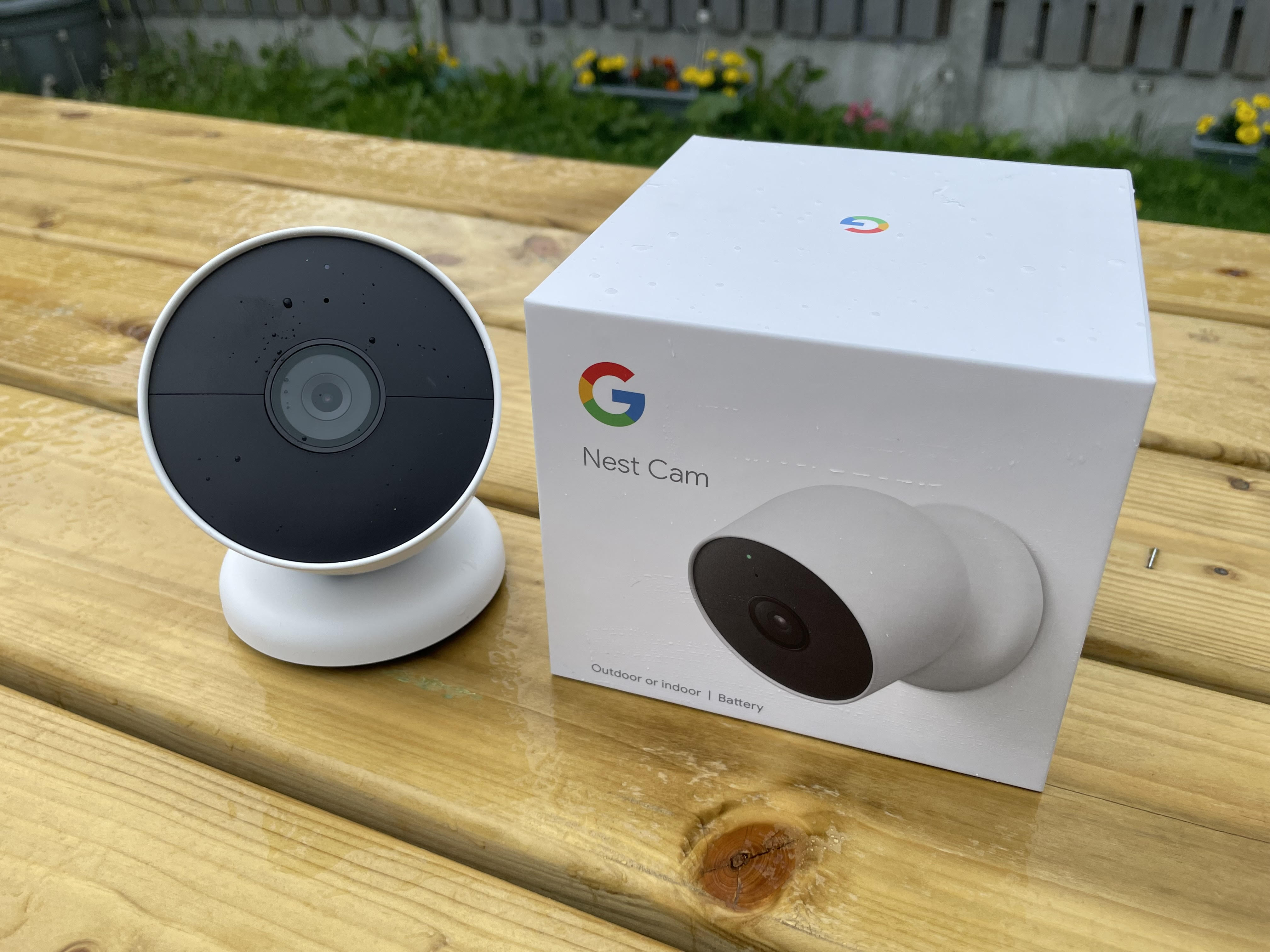
Recently we checked out the Google Nest doorbell and next up is the Nest camera which can be used indoor and outdoors and it is that how we reviewed the product but we have another ordered and will come back to give a run what it is like on the indoor setting. Heavier and larger than its competition out there how does it stack up for your money..
Build and design
This is larger and heavier than some outdoor cameras on the market and comes in the familiar white flavour which is what Google do best and that is no problem for us but looks nice and is a clear warning you have security at your home and this time of year is the time to start securing your home if you have not already with the shorter days and longer morning approaching quickly, I say this every time this time of year and you really need to beef up your home for the obvious reasons.It is a solid build and looks nice and if you are invested into Google hardwear and services it is the one you need, check out the unboxing video below for more and see what you are getting..
Set up is easy once again here and even using existing holes from your old system might work to get you going you also get a cable in the box for charging which is a cool one at that and similar to other offerings out there today. Again we go through all the finer details in the video review below and we look at the app and the features and what you can use in the app to get the most of the benefits including all the smarts you get without a nest subscription and there is enough on offer for all here which is nice and worth noting.
Battery life
If you have the home hub you can get more value so if you do not have one get one right now as this only enhances the system setup and not only that the nest hub is really cool anyway as you can leave it on a live view feed, the same as the doorbell too should you need to keep an eye on things., again we show you this in the video.. The addition to the nest subscription is you get 60 days continuous recording which is great but you get enough out of the box.
Google nest app
Detection
Video capture notification
The battery life for me on the camera would typically last longer than the doorbell due to placement and most peoples would but that is subjective to the individuals use case here and where it is placed and the settings you apply,typically for me my side entry or back door camera lasts up to three times longer than the doorbell would and charge time is longer on this taking around 4.5/5 hours which is slightly longer than others out there which is fine by me.
Conclusion
Ok so it is expensive for just one camera for most and from what people have said to me and i get that however you are getting a decent camera that will not let you down here, this is placed on my side entry through thick walls and still has a strong connection where as some cameras had an issue keeping connected, this also is a great looking effective deterrent and does not look cheap either and will let people know you are being watched, the only thing missing out of the box is a siren like what is on my older system that is even more of a deterrent and works effectively and by that stage its too late for whoever might be trying to gain access to your property but then again not a bad thing as they can just give us a better laugh whilst they are caught in the act only to be caught around the next bend by another camera.
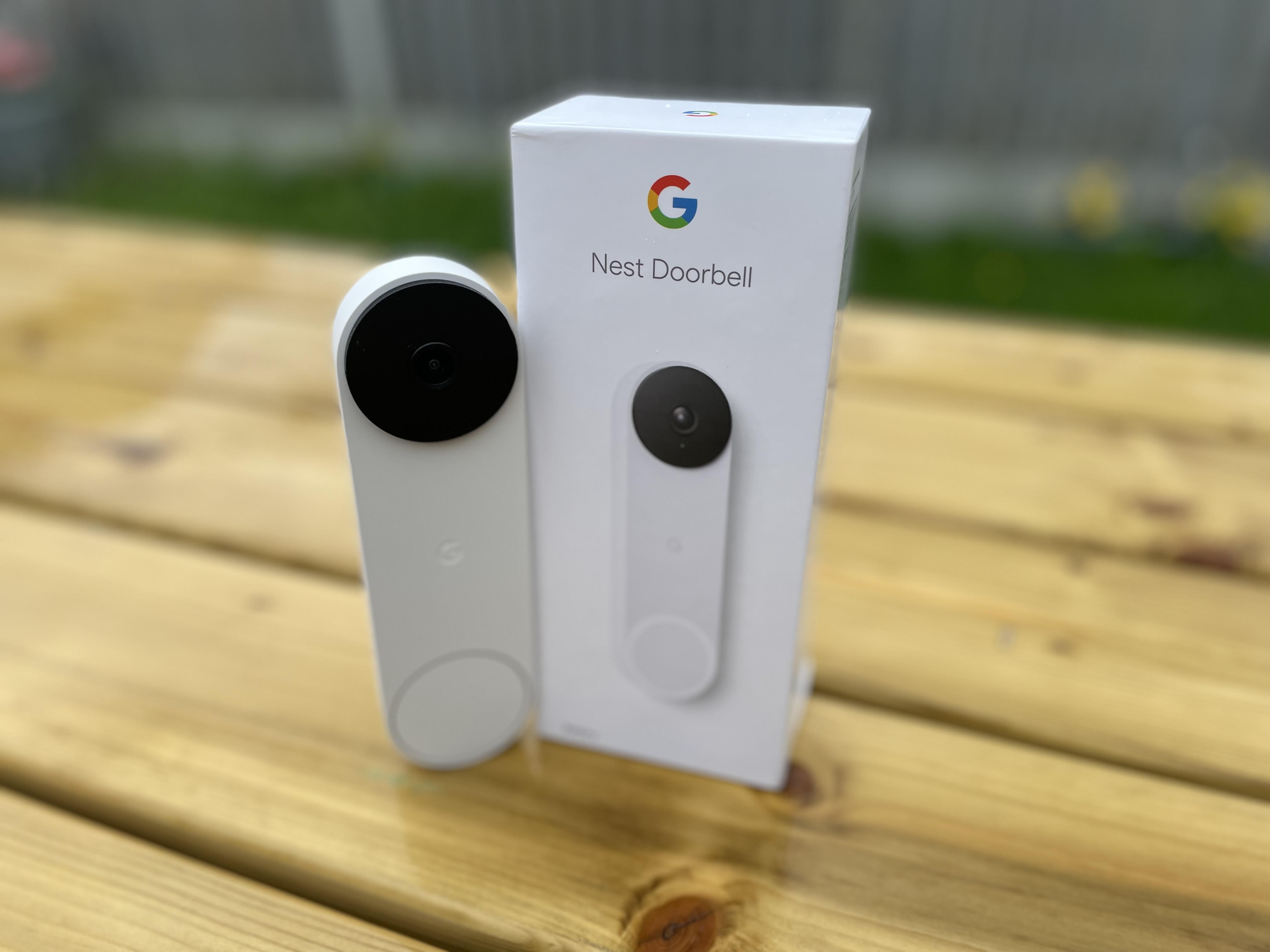
The all new Google Nest doorbell has arrived and is now going to be part of my new home security set up, having a wireless system makes more sense these days and the technology has improved hugely over the last few years as I have been using wireless security cameras in my home and having one ecosystem makes more sense rather than several mixed in together and it also cause clutter with extra hubs and so on.. The new offering from Google is of course wireless and easy to install too and can easily replace your existing system at home with less hassle especially if you have a wired set up that does limit the abilities and flexibility of the products.
Check out the unboxing and first look whilst we check this out over the coming weeks and we will have footage and more on this and the new nest cam too. Any questions you know what to do..
Google recently announced some new products and these are most welcome in my book, I am a keen Google product user and this makes thing much more seamless for me all round, as a keen security fan I have many security cameras in my home and will now be moving completely over to the Google platform with the new products.
The new next cam can be used indoors and outdoors and it operates via battery rather than being wired which is a nuisance today and limits the product portability factor for me, not that there is anything wrong with wired cameras but wireless in 2021 should be the thing same as USB-C and hopefully all future smartwatches.
Today we check out the new camera with a quick unboxing and tour of the device and we will have a full review in the coming weeks with footage from the camera and everything else that goes with it so stay tuned for that..
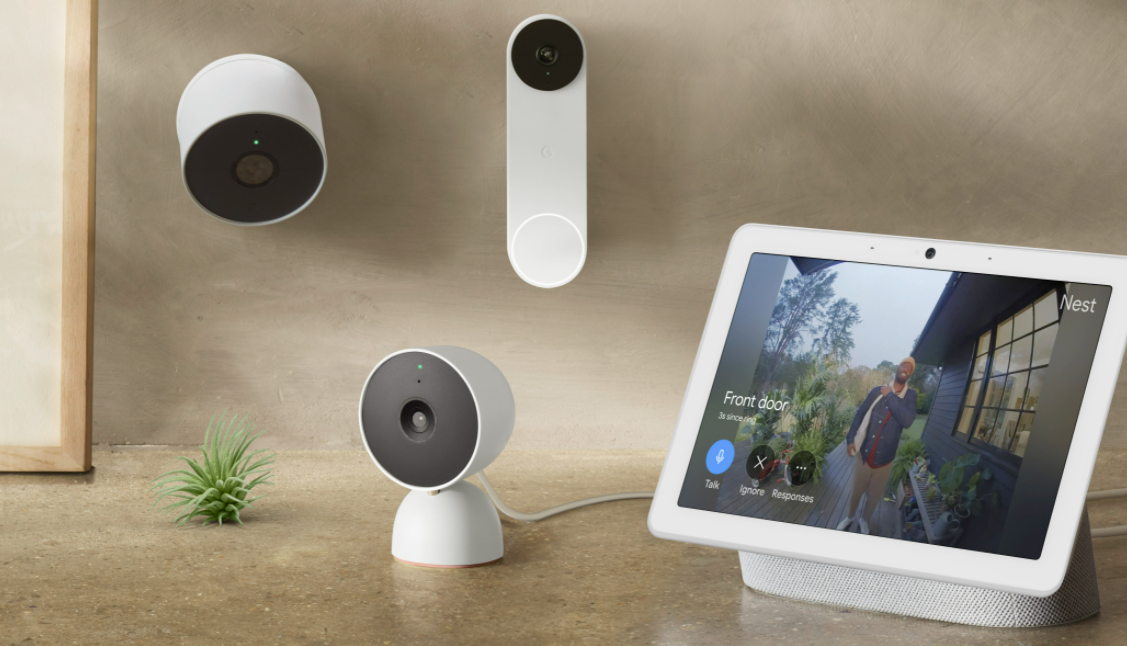
Google Nest’s mission is to build products that make a more helpful home. All of this starts with helping you understand what’s happening within the walls of your home and outside of it. Today they are introducing their next generation Nest Cams and Doorbell: Google Nest Cam (battery) is their first outdoor/indoor battery-powered camera (€210); Google Nest Doorbell (battery) is their first battery-powered doorbell ( €210). Then there’s Google Nest Cam with floodlight, their first connected floodlight camera ( €315) and finally the second-generation Google Nest Cam (wired), their most affordable wired indoor camera ( €105). As a keen security fan with a set up here at home I think I will be moving over to this collection as I am an entrenched Google product user
One of Nest’s first goals was to simplify home security, and it helped millions of people do this. So when we started dreaming up what our next generation of cameras and doorbells would be like, we wanted to incorporate the way the connected home — and your expectations — were heading. That included smarter alerts, wire-free options for installation flexibility, greater value and beautiful designs, plus enhanced privacy and security. We wanted our new line to give you the most comprehensive set of intelligent alerts right out of the box, and easily work with your other Nest products, like displays.
The new battery-powered Nest Cam and Nest Doorbell are available for preorder today and will go on sale on Aug. 24. Nest Cam with Floodlight and the new wired indoor Nest Cam are coming later this year.
Security with smarts
Because we’re all overloaded with notifications every day, our next-generation cameras and doorbell are made to send you the most helpful alerts. They detect important events that happen in and around the home, you can even create your own custom zones to cover the areas you want to be notified about, including alerts for people, animals and vehicles — and in Nest Doorbell’s case, also packages. Their new cameras and doorbell can do this because they process what they see on-device, which means more relevant notifications and added privacy and security. On-device processing means that all of this works right out of the box, no subscription required.
More versatility for your home
Nest’s new camera and doorbell line are truly made for every home. Battery technology allows you to install Nest Cam and Nest Doorbell nearly anywhere in your home — not just where there’s a power outlet or existing doorbell wires. The wire-free design makes installation even easier, too. And for those who prefer the option to wire their cameras, we’ve added the ability to wire the battery-powered Nest Cam and Nest Doorbell. The Google Store is stocked with accessories for Nest Cam and Nest Doorbell so it’s easy to install them where you want.
Google nest family
Nest devices that work together
Customers have told Google how much they appreciate that their Nest products all work well together. These new devices are no different. With the new Nest Cams and a display, you can keep an eye on the backyard from your Nest Hub and get alerts when the doorbell rings. Our new cameras are also fully integrated with the Google Home app, giving you access to all your compatible home devices in one place. With a Nest Aware subscription, you can unlock even more: Extend your event video history from three hours to 30 or 60 days, and get continuous 24/7 video history on wired Nest Cams with Nest Aware Plus.
Reliability when you need it
In case of a power or Wi-Fi outage, Nest Doorbell, both Nest Cam (battery) and Nest Cam with floodlight have local storage fallback, meaning they’ll record up to one hour of events on-device (about a week’s worth of events). Nest Cam (wired) also records on-device if your Wi-Fi is down. When service returns, the devices will upload your events to the cloud, so you can review what happened.
Made with care
We believe that technology for the home should be welcoming, and complement your decor rather than distract from it. When designing our new products, we drew design inspiration from lighting and architecture to create products that look great together and in lots of different settings. And our new cameras, doorbell and floodlight are designed sustainably with recycled materials.
Learn more about the new Nest Doorbell and Nest Cam (battery), available for preorder today and on sale Aug. 24.
Home security is a must have and it is now more affordable than every with great cameras and features costing less each year, In the tech world the cost to performance ration has been of huge benefit to consumers giving us more choice and value for money this has been noticed in smartphones and true wireless earbuds and so on but this has drip fed down into the home security market too and there is much more feature sets coming on such cameras and lower prices meaning a win win for the consumer, this new camera from CamCare is one such camera offering great features for the price and it also looks well too blending in with home.
This camera is wireless comes with an sd card out of the box and works both on Android and iOS with a simple to use App with a nice easy to navigate UI so it not too difficult to get to grips with. As usual we go through the features and show you how to use the camera in the full video review below and you can always ask us if you have any issues. This camera is also part of a wider ecosystem which you can also check out on their site
carecam security camera
The network high-definition shaking machine, based on standard Smart H.264 technology, supports 1080P resolution, support standard ONVIF protocol, compatible with mainstream NVR devices, with wifi module, TF card slot, to build wireless connectivity and local recording capabilities, support independent mobile phones, computer real-time monitoring.
It’s no exaggeration to say that we live our lives online. We’ve come a long way from the early days of the Internet when we used it to research high school book reports and email. These days, you can shop for clothes, buy your groceries, become an influencer with millions of followers on social media, or watch a live event with billions around the world.
We’ve learned and grown with the Internet, but it is learning too, about us.
Every site you visit online has cookies that collect information about you. The last ten years have been filled with frightening reports of data breaches at companies we give our banking information to. We also cannot forget scandals like Cambridge Analytica, which was an eye opening demonstration of the potential for misuse of data collected about us online.
Is Big Brother a reality of modern life that we just have to accept? While you may not be able to completely eliminate all forms of data collection, there are ways you can protect yourself and limit the reach of collection tools.
1. Consider switching search engines and browsers
Google has become such an unavoidable part of our lives it’s joined the English Language as a verb, complete with a dictionary definition. You can now be “googled” or searched. As much as we like the search engine and browser, the fact is Google is one of the biggest collectors of data online. Google records every single search item and site you visit. Moreover, information about your online activity is surprisingly detailed and stretches back over several years.
You can have this information deleted. You can also prevent it from being collected in the first place. Use alternative search engines that do not keep records. DuckDuckGo, Startpage, Qwant are privacy first search engines that offer varying degrees of freedom from tracking and collection. For alternative browsing, try Microsoft Edge or Safari.
2. Get an ad blocker
Most people see online ads as a necessary, if annoying, tradeoff we engage in for the content we love on the Internet. They can also be quite harmful. What most of us don’t know is that these ads are connected by a vast web of servers that allow you to be tracked once you click on them.
This is one way information is “stolen” from you through ads, as a profile of your interests, age, location among other things is built based on the ads you view.
The other is through the inclusion of malware and spyware on ad links. You can click on an ad and find yourself directed to a seemingly legitimate product website that prompts you to enter your financial information, only to have the data stolen and used by hackers.
An ad blocker will significantly limit the number of these “ads” you’ll be exposed to.
3. Install anti virus
To use your personal computer on the Internet without having anti-virus software installed on it is asking for trouble.
Viruses being released today are capable of causing far more damage to your machine and irrecoverable loss than any other time in the Internet’s history. Beyond that, the average user is dealing with sophisticated spyware and malware, software designed to spy and track on the user or cause the computer to behave in ways that are detrimental to it and the user.
Ransomware crimes have also become a significant problem. This is where the data on your device is encrypted and is not released back to you until the money is paid to the attacker. Having a backup of your data would help if this happens to you.
Backing up your data to the cloud is one method available to you. Therefore, it’s highly important to learn what is cloud security to find out how you can add an extra layer of security when you go online. You can never be too prepared or too protected online these days.
4. Take precautions when using public Wi-Fi
This one is for users of public wifi networks. In these quarantine times, it is especially good to get out and into the open, so you might take your laptop down to the local coffee shop. What you may not know is that your data can be stolen over these public networks. To stop this, you can install a VPN or Virtual Private Network.
This allows you to hide your IP address and block ads, which reduces the number of ways you can be tracked.
5. Use unique passwords for every online account
Having the same password for your online accounts may be convenient and easy to remember but it’s also dangerous. If hackers gain access to one of your accounts and try your password at the others, there are likely to be other security breaches. Consider getting a password manager, which will store all of your passwords.
6. Use two-factor authentication
This is another security measure that can add an extra layer of protection when you are online. Typically, two-factor authentication asks for a code, sent to a device only you have access to, along with a password. This way, even if someone steals your password, they can’t get into your accounts, as they don’t possess the code.
7. Password protect your phone
We tend to forget to password protect our phone, even though we are on it more often than our laptop or desktop throughout the day. This is like leaving your wallet on a public bus filled with cash. Think of someone having access to all of your contacts, your photos, your DMs, your social media accounts, all with the swipe of a finger.
Use the option to set up a password that comes with your phone, or take advantage of several security apps that do this as well.
8. Clear cache
Your browser knows you much better than you would like to think. Unfortunately, it can also help people looking to steal information about your buying habits or financial details because it stores so much information about what you do online. Clear your browser’s cache regularly to prevent this.
You won’t be able to completely eliminate online data threats, but you can significantly reduce them by taking these steps.
Portable drives are a part of many peoples lives these days they are a handy tool to have at your disposal plus with working from home now a big thing these days ensuring your data is safe and kept safe these are the tools you need, We have checked out many here on site before and this model from Datalocker is one you should have in your bag of tricks for many reasons asides it being one of the coolest ones yet and the first touch screen one which is on the small side and no stylus provided but many will have one at home or a pen perhaps could help with inputs if you have bug shovel hands like me, regardless it is simple to use too which is another important factor with no software required. You can opt into a fleet management option with Safe Console.
So what is DATALOCKER DL4FE
The DL4 FE is a FIPS 140-2 Level 3 Certified device built around a powerful AES 256-bit cryptographic hardware architecture that then adds layer after layer of security with automated policies that intelligently change its security posture based on its location, how it’s being used, and the type of data being stored on it. The DL4 FE is a TAA compliant device that meets the strictest security requirements while offering large-capacity (up to 15.3 TB) and an easy-to-use touchscreen for setup and use. A powerful addition to the DataLocker line of securely managed solutions, the DL4 FE continues our proud tradition of providing Simply Secure™ solutions, plus it’s backed by a limited 3-year warranty.
What does the DL4 FE OFFER.
SilentKill™ – Allow users under duress to destroy the device or the stored data without leaving traces by entering a special code (admin configurable).
Brute Force Password Protection – When in use, admins can configure how many failed attempts are needed before the device destroys it’s payload.
Fully Manageable Device – Use DataLocker SafeConsole to manage individual and groups of devices using automated policies.
Remote Device Detonation – Lets admins functionally destroy the device and its data remotely to protect against data or encryption key theft (Admin configurable. Requires SafeConsole).
On Board Anti-malware – Automatically scans files and quarantines/destroys bad apps/files based on policy settings (optional upgrade. Requires SafeConsole).
Comprehensive Audit Capabilities – Have a complete record of file activity (including name changes on the device), password attempts, device locations and machines, device health, and policies in force (Admin configurable. Requires SafeConsole).
Data GeoFencing – SafeConsole uses geofencing, trusted networks, and ZoneBuilder to ensure a device changes its security posture based on its location (Admin configurable. Requires SafeConsole).
Who is this product ideal for
DL4 FE and remote work – COVID-19 made remote work a new standard, pushing data to the edge and creating security concerns. Devices like the DL4 FE are becoming more important to help businesses balance remote productivity with security.
DL4 FE and manufacturing – Large-capacity encrypted drives like the DL4 FE offer a secure way to update remote or air-gapped equipment.
DL4 FE and healthcare – Devices like the DL4 FE make it easy to securely update firmware on CT scanners or other large medical devices. They also make it possible to transport electronic health records securely, without risk of costly data breach.
Having tried and tested this device one thing is for sure your data is going to be safe and this is vital today with GDPR being a huge thing for any business and particularly if you are travelling around with work or going between home and office and you need to carry data with you, rest assured your data will be in safe hands with this product.. As someone that has to travel and carry information on the go I know I will be in safe hands here.