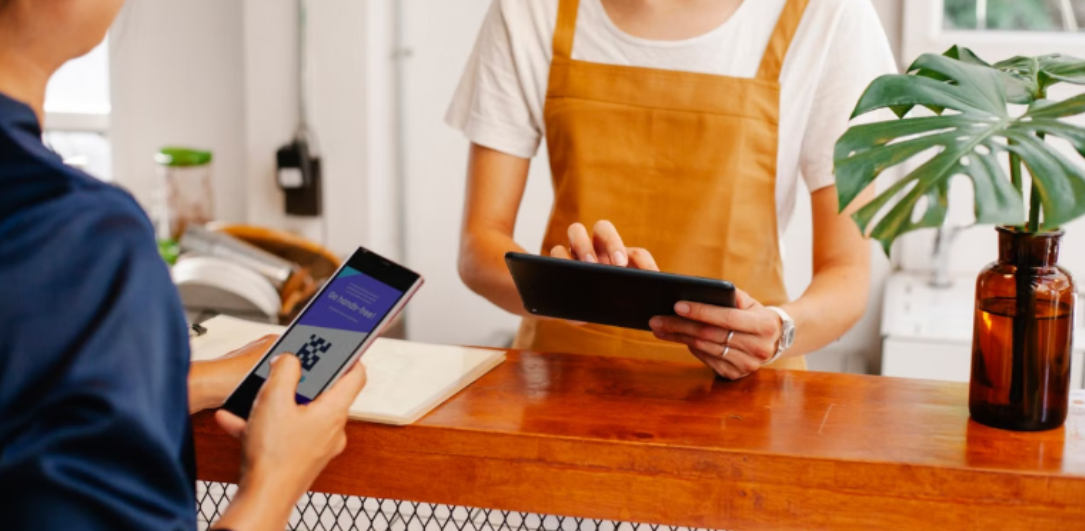
A business can accept secure digital payments without building and maintaining a full e-commerce website. Freelancers, event organizers, consultants, and local service providers can send customers directly to a hosted checkout page, often within minutes. This approach reduces technical work while giving customers a familiar way to pay by card. It can also help a new business test demand before investing in a larger online store, custom design or ongoing website support.
The Rise of Website-Free Commerce
Customers increasingly discover small businesses through social media, messaging apps, online directories, and email newsletters. In many cases, they never visit a traditional homepage before making a purchase or booking a service. That change has made website-free commerce a practical option for businesses with straightforward payment needs.
A fitness instructor might share a checkout page for a six-week class through a group chat. An event organizer can place a QR code on printed posters, while a consultant can add a checkout address to an invoice email. Each method gives the customer a direct route from interest to payment without adding an online shopping cart.
Why Traditional E-commerce Isn’t Always Best
A full e-commerce store can be valuable when a business manages dozens of products, stock levels, and shipping options. For a company selling one service or collecting fixed fees, that setup may add unnecessary cost and administration. Website hosting, software updates, and checkout configuration all require attention. Understanding what it takes to build and maintain a payment gateway can also help businesses assess whether they need a more complex payment infrastructure.
Some providers offer free merchant accounts, although businesses should still examine transaction charges, contract terms and hardware costs. For simpler sales, payment links can give businesses a secure checkout page they can share through email, text messages, social media, or QR codes, without requiring a full e-commerce website. This can suit freelancers, consultants, event organizers, and service businesses that need a straightforward way to collect payments online.
Simplified Solutions for Online Payments
Start by matching the payment system to the transaction. A dog walker collecting the same weekly fee needs a different setup from an event company selling tickets at several price levels. Write down what customers purchase, how often they pay, and what information you need from them.
A suitable system should let you set a clear amount, describe the product or service, and issue a receipt. Check which cards and digital payment methods it accepts, how quickly funds reach your account, and what happens when a customer requests a refund. Mobile usability also matters because many customers will open the checkout page from a message on their phone.
Beyond Websites: Direct Payment Options
Email and text messages work well for invoices, deposits, and repeat customer payments. Keep the message short, identify the charge, and state when payment is due. For example, a consultant could send a deposit request that names the project, gives the amount and links directly to checkout.
QR codes offer another useful route. Place one on an event registration desk, printed invoice, or community notice, then test it with both Android and iOS devices before publication. Social profiles can also direct followers to a checkout page, but each post should explain exactly what the buyer receives. Clear descriptions reduce confusion, disputed charges, and time spent answering basic questions.
Setting Up Your First Digital Payment System
Choose a provider that explains its fees, payout schedule, and refund process in plain language. Create an account, complete the required business verification, and connect the bank account that will receive funds. Next, build one test checkout page with a recognizable business name, accurate price, and concise description.
Review the provider’s security arrangements and its guidance on the Payment Card Industry Data Security Standard. Never ask customers to send card details through email, text, or direct messages. Run a small test transaction, confirm that the receipt looks correct, and check how the sale appears in your records. Once that process works from phone to payout, you have a dependable digital checkout ready to share.