
As Irish businesses increasingly turn to cloud storage solutions to manage their growing data needs, understanding the various storage technologies available becomes essential. With options like NVMe (Non-Volatile Memory Express), SSD (Solid State Drive), and HDD (Hard Disk Drive) each offering distinct advantages and disadvantages, the choice can be daunting. This article will explore the key differences between these technologies, their performance, cost implications, and suitability for various business applications. By equipping decision-makers with the necessary knowledge, this guide aims to facilitate informed choices regarding cloud storage for the future.
Understanding Storage Technologies: NVMe, SSD, and HDD
Defining NVMe, SSD, and HDD
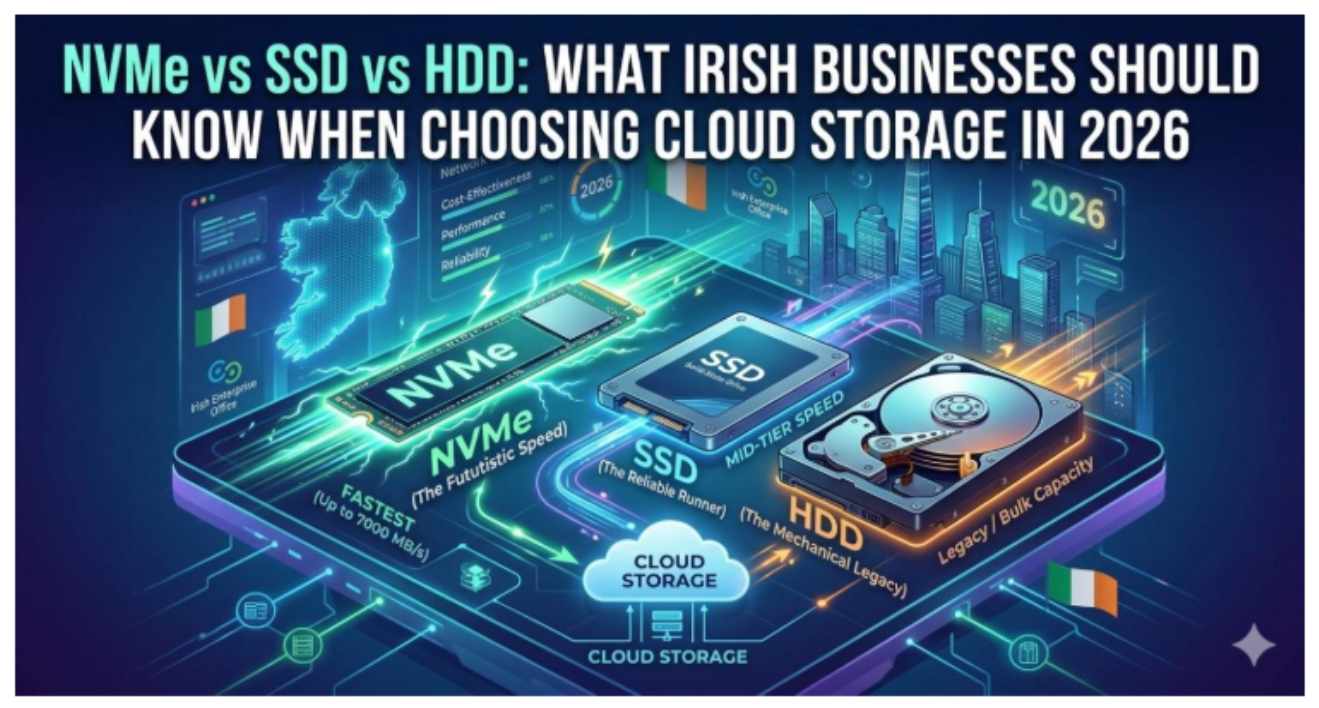
Let’s get to know our storage stars! NVMe (Non-Volatile Memory Express) is the high-speed contender, designed for flash memory and offering lightning-fast data transfer. SSD (Solid State Drive) is the sleek, speedy sidekick that uses flash storage chips, while HDD (Hard Disk Drive) is the traditional heavyweight, relying on spinning disks and mechanical parts. Think of NVMe as the sprinter in a 100m dash, SSD as a reliable road trip partner, and HDD as your grandparent’s old car – great for nostalgia, but not winning any races.
How Each Technology Works
NVMe connects directly to the motherboard using PCIe slots, zipping around like a caffeinated rabbit. SSDs also use flash memory but connect via SATA or PCIe, giving them decent speed for everyday use. On the other hand, HDDs are all about spinning platters and read/write heads – picture a tiny record player inside your tech. While HDDs can hold a lot, they can’t keep up with their flash counterparts when it comes to speed.
Performance Comparison: Speed and Reliability
Read and Write Speeds
When it comes to speed, NVMe screams ahead with read/write speeds that can reach up to 7,000 MB/s. SSDs come in a close second, typically ranging from 200 to 5000 MB/s depending on their connection type. HDDs lag significantly behind, clocking in around 80 to 160 MB/s. If your business expects quick file transfers and snappy program launches, NVMe and SSDs are your best bets.
Durability and Longevity
In the durability department, SSDs and NVMe drives take the cake – no moving parts means less wear and tear. They can survive drops and vibrations better than HDDs, which are prone to failure if not handled with care. However, while SSDs have a limited number of write cycles, they generally outlast HDDs in terms of sheer lifespan. Still, when it comes to rugged reliability, NVMe is the powerhouse, living up to its “next-gen” label.
IOPS (Input/Output Operations Per Second) Analysis
IOPS is like the heartbeat of your storage system: the higher the number, the healthier the performance. NVMe can handle hundreds of thousands of IOPS, perfect for demanding workloads. SSDs can manage around 30,000 to 100,000 IOPS, which is commendable for most regular applications. HDDs, on the other hand, are well… a bit lethargic, typically showing only 100-300 IOPS. If your business thrives on quick responses from your storage, NVMe is the clear winner here.
Cost Analysis: Budgeting for Cloud Storage Solutions
Initial Investment vs. Long-Term Costs
Upfront costs can make or break a budget. NVMe drives are usually the most expensive option on the shelf, followed by SSDs, while HDDs are the budget-friendly choice. However, it’s essential to look beyond that price tag. Over time, investing in NVMe or SSDs can save you money through faster operations, less downtime, and lower energy consumption. So, while HDDs might feel comforting financially at first, they could drain your wallet with their slower speeds.
Cost-Effectiveness of NVMe vs. SSD vs. HDD
When weighing cost-effectiveness, consider what you’re really buying. NVMe and SSDs may require a bigger upfront investment, but if speed and performance are crucial for your business, they pay off in productivity boosts. Evaluating the technical layout of NVMe vs SSD highlights exactly how modern solid-state memory bypasses traditional SATA connection bottlenecks, giving corporate infrastructure the computing edge needed to manage data-heavy applications seamlessly.
HDDs might seem like a steal, but their slower access times can lead to inefficiencies and lost opportunities. Choose wisely, and remember: sometimes a penny saved costs a fortune in missed deadlines.

Use Cases: Selecting the Right Storage for Different Business Needs
Small Businesses vs. Enterprises
Small businesses may opt for SSDs or even HDDs if budget constraints are tight, especially if their data needs are modest. Conversely, enterprises often require the high performance of NVMe to manage vast amounts of data quickly and efficiently. It’s like hopping from a bicycle (HDD) to a race car (NVMe); the latter is far more suited for the long haul when your business expands.
Data-Intensive Applications
For businesses using data-heavy applications such as databases, virtual machines, or high-performance computing, NVMe is the clear choice. The speed and efficiency of NVMe drives help maintain smooth operations, allowing for quick access and data processing. SSDs can also perform well but may not handle the workload as effectively as NVMe in high-demand scenarios.
Backup and Archiving Solutions
When it comes to backup and archiving, HDDs shine with their high capacity at lower costs. They’re perfect for storing mountains of data that don’t require high-speed access. SSDs can still be used for backups where speed is essential, but expect to pay more for less storage. Meanwhile, NVMe is usually overkill for archiving. So, unless you enjoy paying a premium for the fastest snail in the garden, stick with HDD for those long-term data hoards.
Future Trends in Cloud Storage: What to Expect in 2026
Advancements in NVMe Technology
As we zoom into 2026, NVMe (Non-Volatile Memory Express) is expected to soar in popularity. With lightning-fast read and write speeds, NVMe drives will be the speedy race horses of the cloud storage world, making traditional SSDs and HDDs look like they’re stuck in traffic. The introduction of PCIe 5.0 and beyond means businesses can expect even more data throughput, enabling seamless access to large files and speeding up everything from data analytics to virtualization. Buckle up, because your company’s data transfer speeds are about to go from zero to sixty in record time!
Emerging Cloud Storage Solutions
2026 promises to introduce a buffet of innovative cloud storage solutions. Multi-cloud strategies will gain traction, allowing businesses to pick and choose the best services from various providers – like selecting the perfect cheese for a charcuterie board. Expect hybrid solutions that blend public and private clouds, giving companies more control, security, and cost-effectiveness. Moreover, edge computing will shift some processing closer to the data source, reducing latency and enhancing performance. So, get ready to embrace a cloud environment that’s as versatile as a Swiss Army knife.
Impact of AI and Machine Learning on Storage
AI and machine learning are set to revolutionize cloud storage by making it smarter and more efficient. In 2026, expect intelligent algorithms that can predict storage needs, optimize performance, and automate the management of data. However, deploying these advanced algorithms requires businesses to audit whether they have the right infrastructure keeping pace with accelerating AI workloads, as legacy storage frameworks frequently struggle to deliver the high-speed, parallel throughput required for training complex models.
Security Considerations for Data Storage
Data Encryption and Protection
In a world where data breaches are as common as rainy days in Ireland, ensuring your data is protected is non-negotiable. By 2026, robust encryption methods will be standard in cloud storage solutions. Think of encryption as a lock on your data vault; without the right key, no one – especially cybercriminals – will have access. Look for storage providers that offer end-to-end encryption and regularly updated security protocols. It’s like having a great bouncer keeping the riff-raff out of your exclusive party.
Compliance with Regulatory Standards
Navigating the minefield of data regulations can feel like dodging raindrops in a Dublin downpour, but staying compliant is crucial. With regulations like GDPR remaining essential, businesses must ensure their cloud storage solutions meet all legal requirements. Providers should be transparent about their compliance measures and regularly update their practices to align with new regulations. In 2026, choosing a compliant, reputable cloud provider will be as vital as knowing when to wear your wellies on a rainy day.
Migration Strategies: Transitioning to Cloud Storage
Assessing Current Storage Needs
Before diving into cloud storage, it’s key to assess your current storage needs. This means taking a good look at your data habits – what you use, how much you need, and what you can let go of. Think of it like cleaning out your closet; if you haven’t worn it in a year, it might be time for it to go. In 2026, tools that analyze data usage patterns will help identify what to keep, archive, or toss, ensuring your transition to the cloud is efficient and cost-effective.
Planning the Migration Process
Once you’ve figured out what you need, it’s time to plan the migration. A detailed roadmap is essential – think of it like a treasure map, leading your data safely to its new home. This plan should outline timelines, roles, and any potential roadblocks. Also, don’t forget to consider data priorities; not everything needs to be moved at once. A staged approach will minimize risks and allow you to troubleshoot as you go.
Minimizing Downtime During Migration
Downtime can be a business’s worst nightmare – like finding out your favorite pub is closed for renovations. In 2026, using cloud migration tools will help automate and streamline the process, reducing downtime to a minimum. Strategies like real-time data replication can ensure that your operations continue running smoothly even while migration is in progress. Remember, the goal is to keep the lights on while you’re switching out the bulbs!
Conclusion: Making Informed Decisions for Your Business
Recap of Key Considerations
As we wrap up our exploration of NVMe, SSD, and HDD storage solutions, here’s what you need to remember: advancements in technology, emerging cloud solutions, and the power of AI will take center stage by 2026. Security must be prioritized with encryption and compliance at the forefront, while a thoughtful migration strategy ensures a smooth transition.
Final Recommendations for Irish Businesses
Irish businesses should embrace the cloud storage landscape with an informed mindset. Don’t be afraid to ask questions, seek out the best technologies, and be proactive about security and compliance. As you chart your path to cloud storage in 2026, remember: it’s not just about choosing the right storage method; it’s about ensuring your data is secure, accessible, and ready to meet the demands of the future. And if cloud storage can help you avoid the chaos of rain-soaked days, well, that’s just icing on the cake!
In conclusion, selecting the right cloud storage solution is a critical decision for Irish businesses looking to enhance their data management strategies in 2026 and beyond. By understanding the differences between NVMe, SSD, and HDD, along with their respective benefits and limitations, organizations can make informed choices that align with their specific needs and budget. As technology continues to evolve, staying informed and adaptable will be key to leveraging cloud storage effectively for future growth and success.
Frequently Asked Questions
1. What is the main difference between NVMe, SSD, and HDD?
The main difference lies in their technology and performance. NVMe offers the fastest speeds and lower latency due to its direct connection to the motherboard, while SSDs are faster than HDDs but slower than NVMe. HDDs are traditional storage devices that use spinning disks, making them slower and less reliable than the other two options.
2. Which storage option is most cost-effective for small businesses?
For small businesses, HDDs may initially appear more cost-effective due to their lower prices per gigabyte. However, SSDs can provide better value in the long run, given their speed, durability, and lower energy consumption, which can be crucial for performance and operational costs.
3. How do I determine which storage type is best for my business needs?
To determine the best storage type, assess your specific requirements such as data volume, access speed, and budget. For data-intensive applications requiring fast access, NVMe or SSDs are preferable, while for regular data storage, HDDs may suffice.
4. Are there security risks associated with cloud storage?
Yes, there can be security risks such as data breaches or loss. It’s essential to choose storage providers that offer robust security measures, including encryption and compliance with relevant regulations, to ensure the safety of your data.