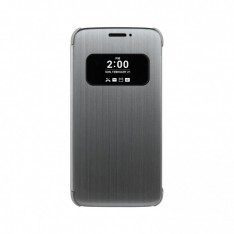
The LG G5 is due to arrive or be announced soon but LG have gone kinda backwards here with announcing a case for something that does not exist. This reminds me of something I did years ago. I bought my first DVD before I even had a DVD player. So to an extent I can relate somehow. Anyway this is what the case looks like and can be seen along with the much anticipated G5 at MWC soon.. Even LG have no quams about this themselves by saying
“Introducing a Case for a Smartphone That Does Not Officially Exist”
The latest LG Quick Cover offers the advantages of previous Quick Covers but with even more features. The touch function, recently introduced on the K10’s Quick Cover View, is now available on the G5 Quick Cover’s semitransparent mesh cover. It enables users to take calls and control alarm settings without opening the case for the ultimate in convenience.
The G5 will also have a feature which was seen before which is called “Always On Display” Again something we have seen years ago from Nokia..Oh dear….. Dont follow Apple LG and try claim/rename others good work because I do like LG devices..
If you need a handy app to keep track of something coming up be it a birthday,sports event,travel events and live weather there is a new app you should try today which has multiple offerings to personalise to your own needs and more,it is a simple app to use, you only need an event title, location and date/time. Adding the webcam widget requires a little bit of work – Find your favourite webcam (it can’t be a live/panning cam, it has to be one of the old school, photo ones) right click on it to get the file name and then add it as the Web Image option when setting up the widget..
Creator of the App Cormac Maher tells us a bit more.
I’m a UI Designer working for a software company in Dublin, the app came about being as a result of my annual snowboard trips, every year, as winter approached, I would set up three widgets on my homescreen – a countdown widget, a weather widget and a webcam widget, each of these showing information/images from my holiday destination.
So this year I decided to combine all three into one app. Those three features can be all used together on the app and widget, or they can be used individually, so it could be a weather widget, a countdown widget or a webcam widget. It’s not just for holiday countdowns, it can be used for birthdays, anniversaries, sports events, weddings, etc
Event countdown, weather and webcam – app and widget. Use it to count down to your holidays, birthdays, sports events and any other event you can think of.Add home screen widgets to your favourite events. Include the location to show live weather information on the countdown widget, also add webcam images for live views of event location
Watch as your event is counted down in days, hours, minutes, and seconds, and receive an alert when the event happens.Add background photos from your gallery, so you get a slideshow of background images, or use a photo taken with your camera, you can also add your favourite webcam of the location, to see exactly what conditions are like at that time.
Features
* 3X3 Widget
* 2×2 Stack Widget (premium)
* 3×3 Stack Widget (premium)
* 4×3 List View Widget (premium)
* Add 5 events
* Add unlimited events (premium)
* Local weather from event location (optional)
* Use webcam from event location as your event background
* Use photo from your gallery as background, use multiple photos for changing background
* Take photo to use as your event background
* Counts in days, hours, minutes and seconds
* Optional background image animation to give live effect
* Counts up after even commences
* Notification when event commences
* Recurring events supported
Yesterday we had a nice email from someone claiming to be Dropbox. Not the case though on closer inspection and the email addy attached to it.The email came from this clown here jared_peraner@jabil.com
Dear Dropbox User,
This is to inform you that your account was selected for verification during our regular system maintenance, kindly follow the link below and simply login with your email to verify your Dropbox account.
We are sorry for any inconvenience this may have caused.
Yours sincerely,
You have to laugh sometimes at these clowns thinking people will fall for things like this but sadly some do,this particular idiot could not even insert the link correctly but a copy/paste would do the job. Keep an eye out anyway and be vigilant. We of course informed the team to deal with the matter.. Whilst these are not a new thing it has been my first time to encounter one claiming to be Dropbox.
The Keyboard, one of the most used features of our devices and one of the most discussed topics between mid and high end user on the Android ecosystem.
One of the simplest but useful app in this segment is Chrooma
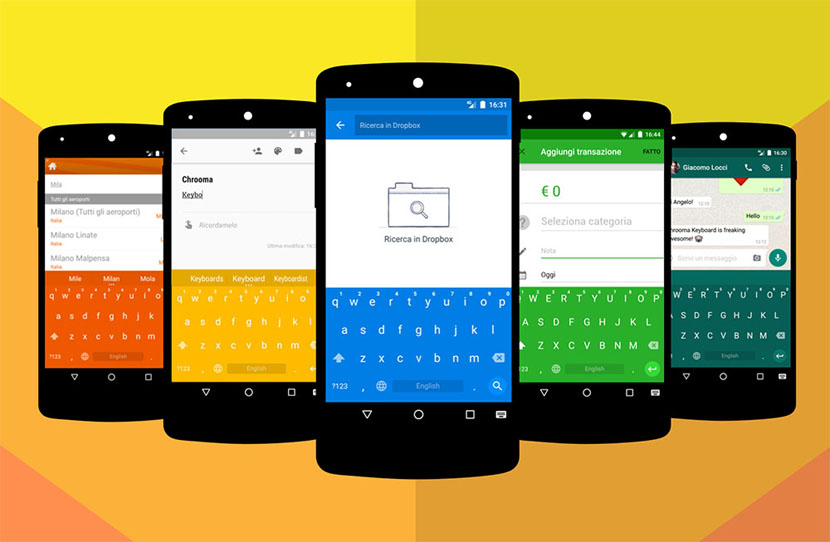
Chrooma is really simply and is almost like the stock Google Keyboard with some but great adds on.
With this app you’ll be able to customize lots of features on it, like color or even size (this one comes really handy for those with larger phones but no so large hands) and the best part is that packs the Swipe gesture feature that most of us love.
But where Chrooma stands out is the ability to have different colors depending on the app you are using with Palette Mode.
Is like having a virtual Razer keyboard, this one will change the color to match the app, like in the image above, so if your using FB Messenger it will turn blue.
Another cool feature is Night Mode, which will dim the colors as soon as it detects a light change.
So if you one os those people that love changing everything on your phone or want a theme to match perfectly this is the app you’ve been looking for.
Is not free, but the price would not break your pocket so if you want to try it out go and get it here:
Last year we had a nice app called Trring which was a unique lock screen app to make reaching your most used contacts simple with task offering a nostalgic look to it too,A new app has caught our attention and it goes by the name of “Contacts Widget” which is free to download right now from the Play Store. This app has alot to offer and there is a wide array of settings to play around with to personalise to your personal taste.. The basic version is of course free but to avail of the full experience it will set you back €3,39, Check it out below first and perhaps try the free version first and move from there.
Features.
over 50 amazing, beautiful widgets for all device types;
– 6 types of singles widgets (1х1, 2х1, 2х2, 4х1, 4х2, 4х3)
– 4 types of groups widgets;
– last Call list;
– last SMS message list;
– “Folder”. It can separate contacts by comfortable categories for you;
– very easy to use and convenient editor of widgets;
– quick import from Contact book;
– quick access to the call functions, SMS sending, profiles views and chat changes in social networks;
– the ability to be aware of missed calls, unread SMS, new messages chats, and the current status in
– the ability to be aware of missed calls, unread SMS, new messages chats, and the current status in Online of famous Social networks;
– comfortable and convenient user interface;
– many useful settings;
– energy efficiency of your phone due to minimal use of battery power;
– widget sizes 1×1, 2×2, 4×1, 4×2, 4×3, 4×4;
– the ability to use your favorite applications for reading and sending SMS;
– ability to set Internet access only via Wi-Fi connection to minimize your costs.
– User Guide to help you get started.
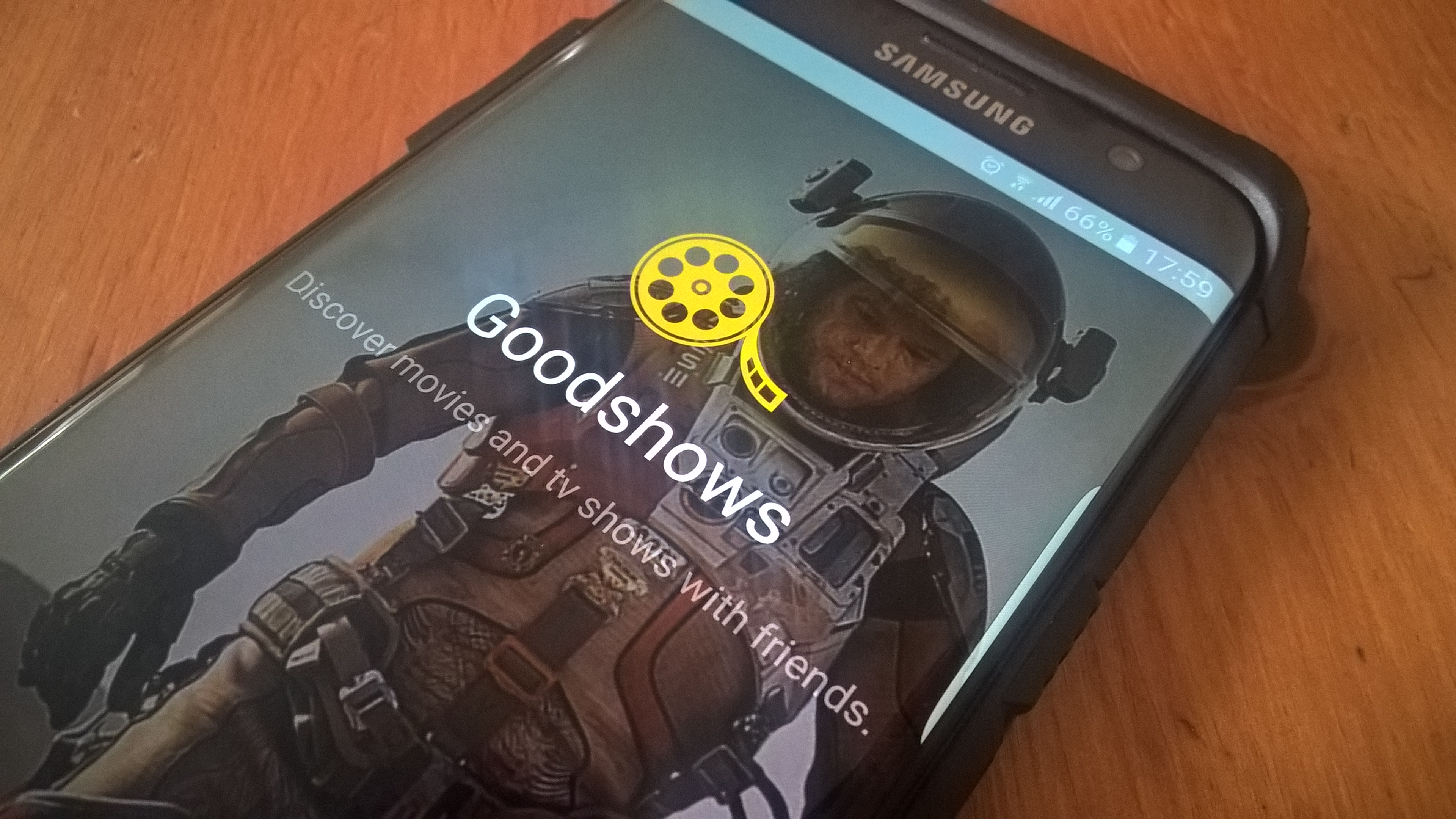
There is plenty of Apps around these days to keep us entertained some legal and some not so legal which is why they can only be got via APKs and this will likely continue for the foreseeable future and we are all fine with that however there is an app called Goodshows that is offering users who seek entertainment and Siddarth from Goodshows – “Premier social network for tv geeks and movie fanatics” has spoken to us about the app..
Tell us a bit about yourselves.
As avid movie and tv fans ourselves, we couldn’t find a proper place where we can discover new shows and discuss shows we have watched. The problem we had with sites like IMDB and RottenTomatoes is that movies are the first class citizens there. Not the people. And certainly not our friends. We had to put a considerable effort there to find our friends or people who have similar interests and keep up with the things they are watching. Your friends and other people with whom your interests align are your true recommendation engine. These thoughts led us to the creation of Goodshows.
What does the app offer its users?
1. Follow your friends and like-minded reviewers to discover new movies and shows to watch, and discuss your favourites.
2. Rate and review all the shows that you watch.
3. Keep track of all your favourite shows by adding them to your watchlist and get notified as new episodes are live.
4. Share your ratings and reviews with your friends on Facebook and Twitter.
Here are some new exciting features that we are working on and will come in next update in February :
(1) Spoiler Alerts,
(2) Show Search.
(3) Mute a specific show reviews from timeline.
(4) Trending shows.
(5) Thank a friend on discovering a awesome show from his/her review.
(6) Time spent on watching awesome movies and tv shows.
We want to build Goodshows into an incredible community where your opinions lead to engaging and interesting conversations.
Today we have seen a rather incredulous price for a mobile phone case and we did mention gold plating options and true to form with a new offering from Goldgenie with the iPhone6s. This is not the first time the company has done this with the iPhone and recent iterations include the Year of the Goat.
You will be paying big money for this but it will be very limited edition device with just 99 units being make which of course comes in the familiar luxury cherry oak display box and lifetime warranty.
The device will be available in 16GB /64GB & 128GB models via Goldgenie’s website priced at £2,497 and up and in euros that starts at around €3,221.
Contents are as follows.
Luxury Cherry Oak Finish Box
iPhone 6s (4.7″ screen) Elite Year of the Monkey Limited Edition Sim Free
Dimensions: 138.1mm x 67mm
Apple EarPods with Remote and Mic
Lightning to USB Cable
5W USB Power Adapter
Documentation
Clear-Coat full body protection Installed by master craftsmen at Goldgenie
If you want to bag some free Drive space from Google 2GB to be exact all you need to do is go through your account settings and ensure all is in check,for those with multiple accounts this would be welcome even though cloud storage is still a hard sell for some.. Tomorrow is Safer Internet Day and all you need to do is.. Below is a sample of what you will see from one account we would use..
Home security is something most of us should think about yet many do not and there is plenty of options available to users some which cost little and some which cost lots,Other simple means such as PIR detectors inside and out are common and then we have high tech alternatives but what about a light bulb which will be a shade of the price you would pay for high tech options? Welcome to ComfyLight the light that fits in any home with no wires or cables,it just fits in where current bulbs reside and thats all there is to installation.
Perfect presence simulation to prevent burglars. ComfyLight learns your movement patterns at home and automatically simulates it when you’re out – never programm bulky timers and settings again to prevent burglars
Detects and notifies you to unexpected movement. The presence sensor in each ComfyLight can sense presence – and it would alert you via your smartphone, whenever this happens unexpectedly.
Provides pleasant, automatic light. ComfyLights create a nice and comfy light. When you enter a room, it switches the light automatically on for you – and switches it off again when you leave. ComfyLights are dimmable.
Check any timeeverything is all right at home. The ComfyLight App on your smartphone lets you confirm at a glace that no uninvited guests are there.
Sensors
Microwave sensor: Allows for fine-grained motion detection, even through lamp shades, and can distinguish between humans and pets. Detected motion triggers ComfyLight to switch the light on.
Luminosity sensor: Ensures energy saving, as ComfyLight would only switches on if required by the natural lighting conditions.
UV sensor allows the lamp to distinguish between artificial light and daylight
Your privacy is our priority: NO other sensors such as cameras or microphones are included, which could interfere your privacy
General
E26 and E27 screw base (standard)
110V – 230V Voltage
10W (equivalent to 80W light)
Energy Efficiency A
25.000 hours rated life
Dimensions (HxWxD) 111×62.5×62.5 mm (= almost as small as a regular light bulb)
Light
Luminous Flux 800 lumen
Colour Temperature 2.700K (warm white)
Colour Rendering Ra80
System
Android (Android 4.4 and newer)
iOS 7 (iPhone 4 and newer)
SSL-Encryption Wireless Support for 802.11 b/g/n, WPA and WPA2