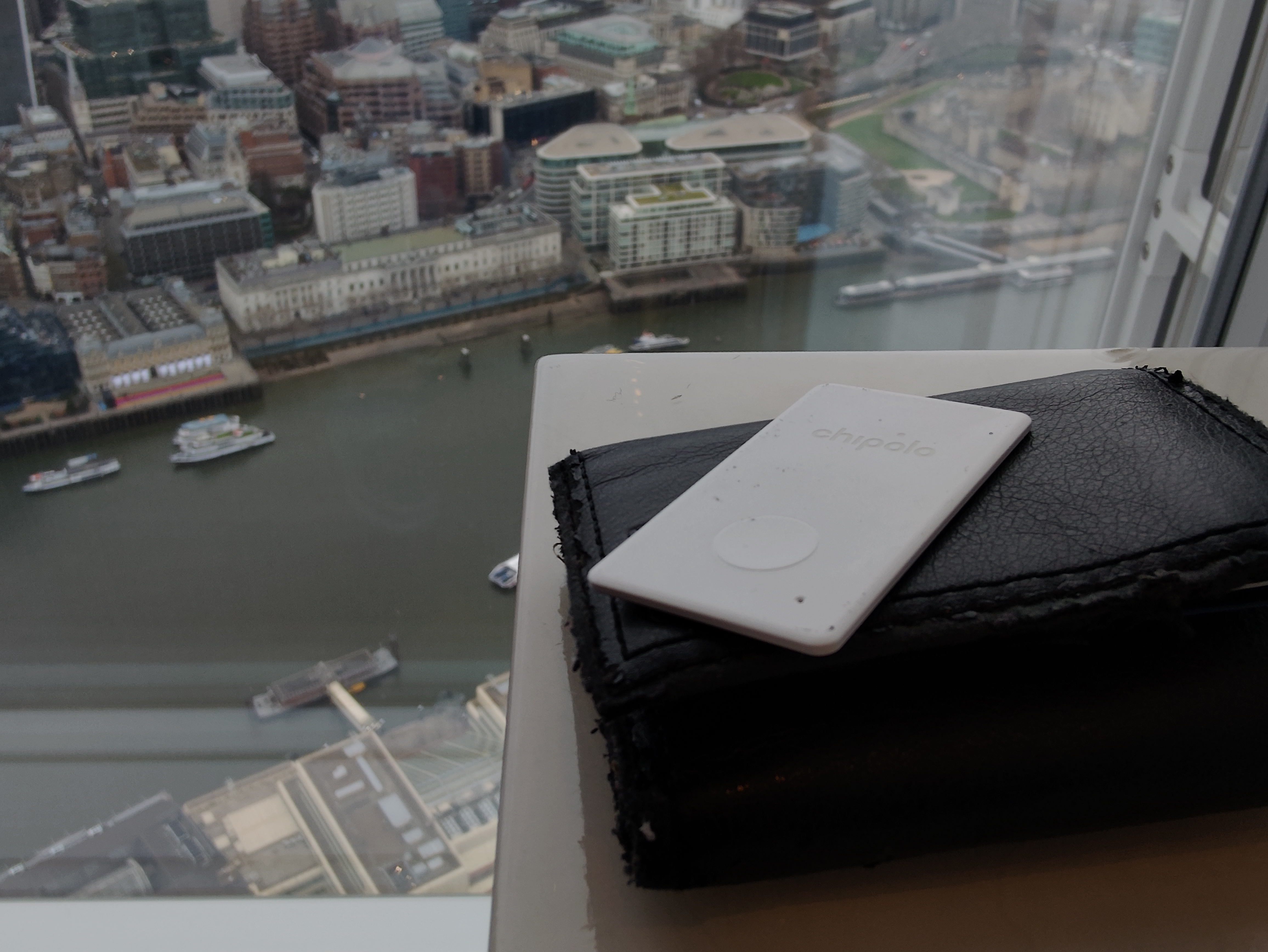
Tech Review – Chipolo One Item Tracker

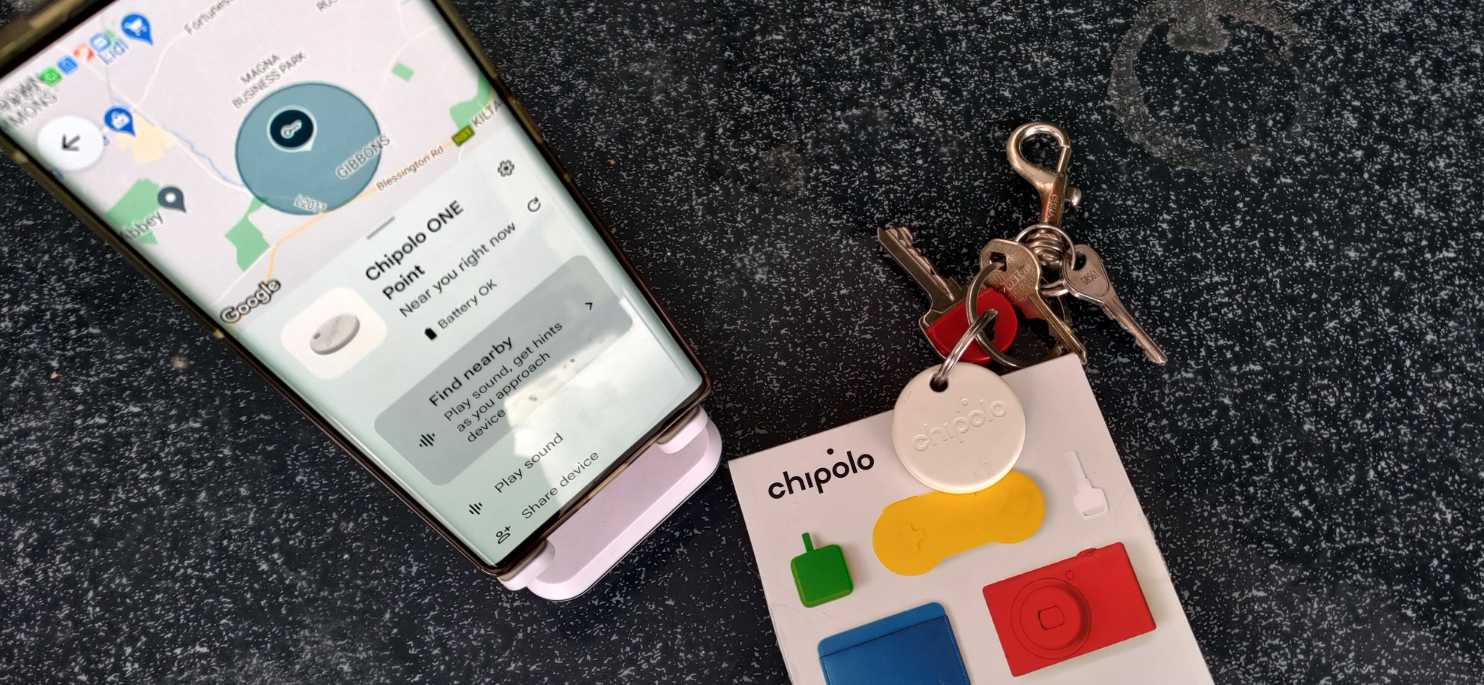
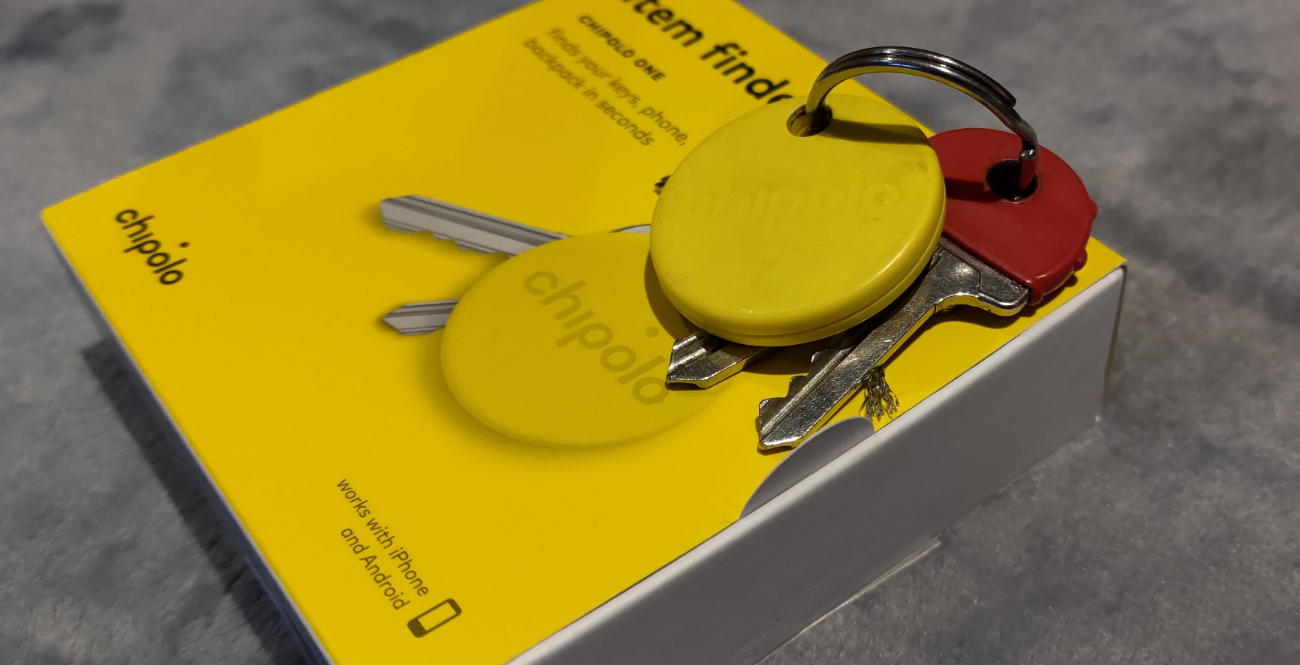
The Chipolo One Bluetooth tracker is a compact and lightweight device designed to help you find your keys or other items it’s attached to. It comes in various bright colours and is inconspicuous when connected to a pair of keys, thanks to its small, plastic disc design. The tracker has a loud audio signal, making it easy to locate, and is splash-proof and water-resistant with an IPX5 rating. It also has a replaceable battery that lasts for about two years and a Bluetooth range of up to 60 metres. The Chipolo One is compatible with Android and iOS and can be set up with voice commands on Google Assistant, Amazon Alexa, and Siri.

 Key features

Product Dimensions ‏ : ‎ 3.79 x 3.79 x 0.64 cm; 7.65 Grams

Setup and use,

Download the Chipolo app from the App Store or Google Play Store. Various terms and conditions are required to be accepted as part of the setup. Once set, the unit can be used as a remote control for your phone’s camera or your smart home devices, change the ringtone, shareable with family and friends through the Chipolo app, and alerts when your tracker is out of range.

Comparison

Conclusion 

At techbuzz, we reviewed the Chipolo PLUS in May 2018 and the  Chipolo CARD Spot in June 2022, both were found to be solid and worked as required, while niggles were raised related to the battery, This model has a battery life of 2 years which is commendable but improved by the option to replace the battery as one with do with a watch battery.  In our review of the Chipolo One, we found it to be a practical and affordable choice for anyone prone to misplacing items. The device’s compatibility with both Android and iOS, as well as its free app with no subscription fees, further enhances its value. The simple design, with the ability to connect to any keys, key fobs, pet collars, or bags, and weighing only a few grams, makes it easy to forget until the item is lost or misplaced.

The extra features, such as a customizable ringtone, remote control capabilities, and out-of-range alerts, make it a fully-featured product. The Chipolo One’s two-year battery life, which is commendable and improved by the option to replace the battery, adds to its appeal. This device offers technology that works simply out of the box and keeps on working until required, making it an excellent choice for practical and affordable use’

Buy

Video review

Tech Review – Chipolo Card

The Chipolo Card is a Bluetooth item tracker designed to help locate lost items, such as wallets or keys. It is touted as the thinnest Chipolo, measuring 2.55mm in thickness, and is used in conjunction with the Chipolo app. The card is made of solid hard plastic, ensuring durability when placed in a wallet. It is approximately half the size of a typical credit card and emits a loud 95 dB sound that can be activated from the paired phone to aid in locating the unit. The device has a range of up to 200 feet in line of sight and is water-resistant with an IPX5 standard. The word “Chipolo” is derived from “chip” and “colours.”

Setup and Use: The Chipolo Card is compatible with the Chipolo app for both iOS and Android. The setup process involves downloading the app, pairing the device with the phone, and enabling key features such as locating the Chipolo, range alerts, activating the ringer, and taking a selfie. The device also utilises the Limited Chipolo Community search to find the unit if marked as lost.

Features

Compatibility Note: Users should be aware that if the Chipolo Card is used with a Radio Frequency Identification (RFID) blocking wallet, the wallet’s design may interfere with the device’s functionality. This is not a fault of the unit, but rather a limitation of the RFID wallet design.


 Overall Assessment

The Chipolo Card is user-friendly and compatible with both Android and iPhone devices. However, it is important to note that the device is equipped with a non-replaceable battery that has a lifespan of 1 year. Chipolo does offer a renewable option for the battery. The device’s numerous features, including receiving notifications when an item is accidentally left behind, make it a valuable tool for preventing the loss of belongings. In summary, the Chipolo Card is a reliable item tracker that could prove to be a worthwhile investment in the event of misplaced property.

Buy 

Video Review


Tech Review – Jabra Elite Active 8 earbuds

The Jabra Elite Active 8 is a true in-ear wireless earbuds, touted by the manufacturers as the “World’s toughest earbuds” with an IP68 rating, making them water resistant in fresh water to a maximum depth of 1.5 meters for up to 30 minutes and protected from dust. These earbuds are designed for serious athletes and outdoor enthusiasts who require durable, high-quality, and noise-cancelling earbuds that can withstand various conditions and environments.

The kit comes in the standard Jabra-type case (IP54). The earphones’ external feel is of Liquid silicone rubber, and the feel and design may not appeal to everyone as plain in the tones and feel as compared to other Jabra earphones. They come in a variety of colors including Black, Navy-Caramel, and Dark Grey.


Accessories:

  •       Earbuds
  •       3 sets of EarGels™
  •       Charging case
  •       USB-C to USB-A cable
  •       Warranty and warning leaflet


Features:

  •       The world’s toughest earbuds* –dust, water, and sweatproof
  •       Fully dust & waterproof earbuds (IP68) and case (IP54)
  •       Auto-adjusted noise cancelling even in windy environments with
  •       Adaptive Hybrid ANC
  •       Secure in-ear fit with Jabra
  •       ShakeGrip™ Lifelike Spatial Sound powered by Dolby Audio
  •       Stable connection with your Smartwatch  while you exercise
  •       6-microphone call technology for clear calls on-the-go

Setup:

The setup is standard in terms of connecting to the Bluetooth device as normal. The Multimode technology allows the earbuds to connect with multiple devices at the same time (up to 10 can be connected).

  1. Charge the earbuds and the charging case using the included USB-C cable.
  2. Download the Jabra Sound+ app on your smartphone from the App Store or Google Play Store.
  3. Enable Bluetooth on your smartphone.
  4. Remove the earbuds from the charging case.
  5. Open the Jabra Sound+ app and follow the on-screen instructions to pair the earbuds with your smartphone.
  6. Once the earbuds are paired, you can customize the settings using the Jabra Sound+ app, such as adjusting the equalizer, enabling ANC, and customizing the controls.
  7. You can also use the physical controls on the earbuds to control music playback, answer calls, and activate ANC or HearThrough mode.

The Jabra Sound+ app is not required on the setup while recommended to use as this allows customizes on the earphones. The app allows the registration for the 2-year warranty, personalize the earbud, use the voice assistance.

Conclusion:

The Manufacturers quote the Jabra Elite Active 8 as the world’s toughest earbuds, which is done without adding bulk to the earphones or reducing the audio quality or deterioration in the battery life, keeping a remarkable 8 hours or 32 hours with the case. The adaptive hybrid active noise cancellation was excellent in reducing noise in the background but was noticeable on calls, colleagues in the background voice could be heard on the other end of the calls. The bass may not be as good as other Jabra products, but There was a fair balance between, mids, and highs, with impressive adaptive noise cancellation and Dolby Spatial audio features.

The ability to connect multiple phones. laptops via the multimode technology is a must for me having a variety of products connected and any one time. The ability to use only one earbud as required is a handy feature when multitasking. The Jabra Elite Active 8 design looked similar to many other Jabra products but the Secure in-ear fit worked very well and did not fall out even during challenging situations making them ideal for exercise and outdoor activities due to its durable build and strong ANC. The software via the Jabra Sound+ app has worked seamlessly and connected to phones as would be expected from Jabra. Another great product from Jabra with a bonus of durability with great battery life.


https://www.harveynorman.ie/tvs-headphones/headphones/all-headphones/noise-cancelling-headphones/jabra-elite-8-active-wireless-earbuds-navy.html

Video Review

Tech Review – iStorage diskAshur PRO2

The iStorage diskAshur PRO2 is a PIN-authenticated, encrypted portable drive that offers secure storage and protection of data to military standards. This USB 3.2 Gen 1 HDD/SSD device is designed for use with various operating systems and devices, including laptops, PCs, and smartphones. Its compact design, built-in USB cable, and tamper-proof features make it a reliable choice for users requiring high-level data security. The diskAshur PRO2 is tamper-proof and will reset itself after a certain number of tries if someone tries guessing the PIN, which erases all the data.

 Setup and use:

The diskAshur PRO2 is plug-and-play, requiring no additional software. Users simply need to connect the USB cable to their device, enter the 7-15 digit PIN code, and start using the storage space. The full user manual is stored on the SSD drive, and no additional cables are required, as the drive comes with the USB cable attached to the unit. It is recommended to change the PIN code as soon as possible after initial setup, as outlined in the instructional manual.

Warranty: a commendable quality approach in a 3-year manufacturer’s warranty (HDD & SSD)


Conclusion:

Techbuzz did a review on this model type diskAshur2  in 2017 in which it was found at the time we noted the feature of a “ Wear Resistant Epoxy Coated Keypad”  which we can say is still coated,  this implies the quality and build of the current diskAshur PRO2 would be similar with its layer of polymer coating that protects the keys and hides key usage to avoid tipping off a potential hacker to commonly used keys. The speed from the older model has increased from its  diskAshur2  in 2017  3.1 10Gb/s,  to the USB 3.2 with the diskAshur PRO2  20Gb/s transfer speeds. The disc came with the same strong protective carry case with the cable built into the drive. These have worked flawlessly for their previous product with the design of the diskAshur PRO2 very similar indicating the same quality as before.

The question then becomes not whether to get an external hard disc backup when removing data off-site. it becomes a choice of what type and size,

The diskAshur range in the SSD from 128 GB to 16 TB, the SSD under review was the 1TB model.  The manufacturer quotes “ The diskAshur PRO² has been certified to the highest government accreditations (FIPS 140-2 Level 3, NCSC CPA, NLNCSA BSPA & NATO Restricted), helping you safeguard valuable and sensitive data to ensure compliance with stringent data protection and confidentiality regulations and directives, such as GDPR, HIPAA, SOX, CCPA and more.”

Overall the 3-year warranty, the speed via the USB 3.2 and the quality combined with the numerous accreditations certifications and compliance with stringent data protection ensure as stated back in 2017 the same applies. This may be like the phrase & quote from 2017; “Nobody ever got fired for choosing IBM &  to the diskAshur PRO2 “  The iStorage diskAshur PRO2 is a premium product with rock-solid build quality and advanced encryption technology that keeps your files safe from unauthorized access.

BUY HERE and see what is on offer this Christmas for that tech lover in your life or spoil yourself.

 Video review 


Tech Review – Creative Live! Meet 4K

The Creative Live! Meet is a 4K UHD  conference Webcam with an auto-tracking camera speakerphone with AI Technology inbuilt,  This comprehensive kit has touch buttons on the top of the speaker and houses 4 pairs of ultra-sensitive omnidirectional microphones. With a wide-angle field of view (FOV) of up to 115°, this conference speaker exudes solidity, weighing 734g and providing a stable presence on any table.

The touch buttons on the unit allows adjustment of camera angles, zoom, and focus, while volume control and mic muting can be effortlessly managed by tapping the top panel of the Creative Live! Meet 4K. Additionally, the kit includes a remote control, offering convenient access to the main features, with the most common functions prominently located on the front of the remote and the top of the conference speaker. The package also includes in the packaging a QR code linking to the website with all the key features and performance controls

Contents:

1 x Creative Live! Meet 4K

1 x USB-C to USB-A cable

1 x Quick Start Guide

1 x Remote Control*

1 x Power Adapter

* Batteries not included


Specification


Overview

Remote


Setup:

The setup is plug-and-play, requiring no additional driver installation, and only necessitates a power supply cable plugged into the Creative Live! Meet 4K and a USB 2.0 connection to a laptop running on Windows or macOS platforms. During testing on an MS Teams call, the kit excelled in terms of audio from the mic, with the 5W speakers delivering impressive sound. The clear and physically large buttons on the device facilitated easy operation, with the unit’s color changing to red when switched off. However, there were occasional discrepancies in color changes when muting or turning off the camera within the Teams app, leading to a less favorable experience in multi-user calls. The on-screen display provides clear text indications, although it defaults to mirror mode when viewed by the user, but displays correctly for the other call participants The creative app was downloaded to the laptop and tested with very few features adapted to the review.

The AI function when enabled worked well in terms of this following the presenter’s head around even when moved from one site to the other side of a room up to 115°. The 7X digital zoom worked via the remote control allowing one to focus on eg a particular area in the room.

Additional features in terms of hand gestures, allowing the trigger specific actions by gesturing in front of the Creative Live! Meet 4K!

Warranty and Niggles:

The Creative Live! Meet 4K is backed by a 2-year limited hardware warranty for EU countries and a 1-year limited hardware warranty for non-EU countries. However, some minor niggles were encountered, such as issues with the user guide QR code and the absence of batteries in the remote, which detracted slightly from the overall experience. Additionally, discrepancies in color changes and default mirror text mode were observed, albeit without significant impact on the unit’s functionality or call quality.

Conclusion

In conclusion, the Creative Live! Meet 4K offers an array of impressive features, including a responsive camera, clear buttons, and remote indications of call status. The AI capabilities add an extra dimension with gesture control, while the auto-tracking feature and excellent audio from the 4 built-in omnidirectional microphones, coupled with the depth of the speaker audio, provide a compelling conferencing experience. The 4K UHD resolution, powered by the Sony STARVIS IMX415 CMOS Imaging Sensor, delivers a premium video experience, further enhancing the unit’s appeal. Despite minor setup nuances, the remote’s responsiveness and effective zoom functionality make the Creative Live! Meet 4K a solid choice for those seeking a feature-rich conference solution

BUY

Video Review

Tech Review – IPEVO VOCAL AI Beamforming Bluetooth Speakerphone

The IPEVO VOCAL AI Beamforming Bluetooth Speakerphone is a conference speakerphone that claims to be the first speakerphone with two-way AI noise reduction. The speakerphone has Mic mute/unmute, Power switch, Bluetooth pairing button, volume knob, microphone mode switch – directional/omni, AI Voice for Mic, AI Voice for Speaker buttons on the unit. It is compatible (Plug & Play) with Mac, Windows, and Chromebooks and can connect to PCs, mobile, and Bluetooth-enabled devices.

Package Contents:

  •         IPEVO VOCAL
    USB Type-C cable (3.94 ft / 1.2 m)
    Quick Installation Guide


Features:


Controls:


Compatibility and Output Connectivity   USB Type C, Bluetooth 5.1

Compatibility (Plug & Play)   Mac, Windows, and Chromebooks.

Connectivity  Can connect to PCs, Mobile & Bluetooth Enabled Devices


Setup:

The Setup is standard in terms of connection to a Laptop via USB C cable or Bluetooth to a Laptop or phone etc  The setup worked as required while when turning on the IPEVO VOCAL this played music but did not advise connect or not. On occasion having connected to 2 phones and 2 laptops, it was hard to distinguish what the IPEVO VOCAL was connected to as does not have multimode technology and was slow to connect even when the other devices were switched off.  The option of Omni-directional: 360° voice capture or Directional: 120° voice capture was the change of a button which worked seamlessly allowing the whole room to talk or filter out to only one person speaking.

Niggles. The IPEVO VOCAL was tested on numerous conference calls, WhatsApp calls, and traditional calls. During the calls, the peak output power of the 5W speaker was low in terms of sufficient volume to hear for one person in a room, or a small group but a larger room would be difficult to hear with the volume turned up Max. The unit while connected to the various technologies via Bluetooth has worked but switching off and on struggles to automatically connect to the specific device, which resulted in manually connecting again. On occasion having connected to 2 phones and 2 laptops, it was hard to distinguish what the IPEVO VOCAL was connected to as does not have multimode technology and was slow to connect even when the other devices were switched off.

Warranty: 2 years from the date of purchase.

Conclusion:

The IPEVO VOCAL came with Two digital MEMS omnidirectional microphones with a Pickup distance of 5 m, which on paper may not compare well to many other brands which have more microphones. The 5w speaker volume is lower than many others tested in the past.

Ignoring all the above niggles, and specs this is a WOW conference speaker, wow in terms of using the best equipment in the past, conference, or earphones this outshines them all, When the AI Mic option was switched on, with a dog barking and a robotic vacuum running in the background, all the noise was drowned out. The other end of the call could not hear the noise through its artificial intelligence noise filter which used distinct data to capture natural sound while removing noise. The Omni-directional: 360° voice capture or Directional voice capture works flawlessly during calls (This can be heard in the video review when enabling the AI features.)

In conclusion, the IPEVO VOCAL AI Beamforming Bluetooth Speakerphone is a conference speakerphone that claims to be the first speakerphone with two-way AI noise reduction. While it has some niggles such as low speaker volume and slow Bluetooth connectivity, its AI noise reduction feature works flawlessly during calls.  This is a product that often-marketing teams exaggerate their claims of “It removes background noise on both ends of the call and delivers crystal-clear conferencing free of hassle.”  On this occasion, this statement is correct with a sensation feeling of this technology for the future. This is a product that must be tried /heard to believe it’s so good.

BUY

Video Review 

Tech Review – OBSBOT Tiny 2 AI-powered PTZ 4K Webcam

The OBSBOT Tiny 2 is an AI-powered PTZ 4K Webcam mounted on a 2-axil gimble allowing the movement/tracking as required, weighing in at 95.6g. This came with Built-in dual omnidirectional mics with noise reduction with a Power USB-Type C 3 Interface. The Tiny 2 while small felt solid to hold and a strong plastic material, The unit came with a Lightweight aluminum alloy Magnetism Adjustable Mount for Snap-On Installation. A separate kit was supplied as OBSBOT Meet Remote Control, with a Wireless Connection and an Extendable (optional) Tripod to mount the OBSBOT Tiny Series to adjust the height as required.

Contents 

The supplied USB-C to USB-A adapter is a bonus to allow multifunction connections to products. The supplied Storage case is ideal for hybrid working ensuring all components are packed away as neatly as required, which a standard USB C cable in use. 

As part of this review, Techbuzz Ireland used the optional accessories

  • OBSBOT Meet Remote Control
  • Extendable Tripod

Features

  • AI Tracking: Upgrade in AI tracking algorithms ensures smooth and accurate tracking of fast-moving objects, the addition of other faces, or changes in lighting conditions. Whether it’s a video call, presentation, or live streaming, the OBSBOT Tiny 2 webcam maintains focus on your target without losing sight.
  • Ultra Large 1/1.5” CMOS: Elevate your webcam experience with OBSBOT Tiny 2. It features an ultra-large 1/1.5″ CMOS sensor for unparalleled 4K, 30 frames webcam image quality.
  • Different Control Modes: Voice Control-Operate 4k webcam with easy and intuitive voice commands in English like “Hi, Tiny”, “Sleep Tiny” “Track Me”, “Unlock Me”, etc; Gesture Control 2.0-Based on the OBSBOT Tiny 4K webcam existing gesture control feature,
  • Multiple Modes: By downloading the OBSBOT WebCam App, you can enjoy the benefits of Beauty Mode, Desk Mode, Whiteboard Mode, Hand Mode, and Group Mode.
  • Various Placement Methods: Streaming webcam can be placed in four new shooting modes: Landscape, Portrait, Downward and Upside-down. These modes are suitable for video calls, vertical screen live streaming, desktop sharing, and remote teaching, providing a wider perspective and clearer details for the audience.

Compatible: Windows and Mac computers. 

Setup

The setup is standard in terms of connecting the Kit, which is connecting a UBC C cable to your laptop. Software can be downloaded to enhance the features via the install OBSBOT WebCam from https://www.obsbot.com/download, (If not downloaded basic features of AI Tracking, Gesture Control, Voice Control, etc, will work) Once downloaded the featured via voice, manual or remote can be enabled or disabled.

Voice command:

The OBSBOT Tiny 2 has voice controls which can turn on the Camera or put it to sleep. When using the voice controls the language used has to match exactly as per the instructions in the manual. It was noticed while this is an excellent feature, on occasion, this had to be repeated to ensure the voice was correctly picked up. The Features like track me when enabled via the AI are excellent in following the presenter around the room, with the option to change to go to a pre-stored position. This feature worked very well when the camera was put


OBSBOT Tiny Smart Remote 2

The Remote combines a presentation clicker and webcam remote control to control a multi-cam setup and preset positions.

Privacy Mode:

The Camera when disabled via the voice command “Sleep tiny”  or via the remote turns the camera via the 2-axle gimble to tilt down the camera to the ground ensuring privacy is observed when not in use. Again, simple but effective use of its technology. 

Warranty:  This is a disappointment with a 1-year warranty as standard. 

Conclusion:

Typically the word Tiny would indicate that this is smaller than the norm and lacks a punch for a product being of limited feature, How wrong could you be in terms of judging a book by its cover, The Tiny 2 came with the simple things done well, a USB C to C connection, an adapter to use USB A to your laptop as required, and a storage case. It’s small and lightweight, making it easy to transport. 

As an extra touch the Smart Remote 2 combines a presentation clicker and webcam remote allowing for a multitude of options, The supplied stand looks like a simple piece of metal but expands to a proper tripod stand allowing the adaption of its use from connected to a laptop to be used in a boardroom or taken to a presentation when out and about.

The kit has many features, Video Quality, Auto Focusing, Dual Native ISO via the bigger sensor  – 1/1.5’’ CMOS and Beauty Mode, ( smooths your skin and brightens your eyes), 

The  AI Features, are Auto Tracking with Auto Zoom, and Hands-free Voice Control one of my favourite features via its algorithm is  Hand Tracking. This allows the camera to follow your arm in any direction required,  thus focussing on a specific area or product as part of a presentation, this could then be changed to “Follow me” via voice command. The camera  Video Resolution of 4K@30fps, MJPEG, H264  with a 4x digital zoom would be sufficient for most users. 

The tiny is like a Swiss army knife of features allowing multiple uses, where manually control the camera, gesture, voice or via the remote. 

BUY

Video Review

Tech Review – Boom MEZZO 4K Ultra HD video conference kit

The Boom MEZZO is a compact and well-built video conference kit that comes with a USB 3 cable and a separate remote control. It’s designed for video conference calls with 4K Ultra HD @ 30fps, electronic PTZ, and dual omnidirectional microphones for audio. This model utilizes AI for Auto framing for small meeting spaces with a 10 digital zoom.

Contents:

  •         Boom MEZZO camera
  •         USB 3.0 cable
  •         IR remote control
  •         Quick guide


Features:

  •         Ultra HD 4K video
  •         AI Auto-framing
  •         Wide angle 110° field
  •         of view
  •         4K glass lens
  •         10x ePTZ   
  •         Multi codec: H.264,
  •         H.265, MJPEG, YUY2
  •         Two built-in omnidirectional mics
  •         Advanced focus
  •         technology
  •         Low light
  •         optimization
  •         Smooth video
  •         Plug & Play


Compatibility:

The Boom MEZZO is Zoom Certified and compatible with Teams, Webex, Meet, Bluejeans, GoToMeetings, Skype, and more. It works with Windows® 7, 8.1 or 10, Mac OS X® 10.10 or higher, Linux, and Android.

IR remote control:

The remote control that comes with the Boom MEZZO has a variety of options available to control the meeting. The toggle AI Auto Framing turned on would be the first suggested option (and leaving it on as a great feature). The remote is a comfortable size and feels good, while to mute the call requires the use of the Laptop rather than the remote control which can be the most used button on many calls.

Setup:

The setup is minimal and requires only one cable plugged from the Mezzo to your USB-A port on the laptop. Plug and play takes over then. The audio and video were connected directly to the team’s call with no issues observed. The supplied remote required no pairing and worked straight from the box. Setting up the remote with the 10 user-defined presets took a little longer to understand but worked as required which can be great for focusing on a product whiteboard, lecture room, etc.

Warranty:

It’s great to see the confidence of the brand in giving a 3-year warranty as standard but optional 5 years.

  •         3-year Limited hardware warranty
  •         Optional 5-year Boom Care plan

 Conclusion

The Boom MEZZO comes with great specs, including a 4K CMOS Camera Image sensor 1/2.8 inch Lens: 4K glass Pixels: 8.28MP, 16:9 View angle: 110° diagonal, 100° height, 53° vertical Zoom: 10 digital x ePTZ Focal length: 2.26mm. The electronic PTZ is limited to the 110° Wide angle field, which can narrow down the complete view of the room. This is interesting as it worked with a broad spectrum to include “Operating system: Android” and Zoom Certified, while not tested on an Android system, meaning the flexibility in its use. The camera is good and has excellent specifications but lacks a manual privacy cover, and a USB-C connector.

The omnidirectional microphones were tested to great effect by having them placed 4 meters from the virtual assistant technology to have this recorded audio and transcribed within an MS team call to great effect. The audio was picked up clearly and translated from speech to text perfectly, indicating the distinguishing quality of the 2 microphones within the MEZZO video conference kit.

Overall, the Boom MEZZO is a stress-free device to connect to a multitude of video platforms with exceptional AI auto-framing options, video images, audio, and supplied remote control for video conferencing.

BUY

Video Review

Tech Review – GAOMON PD1161 digital drawing tablet

The  GAOMON PD1161 is a digital drawing tablet with an 11.6-inch IPS display that can connect to a laptop allowing drawing on the Tablet. The kit has 8 Shortcut customised keys and 5 Menu Keys on the tablet. The kit is solid to feel with grips to prevent slipping and working tilted allowing for E-learning, digital drawing, animation, sketching, photo editing, 3D sculpting etc The tablet is small and portable, making it easy to carry around.

Supplied Accessories


Setup:

The connection required the integrated cables connected to various ports in the Tablet and laptop. This looks confusing in the number of cable ports to connect but works well once connected.

Installation software – This is downloaded free from www.GAOMON.net/download

Screen calibration is recommended on initial setup and pen pressure test

The software download, setup, and calibration worked well with no issues observed allowing the tablet to be placed flat on a surface or at an angle ( Bracket not supplied for angle use ) Once connected to the Laptop the option to duplicate / Extend the display is available.

Manufacturer:

GAOMON was started in 2011 with a core area in pen tablets, pen displays, and manual tracing boards with a sales network spanning across more than 50 + countries and regions for their ten digital products used in various fields.

Comparison :

GAOMON Multi-Size Graphic Drawing Tablet with screen and pen for selection

Warranty

The warranty is disappointing in one year and I would have liked to see more on the warranty for a quality product.

Conclusion

The drawing table is listed as suitable for beginners and certainly requires minimal technical use to set and use.  The software installation & calibration on a laptop worked flawlessly we have reviewed similar tablets in the past here and this one comes out tops with ease of use. 

The 11.6 inch IPS screen display & 1920*1080 Resolution gave excellent picture quality allowing a high zoom option to get into detailed drawing close up. The 60-degree tilt Function allows for multiple uses to ensure comfortable hand movement.

The 8  Customisable  Shortcut keys and 5 Menu Keys are excellent allowing modification of the colorimetry, brightness, contrast, etc

Most users will notice the Battery-Free Pen which allows painting similar to using a standard pen and is compatible with the major drawing programs: Adobe Photoshop, Illustrator, Clip Studio, Lightroom, Sketchbook Pro, Manga Studio, CorelPainter, FireAlpaca, OpenCanvas, Paint Tool SAI2, Krita etc. The tilt, drawing pressure, and calibration option allow for easy use of the pen which feels like a standard pen, and the 1920*1080 display is clear. This is an easy-to-use, detailed clear tablet/pen use

Features

  • [11.6 Inch Work Area] GAOMON PD1161 drawing tablet comes with 11.6 inch IPS screen display & 1920*1080 Resolution, which can make you draw intuitively. Richer Color Gamut—178° Viewing Angle & 72% NTSC & 16.7 million display colors. Suitable for both right and left-hand users.
  • [8192 Battery-Free Pen] AP50 with 266PPS & 8192Levels & 5080LPI, you could have a comfortable painting and natural drawing feeling. Needs no charge or battery, which is environmentally friendly.
  • [Support Tilt Function] 60 Degrees Tilt Function, Simply tilt to add shading to your creation and enjoy smoother and more natural transitions between finest sketches and lines.
  • [Customisable Express Keys] 8 Shortcut keys and 5 Menu Keys. There are 8 shortcut keys on the left side, you can set 8 press keys based on your preference, which not only saves your time but also enhance your creativity.[5 Menu Keys]—- AUTO/+ /- /MENU/POWER. They are placed on the left side of the tablet, which allows you to easily adjust the colorimetry, brightness, contrast, etc.
  • [OS Support& Art Program Compatibility] GAOMON PD1161 drawing pen display must be used with a computer. Support Windows 7/8/8.1, Mac OS 10.12 or later; Compatible with most drawing programs: Adobe Photoshop, Illustrator, Clip Studio, Lightroom, Sketchbook Pro, Manga Studio, CorelPainter, FireAlpaca, OpenCanvas, Paint Tool SAI2, Krita and so on; It’s ideal for E-learning, digital drawing, animation, sketching, photo editing, 3D sculpting, and more

BUY ON AMAZON 

Buy Direct

Video Review