Leading real hands on tech review site in Ireland with technology, business news and more. Jim O Brien Tech.
Author: brendanlahert
20 years’ experience in the commercial technical industry. Interested in technology.
Certified ITIL v3 Service Management, Project Management Prince 2, Six Sigma.
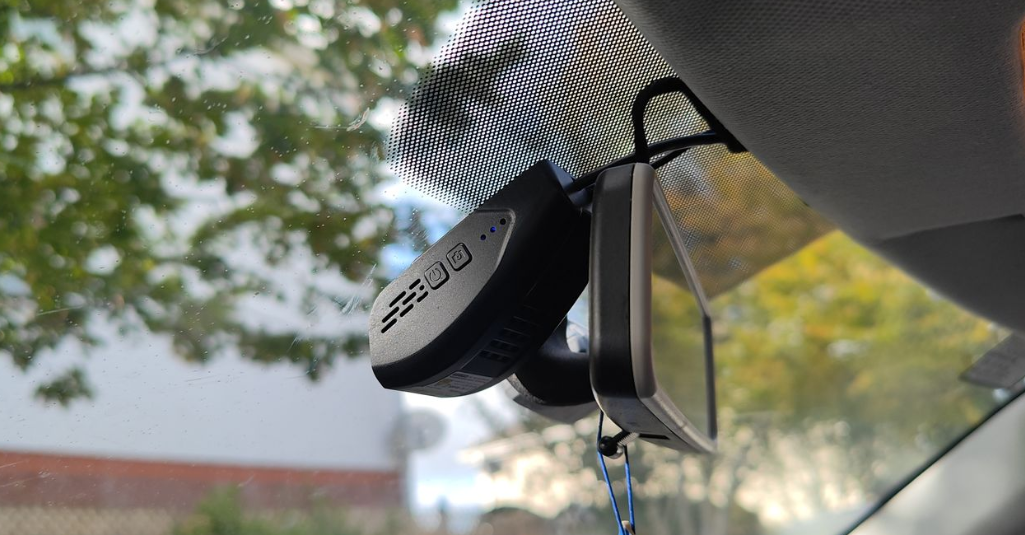
The Mangoal OEM MG-006C-1BA is a dual dashcam kit featuring front 4K and rear Full HD cameras, powered via your vehicle’s OBD port rather than the traditional cigarette-lighter cable. The unit comes with a 128GB microSD card, adhesive mounting, and uses the SkyCamm mobile app (iOS/Android) for setup, live view, and playback.
Mangoal, founded in 2013, specialises in OEM dash cams and wireless chargers compatible with over 15+ global car brands and 1,000+ models. Their devices hold CE, RoHS, and FCC certifications.
Installation & App (SkyCamm)
The installation process was more straightforward than expected. Using the OBD connector eliminates the need to hardwire into the fuse box or battery. Cables tucked away cleanly, creating a professional, near-invisible finish — a big plus over suction-cup models.
front
rear
⚠️ Tip: Always check your vehicle model before purchasing the OBD cable — some cars (e.g., Mazda 6) may require specific connectors.
The SkyCamm app connects via Wi-Fi (not your home network). It’s user-friendly, offering live viewing, video downloads, and configuration for recording resolution, loop duration, and voice alerts. Tutorials show car-specific installation steps, making the setup accessible even for first-time installers.
1
2
Camera Quality & Footage Analysis
Testing covered day and night recording on an Android phone (downloaded footage), and viewed on a Windows laptop, and a 55-inch 4K television. The front camera produced sharp, true-4K imagery (3840 × 2160 px)
Camera
Resolution (H × V)
Megapixels
Common Name
Notes
Average File Size (1 min)
128 GB Storage
Front 4K UHD
3840 × 2160
8.3
Ultra HD (4K)
Manufacturer spec confirmed
130 MB (TechBuzz Ireland test result)
≈ 16.8 hours
Front + Rear
–
–
Dual recording
Combined total
188 MB (TechBuzz Ireland test result)
≈ 11.6 hours
Visual results:
Daytime: Excellent sharpness and licence-plate legibility even at distance.
Night: Clear and well-balanced exposure, maintaining visibility in low light.
Playback: Crisp and stable across devices, minimal compression artefacts.
Overall, the footage quality outperforms many mid-range dash cams, particularly for the 4K front lens.
3
4
Strengths
True 4K front camera delivers crisp, high-detail footage.
Clean, wire-free installation using OBD power.
Free SkyCamm app is intuitive and feature-rich.
128 GB card included (a welcome bonus).
Dual-channel continuous recording with event lock.
Limitations
Rear camera records at Full HD, not the advertised 2K.
1-year warranty feels short for the price bracket.
Adhesive mount makes repositioning difficult once fixed.
Verdict
The Mangoal MG-006C-1BA dash cam kit stands out for its 4K front recording, discreet OBD installation, and simple app control. While the rear camera isn’t true 2K and the warranty is modest, the overall package offers excellent visual quality and seamless installation.
Based on TechBuzz Ireland’s real-world testing, a 128GB card provides around 11 hours of dual-camera footage before automatically overwriting older files — typical behaviour for continuous loop recording. This is ideal for drivers seeking a permanent, tidy setup with reliable 4K recording.
Roborock might be a new brand for me, but robot vacuums certainly are not, and the QR series slotted into my home setup with very little fuss. It aims to be a one‑stop floor‑care solution, handling both vacuuming and mopping with a modern app‑first approach and some genuinely useful extras rather than just headline specs.
Design and key features
The QR series is a robot floor cleaner designed for both vacuuming and mopping, with an app that builds a detailed map of your home using precision LiDAR navigation and vision‑based motion control. It uses separate clean and dirty water tanks in the dock, and the model I tested is available in both black and white, so it should blend into most homes without shouting for attention.
Key features include:
Multifunctional dock for charging, water management and maintenance.
10,000Pa suction rating, which is at the higher end of what I have tested.
Anti‑tangle side brush that helps reduce hair wraps.
Reactive obstacle avoidance to steer around common household clutter.
Dual liftable spinning mops, so it can mop hard floors and lift on carpets.
App control with flexible scheduling and zone cleaning.
Voice prompts to keep you updated on status and issues.
Build quality feels solid, with the dock and robot both giving the impression they will handle daily use rather than just occasional runs. The twin‑tank setup also means you are not constantly babysitting it with refills for every short clean.
Setup and app experience
Setup is very straightforward, and Roborock has actually made it easier than many older robots I have used. There is a QR code on the box for the app and another on the unit itself to pair to your phone, so you are not hunting for menus or digging through Wi‑Fi settings. The Roborock app is highly rated, sitting at 4.8 out of 5 from over 324k reviews and more than 5 million downloads, and my own experience lines up with that: installation was seamless, it connected to my home Wi‑Fi without drama, and I was able to control the robot both at home and when out without freezes or glitches that some rival products still suffer from.
1
2
3
4
Once the app was installed, the initial mapping run was impressively fast. On older or lower‑end models I have used, you often have to wait for the robot to physically drive every inch of a room before the map appears. Here, the laser‑based system scans and builds the layout quickly without needing to cover every corner first, and it also picked up carpets on the map, which is handy when you want to fine‑tune where it mops versus vacuums. After the quick map, I could choose to vacuum and mop together or run each mode separately, and there is the usual option to schedule cleans for later.
Noise levels are worth mentioning. During normal vacuum and mop runs the QR series is relatively quiet compared to several models I have tried, which makes it more realistic to run while you are working from home or watching TV in the next room. The flip side is that the dock’s prep and rinse cycles are noticeably loud, and during these stages the otherwise clear voice prompts can be a bit muffled by the background noise.
Real‑world performance
In daily use the QR series behaved like a mature product rather than a first‑generation attempt. Navigation was confident, with the robot moving quickly from room to room and avoiding most obstacles rather than ploughing into chair legs repeatedly. Vacuum and mopping performance were both good, and the option to clean filters when required helps keep suction consistent over time.
One area where it stood out was step handling. The manual states it can climb up to a 2 cm threshold between rooms. In my house the main test is a 2.5 cm step leading onto a timber floor, and most robots I have tested over the years either bounce off this or get stuck halfway. The QR series did hesitate and “think” about it, but in every run it managed to get over the 2.5 cm step, which means it is outperforming its own specification in a useful way.
Day‑to‑day maintenance is straightforward. Swapping or cleaning the water tanks is quick, and you are not wrestling with awkward clips or hidden latches. Filters and brushes are accessible, so routine cleaning does not feel like a chore – which is important if you actually want to keep using the robot long term.
One small but important note for buyers in Ireland and the UK: my review unit came with a two‑pin plug rather than the expected three‑pin UK/Ireland plug, so I had to use an adapter. It is not a deal‑breaker, but it is something you should be aware of when you unbox it.
1
2
3
Company background
Roborock is a Chinese smart‑home cleaning brand founded in Beijing in 2014, originally incubated within Xiaomi’s ecosystem where it first built the Xiaomi‑branded Mi Robot Vacuum before pushing its own name worldwide. The company started out focusing on robot vacuums with advanced mapping and navigation, and its S5 series helped establish Roborock as a serious premium alternative to more established names; over the late 2010s and early 2020s it expanded into the S, Q and other lines, adding mopping, auto‑empty docks and more sophisticated obstacle avoidance as it moved into the mainstream.
Warranty
The QR series comes with a 2‑year warranty when bought through official UK/IE channels, which is reassuring for a product that is likely to see daily use.
Final thoughts
Overall the Roborock QR series feels like a well‑sorted robot cleaner rather than an experimental gadget, and it shows that the brand has learned a lot from earlier generations. The app is stable and easy to use, mapping is fast and accurate, and general cleaning performance is strong, with particularly good handling of room‑to‑room transitions and that 2.5 cm step in my home. It is not perfect – the dock can be very loud during rinsing and the plug situation on my unit was less than ideal – but if you want a capable vacuum‑and‑mop robot that behaves like it was designed for real homes, the QR series is an easy one to live with.
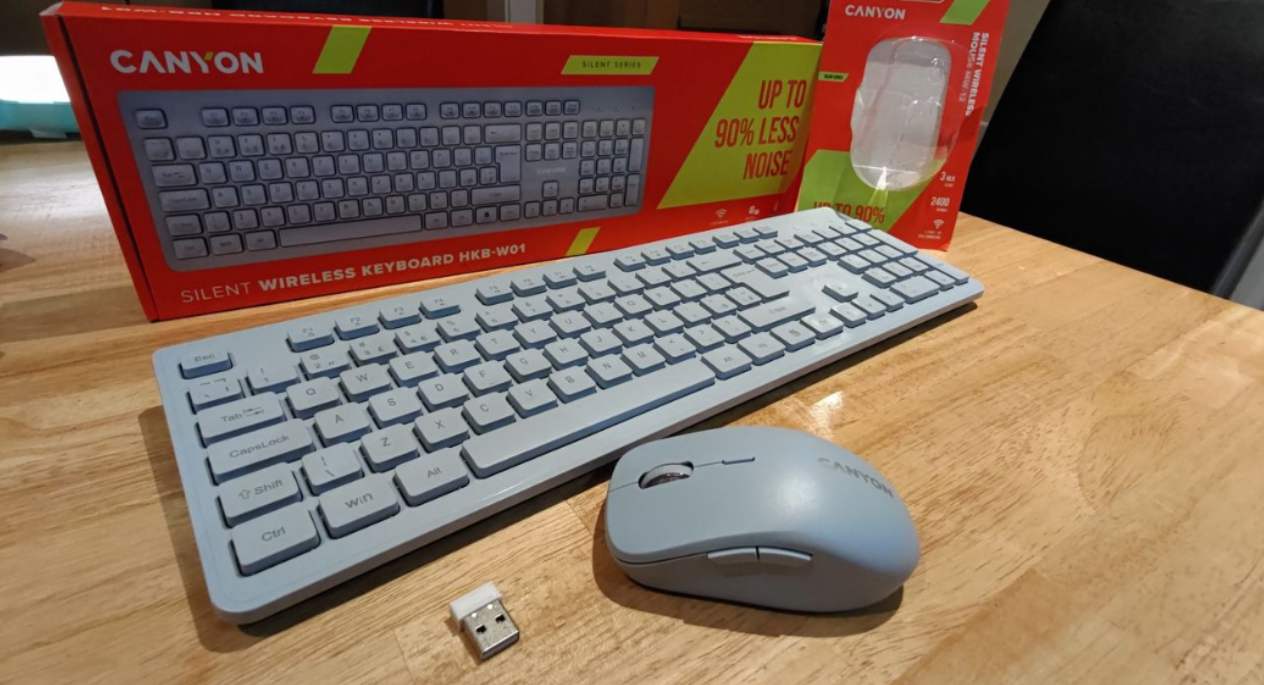
Canyon’s latest wireless combo aims to quietly tidy up your desk while keeping things simple and affordable, rather than trying to be “the best ever” in any category.
Design and build
The HKB‑W01 is a classic full‑size 104‑key membrane keyboard with an ultra‑slim profile, available in beige, baby blue, and pink, so it will suit both a neutral office setup and more playful desks. The mouse weighs in at around 65 g, is compact without feeling cramped, and both devices look clean and understated rather than “gamer”‑focused. Packaging is tidy and includes a biodegradable protective cover, plus branded Canyon batteries in the box, which is a nice touch for a budget‑friendly kit.
Features and connectivity
The keyboard uses 2.4 GHz wireless with a quoted range of up to 10 m and is compatible with Windows and macOS. It’s a membrane board with “silent” keys, advertised as up to 90% quieter than a typical keyboard; while I can’t verify that figure precisely, it is noticeably softer and less clacky in daily use. The wireless dongle has a dedicated storage slot in the keyboard, handy for travel or hot‑desking.
The MW‑12 mouse offers dual‑mode connectivity: 2.4 GHz wireless via dongle or Bluetooth, so you can free up a USB port on a laptop if you prefer. Pairing over Bluetooth is straightforward (hold the button for a few seconds to enter pairing mode), and switching between modes is quick. It uses an optical sensor up to 2400 DPI with four steps (800/1200/1600/2400), which is fine for office work and light gaming, and it maintains a stable connection in the 8–10 m range.
Everyday use
In real‑world use, both devices behaved as expected: plug‑and‑play over 2.4 GHz, no driver drama, and reliable reconnection after sleep. The “silent” aspect is where they stand out most: during calls and meetings the reduced key and click noise is genuinely useful, especially in shared offices, hot‑desking environments, or quiet rooms. It won’t make you completely silent, but it’s enough that people are less likely to comment on your typing or clicking.
The mouse’s six buttons and light weight make it comfortable for long sessions, with clicks that feel soft but not mushy. The quoted 3‑million‑click lifespan is mid‑range rather than extreme, but still adequate for normal productivity use. Battery life will depend on your usage pattern, but having branded batteries included and a single AA/AAA setup keeps things simple.
Ecosystem and brand notes
Canyon is a Netherlands‑based brand that has been around since 2003, better known for value‑oriented PC peripherals like mice, keyboards, headsets and combo sets, along with a broad accessory catalogue covering bags, audio gear, gaming chairs and mats, phone and car accessories, power banks, wireless chargers, and a Hexagon line of smartwatches and charging stations. This kit sits firmly in that “affordable, practical, no‑nonsense” space rather than competing with premium mechanical boards or high‑end gaming mice.
Warranty and verdict
Both the HKB‑W01 and MW‑12 come with a standard 2‑year warranty, so you’re covered for typical manufacturing faults over a reasonable period.
Overall, this is a straightforward, cord‑free keyboard and mouse combo that does exactly what it says on the tin: reduce noise, cut cable clutter, and offer flexible wireless connectivity. It won’t impress mechanical‑keyboard enthusiasts or competitive gamers, but if you work in shared spaces, jump between meetings, and just need a quiet, reliable setup with minimal fuss, this pair is easy to recommend at the right price without overselling them as something they’re not.
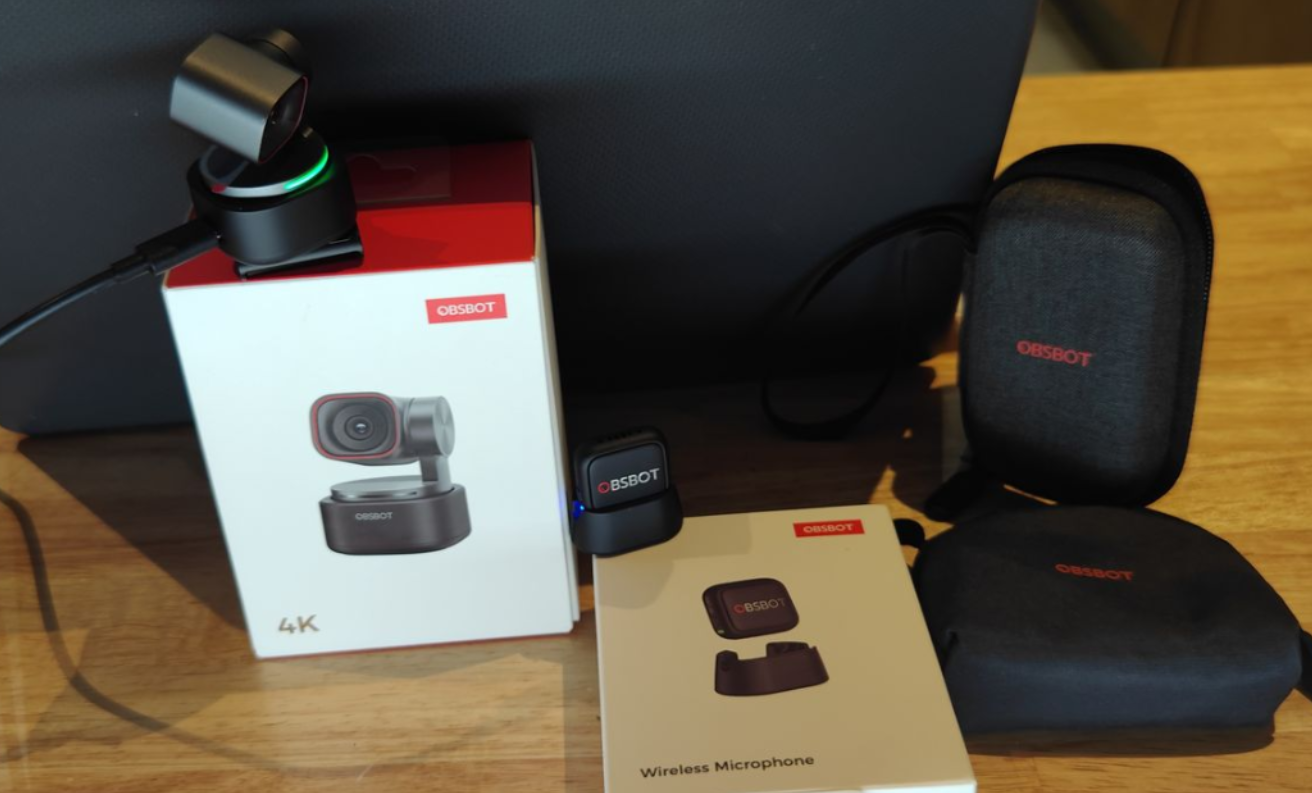
At TechBuzz Ireland we have looked at several OBSBOT products over the years, and the Tiny 3 with the Vox SE Wireless Microphone continues that trend with a compact PTZ webcam and matching wireless audio kit aimed at creators and remote workers. The camera itself is the real highlight here, with a small, solid build and plenty of smart features, while most of the drawbacks in this package are centred around the microphone and its accessories rather than the Tiny 3.
Design, build and what you get
The Tiny 3 arrives in the familiar OBSBOT‑style packaging, and having reviewed many of these units before, the presentation and layout will feel very familiar. The first noticeable detail is just how small and compact the Tiny 3 is, yet it still feels solid in the hand and well put together.
In the box you get the Tiny 3 camera, USB‑C cable, USB‑C to USB‑A adapter, adjustable mount, user manual, warranty card and a dedicated Tiny 3 storage case. The case is a big practical plus, as it keeps the camera, mount and cable together and protected, which matters more here because of the exposed gimbal design.
The body uses an aircraft‑grade aluminium alloy with a dual‑axis gimbal, and despite the compact size it never feels flimsy. At around 63 g it is light enough to carry every day, but still has enough weight that it does not feel like a cheap plastic webcam perched on top of your screen.
Key specs and features
Inside, the Tiny 3 is built around a 1/1.28‑inch CMOS sensor with effective pixels of 50 MP, giving it plenty of resolution to work with for both 4K and lower‑resolution modes. It supports up to 4K at 30 fps and 1080p at 120 fps, along with a 4x digital zoom and a 2‑axis gimbal for smooth framing and movement.
You also get DCG HDR, wide ISO support from 100 to 12800, and Dual All‑Pixel PDAF autofocus for quick and reliable focusing. On the audio side, the Tiny 3 has an intelligent directional built‑in mic system and can also connect to external audio devices such as the Vox SE.
OBSBOT has packed in a long list of headline features including:
Top‑tier spatial audio performance
“Tiny in Size, Titan in Performance” compact design
Premium imaging system aimed at flagship‑level webcam quality
Industry‑leading AI features such as Smarter AI Tracking 2.0, voice‑activated control and effortless framing
Powerful creative software with professional image controls and creative tools
RTC remote interaction for real‑time remote control and streaming
OBSBOT Avatar & Virtual Voice (beta) for VTubing and motion capture
Seamless integration into the wider OBSBOT ecosystem, including multicam setups and wireless audio workflows
Setup and software
Out of the box, the Tiny 3 works as a plug‑and‑play webcam and can be used straight away with apps like Microsoft Teams, Skype and similar platforms. That said, to really get the most from the hardware it is strongly recommended to download and install the free OBSBOT Center software and update to the latest firmware.
Once the software is installed, you gain access to more detailed image controls, AI tracking options, presets and creative tools. The physical unit can sit on top of a laptop or monitor using the adjustable mount, or you can use the built‑in 1/4‑inch thread to attach it to a tripod (tripod not included) for more flexible positioning.
The overall setup process is straightforward if you are used to webcams, but there is still a bit of learning involved if you want to explore all of the AI and control features the Tiny 3 offers.
Voice and gesture control
Voice control remains one of the more standout features on the Tiny 3, allowing you to use commands such as “Hi Tiny”, “Sleep Tiny”, “Track me”, “Unlock me”, “Zoom in”, “Zoom out” and preset positions 1, 2 and 3. When it works, it gives you a very convenient hands‑free way to control framing and behaviour, particularly useful when you are away from the keyboard during a call or recording.
Gesture control is also supported and allows you to trigger actions using simple hand movements, making it easy to start tracking or adjust framing without fumbling around in software menus. Together with the AI tracking, these controls help the Tiny 3 feel more like a small PTZ studio camera than a basic webcam.
OBSBOT Vox Wireless Microphone
Alongside the Tiny 3, I also tested the OBSBOT Vox Wireless Microphone, which is designed to work seamlessly with the Tiny 3 series. The microphone kit comes with its own carry case, and this is important because there are a lot of small accessories included which could easily get lost otherwise.
In the case you will find the compact wireless mic unit along with a furry windshield, lanyard, magnetic holder, necklace and a USB‑C charging docking station. The mic itself is made from hard plastic and feels solid given its size, and the overall idea is to provide a flexible, cable‑free audio solution that fits neatly into the OBSBOT ecosystem.
From a technical point of view the Vox has some strong numbers: it offers studio‑grade audio quality with omnidirectional pickup, dual‑channel recording, plug‑and‑play operation, extended battery life and versatile mounting options. It is designed to work with smartphones and tablets that have USB‑C, and integrates with OBSBOT Center and OBSBOT Live.
The microphone specifications include:
Dimensions: 28.53 × 25.47 × 11.5 mm
Weight: approx. 9 g (excluding magnetic clip)
Usage time: up to 20 hours
Microphone directivity: omnidirectional
Sensitivity: −37 dBFS ±1 dBFS @ 1 kHz, 94 dB SPL
Maximum sound pressure level: 123 dB SPL
Signal‑to‑noise ratio: 68 dBA
Frequency response: 50 Hz–20 kHz
Sampling rate and bit depth: 48 kHz/24‑bit
Wireless mode: GFSK 2 Mbps
Battery voltage: 3.7 V (operating 3.3–4.4 V)
Working distance: up to 100 m in open, interference‑free conditions
Battery capacity: 170 mAh
Operating temperature: 0–40°C
In use, the Vox works well in terms of audio quality and wireless range, delivering a clutter‑free, cable‑free workflow when paired with the Tiny 3. However, there are some niggles: the large number of small accessories makes it easier to misplace parts, and charging the microphones through the dock feels less convenient than if OBSBOT had used a more straightforward wireless charging solution or a single USB‑C connection directly to the kit.
Software integration and niggles
Connecting the Vox to the OBSBOT camera through the software is not completely intuitive on first install. The instructions tell you to select mode, go to Audio, choose OBSBOT Microphone and then add TX1/TX2, but actually finding those options in the software for the first time can be a bit of a challenge.
Once you have located the correct settings, pairing works as expected and is easy enough, but this initial friction is worth noting if you are not used to digging through software menus. This contrasts with the camera side of things, where basic setup is closer to plug‑and‑play, particularly if you just want to use the Tiny 3 as a standard webcam first and explore the extra features later.
Warranty
One area that feels slightly out of step with the overall premium feel of the Tiny 3 and Vox kit is the warranty. The package comes with a one‑year warranty, which is fine on paper but a bit of a disappointment given the quality of the hardware and the fact that the Tiny 3 has moving parts in the gimbal.
For a product at this level and price point, a longer warranty would provide more peace of mind, especially for users planning to use it heavily for work or content creation.
Verdict
Overall, the OBSBOT Tiny 3 is a pleasure to use and feels like a Swiss‑Army‑knife style webcam – small, responsive and packed with genuinely useful features. The 2‑axis gimbal, digital zoom, fast response and hand gesture/voice controls make it easy to frame shots the way you want, whether you are on calls or creating content as part of the wider OBSBOT ecosystem.
As with previous OBSBOT units I have used, the Tiny 3 feels solid in the hand, with a compact design and included storage case that make it simple to carry between setups without worrying about the gimbal. The free software adds more creative control and multiple ways to operate the camera, so you can get more out of it than a standard plug‑and‑play webcam while still being able to drop it into everyday apps like Teams or Skype.
The add‑on Vox wireless microphone technically works well, with good audio and range, but the number of small accessories, the extra charging dock and the slightly awkward first‑time setup in the software mean most of my niggles are around the mic rather than the camera. A longer warranty than one year would better match the premium feel of the kit, but taken on its own, the Tiny 3 is an easy camera to recommend if you want a compact, feature‑rich webcam that can grow with you inside the OBSBOT ecosystem.
Having reviewed audio gear and office headsets for over 10 years, I’ve tested a wide range of Poly (formerly Plantronics) products — from dependable Bluetooth models to enterprise-grade headsets. The Poly Voyager Surround 80 UC is positioned as a premium, business-focused option for hybrid professionals who need comfort, clarity, and seamless connectivity across devices.
Design and Comfort
The Voyager Surround 80 UC is an over-the-head model featuring an ergonomic gap at the top of the headband to reduce pressure points. At 275 grams, it feels comfortable and balanced even during long meetings. The artificial leather ear cushions are soft and breathable, providing a pleasant wearing experience throughout the day.
The overall construction feels solid and businesslike, with subtle branding and a Teams logo for those in Microsoft environments. While the button layout is intuitive for right-handed users, left-handers might find the positioning less natural. Still, it’s a well-designed, durable headset suited to daily professional use.
Controls and Connectivity
Poly combines touch and button controls to handle calls, music playback, and volume with ease. Touch gestures manage playback and volume, while physical buttons cover mute, power, and Bluetooth pairing.
Connectivity is excellent, with support for Bluetooth 5.3, the included BT700 USB-C adapter, and optional USB-C to 3.5 mm cable for wired use. Pairing with Windows 11, Android, and macOS devices was quick and stable. The headset supports dual-device connectivity, making it easy to switch between laptop and phone without interruptions.
What’s in the Box
Poly Voyager Surround 80 UC headset
Premium carry case with zip pocket for accessories
BT700 USB-C Bluetooth adapter
USB-C to USB-A adapter
USB-C to 3.5 mm audio cable
USB charging cable
User guide
The carry case deserves special mention — sturdy, compact, and well thought out, making it ideal for professionals commuting between office and home.
Setup & Software (Poly Lens)
The Voyager Surround 80 UC can be used straight out of the box via Bluetooth, connecting instantly without requiring additional software. However, downloading the Poly Lens app unlocks a range of useful customisation and management options.
With Poly Lens, users can:
Customise headset controls and button functions
Enable smart sensors that detect when the headset is worn or removed
Automatically pause or resume media, or mute/unmute calls
Manage firmware updates and battery monitoring
Access Poly Lens Cloud for centralised device management (ideal for IT teams)
The software is well designed and adds real value, particularly for business users who want to tailor their experience or manage multiple devices.
Features
Adaptive Active Noise Cancelling (ANC) to reduce distractions
Six built-in microphones for clear, boomless voice pickup
Dual-device Bluetooth connectivity for laptop and phone pairing
Touch and button controls for calls, playback, and volume
Up to 21 hours talk time / 24 hours listening time
DeepSleep mode conserves power when inactive
Teams and UC certified for professional collaboration platform
Poly Lens integration for software customisation and management
2-Year Manufacturer Warranty for peace of mind
Sound and Microphone Performance
Audio performance is impressive for professional use. The six microphones deliver crisp, natural voice pickup and handle background noise effectively through adaptive ANC. The boomless design keeps things tidy while maintaining excellent speech clarity.
During testing across Teams, Zoom, and Android phone calls, the overall audio quality was faultless. Voices were clear, background noise was minimal, and the headset performed reliably across multiple devices.
However, one noticeable drawback was that while mute and volume controls worked correctly on the headset, these actions didn’t always visually reflect in Microsoft Teams across different laptops. The headset muted and adjusted sound as expected, but Teams’ on-screen indicators didn’t always match the headset’s status — a minor but noticeable usability issue.
On Android, by contrast, everything worked seamlessly: media playback, track skipping, and volume control all responded perfectly.
Battery and Power Management
Battery life remains a major strength, with up to 21 hours of talk time or 24 hours of listening time. The DeepSleep mode automatically conserves energy after 24 hours of inactivity, and charging via USB-C is quick and convenient. It’s an ideal companion for long workdays or travel without needing to worry about frequent recharging.
Real-World Experience
In practical use, the Voyager Surround 80 UC delivers exactly what professionals need: reliable connectivity, consistent audio, and all-day comfort. The dual-device connection works flawlessly, allowing smooth transitions between phone and laptop calls.
While the Teams visual feedback issue is worth noting, it doesn’t affect actual functionality or audio performance. The headset remains a dependable tool for business calls and virtual meetings.
Verdict
The Poly Voyager Surround 80 UC is a high-quality, professional headset built for hybrid workers who spend much of their day in virtual meetings. It offers excellent microphone clarity, strong noise cancellation, long battery life, and a well-designed carry case that makes it easy to travel with.
While it commands a premium price, it’s backed by solid engineering, reliable connectivity, and a two-year warranty. The only minor frustrations lie in the Teams visual control sync issue and sensitive touch controls, but overall, this is a polished, professional headset that performs consistently where it matters most — in call quality, comfort, and usability.
The Novoo Smart Tag NFT1-206G stands out as a flexible and affordable Bluetooth tracker designed for both iOS (Apple Find My) and Android (Google Find My Device) users, supplying multi-platform support in a slim, lightweight package. The kit includes four separate trackers suitable for luggage, car, keys, and more.
Key Features and First Impressions
Dual-System Compatibility: This model works seamlessly with Apple’s and Google’s tracking apps. Resetting the tracker is necessary when switching between systems, which is worth noting for travelers using both device types at home.
Reliable Certified Chip: The tag uses a certified AIROHA chip, ensuring secure and stable connectivity with official apps.
Replaceable Battery: Each Smart Tag is fitted with a CR2032 battery lasting up to one year. Replacing the battery is straightforward, encouraging long-term use.
Volume and Alerts: The built-in speaker produces a 60–80dB alert — sufficient for nearby searches, though not exceptionally loud compared to some premium models.
Water Resistance: IPX5 rating means suitable for light rain or splashes, but not intended for full immersion or wet conditions — keep this in mind for outdoor or pet tracking.
Setup and Usability
Setup is intuitive and does not require technical expertise. Activating the tag and pairing it via Bluetooth and the chosen app takes less than a minute. The tracker can be renamed for practical organisation, like assigning one tag to luggage or a vehicle. In testing, tracking was reliable, and notifications about lost items worked promptly, with last-known locations displayed in-app.
Battery lasts up to 1 year and can be replaced with a CR2032
Note: If the tracker is left, e.g., in a car in case the vehicle is stolen, those in the area of the tracker are notified of the tracker’s presence, whether using an iPhone / Android device.
Niggles:
While the Novoo Smart Tag performs admirably for everyday use, several minor drawbacks warrant mention:
No Built-in Keychain Holder: The device is slim and durable but lacks a built-in hook for keys or bags, requiring extra holders to be sourced online. An included accessory would add value.
Alert Volume: The ring volume, while decent, may not compete with the loudest on the market, which could be limiting in noisy environments.
IPX5 Water Resistance: Suits everyday scenarios like rain or splashes but not immersion; this may be a limitation for pet or outdoor applications, so weigh use cases carefully.
1
2
Conclusion
The Smart Tag kit allowed tracking everyday items and vehicles, providing peace of mind for travel or parking. The renaming feature proved valuable for luggage, while the global tracking functioned reliably—useful for recovering stolen property.
The Novoo Smart Tag NFT1-206G delivers strong value in a dual-system Bluetooth tracker, offering versatility and reliable tracking for a fair price. While it excels in ease of use and multi-platform support, prospective buyers should consider the lack of a built-in holder and moderate alert volume. For users searching for an accessible, practical, and budget-friendly tracker, especially those switching between Android and iOS, this unit is worthy of consideration.
The Emporia Smart ME7 is positioned as a safety-focused, durable smartphone developed for practicality over flashy specs. Weighing in at 173 grams, it feels noticeably heavier in hand than most mainstream models, but the robust build quality delivers confidence in everyday use. The rear of the device features a physical Panic button and a fingerprint sensor for quick access and enhanced security – a unique combination for those seeking peace of mind.
Emporia states: “The emporia 7 series is all about safety and durability: a fully equipped Android smartphone with a comprehensive security package, ongoing security patches and the tried-and-tested Panic button.”
Key Features & Specification Table
Feature
Details & Notes
Display
5.45-inch touchscreen, comfortable size
Build
IP54-rated protection: splash resistant, not waterproof
Weight
173 g – heavier than typical, adds solid feel
Battery
Replaceable, rated for 1000+ cycles, up to 8 days standby
Operating System
Android 15; Emporia Easy Mode option for simplified UI
Processor
MT6765X Octa-Core: entry-level, smooth for everyday tasks but not for gaming
RAM/Storage
6 GB RAM / 128 GB ROM, expandable up to 256 GB microSD
Cameras
Main: Triple lens (13+0.3+2 MP); Front: 8 MP
Connectivity
2G / 3G / 4G (no 5G), NFC for contactless payments
Durability
Spare parts ordering allowed, incl. battery replacements
Extras
Hearing aid compatibility (M4/T4), torch, camera shortcuts via Panic button
Warranty
1 year standard
1
2
Safety, Spares & Support
Emporia’s decision to fit a dedicated Panic button offers tangible safety for older users or those with medical needs. The Panic button can trigger calls, with customisation options for rapid help. Unlike most manufacturers, Emporia supports direct user ordering of spares, such as batteries (priced around €18), via their website. This approach improves long-term ownership and reduces dependence on service centres, which often charge premium rates for repairs.
Usability & Practicality
Emporia positions its devices for seniors, those less familiar with touchscreens, or anyone seeking longevity without unnecessary complexity.. The printed manual with QR codes and clear instructions stands out as refreshingly user friendly in a landscape dominated by online-only guides.
Performance & Weaknesses
The MT6765X Octa-Core processor is strictly entry-level – adequate for calls, web, and social apps, but does not support 5G networks and will struggle with gaming and graphics-intensive apps. Screen transitions aren’t as fluid as on mid-range or high-end devices, so power users may notice lag. Battery life, however, is excellent for its class, and the customisability of the hardware (spare parts, manual battery replacement) gives the Smart ME7 an edge for those who value reliability over raw horsepower.
The camera setup, typical for value-focused phones, delivers passable results for snapshots and video calls but won’t compete with flagship handsets. The IP54 rating gives basic splash resistance but is not suitable for prolonged outdoor use in rain or direct water.
Brand Background
Techbuzz Ireland has reviewed a variety of Emporia releases over the past decade, including the SMART.6 lite, emporia 313, JOY-LTE, WATCHjoy Smartwatch, TOUCHsmart.3, and others. Emporia was founded in Austria in 1991 and develops products for the UK, Ireland, and Europe, with a design presence in Austria and Germany and manufacturing based in Shenzhen, China.
Final Verdict
The Emporia Smart ME7 delivers excellent battery life, unique safety features, and practical support options, truly aligning with the brand’s focus on simplicity and reliability. While the lack of 5G and the entry-level processor set real limits for gaming or heavy multitasking, these are honest trade-offs for a phone designed with real-world durability and user-friendliness in mind. The honest addition of spares ordering, a physical manual, and the Panic button make the ME7 stand out in a crowded market.
Recommended for: Seniors, first-time smartphone users, or anyone seeking a robust, uncomplicated handset with strong support for repairs and maintenance.
The annke C300 (model 171EP / AP171P0102) is a 2K 3MP Outdoor PoE Security IP Camera designed for homeowners and small businesses who want reliable coverage without a premium price tag. At TechBuzz Ireland we’ve tested a wide range of annke cameras, and the C300 sits at the more affordable end of their portfolio. Although it’s a basic model compared to annke’s flagship cameras, it delivers good image quality and is straightforward to set up, making it a practical entry-level CCTV option.
Design and Build
The C300 has a compact footprint at 138.8 × 60.9 × 57.9 mm, though it remains clearly visible when installed. Its plastic housing is lightweight but carries an IP67 waterproof and dustproof rating, providing durability for both indoor and outdoor installation. For a budget IP camera, the build quality inspires confidence for long-term use in Irish weather conditions.
Features
★ 3MP IR bullet network camera
★ 2.8mm lens brings everything back to life
★ Efficient H.265+ compression technology
★ Clear day and night vision with 3D DNR and DWDR
★ IP67 Dust and Waterproof Rating
★ Support PoE &DC12V
Key specification
Setup and Storage Considerations
The installation process is straightforward for anyone familiar with PoE security cameras. The C300 can be connected to:
A compatible NVR system
annke Vision desktop software (free to download)
SADP tool for network detection and setup
Our setup using the annke Vision software was quick and smooth, making it easy to view and configure the camera on a laptop.
As part of the setup adding a camera is reasonably straightforward.
annke
annke
As there is no onboard storage on the camera, options for storage have to be decided
annke
annke
One important note for buyers: the manual incorrectly suggests SD card support. This particular model does not include an SD slot or onboard storage, meaning users will need to plan for external NVR storage or network-based recording. While this may be a limitation for those seeking standalone recording, it is a common trade-off in budget PoE models.
Day and Night Performance
In daylight, the C300 produced clear and colourful 3MP footage, suitable for property monitoring. The wide-angle lens captures a good field of view, although fine detail such as facial recognition at distance is limited compared to higher resolution 4K cameras.
At night, the EXIR 2.0 infrared provided stable black-and-white images with visibility up to 20m. While it won’t replace colour night vision cameras in detail or range, it is perfectly functional for general surveillance of entrances, driveways, or back gardens.
Motion detection alerts worked well during testing and were responsive across both daytime and nighttime scenarios.
Warranty and Reliability
annke backs the C300 with a two-year warranty, offering reassurance to buyers who want reliable long-term performance. For an affordable outdoor PoE camera, the warranty coverage is a strong selling point.
Broader annke Ecosystem
At TechBuzz we’ve tested several of annke’s product lines, most notably the NightChroma 3.0 PoE Cameras and other PoE-based models. Annke’s wider portfolio also includes wireless security systems for cable-free setups and advanced PTZ units with 25x and 32x optical zoom, as well as complete 4K / 12MP multi-camera NVR kits. While we have not yet tested the wireless or PTZ systems, it’s important to flag them as part of annke’s broader offering, giving consumers a range of options from entry-level cameras like the C300 through to high-end professional solutions.
Conclusion
The annke C300 is a competent and reliable budget outdoor PoE security camera. It cannot compete with Annke’s advanced NightChroma or colour night vision cameras in terms of resolution and detail, but it performs well as a cost-effective solution for basic surveillance needs.
With easy PoE setup, dependable day/night image quality, and the reassurance of a two-year warranty, the C300 makes sense for users looking to secure their home or small business without over-spending. As an entry point into annke’s ecosystem, it offers solid performance and a straightforward user experience, backed by the wider support of annke’s software and NVR options.
For those considering PoE CCTV the C300 provides an accessible starting point at a reasonable cost.
The annke FCD800 – 8MP UHD Dual-Lens Outdoor PoE Security Camera ( 191EV) stands out for its sturdy metal and plastic construction, finished in white. It features a 180° wide angle dual-lens PoE design and comes with an attached bracket for easy wall or ceiling mounting. The camera’s dual-lens fusion splicing creates a 180° ultra-wide viewing angle, a unique physical appearance compared to many other models.With an IP67 weatherproof rating, this model can be immersed in water between 15cm and 1 metre, making it suitable for various outdoor weather conditions. There’s also a storage slot that supports up to 512GB.
Features;
180° Ultra Wide Angle: Dual-lens design enables seamless panoramic 180-degree field of view without blind spots.
Dual Sensors: Most models use dual 1/2.5″ or 1/1.8″ BSI sensors for detailed wide-angle capture.
High Resolution: Up to 6MP (3632×1632) or 4K Ultra HD (5120 x 1440) resolution, allowing fine detail such as distant license plates.
Image Fusion Technology: Maintains consistent brightness and color through fusion of both lens images, with aspect ratio typically 20:9.
Color Night Vision: Switchable IR fill light and white light for black & white or full-color night vision, controlled via browser settings.
Smart Detection Features: Includes human and vehicle detection, line crossing detection, intrusion detection, region entrance/exiting detection.
PoE Support: Power over Ethernet enabled for easy single-cable installation; conforms to IEEE 802.3af standard.
Weatherproof Build: Usually rated IP67 for reliable outdoor performance.
Setup
This IP camera is flexible for installation. It can connect via PoE to an NVR for both data and power, or function as a standalone kit using its integrated microSD/SDHC/SDXC slot for up to 512GB storage. It’s always best to choose a well-reviewed SD card for reliability with security recordings.
Annke Vision App
The free Annke Vision app has over 500K downloads and an impressive rating of 4.8 from more than 50K reviews. Compatible with annke DNRs, NVRs, and IP cameras with Cloud P2P, it enables remote live viewing and playback from anywhere. Notifications are immediate when motion is detected, making real-time monitoring easy.
Main App Features:
Real-time monitoring
Video playback
Motion detection alarm notifications
Setup is straightforward: scan the QR code in the manual, register with your email and mobile, then add the camera. Note: While the camera is rated IP67 for outdoor use, ensure that the external cable is waterproof during installation.
1
2
3
Company Background
annke is a global manufacturer specialising in DIY video surveillance, known for quality, innovation, and affordability. Founded in 2014 by Shenzhen Kean Digital Technology Co., Ltd., it is headquartered in Hong Kong with manufacturing in China. annke serves over 10 million customers with wired and wireless cameras, NVR/DVR systems, and accessories.
Warranty – A two-year warranty is included for extra peace of mind
Conclusion
This annke FCD800 camera’s dual-lens system provides a seamless 180° panoramic view with intelligent splicing, outperforming many competitors in wide-area monitoring. Setup is straightforward, either as a standalone unit or integrated into a broader system, and the annke Vision app is both free and highly rated.
With features such as outdoor PoE security, ultra-wide view, smart night vision, two-way audio, active siren/alarm, plus human and vehicle detection, it stands out as a reliable choice. Night vision performance is solid, with flexible dual-light modes for clarity after dark. Add in local storage up to 512GB and a two-year warranty for a cost-effective setup.
Overall, the annke 191EV is a robust, user-friendly IP camera offering day and night coverage, smart features, and reliable app support—ideal for DIY installation and confident monitoring.