
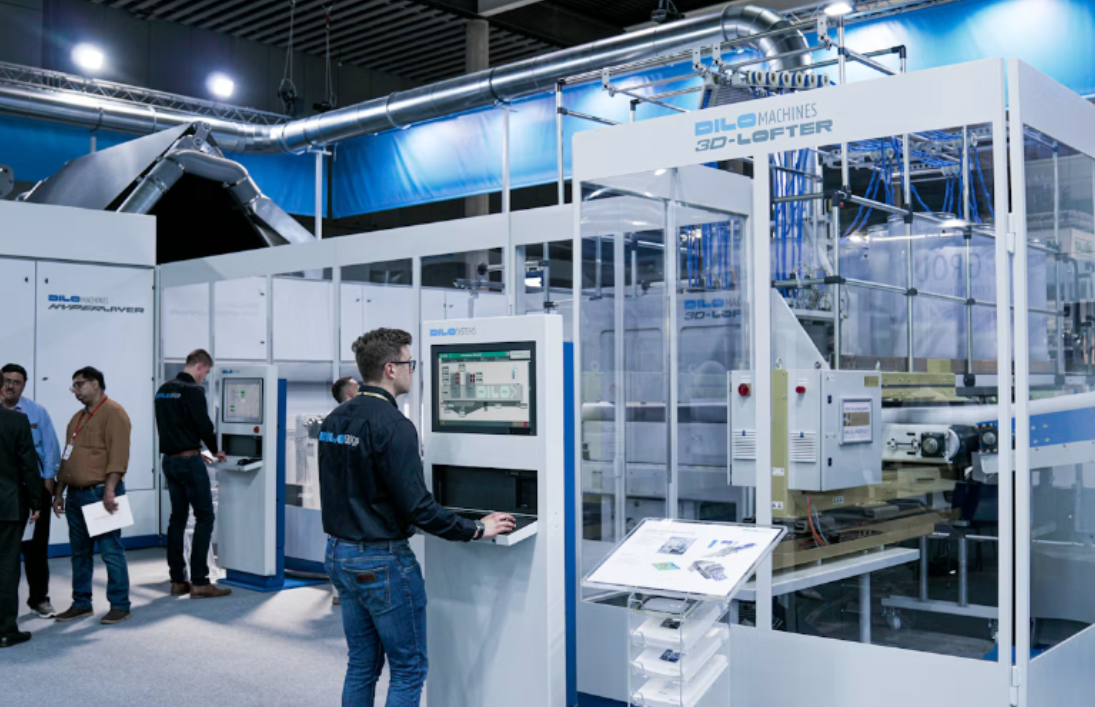
Immersive technology can draw people into a digital experience, but its success on an exhibition floor depends on practical details such as tracking accuracy, structural support and safe installation. Virtual reality stations, motion platforms and interactive displays must operate reliably while hundreds of visitors move through the same space.
Evidence from immersive STEM education shows how these tools can encourage participation and support complex learning. At a public event, however, the technology also has to withstand noise, changing light and repeated use. That calls for close coordination between creative teams, technical suppliers and floor crews long before attendees arrive.
Sensor Calibration in Crowded Spaces
Tracking systems often behave differently on a busy floor than they do in a controlled studio. Bright display panels can interfere with optical sensors while reflective flooring, temporary walls and moving crowds may affect cameras or depth-sensing equipment. Wireless congestion can also create delays when dozens of exhibitors operate connected devices nearby.
Test the experience in its final position whenever possible. A calibration completed before surrounding booths are built may no longer hold once lighting rigs, screens and metallic structures are added. Technical teams should run another check after construction finishes and before the hall opens.
Create a marked operating zone around each user and observe how the system responds when people pass close to its boundary. If a headset loses tracking whenever someone blocks a sensor, reposition the sensor or add an overhead mounting point. Keep a saved calibration profile as a fallback, but allow enough time for a fresh setup each morning. Small shifts caused by floor vibration or overnight maintenance can affect alignment more than expected.
Structural Needs for High-Traffic Simulators
A simulator may look like a self-contained product, yet its motion and repeated use transfer force into the surrounding structure. The floor platform, frame and nearby display supports must accommodate those loads without noticeable movement. Organizers should request equipment weights, dimensions, center-of-gravity details and power requirements during the design phase.
Static weight tells only part of the story. A motion seat that changes direction quickly creates dynamic loads, while users stepping onto a raised platform introduce repeated impact at its edges. Wide bases, properly rated fasteners and load-spreading floor panels can limit flex and protect the venue surface.
Cable routing also affects structural planning. Power and data lines should reach the equipment without crossing access paths or creating pressure points beneath flooring. If cables pass through a platform, provide protected channels and accessible inspection points. Industry immersive technology examples demonstrate how these systems now appear across training, retail and industrial settings. Exhibition versions need equal attention to physical support because they may serve hundreds of users in a single day.
Streamlining the Install and Dismantle Phase
Build a sequence that reflects technical dependencies. Flooring usually comes first, followed by structural frames, power distribution, display hardware, sensors and final calibration. Installing components out of order can leave technicians waiting or force crews to remove finished work to reach hidden connections.
For large activations, experienced install and dismantle labor can help event organizers, trade show managers and brand marketers coordinate exhibit construction with technical handoffs. Share drawings, packing lists and equipment requirements before the crew arrives. Every case should have a clear label that identifies its zone, contents and preferred opening order.
A practical schedule includes dedicated time for three checks: physical stability, electrical startup and software testing. Avoid treating calibration as something that can happen while the aisle carpet is being laid or neighboring structures are still moving. During dismantling, reverse the documented build sequence and assign one person to confirm that sensors, controllers and proprietary cables return to their marked cases. Photographing cable routes and mounting points during setup can save hours when the same system appears at its next event.
Safety Protocols for Heavy Display Rigs
Large displays and overhead elements require formal review before installation. Start with manufacturer specifications and venue rules, then confirm that every stand, bracket and suspension point has a suitable rating. Never estimate capacity from appearance. Two mounts of similar size may have very different limits.
Keep public interaction zones separate from service areas. Barriers, enclosed bases or locked access panels can prevent visitors from reaching power supplies, connection points and moving parts. Floor transitions should remain smooth enough for wheelchairs, mobility aids and rolling cases. Where raised platforms are necessary, mark their edges clearly and provide an accessible route into the experience.
Assign inspection responsibilities instead of assuming someone else has checked the rig. A technician might verify signal connections while a floor supervisor checks barriers and a qualified specialist reviews structural attachments. Record those checks before opening and repeat visual inspections during the day. If a display begins to tilt, vibrate or produce unusual sounds, close the station and examine it. Keeping an attraction running is never more valuable than addressing a developing fault promptly.
Keeping the Spotlight on Innovation
Good operational planning should stay largely invisible to visitors. Attendees remember a responsive simulation, a convincing visual environment and an interaction that starts without a lengthy explanation. They shouldn’t have to step over cables, wait through repeated resets or wonder where to stand. Research into what attendees expect from event technology and immersive experiences highlights why smooth technical delivery matters as much as the attraction itself.
Design each experience around a clear flow. A staff member can brief the next participant while the current session runs, then clean contact surfaces and reset the system between users. A visible timer helps manage demand, especially when each session lasts three to five minutes. If the technology needs individual adjustment, build that step into the advertised duration.
Collect operational data alongside visitor feedback. Track resets, calibration errors, average session time and periods of wireless slowdown. These records reveal whether the next version needs another sensor, a shorter experience or a different floor layout. When the structure, staffing and technical checks work together, the technology gets the attention it deserves and visitors leave talking about the experience itself.