
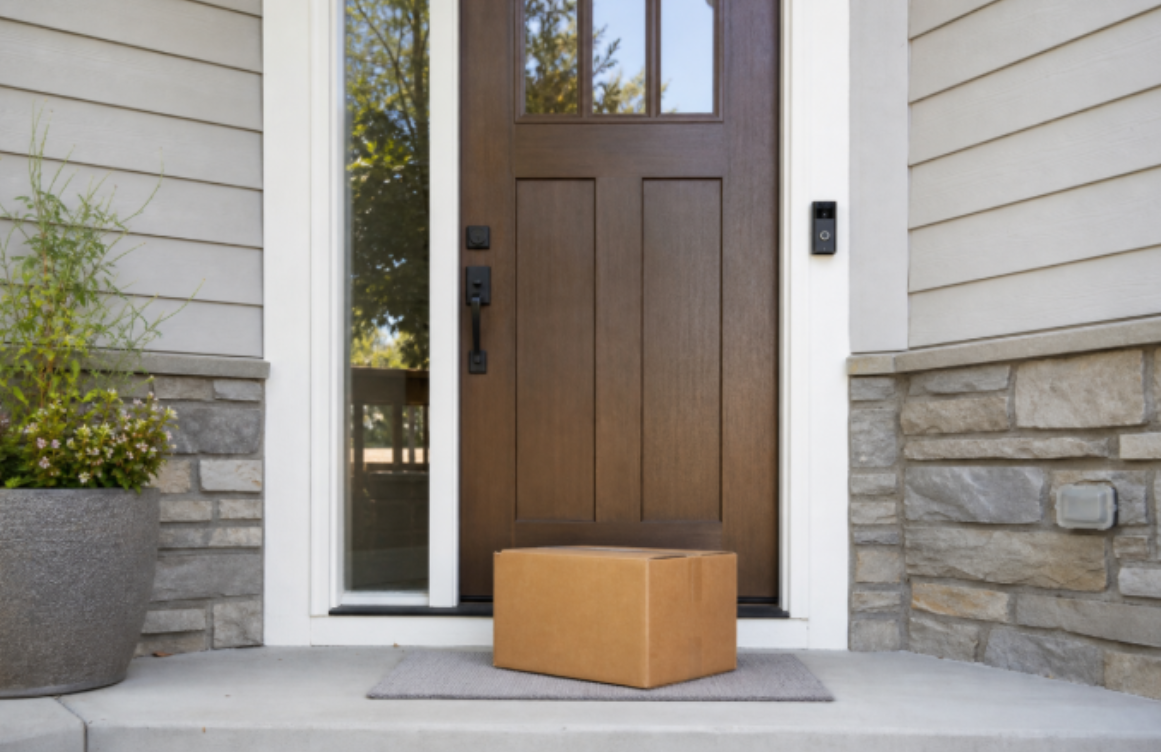
Video doorbell package detection is less about watching the whole front yard and more about seeing the one square of porch where a box usually lands. A driver may step up, set the parcel half on the mat, take a photo, and leave before anyone inside hears the knock. If the lower part of the frame is cut off, the alert may still trigger, but you’ll miss the actual drop-off footage that matters.
Set the camera for the porch pad first. The street, the curb, and the neighbor walking a dog across the sidewalk can wait. A solid package alert should let you know something’s happened near your door, and serve up a clip that’s actually worth watching. The practical goal is narrower: a clearer drop-off view, fewer false alerts from street traffic, and recordings that are useful when you go back to review them.
Package Detection Starts With the Porch Landing Zone
Your landing zone is the small spot that makes or breaks your doorbell’s package detection. On many porches, that means the doormat, the top step, the side of a planter, or the corner where drivers tend to leave padded mailers. A wide scenic view can still miss that spot if the camera is mounted too high or pointed too flat.
Before the doorbell is fully fixed in place, open live view and put a box exactly where deliveries usually land. Check the saved clip, not just the live preview. Recorded clips are what you’ll reference later, and they often crop, brighten, or process footage slightly differently than the app’s live preview.
The right mounting height and angle depend on your entryway. A raised porch needs a different tilt from a flat stoop. A deep doorway shadow, thick trim, or a door that swings near the frame can also change the best position. Use a wedge mount or a slightly lower placement when the mat sits too low in the picture.
You can run this quick check with just an empty shipping box:
| Check | What You Want to See | Adjustment if It Is Missing |
| Porch pad | The full likely drop-off area | Tilt down or move the unit slightly lower |
| Visitor approach | A person entering the porch zone | Widen the usable view only enough to include the approach |
| Door movement | The door can open without blocking the view | Shift the mount away from the door edge or trim |
Run the same check with a small box and a soft mailer if those arrive often. Small parcels reveal framing problems quickly. A camera that sees a large carton may still lose a flat envelope against a dark mat.
Set the Package Detection Doorbell Activity Area
Once the landing zone is visible, the activity area can stay modest. Draw it around the step, the mat, and the short path a delivery person uses to reach the door. If the zone stretches over the public sidewalk or a busy curb lane, the app may start treating ordinary movement as porch activity.
This is the most common source of false alerts. Passing pedestrians, car headlights, and street traffic will all trigger false notifications if your zone stretches too far. Always tighten the zone boundary first before adjusting sensitivity — zone shape has a bigger impact than cranking up detection strength.

Review a handful of normal clips before making the area larger. If a carrier pauses just outside the selected edge and the recording starts late, extend the zone a little toward the walkway. If the app keeps detecting people who never step onto your porch, trim the zone back and test again.
Privacy matters at this setup step too. Keep the frame and detection area focused on your own entry, not on windows, driveways, or living spaces across the street. If the app offers privacy controls, use them where the view catches more neighboring property than the door needs.
Make Delivery Alerts Easier for Households to Use
A reliable package alert system should be simple and consistent: one notification, sent to the right people, with a clear clip worth opening. If every motion event goes to every phone, package notifications start to feel like background noise.
Start by picking who needs to receive package alerts right away. In many homes, that is one or two adults rather than the whole household. Shared access through the app is better than passing around the main account password, especially when access needs to change later.
An indoor chime can still help. Phones get left upstairs, muted during dinner, or buried under work notifications. A chime gives the home a local cue that something happened at the door, while the saved video remains the place to confirm whether a package was actually left.
Carrier notifications add an extra layer of confirmation. USPS Informed Delivery, for example, can show mail and package updates through email, dashboard, and app notifications for eligible addresses. Pair that information with the doorbell clip rather than leaning on one source alone. Carrier tracking can confirm a package has been marked delivered, while the camera clip shows exactly what happened on your porch.
Test the Night View Before You Rely on It
Even the most carefully calibrated daytime setup can fall short after dark. A porch light may brighten a face but leave the mat in shadow. A glossy package can flare under a light. Rain can turn a step into a mirror. A black doormat can swallow the edge of a dark mailer.
Set a box on your doormat after dark and trigger a motion event like you normally would. Look at the saved recording. Can you see the lower porch area clearly? Does glare wash out the package? Does the person approaching the door stay visible for long enough to understand the event?

Small tweaks can make nighttime footage much clearer. Clean the lens cover, adjust a harsh bulb that points straight at the camera, and make sure the porch light reaches the mat rather than only the wall. If the entry has very little light, expect less color and less fine detail than the same setup produces in daylight.
Do not judge the night setup from a single perfect evening. Try it with the porch light on, with it off if that is how the home usually sits, and after wet weather if the step reflects light. Package detection performance depends on real-world conditions, not just the feature label in the app.
Review Delivery Clips While They Still Have Context
Review clips while the delivery alert and time window are still fresh in your mind. Waiting until later can make a simple event harder to interpret. Was the box left behind the planter? Did the driver set it on the side step? Did the alert come from a person passing the door without leaving anything?
These early recordings are also a great way to fine-tune your setup. If the recording starts after the box is already on the mat, extend the activity area slightly toward the approach path. If the camera keeps recording sidewalk movement before the delivery arrives, shrink the boundary and leave sensitivity alone for the moment.
Save or download clips according to the storage options available in the app and your privacy preferences. Doorbell footage can include visitors, neighbors, and people using the sidewalk. Keep only what is useful, and avoid sharing clips casually when they show people who are simply passing by.
You may see “package theft doorbell camera” marketed online, but it’s important to keep realistic expectations. The camera can help you notice an event and review what it captured. It does not remove the need for carrier tracking, pickup timing, secure delivery instructions when available, or common sense about high-value parcels.
Choose a Doorbell That Can See the Porch Floor
If the main question is whether something reached the porch, a doorbell that sees downward can be easier to set up than a front-facing view alone. The eufy Video Doorbell E340 is designed with dual cameras: a front-facing camera for people and a downward-facing camera for the floor in front of the door, so even thin envelopes and small mailers stay in frame. It’s designed specifically for package-focused coverage, with 2K clarity, color night vision, and built-in chime support.

That combination fits entries where the mat sits close to the threshold or where parcels often land below a normal eye-level camera angle.
You can compare other door-focused options in the eufy video doorbell. If the home also needs a driveway, side gate, or backyard view, use the eufy security camera for that separate coverage instead of stretching the doorbell toward the street.
Conclusion
Video doorbell package alerts work best when the camera has a specific job. Show the porch pad clearly, keep the activity area away from sidewalk and car movement, and test the saved clips in the lighting the door actually gets. After that, shared notifications and an indoor chime can make the alert easier for you to act on.
You don’t need an elaborate setup to get reliable package alerts. A small tilt adjustment, a tighter zone, or one changed notification rule can make the difference between another vague motion event and a clip that shows where the delivery landed. Keep the goal practical: see the porch drop-off, cut down on false alerts, and review the event while it still has context.