The 7-step guide to controlling smartphones with free Mobile Device Management #Miradore

MDM, short for Mobile Device Management, is one of those things most people don’t realize they need. When used wisely, though, MDM – meaning mainly web-based apps for admins to control how mobile devices work – is your ultimate chaos prevention tool. And it’s free, too!


Why everyone should use MDM

If you don’t believe it, try imagining what would happen if an IT manager had to apply settings manually on every computer in his company, blind to trends and problems that a central control panel would make obvious. Just like IT managers don’t use an “Excel only” approach to keeping inventory anymore, mobile devices have now graduated to a level where they need to be controlled and kept track of.

What about if the data on company, or personal smartphones and tablets, today’s powerful personal computers with cameras, microphones and other sensors, was leaked to malicious outsiders? Most of us understand why company PCs shouldn’t have all kinds of random software installed, so the prospect of living without any say over what goes on work phones does feel less than comfortable.

This is exactly why people do need MDM, and why we’ve put together this quick-start guide on getting up and running with Miradore Online, a free MDM product from a Finnish company. Miradore’s MDM offering comes with a slick user interface and lots of free features in the basic plan for unlimited devices. You’re just a few clicks away from better control over phones and tablets, including at-a-glance reports of all your devices and detailed reports on installed apps.

Step 1: Requirements

To get started, check that you have a suitable device. Miradore Online supports iOS 4 or later, Android 2.3.3 or later and Windows Phone 8 and 8.1. You can have a mixed environment with all three platforms. You also need a computer with a modern web browser.

If you can choose which kind of device to try it out in first, Android is the easiest. iOS requires an extra step when adding the first device, for security. But since you don’t have to do this for every device, it might be a good idea to get to it.

To add Apple devices to Miradore’s free MDM, you will need an Apple ID. If you have an account that’s used to administer Apple issues for many users in you company or home, that’s probably the one to choose.


Step 2: Sign up for Miradore Online

You’ll find the sign up form for Miradore Online at miradore.com by clicking Get Started you can also reach the sign up form directly from https://online.miradore.com. For a service like this, it’s a good idea to add real contact information and to understand the terms of use. In this case, it’s worth pointing out that Miradore’s services are operated within the EU, under local Finnish legislation. Finland’s privacy laws are even noted in the media for their exceptional strength.

Please remember to pick a strong password. Miradore Online is a powerful service that’s intended for controlling and locating mobile devices.


Step 3: Add devices

After the quick signup form, you’re ready to take control of your IT surroundings. Pick the kind of device you’re going to add. If you’re using Android or Windows Phone, go ahead and skip to step 5 for inviting a user.

Step 4: Give Miradore permission to control Apple devices

Say what you want about Apple, but they’re really serious about who gets to touch iOS devices. To be able to add remote management capabilities to an iPad, iPhone or iPod touch, you will need Apple’s blessing in the form of a certificate signed by both Apple and Miradore. This is a mixed bag, but luckily, you don’t have to do it for every device. The upside is that Apple gives Mobile Device Management tools like Miradore Online broad, controlled capabilities for device management access to iOS devices.

At this point, Miradore Online will give you a file to download, csr.txt, a Certificate Signing request. Download and save this file, but keep it private unless you really know this stuff. Click the link presented to open Apple’s portal for Push Certificate creation. Please sign in with your preferred Apple Account and move forward with the Certificate creation tool. Accept the terms and follow the instructions on the screen, using the csr.txt file you just downloaded.


When you’re done inputting the CSR, you will be able to download a certificate called something like “MDM_ Miradore Oy_Certificate.pem”. Keep this certificate private to you and Miradore. In fact, now return to the Miradore site and upload the .pem certificate file as instructed.


Step 5: Invite yourself 

We’re back to where we left off to get Apple’s blessing. At this point, both Android and iOS administrators will be able to invite the first user, probably you. It’s very straightforward and happens over e-mail or SMS. Either way, the user will receive a link to click on. If you don’t like waiting for e-mail (or wading through a packed inbox), go the SMS route.


Step 6: Enroll the first device to Miradore Online

Now, grab the device you wanted to enroll with the message you just sent. Just click the link in the SMS or e-mail and you will be presented with a screen like this one in your device’s browser. Assuming you’re presented with the right option, agree to continue, or pick another option.


Your browser will now download a management profile and your device will attempt to install it. On our iPhone, it looks like this. The Install button lets you get on with the process. You will be asked for one more confirmation to agree to trust the management system.

Now, there you have it. If you go back to the web browser on your computer, you’ll notice that the system soon recognizes that a phone has been added. Press Next to move on to some easy options or Skip to just start exploring your new management environment.


Step 7: Start taking control

If you pressed Next in the previous screen, you will be presented with some options for going forward. Setting a passcode is a really good way to start if you don’t have one. Even a simple PIN goes a long way to make sure nobody’s going to snoop through your photos, messages or e-mails.


If you choose Show device at this point, you will be taken to an information-rich view of the first item in your managed inventory. The view looks like the picture below.

Our suggestion is that you take a quick look through the information Miradore Online has on your phone within the tabs pointed at by the first arrow. A good starting point is the Applications view where you can prevent the device from using up all the data plans within your organization. Notice that location tracking needs to be activated if you want it on.

Moving on to the second arrow, the drop down menu under the profile icon, you’re given the option to go and fill out some profile information. It probably makes sense to do that at this point. On the My Settings page, scroll down and press Edit.


In the final step below, we’ll take a glance at the Dashboard, the place where all the magic will happen from now on.

8. Add devices and stay in the driver’s seat

We’re getting to the point where you will have to explore your new command center for your organization’s mobile computing. Before we let you go, let’s have a quick look at the main dashboard for Miradore Online, the place where you arrive every time you sign in.

To get more out the system, such as nice reports, go ahead and add more devices through Users or Welcome view.


There you have it: a quick walkthrough of setting up a modern Mobile Device Management system – for free. Other options on the market function similarly, by hooking into specific frameworks in Android and iOS phones to allow control over company property.

Nevertheless, we think Miradore Online is a great option to explore if you find yourself feeling out of control over your devices. Thanks to its friendly freemium model, you can go a long way to integrate it with your home or business life before having to budget for the competitively priced paid plans.


Paralympics Ireland launch new mobile app. #Rio2016 #morethansport #Paralympics

Paralympics Ireland have just launched a brand new app to mark 100 days to Rio2016,The app is now free to download on both Android and iOS platforms and it is FREE.. The app is packed with features via the hamburger menu on the top lefthand side offers easy access to content such as News,Competitions,Media Your account and much more,Also present right now on opening the app is a countdown timer to the event which begins September 2016

Speaking about the launch this morning, Paralympics Ireland’s Media & Events Manager, Mary McGuire stated: “We’ve been working extremely hard on this app over the last few months to ensure that it is very user-friendly and full of engaging content and updates for fans to enjoy.

“We are delighted that we will be able to provide updates live from Rio this year through the app in addition to all of our other social media platforms, and we believe it will certainly be a must-have for any Irish Paralympic supporter this year.”


Paralympics Ireland is the organization responsible for leading elite Irish athletes with a disability to Paralympic Games success. Thanks to the support of Sport Ireland and the Irish Institute of Sport, we recruit and support top-class coaches to guide Irish Paralympic athletes to competition glory. In addition to managing Irish team participation in European and World Championships in IPC governed sports, we also prepare and send Irish athletes to Paralympic Games qualifying competitions around the world. We have a multi-disciplinary sports science and medial team who provide key performance-enhancing support to Irish Paralympic athletes.


App features:

– Learn about Paralympics Ireland, our athletes and events that they are competing in.

– Share our app with your friends to help promote our athletes and activities.

– Live updates, newsfeeds & messages from Paralympic competitions throughout the year.

– Submit photos and good luck messages on our fanwall directly to Paralympic athletes and Team Ireland via your phone as they prepare for the upcoming Paralympic Games.

– Watch powerful Paralympics Ireland videos and stay up to date with our social media.

– Read, listen and/or watch interviews with Irish Paralympic athletes.

– Dedicated athlete login section to stay up to date on training times, locations and more.

Source


Download below from the respective stores


If you have a minute to spare please nominate us for the #bloggies2016 #tech

It seems like it was only a few weeks ago the 2015 blog awards was over but it is now 2016 and it all begins again..  Last year we made the finals which we want to thank all our readers for and listeners on Charity Radio and Radio Downtown where we are guests now and then where we highlight tech news every week from all over the world and strongly support Irish tech and so on.. Last year was our first year to enter under our new site techbuzzireland,we did good.We decided to shut down former site nokianewsireland due to obvious reasons…

We would love for you to nominate us again this year and see how it goes, If we loose come 2nd or last its not a competition in our eyes Its participation and some fun…

To nominate us takes a few clicks this time round which would require either a Google+,Facebook or LinkedIn account to login, it’s is easier this way or you can use email. We are named techbuzzireland.com.

The URL needed which you can copy and paste is https://techbuzzireland.com/

To nominate us just click the image below in the digital and tech category and once again thank you all for last years votes..

Image sources AshvilleMedia 


Make awesome multi-angle videos with GroupClip. #iOS #iPhone #App

If you’re one of those who love to record your extreme tricks while doing sports or something similar, then you’ll love this app.

GroupClip is an iOS app the lets you add multiple angles to your videos, using nothing but your smartphone.

Having multiples shot during recording is usually result of a hard and exhausting work on various programs to make it work.

Things are different this time around with this curious innovation, all you need is your iPhone, the app, a Facebook account and another four (4) friends with their respective iPhones.

When you initialize the app it will ask you to log with a FB account, once that’s done you can invite the rest of the team to the same session to star recording at the same time.

The footage gets synchronized automatically on the cloud, from there, you can use the main user phone to start editing.

Also, the rest of the team can access and edit their own footage, so it’ll have a different perspective in every clip.

There are a bunch of templates to use in order to finish the editing part,  so as soon as you finish you can share you creation on Social Media with ease.

Just a quick drag and drop and you’re ready to go. No tons of programs, no uncountable hours to processes.

The app is currently only available on iOS with an Android version soon to come.

Would you give it a shot? What are you thoughts on this kind of apps? Let us know what you think in the comments below


A keyboard with a 100+ languages. FirstVoice Keyboards. #Apps #Keyboards

We are really spoilt for choice when it comes to keyboards these days but they still flock to the stores and of late standalone emoji apps are the thing but only offer so much when it comes to getting the job done, Swiftkey still remains the most popular with most and as for stock keyboards they generally suck,One thing though Windows Phone does have a good stock keyboard,even for those with chubby fingers.. This keyboard is different though offering users to type in more than 100 indigenous languages..


The FirstVoices Keyboard App contains keyboard software for over 100 languages, and includes every First Nations language in Canada, Australia and New Zealand, plus many languages in the USA.

When the FirstVoices Keyboard app is installed on a mobile phone or tablet, any one of the 100+ custom keyboards can be activated in any application on the device. Users are able to select their keyboard(s) of choice within their email, social media, word processing or other apps, enabling unlimited communication in their mother language.


There is now a #NASCAR emoji app. #NASCAR #emoji #Apps

Fans of NASCAR can now join the emoji bandwagon with the new NASCAR emoji Garage app,Many companies now seem to be brining their own ideas to the fore offering standalone emjoi apps and they seem to be popular enough but the novelty may wear off for some over time with limitations..For now the app is on iOS and is due to arrive soon on Android..

Never waste time looking for the perfect NASCAR emoji again. With NASCAR Emoji Garage, you can text your favorite drivers, the fastest cars & the freshest content to your friends and family in seconds. Only for the truest NASCAR fans.

Features

– Add ignition to your boring library of emojis and rev up your texting game
– Build your NASCAR corner with your favorite drivers: Dale Earnhardt JR, Danica Patrick, Jimmie Johnson, Denny   Hamlin, (name), (name) and many more
– Send collectible Stikojis (stickers) and other limited edition content to your crew
– Stay unique by texting NASCAR emojis only you have


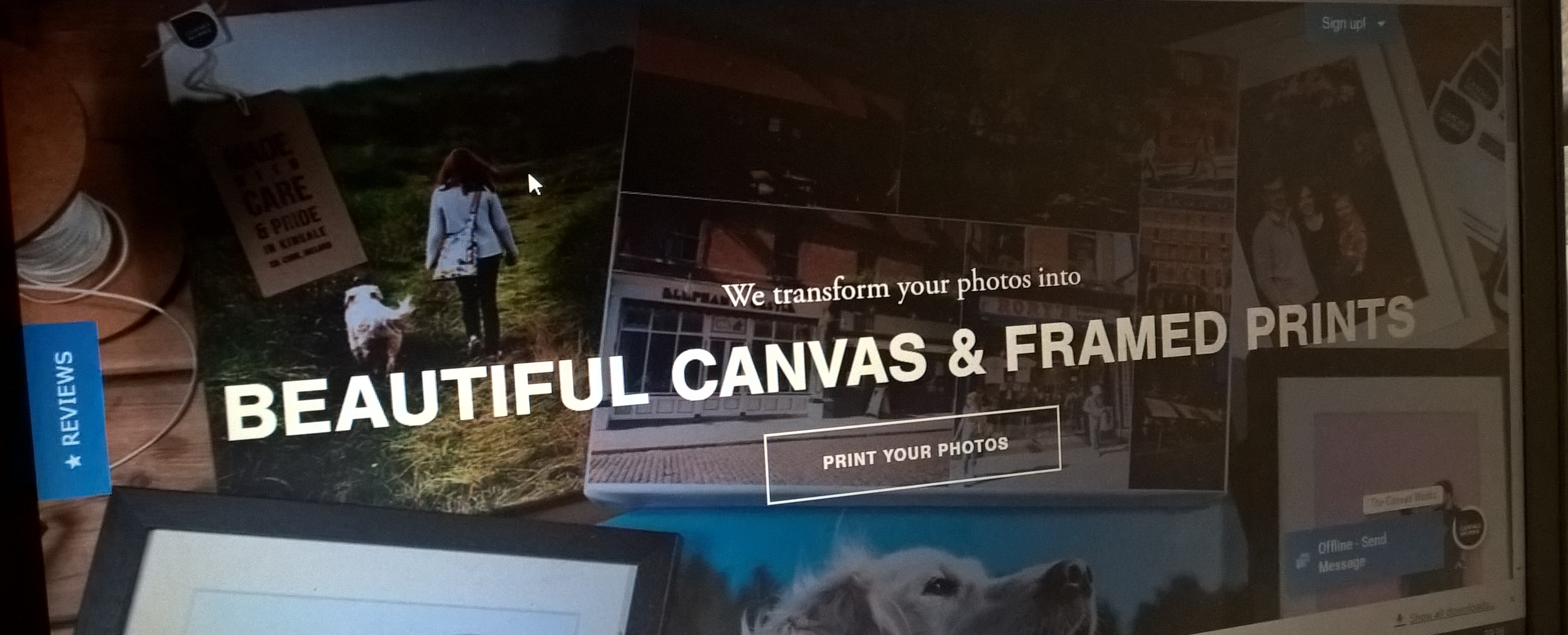
The Canvas Works – Print mobile, camera & Instagram photos as glorious canvas.

As the header suggests this new idea was created by Patrick Ryan which enables users to Print mobile,camera and Instagram photos on canvas and now there is an app to boot and Patrick  from thecanvasworks.ie tells us more below..
My name is Patrick Ryan and I’m the founder of The Canvas Works.  We are one of Ireland’s leading photo to canvas and photo printing retailers and we’re based in Kinsale, Cork.  I spent ten years working in the advertising industry before setting up the business back in 2006.
We aim to be the easiest way to transform your mobile and camera photos into beautiful canvas and framed prints.  Nowdays, with the advent of powerful mobile phone cameras and the explosion in the growth of photo sharing social media sites like Instagram, Facebook and Snapchat, people are taking and sharing photos like never before.
But the best photos often sit in the phone or lie up in the cloud somewhere, looked at only via a screen.  The Canvas Works is all about getting your photos off your phone and onto your wall.  We think photos mean more when they’re printed and believe that if you make it easy, affordable and convenient to print photos, customers will do it.  There’s still nothing like seeing your photos printed in the real world.
Our site was rebuilt from the ground up about 18 months ago on the Shopify platform.  They’re a Canadian ecommerce platform aimed as SME’s all over the world. Since launching on the site, we’ve doubled our business and have been a featured “Shopify Success Story” https://www.shopify.com/success-stories/the-canvas-works
When it came to developing our app, we were also keen to leverage the power of the Shopify platform.  This meant we could build the app natively but run the checkout through Shopify, thus allowing us to manage sales, CRM, marketing and administration centrally through our Shopify admin panel.
Customers using the app can choose from canvas prints, framed prints, wood mounts or photo prints.  We offer a full range of sizes as well as collage prints using multi shot selections.  We’ve worked very hard on simplfying image selection, cropping and filtering.  The app uses the Adobe Creative Cloud SDK for image editing – one of the world’s most powerful and feature-rich editing components. Once the customer is happy with their editing choices, they’ll see a real life render of their image as a canvas or framed print – thus avoiding any confusion over sizes.
Our focus now is on refining the app, adding new products and rolling out on Android in the coming months.  We’re offering free shipping on all orders in Ireland and worldwide on orders over €50.

Another scam to watch for,This time it is @TescoIrl #Scam #Tesco

It is a week of scams not particularly new but with two big companies people can fall for them,earlier this week it was Argos,this time round it is Tesco.. A email just arrived in our inbox and here are all the details you need to know and watch out for…

The email came from this dude here (sneha@ego34.checkcellactivator.com>) obviously with Tesco in the header too which entices people to just take a peek at the mail..

At the end of the email what also is posted is the following..

Dont want messages? Press Here or send a self-addressed letter to:

19910-Raygun Delivery
PO Box 1171
Sydney 2001, AU


As per usual just delete,dont open ANY links or be tempted to reply either.Be safe folks.

Motorhomers rejoice as the Motorhome Parking Ireland App lands on Android #Apps

Motorhome Parking Ireland has hundreds of Points of Interest for motorhomers in Ireland.
POIs include Aires de Service, free overnight parking spots, bars and restaurants that welcome motorhomes, as well as campsites. Most POIs have information and many have user reviews so you can see what other users’ experiences have been before you head off. Once you select a POI you can then call your favourite navigation app to help get you there.An iOS version is in the works Ally explains.. 


Features:

– Over 400 POIs
– Information on POIs
– Navigate directly from the app
– Add new POIs
– Add Reviews of POIs
– Regularly updated with new information daily