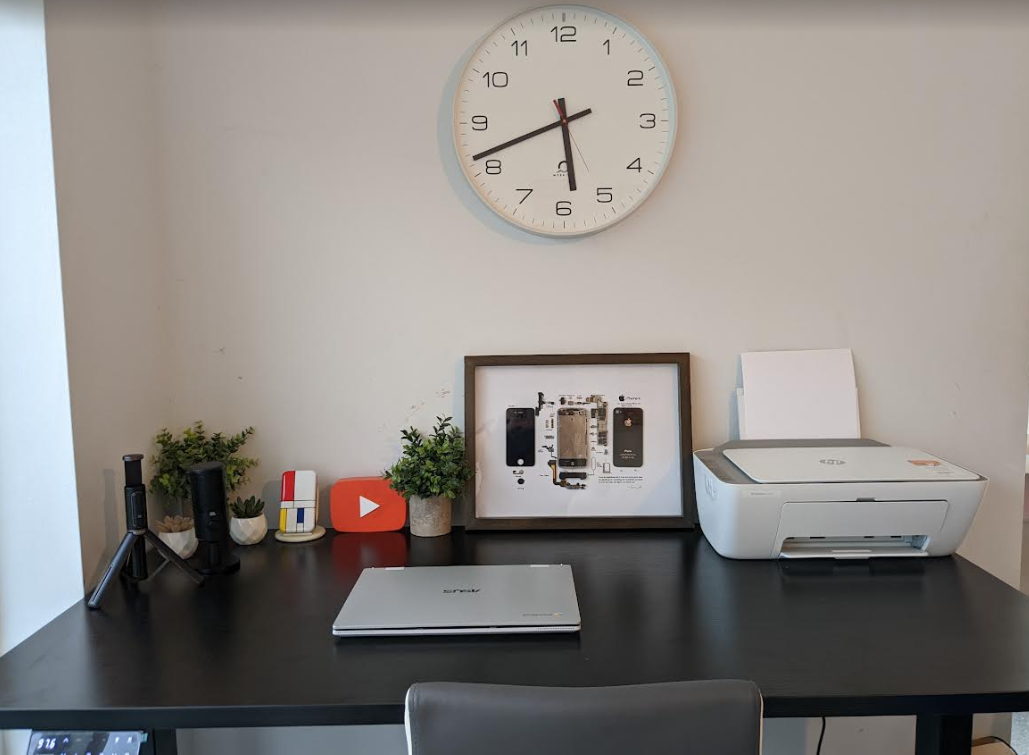
Tech Review – Maidesite T2 Pro Plus standing desk

Over the last Three years or so I have been using several types of set-ups at home for my work and tech reviews, In fact I have two set-ups in at home and it is just as well I do and it is great to have those options with kids so I have a place to work in peace and quiet when required so for me having a set-up I can move to in an instant is important for me to get things done without interrupting my workflow and both set-ups would have similar products at hand and all ready to go so the only thing that needs moving is my phones.

Having a desk is important and space and having tested several options the sit stand desk or a desk that can move up and down is ideal and when it is electric it is even more sweet and less hassle for me and anything else as no movement is required of products and cable management is now embedded in pretty much all these types of offerings.

So the latest one which is now set up is from Maidesite and this is their Electric Standing Desk S2 Pro Plus and it is a superb standing desk and suits all my needs down to a tee. What’s more this one is not as complicated to set up like previous ones or holes need to be drilled into your walls and little tools required, in fact they are all in the box bar a screwdriver to mount the control unit the rest is all allen key screws and the key is provided.

Setting up did not take long either which only took me about 25 mins to get the whole thing set up and running and that was another bonus for me as time matters plus it is fairly simple and not complicated as some can be as mentioned.

The best way top set up is to grab two chairs and lay the table top on it upside down of course take out all the pieces and lay them in order with the screws provided and have it all ready at hand and then follow the instructions on the booklet inside, these may seem complicated for some however with this table no so much. You can see some of this set-up process in the video below anyway and how it all works and get an idea of what it all looks like..

The great thing with this Desk is the ability to move it around plus the controls to raise and lower the table which can cater for adults and kids but for me standing is the better option and healthier but I can also sit down should I want to and my daughter can use it for college and so on and for my main use which is office work and tech reviews it just solves several issues in one place and does it really well and can be used in several ways. I do change my set-ups from time to time and rotate the tech for example and will have an additional new triple length light to clip onto the back of the desk when I use two laptops for example sometimes I just have one on the desk and would be doing videos so there is plenty of space regardless here to do multiple tasks and do them easily with no cables in the way.

The frame itself here what impresses me most too it is solid and sturdy given all the dimensions and weight involved it does not move an inch when working on it either in a sitting or standing position and for me who is one to lean on such the same applies and makes this super robust and can be placed away from a wall or in the center of a room the choice is yours.

The control board actually has a USB port on it too which makes it great for charging my phone for example of any other bits like earbuds and headphones so all I need is at my fingertips in reach and no hassle and all is kept simple and that is how I like it and that is what this table offers, simplicity with all in your reach and the space to do what you need.


Features

  • The Flagship electric standing desk for Pros
  • Height adjustable range 62-127 cm, best for 5-6.3 ft people 140×70 cm table top
  • 140x70cm Eco-friendly one-piece desktop, supports 2 oversize monitors
  • Optional cable management tray, drawer, castors and hook for cozy working
  • Dual motor lift mechanism with 125 kg load capacity
  • 4 preset memory heights for best posture
  • Tested and Recommended by Furniturefashion & igor’sLAB
  • FREE and fast 2-5 working days delivery
    T2 Pro Plus Standing Desk Frame: https://bit.ly/3eOrQPH 
    S2 Pro Plus Standing Desk(whole set): https://bit.ly/3AkM9fZ 

Video review


Why A New Working From Home ‘Boom’ Is On The Horizon

Video conferencing manufacturer, Boom Collaboration is predicting a surge in demand for home working equipment, fuelled by major UK employment law changes.

From April 6th new flexible working legislation mean millions of employees will have more choice over where and when they work, from day one of a new role.

Under the new regulations, people will be entitled to request flexible working arrangements from the very first day of their employment rather than after 26 weeks as is currently. This includes requests for part-time, term-time, flexitime, compressed hours, and varied working locations.

Employers need to be aware that, under the new rules, before they reject any request for flexible working arrangements, they have to explain the reasons behind their decision. Previously, employers could deny any request for flexible working without explanation.

Spike

Employers are also obliged to respond to flexible working requests within two months, compared to three months previously. In addition, employees can also make two statutory requests for flexible working in any 12-month period, as opposed to one request previously.

The new Flexible Working (Amendment) Regulations 2023 will trigger a further spike in demand for video conferencing equipment according to Boom co-founder Holli Hulett, who explained that the changes are about to come into full force. 

“In many ways the Covid lockdowns were a game-changer which triggered huge demand for video conferencing and a dramatic shift in working patterns. These trends continue to evolve on a global scale.

“This latest UK legislation represents a compelling opportunity for all those working in the industry to engage with their customers and re-evaluate their flexible working needs,” she emphasised.

Array

Founded in 2020 and headquartered in Austin, Texas, Boom Collaboration develops conferencing and collaboration hardware solutions for the complete array of meeting environments, from personal devices to full room systems. Boom was created by founders Fredrik Hörnkvist as well as Hulett, and operates via distributor Westcoast in the UK.

Hörnkvist highlighted how ‘jumping on a conference call’ has now become part of daily life for many employees and their organisations.

“There’s no doubt video conferencing is a proven alternative to face-to-face meetings and the quality of equipment continues to rise with ever more sophisticated and intelligent AI-based capabilities. Lots of workers enjoy the freedom and flexibility of working from different locations and in different ways. Remote meetings are also kinder to the planet too, saving not just time but lots of business travel.”

Boom Collaboration Founders Fredrik Hörnkvist and Holli Hulett.

He added: “Dedicated working from home kits continue to accelerate in popularity, whilst video bars and powerful PTZ cameras provide the optimum meeting room experience. But there’s no one-size-fits-all as every business has bespoke needs and requirements.”

Hulett concluded: “We expect to see demand grow for personal conferencing as well as wider meeting room investments, where high quality audio as well as pristine picture performance make conferencing engaging, intuitive and easy to use. In many cases people can work in more flexible ways from almost anywhere without any detrimental impact to business performance. The new UK legislation further reflects this.”

This article is based on various independent research including speaking to employment law solicitors plus information from the Chartered Institute of Personnel and Development as outlined here:

https://www.cipd.org/uk/views-and-insights/thought-leadership/cipd-voice/new-employment-legislation/ 

Jabra announces the Evolve2 65 Flex, Evolve2 55 and Evolve2 50.

Jabra, world’s leading professional audio brand, expands its best-selling line of professional headsets, the Jabra Evolve series, with new Evolve2 mid-range headsets. The revolutionary Jabra Evolve2 65 Flex, the Jabra Evolve2 55 and Jabra Evolve2 50 are engineered for ultra-flexible hybrid working. 

Jabra’s 2022 research found that 80% of all meetings globally are either fully virtual or hybrid, and hybrid natives like Gen Zs consider their “office” to be their laptop, headset, and wherever with a strong internet connection, and find themselves working in a “third space” such as a co-working space, café, or library. The new Evolve2 headsets are meant to empower users with the most useful and professional features to protect their focus zone and enable them to take calls and meetings no matter their environment. Additionally, they have optimised sound for professional use and music, so there is no need to switch headsets when it is time for a break. 

 
Jabra Evolve2 65 Flex: the most portable professional headset* with unique fold-and-go design  

To provide maximum flexibility, the Jabra Evolve2 65 Flex has a unique fold-and-go design with a collapsible hinged headband, slimmed-down earcups. It comes with a soft sustainable pouch, allowing users to easily tuck it into even the smallest of bags, or your pocket. With the headset, users can be sure to be heard clearly even in loud locations, thanks to a powerful chipset, advanced digital algorithm, and beamforming Jabra ClearVoice microphones for the open office. The chipset and noise-cancelling technology delivers a best-in-class Hybrid Active Noise Cancellation (ANC) and close-fitting memory foam earcups help seal out even more of the surroundings.  

Using the headset for flexible working and for entertainment means that users would likely be wearing their headsets for hours each day. Evolve2 65 Flex features the Jabra Air Comfort technology and flexible earcups that rotates to move whenever users do – making the headset incredibly comfortable, no matter how long it is on. The unique technology also layers ultra-soft perforated foam inside the collapsible headband for a gentle cushioning effect.  

The headset has a 360° busylight, a shorter hide-away boom arm and it is certified for all leading virtual meeting platforms, like Microsoft Teams, Google Meet and Zoom. Workers can be rest assured for all-day work and play with the headset promising up to 32 hours of music time and up to 20 hours of talk time with ANC/busylight off.  

Jabra Evolve2 55 and 50: on-ear headsets designed with new, revolutionary comfort technology 

With more flexible working, and therefore more potential for distractions, Jabra is bringing Active Noise Cancellation (ANC) into more professional headsets, with a wireless option, Evolve2 55, and a corded version, Evolve2 50. The headsets are built with powerful ANC that has a unique acoustic chamber design, 28mm custom speakers, a specially designed chipset that powers speech-separating, and two premium noise-cancelling microphones.  

Both products are certified for all leading virtual meeting platforms, like Microsoft Teams, Google Meet and Zoom, all while providing a comfortable fit with the Jabra Air Comfort technology.  

Holger Reisinger, SVP for Enterprise Solutions at Jabra says, “The current generation of hybrid workers are in search for comfortable, flexible, and easy to use devices for both work and music. Meanwhile, headsets are evolving from mere accessories to a business necessity for productive work. This was why we sought to create high-quality mid-range headsets so we can meet the needs of both the business and end-user. Particularly with the foldable version, everyone will have the ability to look, sound and be professional, working from anywhere.” 

Key features of all three Evolve2 products:  

·         Maximum comfort with Jabra Air Comfort technology 

·         Jabra ClearVoice Microphone systems that meet premium microphone for the open office standard 

·         Integrated 360° busylight  

·         28mm custom speakers deliver premium sound for music  

·         Certified for leading virtual meeting platforms (UC-certified and Microsoft Teams-certified variants available) 

·         Up to 30m/100ft wireless range (Evolve2 65 Flex & Evolve2 55 only) 

·         Personalisation with Jabra Sound+, Jabra MySound and voice assistants (Evolve2 65 Flex & Evolve2 55 only) 

·         Connect two devices at the same time with dual connectivity (Evolve2 65 Flex & Evolve2 55) and connect to another device via Bluetooth while plugged in (Evolve2 50) 

·         Boom arm mute and answer call 

·         Available in stereo and mono (Evolve2 55 & Evolve2 50 only) – Evolve2 65 Flex available in stereo 

·         UC and Microsoft Teams variants 

·         Optional charging stand (Evolve2 65 Flex & Evolve2 55 only) 

Key features only of the Evolve2 65 Flex: 

·         Most portable professional headset* with unique fold-and-go design 

·         Best-in-class Hybrid Active Noise Cancellation (ANC)*  

·         Hide-away boom arm for discreet on-the-go professionalism 

·         Up to 20 hours of talk time with ANC/busylight off, up to 15 hours talk time with ANC/busylight on, up to 32 hours of listening time with ANC/busylight off, up to 21 hours listening time with ANC/busylight on 

Key features only of the Evolve2 55: 

·         Up to 16 hours talk time with ANC/busylight off, up to 10 hours talk time with ANC/busylight on, and up to 18 hours listening time with ANC/busylight off, up to 15 hours listening time with ANC/busylight on  

·         A comfortable fit that’s the best-in-its-class 


Pricing and availability 

The Jabra Evolve2 65 Flex, Evolve2 55 & Evolve2 50 will be available in April. 

Evolve2 65 Flex MSRP £265/€299 (£310/€349 with Wireless Charging Pad) 

Evolve2 55 Stereo MSRP £199/€229 (£233/€269 with charging stand) 

Evolve2 55 Mono MSRP £189/€219 (£224/€259 with charging stand) 

Evolve2 50 Stereo MSRP £155/€179 

Evolve2 50 Mono MSRP £147/€169  

Find out more about Jabra Evolve2 65 Flex at www.jabra.co.uk/evolve2-65-flex 

Find out more about Jabra Evolve2 55 at www.jabra.co.uk/evolve2-55 

Find out more about Jabra Evolve2 50 at www.jabra.co.uk/evolve2-50 

HP expands product portfolio in the Irish market to Make Hybrid Work, Work

At the HP Amplify Executive Forum, HP Inc’s annual partner roadshow, the company announced a new device which is now available in Ireland to help people thrive in their hybrid work environments.

 “Ways of working have changed significantly over the past few years, with people seeking the flexibility to collaborate and create wherever they need to be, and the technology they use is fundamental to this,” said Neil Dover, Country Manager of HP Ireland. “HP is in a strong position to support the hybrid working world through hardware, software, and services, and we are thrilled to bring this new PC to the Irish market; the HP Dragonfly Folio G3 – the hybrid-ready convertible PC for business.”

With nearly half of workers having at least some flexibility in where they work in 2023, workers want devices with personalised experiences that enable them to securely collaborate, create, and be productive no matter where they get work done.


Your new mobile office

HP continues to deliver premium experiences in its expanded Dragonfly portfolio. With a pull-forward design that seamlessly transitions from laptop to tablet, the HP Dragonfly Folio G3 empowers collaborative thinkers to create, capture, and share ideas whenever they strike.

The PC combines laptop productivity with the convenience of a tablet in one device to enable true productivity when working from anywhere. The PC makes brainstorming and whiteboarding ideas a personalised experience with natural and intelligent inking with the HP Dragonfly Folio Pen. The pen magnetically attaches to the device, features three programmable buttons, and can wirelessly charge to 100% in 30 minutes. Users can unleash even more creativity by using their pen on the display of the PC to ink on a secondary connected display with HP Indirect Inking.

Never miss an opportunity to whiteboard and naturally capture ideas on with the HP Dragonfly Folio Pen.

Enhanced by HP Presence, the PC offers collaboration features for more productive and engaging video conferencing experiences. The 8MP camera ensures users show up naturally and the 100-degree field-of-view makes it easy for another teammate to join on screen when collaborating in person. When users want to think on their feet, HP Auto Frame keeps them in frame when they want to stand, stretch, or move around – perfect for days with back-to-back meetings. It also automatically adjusts voice volume to maintain consistency whether users are close or far from the microphone. When working remotely, users can worry less about background sounds with AI-based noise reduction that filters outbound and inbound noises. For added security, the HP Privacy Camera allows users to disable the webcam with the touch of a button.

The PC is built with recycled magnesium, aluminum,and ocean bound plastics.

HP Wolf Security for Business provides a resilient defense against malware and hacking, while new seamless firmware ensure 50% reduction in update time and allows users to stay productive and continue working during updates. To go one step further, HP Privacy Alert lets users know when prying eyes are viewing their screen so they can quickly switch on optional HP Sure View to blur the screen from unwanted eyes.

The new thermal solution optimises PC performance without adding significant weight or thickness and the new dimming features helps conserve battery power for long work days.

When it comes to personalising the mobile office experience, the myHP application provides a single dashboard to control and customise PC settings for excellent video, audio, and more.

Pricing and Availability

  • The HP Dragonfly Folio G3 is available now in Ireland for a starting price of €1,499.

Creative Launches the Chat USB, the Ideal WFH Audio Companion

Creative Technology today announced the launch of the Creative Chat USB, a convenient USB-C on-ear headset that is fit for all-day audio enjoyment and works even better for conference calls. The latest headset comes with a built-in noise-cancelling boom mic and swivel-to-mute function along with SmartComms Kit’s auto-mute and two-way noise cancellation features that make online calls a breeze for users. From webinar presentations to conference calls, the Creative Chat USB offers quality audio and effective noise-cancelling capabilities that works to prioritize voice pickup over unwanted background noises, so users can truly focus on what matters most, the conversation.

With a simple plug-and-play setup, users can be ever-ready for any conference call with the Creative Chat USB.

Built with a pair of 40 mm Neodymium drivers, the Creative Chat USB has been intricately designed to deliver excellent audio performance that precedes its price by offering a much bigger audio bang for the buck. So, be it for work calls or entertainment, users can expect nothing but high-quality and crystal-clear audio playback all day.

The Creative Chat USB is also easy to set up with convenient compatibility across various popular conference apps such as Zoom and Microsoft Teams. Coupled with nifty smart features and improved call quality, the Creative Chat USB has all the makings of the perfect audio companion for any online calls.

Pricing and Availability

Creative Chat USB is attractively priced at £44.99, $49.99 in the US and €49.99 in Europe and is available at Creative.com.

For more information, visit creative.com/chatusb.

Dell unveils new portable and video conferencing monitors to support those working from home. #Dell #WFH

Dell has today announced three new additions to its monitor line: the Dell 14 Portable Monitor (C1422H) and the Dell 24 and 27 Video Conferencing Monitors (S2422HZ and S2722DZ).

Dell 14 Portable Monitor

 Built to be the ultimate laptop companion, Dell’s first ever 14” portable monitor delivers dual-screen productivity to work, present and collaborate anywhere. For professionals working in the office, at home or on the go, users will appreciate the monitor’s lightweight design, weighing less than a pound and a half and less than a quarter-inch thick at its slimmest, making it extremely easy to travel with. Featuring FHD resolution, 16:9 aspect ratio with IPS technology, this monitor offers easy plug and play with USB-C connectivity. Simply press the quick access buttons to adjust brightness (up to 300 nits) and ComfortView feature that reduces harmful blue light emissions.

The sleek yet practical design complements all workstyles and productivity demands with a small continuous tilt stand that bends from 10 to 90 degrees. It also features Energy Star and EPEAT GOLD certification.


Dell 24 and 27 Video Conferencing Monitor

Hanging out virtually with friends, family and co-workers has never been easier with the new 27-inch QHD / 23.8-inch FHD monitors made for video calls. For an easy out-of-box experience, these monitors come with a built-in 5MP privacy pop-up camera, noise-cancelling microphones and dual 5W speakers. The pop-up camera stays hidden until users are ready for video chatting, plus you’ll enjoy amazing video clarity and crystal-clear sound.

These beautifully designed monitors feature Dell’s TÜV-certified ComfortView Plus – an always-on low blue light reduction technology that optimizes eye comfort while retaining color accuracy.  Other features include the convenience of USB-C connectivity, AMD FreeSync technology and 75Hz refresh rate for leisure gaming.

Pricing and availability

  • The Dell 14 Portable Monitor will be available worldwide from August 31st, starting at €230 ex. VAT.
  • The Dell 24 Video Conferencing Monitor will be available worldwide from October 1st, 2021, with pricing to announced upon release.
  • The Dell 27 Video Conferencing Monitor will be available worldwide from October 1st, 2021, with pricing to announced upon release.

Kefron survey reveals majority of businesses planning for a partial return to office

Leading Irish document and information management provider, Kefron, today announced the results of its ‘2021 Smarter Office Survey’, revealing how Irish businesses are navigating the challenges of adapting their offices to the realities of the post-COVID environment.

The survey carried out in May of this year revealed that 79% of businesses were planning for only a partial return to the physical office in the recovery phase of the pandemic, with only 2 in 10 businesses currently seeking to fully return to the office in the coming months. When reflecting on the experience of a year of remote working, 38% of business reported seeing no change in productivity, 36% seeing an increase and 26% seeing a decrease.

In light the continuing demand for flexible working arrangements post-COVID, almost three-quarters of respondents agreed that accelerating the move to a smarter office, which enables employees to work from home or in-person, will be crucial to their organisation’s future success.

According to the new survey, the main obstacles facing businesses in reframing the role of the office this year include a continued leadership focus on mitigating the short-term challenges posed by the pandemic (35%), outdated work practices (23%), an absence of a digital strategy (12%) and a lack of in-house skills and expertise” (8%).

In embracing the potential of the smart office, business leaders expressed a range of priorities for the remainder of 2021. 28% of respondents agreed that maintaining a connected workforce will be their top priority, while 26% said that simplifying processes and work practices within the office will be the number one concern. This was followed by driving business efficiencies (13%) and improving productivity (12%).

Paul Kearns, Managing Director of Kefron said: “Our survey findings indicate that the Irish business landscape is going through a major transitional moment, especially with regard to how organisations think about the physical office. With the vast majority of businesses preparing for a partial, rather than full, return to the office, it’s now clear that the office will no longer confined to just four walls. It is becoming a hybrid space where employees can access information from any location securely so they can do their best work. At Kefron, we believe we are seeing the emergence of a smarter office fit for the future.  

Business leaders voiced a number of concerns about the future of a smarter office, especially as it relates to employee collaboration and the threat of cyber-attacks. Going forward, the challenge for organisations of all sizes will be to develop robust systems that increase efficiency, reduce environmental damage, meet the needs of employees and customers alike, and protect their data from various existing and future risks. These concerns should be at the heart of each business’s plan as they embrace the smart office in 2021 and beyond.”

Other key findings of the survey include the following:

  • 78% of respondents said they were “more concerned” about the risk of fraud and cyber-crime since embracing remote work arrangements. 12% said they were directly affected by fraud incidents in the last 12 months.
  • 4 in 10 respondents said that their digital documentation and record systems were inadequate at the beginning of the pandemic.
  • 1 in 4 respondents agreed that “access to documents and information” proved to be a challenge during the pandemic.

Further details on the ‘2021 Smarter Office Survey’ can be found on: https://kefron.com/blog/smarter-office-survey/.

3 ways to make working from home easier

The pandemic ushered in a new and unprecedented era of home working, with most offices closing their doors. 

No matter what the future holds, this appears to be a trend that’s set to continue.

#1 Differentiate home from work

This is the most important tip, but perhaps one of the hardest to implement. Even though you’re working from home, you need to carefully divide your home/working environment. This has productivity and mental health benefits. Doing all your work in the main family rooms, with the television blaring and children playing, isn’t a good idea. You’ll find it harder to concentrate, tasks will take longer and stress will inevitably build. Similarly, when the working day comes to an end you need to be able to leave work behind and relax.

Try to design a home office that has your computer, files and an ergonomic office chair. This is your workroom. Ask that people only disturb you if it’s urgent and make sure that the whole household is aware of your office. When the day comes to an end you can close the door and leave work behind. This psychological differentiation means that work doesn’t saturate your home life, safeguarding mental health and providing a routine.

#2 Take scheduled breaks and find ways to relax

Since you’re already at home, the home/work balance can become blurred. Working hours tend to elongate and you can lose sight of taking time for yourself. Always schedule breaks and get away from the computer screen. It’s tempting to spend the break flicking through social media, but use it to go for a walk, exercise; even just stepping away and brewing a cup of coffee can make a big difference.

When the working day comes to an end, don’t dip back in. Instead, find ways to relax and destress. Treat working from home exactly as you would working at the office. Spend time with family and friends when the day ends, prepare dinner and generally do all that you can to maintain a healthy balance. Working from home encourages a certain amount of absorption, but don’t let your job come to dominate your family life.

#3 See if you can work a hybrid model

Many have relished the change to work from home, but for others, the lack of support and sensation of isolation has been less than appealing. Employers are flexible, and many are now offering some kind of hybrid model that fuses home with office work. Hybrid working takes many forms, but there are broadly three types.

The first and most common has you work a part of your week at home and then another portion in the office. This gives you a set routine and most employers will be flexible about the days. A similar model involves working one week in the office and another week at home. Finally, some companies will allow you to base yourself at home but keep the office open for enquiries, advice or simply as a place to go when you need some quiet.


Tech Review. The Poly Voyager Focus 2 UC. #Poly #Tech #WFH #Office

The Poly Voyager Focus 2 comes in a distinguished colour with a leatherette ear cushion which has a soft memory foam with a metal headset cushioned for strength and comfort. This can be used for noisy environments connected to a Laptop or phone utilising the multipoint connectivity, which connects to two devices at the same time. This can be hardwired for connection if required albeit a step back from the wireless options. The supplied charging stand on the model gave a place to store the headset and charge at the same time.  This unit did not come with the team logo but functioned as expected for Zoom & Teams calls. Recently we also checked out the POLY 7320

Contents: (These vary subject to the model)

Battery:

  •       Talk time: Up to 19 hours (ANC off), Up to 16 hours (ANC On)
  •       Listening time: Up to 40 hours (ANC Off)   Up to 24 hours (ANC On)
  •       Charge time: Full charge 2 hours. Standby time: Up to 30 days


Headset weight:   175 g Warranty:  2-year warranty

Setup and use:

The manufactures recommend connecting the USB adapter directly to the laptop and then power on the handset, this worked seamlessly on various laptop tested. When used on a smartphone connection again worked via the Bluetooth option. 

The option to download the software via https://www.poly.com/be/en/support/downloads-apps gave additional features allowing the headset to auto-answer calls when picked up or ensure a ringtone was heard when a call came in, and the headset not close by. This free personalised software options have great features but involve various software for different poly models, this difference can be seen on the charging stand, Plantronics vs the Poly logo on the headset which would appear a standardised approach has not been agreed upon.  When only using one model this is not noticeable while a company with 5 or 6 different poly models could find a challenge to ensure the correct software is in use for the correct model.

The headset can be used on the left or right ear with the boom allowing movement both ways. When the boom is up, this mutes the call with the USB Bluetooth adapter changing colour to reflect this.

Compatibility:

Poly state – All Poly USB headsets and personal speakerphones are compatible with the most popular voice platforms.

poly compatible

Active Noise Canceling (ANC):

This has 3 settings, Off, which would be recommended for only when e.g., listening to music or podcast or similar. When making calls the ANC switch can be set to Low for general office use or High for noisy /loud environment to reduce the background. This is strongly recommended to be kept on as may drain the battery a bit but well worth it from this quality headset to reduce external noise.

Overall:

This is a multi-purpose handset which multipoint connectivity, which can connect to devices simultaneous and remember up to 8 devices. This is a key decision-maker for me when using a phone and a laptop during the day.  The option of using both left and right ear is a bonus with the optional software giving a personalised approach to its use. The options in terms of setting the headset to ring loud while not on your head is great to ensure calls are not missed.  The range at up to 50 m ensures taking the headset for a coffee while still connected is great with the ANC option a must in a noisy environment.

As always from the Poly family of the headset, build quality is excellent, audio quality excellent, battery life ok,  heads set controls in terms of call answer/end, mute, volume +/-, power ON/OFF/PAIRING, ANC OFF/1/2 is excellent and connectivity every time on-call was noted, ( many inferior headsets when not in use for a while often drop the connection required to power down and on again ) this was not the case with this model connected every time even when swapping between various laptops.

Overall, one of my favourite handsets sets this year with a slight personal niggle on the lack of a USB C connection and various software for different models, Overall quality, comfortable, voice alerts and work as they were designed, a stereo Bluetooth headset to give superior call quality every time. Starting at £267.95

https://www.poly.com/gb/en/products/headsets/voyager/voyager-focus-uc