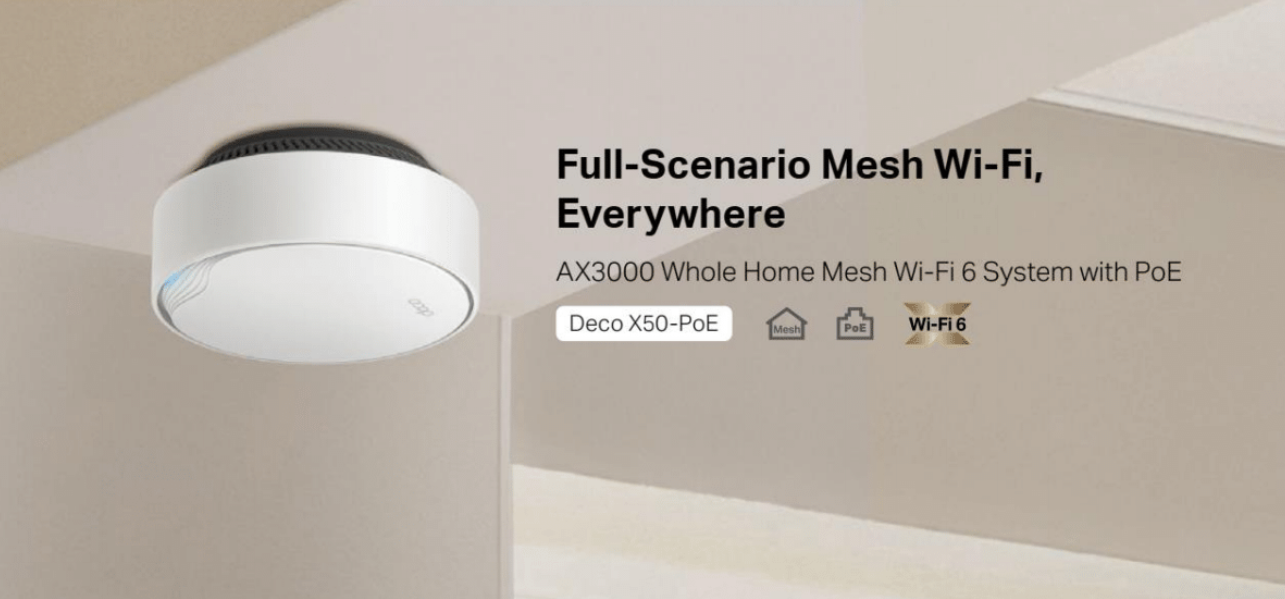
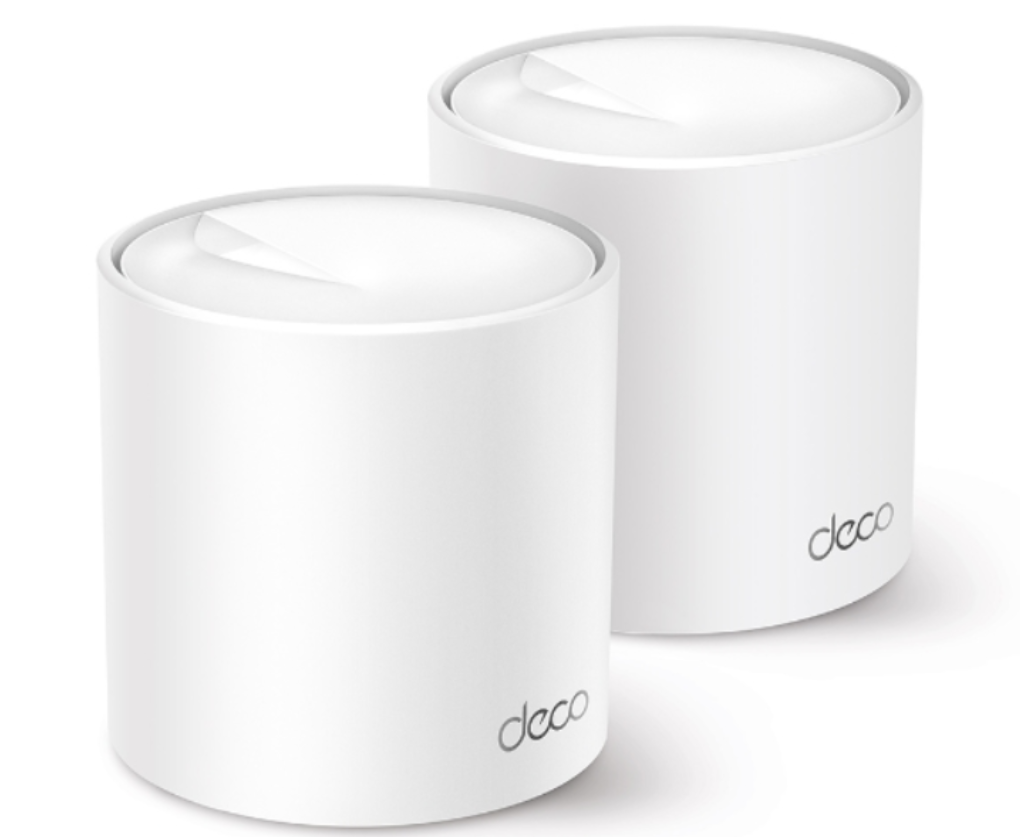
TP-Link Introduces Its First Deco Whole Home Mesh WiFi 6 System with PoE Port

TP-Link®, a leading global provider of consumer and business networking products, the AX3000 whole home mesh WiFi 6 system Deco X50-PoE, further covering all network scenarios. The product is being released to the UK market before its global launch.

If you’re looking for an ultra-fast WiFi 6 mesh system that covers every corner of your house, with PoE, a 2.5 GbE port, and ceiling/wall installation, Deco X50-PoE.

AX3000 Dual-Band WiFi, Ideal for Non-Stop Entertainment

Armed with WiFi 6 technology, Deco X50-PoE delivers up to 3.0 Gbps wireless speed for flawless video streaming, downloading, and online gaming – all at the same time.

Compared with 4-stream WiFi 5mesh systems, Deco X50-PoE is 250% faster thanks to the 160 MHz channel, which doubles bandwidth and throughput.

Deco X50-PoE is an upgrade of traditional AX3000 mesh WiFi, the two built-in PoE/WAN/LAN auto-sensing ports open more possibilities. The highlight of the Deco X50-PoE is its flexibility. It lets you install, power, and access the internet exactly as you need. The flexible installation meets a wide range of user scenarios. Place it on a tabletop or install it on a ceiling or wall with our adaptive accessories. Its exceptional performance with compact design ensures simple WiFi installation while saving space. Deco X50-PoE has been designed to be unobtrusive in a home environment and fit any home decor.

Multi-Gig 2.5 Gbps PoE Port

With a 2.5 Gigabit Ethernet Port, Deco X50- PoE delivers exceptional multi-gigabit performance to support the insatiable demand for better and faster WiFi. Break through the 1G bottleneck and drive your devices to peak performance. What’s more, users are allowed to use the 2.5 GbE port to enjoy blazing-fast wired connections.

If you’re looking for true whole home 2.5 Gbps internet access, just connect all your Deco X50-PoEs (working in Access Point Mode) to the PoE switch. This maximizes the 2.5 GbE port and provides a more stable network.

Power over Ethernet (PoE) for Simplified Network Deployment

Deco X50-PoE is designed to use a single Ethernet cable for both data and power transmission via its two Ethernet ports. The built-in PoE ports simplify installation and streamline deployment, which means no need for electricians. Also, it’s cost-efficient since there is no need for additional cables and power adapters. Flexibility is the key. Deco X50-PoE provides more placement options that allow for deployment in complex environments. Lastly, it also supports a DC power supply (power adapter included) for flexible installations.

Higher Device Capacity and Broader Coverage

Coverage and device capacity has always been one of the main benefits of mesh products. With powerful hardware and software capability, Deco X50-PoE is designed to dramatically improve capacity and coverage in traffic-dense environments. To blanket your entire home with WiFi, Deco X50-PoE ideally boosts coverage to 6,500 sq. ft. or 4-6+ rooms (3-pack) and connects over 150 devices. This way, there’s no need to worry about receiving weak or poor signals in bathrooms, basements, garages or garden rooms.

AI-Driven Mesh, WiFi Tailored to Your Home

The integrated AI-Driven Mesh technology intelligently adjusts the system to best fit each home by learning individual home environments and network loads. With its algorithms and self-learning, devices will seamlessly switch to another channel to maximise device performance.

Keep Everything Secure – WPA3 and HomeShield

With the enhanced WPA3 encryption and TP-Link HomeShield, Deco X50-PoE is one of the most secure WiFi mesh systems to keep your home network safe.

Parental Controls within TP-Link HomeShield manages online time and blocks inappropriate content to help develop healthy online habits for your family. Quality of Service (QoS) and Network Protection keep your home network smooth and safe. With comprehensive reports, you can check all the statistics and insights to help you understand your home network better

For more information about the Deco X50-PoE please visit: https://www.tp-link.com/uk/home-networking/deco/deco-x50-poe/

TP-Link Unveils Its Very First Tri-Band WiFi 6E Whole Mesh System, the Deco XE75

TP-Link®, a leading global provider of consumer and business networking products, today announces the first WiFi 6E whole home Mesh system, Deco XE75, has launched in the UK, expanding Mesh networking into a new era.

WiFi currently plays one of the most important roles in our daily lives. We work from home, play video games, stream movies, and rely on a smooth data connection for everything we do. The latest WiFi technology will take your network performance to the next level. Deco XE75 is your best choice as an entry-level 6E product.

Mesh WiFi Evolved with the Latest 6 GHz Band

Unleash the latest WiFi technologies and enjoy congestion-free networking. WiFi 6 brings about upgraded performance in network efficiency and capacity. Opening the 6 GHz band changes the game for WiFi 6, allowing WiFi 6 to meet its potential. The 6 GHz band is also clean and congestion-free, being exclusive for WiFi 6E devices to eliminate interference from legacy devices.

Deco XE75 testing shows that its 6 GHz channel usage is 20%-40% cleaner than the 2.4 GHz and 5 GHz band, bringing less interference to the network. It also features 300% larger throughput and 50%-90% lower latency than the 5 GHz band. ‡

Blazing-Fast WiFi Speed up to 5.4 Gbps

The Tri-Band WiFi with 1024-QAM and 160 MHz channel technology boosts overall speeds up to an incredible 5400 Mbps for up to 7,200 ft2 coverage. Deco XE75 utilises the capabilities of 6 GHz to enable high-bandwidth applications that require faster data throughput. Enjoy smooth 8K streaming and VR/AR experiences without buffering. The lower latency connectivity ensures every online gaming experience remains seamless and immersive.

Cover Every Corner of Your Home

Deco XE75 eliminates weak signal areas with clearer, stronger whole-home WiFi generated by BSS (Base Service Station) Coloring and Beamforming technologies as the WiFi dead zone killer. BSS Coloring detects and marks data frames from neighbouring networks. It reduces slowdowns and interference while allowing more simultaneous data transmissions. Beamforming identifies devices and concentrates wireless signal strength towards them. With BSS Coloring and Beamforming, there will be no more searching for a stable connection.

Engineered for More Devices

No matter how many screens or devices are on at once, the newest generation of WiFi enables congestion-free signals. Deco XE75 builds a more efficient network with more throughput on connected devices in dense environments. You can connect up to 200 devices to your Deco XE75 for a lag-free wireless experience. Say goodbye to poor performance when playing immersive online games.

AI-Driven Mesh, WiFi Tailor to Your Home

Walk through your home and enjoy seamless streaming at the fastest possible speeds. The Deco Mesh system forms a unified network with a single network name. Also, built-in AI roaming creates the ideal Mesh WiFi solution with its sophisticated algorithms and self-learning.

Keep All Elements Secure — HomeShield§

With the enhanced WPA3 encryption and TP-Link HomeShield, Deco XE75 is one of the most secure WiFi Mesh systems, keeping your home network safe. TP-Link HomeShield manages online time and blocks inappropriate content to keep families healthy online with Parental Controls. Quality of Service (QoS) and Network Protection keep your home network smooth and safe. With comprehensive reports, you can check all the statistics and insights to help you get to know your home network better.

Deco XE75 Key Features

  • Whole-Home WiFi 6E  — Cover up to 7,200 ft2 (3-pack) with next-gen seamless WiFi, making dead zones and buffering a thing of the past

  • Brand-New 6 GHz Band — Experience the latest frequency of WiFi, eliminating interference from all legacy devices. The 6 GHz band also delivers a powerful dedicated backhaul to streamline the WiFi performance of non-6E devices

  • True Tri-Band Speed — All three WiFi bands work together to unleash your network’s total speeds up to 5,400 Mbps for 200 devices

  • AI-Driven Mesh — Unite your home under one name and password while delivering the best connections as you move room to room

  • TP-Link HomeShield — Keeps your home network safe with cutting-edge features for network and IoT protection§

  • Setup Made Easier Than Ever — The Deco app walks you through setup and installation, step-by-step

  • Universal Compatibility — Backward compatible with all WiFi generations and works with any internet service provider (ISP)

For more information about the Deco XE75, please visit https://www.tp-link.com/uk/home-networking/deco/deco-xe75/

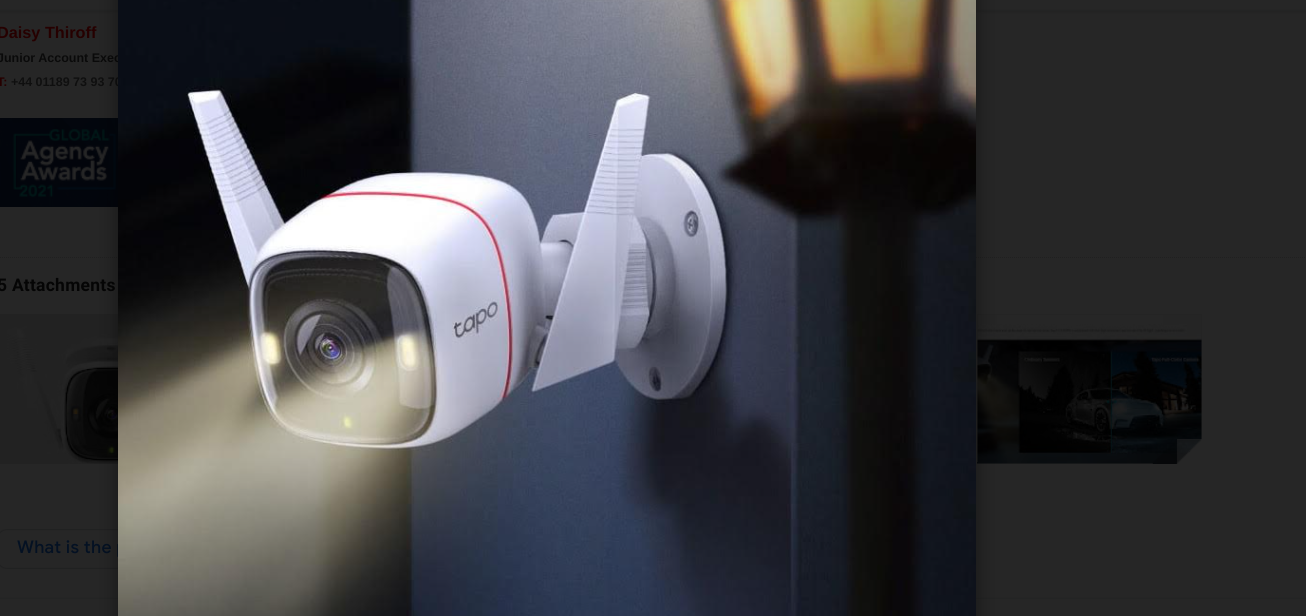
Tech Review – Tapo Outdoor Security Wifi Camera (C320WS)

Security is a must these days and I call it all the time when checking out new security cameras yet time and time again people come to me and ask what is a good camera for indoors or outdoors and good bell and never act on it, some unfortunately have had an incident at their home and have no comeback because no security devices installed and then later went out and bought the products I recommend to them, the thing is and always will be is that prevention is better than cure and not only that visibility of security cameras is a super deterrent too.

I have heard on our radio that indoor cameras are pointless from a so-called security expert and clear this lad is living under a rock, indoor cameras are used in more ways than one and are useful just as outdoor ones are and if an intruder for example was to breach your house you have them both on camera inside and outside, outside is where to start though in my book and have your house covered front and back and if you have a side entrance like I do.

The new outdoor cam from Tapo is something you could look at, given it is wired it is a pain however the one benefit is that you do not have to charge it, I prefer wireless but have some wired cameras myself now and it is better given you might use an extra plug and use some more electricity which people today are worried about.

Installation is simple which is good, a good drill and screwdriver and off you go and if you have existing holes which I did even better to give me a headstart from a previous tapo camera. Check out the unboxing below to see what you get and what you need to get going.


Next up is the app and this is a user friendly app too which we go through in detail in our video review below where you can also find video samples for both day and night to give you and idea of what to expect from your new camera.

With a resolution of 2560×1440, 2K QHD the C320WS delivers more delicate detail and its 8× magnification features help users to see further. Unlike the black and white view of normal night vision cameras, it’s equipped with a high resolution sensor and full light, catching more colours. What’s more, 24/7 full colour night-vision means that you can see colour video, even at night.,We go through this in the video review and show you infra red too as well as the siren and lights, the siren is decently loud and will make anyone jump.. There is also two way coms on this but it could be a bit louder however it still works as seen in the video review.

For more information about the Tapo C320WS, visit: https://www.tp-link.com/uk/home-networking/cloud-camera/tapo-c320ws/

Video Review

TP-Link Tapo Wi-Fi Security Camera Full Colour Outdoor Device C320WS First Look

TP-Link®, a leading global provider of consumer and business networking products, today announces the latest addition to its growing Tapo smart home range, as it launches the new Tapo C320WS Outdoor Security Wi-Fi Camera in the UK.

Security in Full Colour

With a resolution of 2560×1440, 2K QHD the C320WS delivers more delicate detail and its 8× magnification features help users to see further. Unlike the black and white view of normal night vision cameras, it’s equipped with a high resolution sensor and full light, catching more colours. What’s more, 24/7 full colour night-vision means that you can see colour video, even at night.

The Tapo C320WS high-sensitive starlight sensor captures higher-quality images even in low-light conditions so that details don’t get lost in the shadows. With an IP66 rating and waterproof microphone, loudspeaker and sealing ring, this robust device can cope with extreme weather conditions to maintain home security at any time of year.

Home Safety Made Easy

In addition to video surveillance, the Tapo C320WS camera boasts a number of features for added home security and convenience. A built-in high decibel siren and light alarm can be activated within the Tapo app to trigger light and sound effects that deter unwanted visitors.

The siren alarm can be paired with motion detection alert features to provide automatic updates straight to your smartphone. Its two-way audio capabilities enable communication through a built-in microphone and speaker, allowing you to always be on site when deliveries or visitors arrive at your door. For even more convenience, the Tapo C320WS is compatible with Google Assistant and Amazon Alexa, allowing users to free up their hands through voice control.

TapoCam

The Tapo C320WS offers flexible wired or wireless installation options and can be connected to the home network through Ethernet or Wi-Fi. Meanwhile, safe local storage allows users to store up to 256GB 2K QHD video on a microSD card, offering fast and simple access to video footage. Through the dedicated Tapo app, users can experience live view recording, playback, save clips and set up–all in one place.

“Home security is a first priority and requires the best in quality, convenience and reliability. This latest addition to the Tapo camera range gives you just that. With full-colour night vision, easy set-up and 8x magnification, this device is packed with features that make keeping an eye on your home easier than ever before. As people start to spend more time out of their homes again, at work, travelling and socialising, the Tapo C320WS is here to give us that much-needed peace of mind whilst we are away,” commented Will Liu, Managing Director at TP-Link UK.

For more information about the Tapo C320WS, please visit: https://www.tp-link.com/uk/home-networking/cloud-camera/tapo-c320ws/

Video Link

TP-Link Expands AI-Driven Mesh WiFi 6 Range with New Deco X50

TP-Link®, a leading global provider of consumer and business networking products, today announces the launch of the all-new Deco X50, its latest AI-driven Whole Home Mesh WiFi 6 System, in the UK.

Smart WiFi with Super Speeds

This sleek Mesh router provides AX3000 Dual Band WiFi to bring super-fast WiFi speeds up to 3.0 Gbps to the home. With WiFi 6 technology, the Deco X50 is designed to deliver a huge boost in coverage, speeds and total capacity that powers stable and lag-free internet connectivity for over 150 devices simultaneously. Equipped with 4 Streams (2×2/HE160 2402 Mbps + 2×2 574 Mbps) and 3× Gigabit ports, the router provides sufficient connectivity and a boost in seamless coverage up to 4,500 ft2 (2-pack) to blanket homes in fast and reliable WiFi connections.

Armed with AI-Driven Mesh, Deco X50 delivers smart WiFi that follows users, without interruption. Its advanced algorithms account for the factors that affect home WiFi and are continuously optimising to ensure the Deco X50 provides high performing and reliable mesh connectivity. The router automatically and intelligently learns the network environment, client quality, and user behaviours to provide ideal WiFi unique to every home.

A Seamless and Secure Network

Equipped with TP-Link HomeShied, the Deco X50 ensures comprehensive network protection, robust parental controls, and real-time IoT protection. Using HomeShield’s kit of built-in features, users can customise their home network with enhanced security to meet the needs of their household. Whether identifying network security holes, limiting the time children spend online, or blocking websites, the Deco X50’s HomeShield gives users the tools needed to fully manage their home network with ease and peace of mind.

TP-Link Mesh enables Deco units to work together to create one unified network. Deco X50 is compatible with every other Deco model to form a flexible mesh network that can be expanded at any time by simply adding another Deco unit. Devices such as phones or tablets will automatically connect to the fastest Deco node as users move through the home, creating a frictionless and uninterrupted WiFi experience to enjoy seamless streaming at the fastest possible speeds.

With clearer and stronger signals enhanced by BSS Color and Beamforming, Deco X50 boosts broader whole home WiFi coverage with great performance. Wireless connections and optional Ethernet backhaul work together to link Deco units, providing even faster network speeds and truly seamless coverage. Meanwhile, Quality of Service (QoS) features allow users to prioritise the bandwidth needs of specific devices to get a faster networking experience.

The Deco X50 setup is made easier than ever through the bespoke Deco app that walks users through the configuration process, getting home networks up and running in minutes. The Deco app also offers a range of features that enable users to manage their WiFi at home or away, including seeing all connected devices, prioritising their own and setting up a guest network. The Deco X50 is also compatible with Amazon Alexa and can be controlled with simple voice commands to add even more convenience to the smart home.

“Modern homes require more intelligent WiFi and the Deco X50 brings the power of both WiFi 6 and AI to the whole-home network. With a router that is continuously learning and optimising, users can walk through their home and enjoy seamless streaming at the fastest possible speeds. We will continue expanding our range of smart home routers in the coming months to deliver supreme mesh WiFi that brings ultimate convenience and helps users enjoy the future network that loads faster and connects more – even as their device usage increases,” commented Will Liu, Managing Director at TP-Link UK.

For more information about the Deco X50 please visit: https://www.tp-link.com/uk/home-networking/deco/deco-x50/.

Tech Review – Tapo Smart Wi-Fi Light Bulb Multicolor L530B

Smartbulbs are around pretty much years now at this stage with all kinds of everything on offer and the Tapo range is no stranger to this market the Tapo L530B is what we had in for review and it is an ideal piece of tech to change the mood in any room in the house, now it is just a bulb that changes color some might say but there is more smarts to it than you think it is not expensive and also has voice commands built in like Alexa and Hey Google, I am not one to speak to my tech at home that often to be honest but it is there and I know many who do.

The Bulb of course has an app which lets you control the bulb from anywhere, change the colour, turn it on and off and more, you can set up smart actions if you like such as schedules , if your away and a timer you can set the bulb to sunrise and sunset too if you wish which is pretty cool and some more..

With all this home tech and IoT it makes us lazy one might argue today but this is a nice extra to have in your home in any room in the house to change to mood of the boring standard lights many of us have and it is not complicated either to get on board with such tech,check out the video below and see how it works and decide for yourself.

Features

  • Multicolor  Easily design scenarios for your daily routine or activities by customizing brightness, light temperature, and colorswith 16,000,000 hues to choose from.
  • 60-watt equivalent  LED bulb produces up to 806 lumens white brightness and has a dimming range from 1% to 100%.
  • Preset for Convenience – Found your favorite lighting for watching movies? Save it as a setting you can simply select for future movie nights.
  • Schedule & Timer  Create schedules and count plans to turn on/off with the brightness/color you set.
  • Sunrise and Sunset Modes – Automatically activate your light according to your time zone.
  • No Hub Required – Connect the L530B light to your home wifi, then you are all set.
  • Voice Control – Manage the lights with your voice commands as Tapo works with Amazon Alexa and Google Assistant.
  • Remote Control – Take your phone out for the pocket and open the Tapo app to control your light remotely.
  • Away Mode – Automatically simulate someone being at home to frighten away, unwanted visitors.
  • Restore Last Light State – the bulb automatically returns to its previous power-off state.

BUY

VIdeo Link


Tech Review -Tp-link Kasa Smart Light Strip Multicolour KL430

The Kasa Smart Light Strip does what it states on the box been 2.1 meters long with the option to cut shorter or add an extension. (Sold separately) The design is of silicone coating material which allows the light strip to bend or cut to allow maximum flexibility in its use with a double-sided sticky tape on the back to stick to a surface. Once configured or set up this Light Strip via an app allows various lighting effects and customisation in terms of colours, levels of brightness and various scenes. This can be controlled by the app or via Alexa, Google Assistant or SmartThings


In the box:

  •         (1) Smart Light Strip (6.6 ft./2 m)
  •         (1) Smart Light Strip Controller
  •         (1) Power Adapter
  •         (1) Quick Start Guide


Features

  •       Endless Lighting Effects over a dozen animated lighting effects
  •       16 Individual Addressable Colour Zones for combinations built to suit your mood. 
  •       Scene’s customisation scenes creation for your lights and accesses them with a single click.
  •       Grouping allows the light strip Combine with other devices, such as plugs, cameras and other lights via the Kasa Smart home ecosystem.
  •       Voice Control the Kasa Light Strip hands-free with Alexa and Google Assistant. Turn it on and off, and change colours with voice control.
  •       Extendable and Flexible Connect up to 10 sections for a total length of 33ft and watch lighting effects span the entire strip. Cut into the indicated segments to add lighting in tighter spaces.
  •       Schedules Use the Kasa Smart app to schedule when your light strip on/off with the brightness, hue, and affects you set and coordinate your lighting with any event you host.


Specifications

  •       Depth: 2.1 MM
  •       Lighting Effects – Choose from a wide array of colours, even dim to any brightness you desire for the perfect atmosphere.
  •       Schedules – Use your Kasa Smart app to schedule your light strip to automatically turn on and off to fit around any event you’re having.
  •       Groups and Scenes – Combine your light strip with other Kasa Smart devices for seamless control with a single tap on your mobile devices.
  •       Extendable – Connect up to 10 sections for a total length of 33ft and watch lighting effects span the entire strip.
  •       Made for Everyday Wear and Tear – your strip’s durable silicone coating prevents moisture and dust intrusion.
  •       Works with Voice Assistants – Control smart light strips using the leading voice assistants such as Alexa, Google Assistant and SmartThings.
  •       Pick from dozens of animated lighting effects, from soothing ‘raindrop’ to the dazzling ‘rainbow’.
  •       Auto White – Automatically adjust the colour temperature of your Kasa Smart light strip to match natural light patterns from dawn to dusk.
  •       Height: 2000 MM
  •       Width: 12 MM


Warranty:  2-years


Setup:

Setup is easy by scanning the QR code on the box and download the Kasa Smart app to your phone. The app has got a rating of 4.7 out of 5 on the play store with over 1 million downloads. On the setup and use of the app, this cannot be faulted in terms of ease of use and functionality. The brand experience of Tp-link (founded in 1996) has years of experience to provide an app that works as intended.


Overall:

The product is designed for indoor use to connect to a standard mains socket, while once cut this cannot re-join again. The 3m tape on the back allows this to be connected to a surface and replaced should a decision be made to move the location at some stage.

The features in terms of connection to the app are great, but after initial setup, 90% of the use was through voice-controlled Alexa (albeit this can be used via Google Assistant or SmartThings also) The scheduled app to allow the light to be set as a morning alarm clock light or from a security perspective putting random lights on when no one is around admirable. This model is slightly more expensive than some other brands but on a personal note., the feel of the material quality may not have much of a difference.  in terms of the software use, and future updates is a certain winner for me. The multitude of colours, scenes available and brightness options have an abundance of possibility for various occasions. The quality in terms of long terms use with a Lifetime of 22.8 years (Based on 3hrs/day) is remarkable with an A+ rating. Overall a lovely easy to use and setup light strip, complemented by a trusted brand to give a multi functional lighting experience tailored to suit the individual requirements.


 BUY HERE 

TP-Link Unveils Next-Gen Wi-Fi 6 Range Extenders with OneMesh. #WiFi #TPLink #OneMesh

TP-Link, a leading global provider of consumer and business networking products, today announced the UK expansion of its whole-home mesh offering —TP-Link OneMeshTM, a flexible and cost-effective whole-home networking solution. The roll-out coincides with the launch of two new and OneMesh compatible Wi-Fi 6 Range Extenders to deliver a complete offering to customers in the region. TP-Link OneMesh offers consumers more choices and options to experience whole-home Wi-Fi, without replacing existing devices or purchasing a whole new Wi-Fi ecosystem.

OneMesh provides a complete solution that allows TP-Link router users to enjoy a mesh experience by upgrading their router’s firmware and adding a OneMesh compatible Wi-Fi range extender to their existing devices. Simply connect a OneMesh range extender or Powerline extender to a OneMesh router, and the mesh network is formed to blanket the home in best in class WiFi.

Seamless coverage for the whole home

OneMesh eliminates dead zones and boosts signal strength via a single Wi-Fi network that covers every corner of the home, so users no longer have to wander around in search of a stronger signal or faster connection. OneMesh also intelligently connects mobile devices to a router or extender based on whichever provides the best connection. The OneMesh router and extenders create a seamless network under a single Wi-Fi name to ensure that users can stay online with the best connection levels as they roam from room to room, enjoying uninterrupted streaming, downloading, and more throughout their homes.

OneMesh features APS (Adaptive Path Selection) and Band Steering, which keeps the network running at top speed by intelligently choosing the fastest connection path for user data. Additionally, OneMesh’s self-healing feature ensures a stable Wi-Fi network to keep all devices connected, even when a Wi-Fi path has an issue. The network system automatically reroutes the data to fill gaps in coverage to keep users connected and online at all times.

Managing a OneMesh network is also extremely simple. Once created, users can manage their whole-home Wi-Fi by managing the central node via the Tether app or Web UI. Through these applications, users can easily adjust and customise wireless settings, including the Wi-Fi network name and password, to make their connectivity experiences easy, flexible and secure.

Bringing OneMesh to the UK

Amongst the OneMesh products available in the UK are the new AX1500 Wi-Fi Range Extender (RE505X) and AX1500 Wi-Fi Range Extender (RE605X). These products join the first OneMesh Wi-Fi range extender, the AC1200 Dual Band RE300, which, features up to 300 Mbps at 2.4 GHz and 867 Mbps at 5 GHz. Equipped with the latest wireless technology, Wi-Fi 6, for faster speeds, greater capacity, and reduced network congestion, the two new AX range extenders with OneMesh can support a single Mesh network, by connecting to a compatible router for seamless whole-home coverage.

OneMesh ready routers include the new Wi-Fi 6 routers, the AX6600 Tri-Band Router (Archer AX90), AX6000 Next-Gen WiFi Router (Archer AX6000) and AX1800 Dual-Band Router (Archer AX20), with more firmware upgrades planned in the coming months. The latest routers added to the OneMesh family feature alongside the TP-Link Archer C7, Archer A7, Archer C6 and Archer A6 to deliver a flexible and cost-effective mesh Wi-Fi solution for the modern home.

As the roll out progresses, more TP-Link products will support OneMesh capabilities, including wireless routers, range extenders, XDSL, 3G/4G routers, powerline adapters. All OneMesh compatible products in the TP-Link range currently available to UK customers can be found here: https://www.tp-link.com/uk/onemesh/product-list/.

“Seamless, whole-home wireless coverage has never been more important especially as post-pandemic hybrid working from home arrangements are going to be more common. Our mix and match OneMesh solutions enable users to enjoy a high speed reliable wireless connection in every corner of their home. We’re extremely proud to add a second mesh solution to our range giving customers the opportunity to customise their network to provide a total solution as we continue to rely on connectivity for work, education and entertainment.” Commented Will Liu, Managing Director at TP-Link UK.

For more information, please visit https://www.tp-link.com/uk/.

Review – TP-Link Passthrough Powerline. #TPLink

Thanks to the nice people in Tp-link I got one of their Passthrough Powerline Starter Kit (TL-PA8010P Kit) to test out, with plenty of people working from home now ensuring that your getting the most of your internet connection makes sense. Liam Burke tells us more. 

Powerline adapters are very useful if you want to make use of an ethernet connection but dont have ethernet cabling in your home wall.

They use the existing electrical cabling (range of up to 300 metres/1000 feet) in the walls of your home and turn it into a virtual ethernet cable.

This version is ethernet only so the device that you will be connecting it into will need to have an ethernet port like a TV, PS4, or a Laptop etc.

Using an ethernet connection has advantages over wifi as it offers low-latency compared with WiFi, but the speeds will be affected by the wiring in your home.


In the box you get

2 Ethernet cables (approx 1.9m in Length)

A Quick Installation Guide 

Two Powerline adapters TP-PA8010P.

Dimensions of adapter (when plugged in 48mm deep, 130mm long ,70cm wide) approx

Side of the Powerline adapter with the pair button on the leds for Power, Powerline, Ethernet

Top of the powerline adapter with the gigabit ethernet port.

The setup was very very easy. I plugged one adapter into the wall and connected one of the supplied ethernet cables from my router into the adapter.

As TP-Link recommended setting up a secured network (128-bit AES Encryption), I plugged the other adapter into the wall socket next to the main adapter, pressed the pair button on the main adapter then pressed the pair button on the second adapter to setup the secure network. 

If you dont want to setup a secure network then you dont need to press the pair button, just plug both adapters into wall sockets and your set.

TP-Link also recommends not plug the adapter into an extension lead, instead plug the adapter into the wall socket, then plug the extension lead into the powerline adapter. The Powerline adapters have 2x2MIMO which gives better coverage throughout the house.

Then I moved the adapter to a wall socket that I wanted to use and using the other supplied ethernet cable from my device (TV in this case) connected it to the adapter and that was it, I had my powerline network setup. Now my TV which didnt have Wifi was able to connect to Netlfix with no bother. I found when I moved the adapter it only took 2 or 3 seconds before they would get connected to the network.

Now the results, the two main things I noticed was the Download speed was lower than when using Wifi but the latency was reduced with the powerline (which is good). The reduced Download speed was probably due to age of the wiring in my house, but if your into gaming which requires low latency then the powerline adapters are definitely more advantageous than using wifi. 

To make your network bigger you can just add more powerline adapters and thats it no need for extra cabling. A Powerline adapter cant match an ethernet cable as the ethernet cable is dedicated to data transfer and the powerline has to share electricity and also the data transfer. But if you want low-latency and have issues with Wi-Fi the Tp-Link Powerline adapter will help.

Another benefit is that the Powerline adapter has a pass through socket so you wont lose an existing electrical socket when you use it.  It also uses power-saving technology to conserve up to 85% energy when not in use. 

Overall I found it very easy to setup and for working at home having a dedicated ethernet connection for my work laptop was great.

Buy here