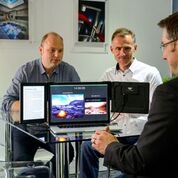
Review – Packed Pixels monitor. #Laptops #Monitors

Packed Pixels monitor.

This additional Packed Pixels screen comes in a high resolution of 2048 x 1536 pixels in a screen size of  9.7’’. This extra monitor is great for comparing documents, writing emails or articles while referring to online comparisons, and general multi-tasking. You can Switch between applications quickly — Instead of using keyboard shortcuts, like ALT + TAB to multitask, you can point your mouse to the other Packed Pixels screen which save a lot of time. You can view documents side by side and compare. You can drag the mouse from monitor to monitor.

Contents Includes:
⦁ a Packed Pixels screen
⦁ a pair of mounting brackets
⦁ a desk stand
⦁ a USB to MicroUSB cable
⦁ a DisplayPort to Mini DispayPort cable
⦁ a Mini DisplayPort to Mini DisplayPort cable


Connections:
This is an issue for many of the major manufactures of laptop is the connectivity to the Packed Pixels monitor. Packed Pixels use DisplayPort or Thunderbolt (1 or 2) ports. HDMI, VG and Thunderbolt 3 ports are not supported. Unfortunately, many of the current laptops do not have a Mini DisplayPort or a Thunderbolt connector to the laptop which would involve getting an USB3 to DisplayPort convertors adapter to fit. These can be purchased via the usual suppliers Amazon, eBay etc. but may be of varying quality. Generally, Apple have the thunderbolt connections which work easily. Some dell monitors I have seen have the DisplayPort connection on their monitor
DisplayPort, Mini DisplayPort or a Thunderbolt (1 or 2) port is used to take its video feed from your laptop. Power to the monitor is supplied via the standard USB cable which works well from your laptop or external USB charger.


The monitor can be physically connected directly to your laptop via the mounting brackets supplied in Portrait or landscape mode. The view on your laptop can be adjusted from your desktop software via” customise your display options”


I would not recommend using this monitor with Linux as you cannot change the size of the resolution, only 1 size, when the screen goes into sleep mode this does not come back correctly on Linux. If using on Windows or Mac, you can change resolution as required with no issues observed when the laptop screen goes into standby/ sleeps.


Once the connections are correct, setup takes less than a minute and works comfortable and advantageous. The portable case fits all accessories as required which works well if travelling allot. Once you get used to a second monitor, its hard to go back to a single screen.

Available from https://www.packedpixels.com/ £149.00
Delivery is available to Ireland (Stg£ 20) or UK £5 via DHL for a single pack

#PackedPixels:The first ever portable Retina monitor for laptops. #laptops #tech

If working in an office or working at home and again if you travel,space is a key factor and especially when travelling. I like to travel as light as possible and when tech is concerned this is never that easy especially when sporting my laptop, At home I have a simple set up but it takes up space and when I  travel my laptop is a cumbersome object without the extra companion tablet or chrome-book all depending on what I might be doing.. But how about something you can bolt onto the side of your current Laptop without the need for a companion monitor or device?? This is now possible with this great idea called “Packed Pixels” the first ever portable Retina monitor for laptops..This for me is something that will not only save me space but something that has an epic display..


Packed Pixels has launched the first ever portable Retina monitor for laptops, transforming the experience for laptop users who want extra screen space, whether it’s for blogging, photography work, gaming, music production, investment trading, coding or simply to enhance the working environment.


The Packed Pixels screen, which requires no additional power, has been designed to match the experience of a multi-monitor desktop setup at an affordable price, but with added mobility and flexibility. Packed Pixels is the first multi-monitor system that fits onto either side of any laptop – in portrait or landscape mode – and requires no additional power supply, providing the ideal solution for those who need a productive work or entertainment station.


Available from the Packed Pixels website at £149.00, the lightweight screen weighs a mere 330g and simply attaches to the screen with the mounting bracket provided. Users can mount one screen or two and it’s incredibly easy to change the alignment by simply lifting and re-hanging – eliminating unnecessary sticky pads or awkward clips!


Packed Pixels guarantees a stunning, quality picture with 2048 x 1536 high resolution, 9.7” screens – the same screens that Apple uses in its iPad. Because Packed Pixels plugs directly into any DisplayPort / Thunderbolt (1 or 2) – enabled laptop and is powered by USB, it cleverly saves on space and weight with no additional power supply required.


Packed Pixels can be set up within seconds, with everything required to mount and connect the screen included in the box, enabling immediate maximum productivity for a huge range of detailed, on-the-move work or home leisure activities.

Stay tuned for our review coming soon..

See http://www.packedpixels.com/  for more details..