Keep your home safe with WELOCK smart lock Autumn harvest sale

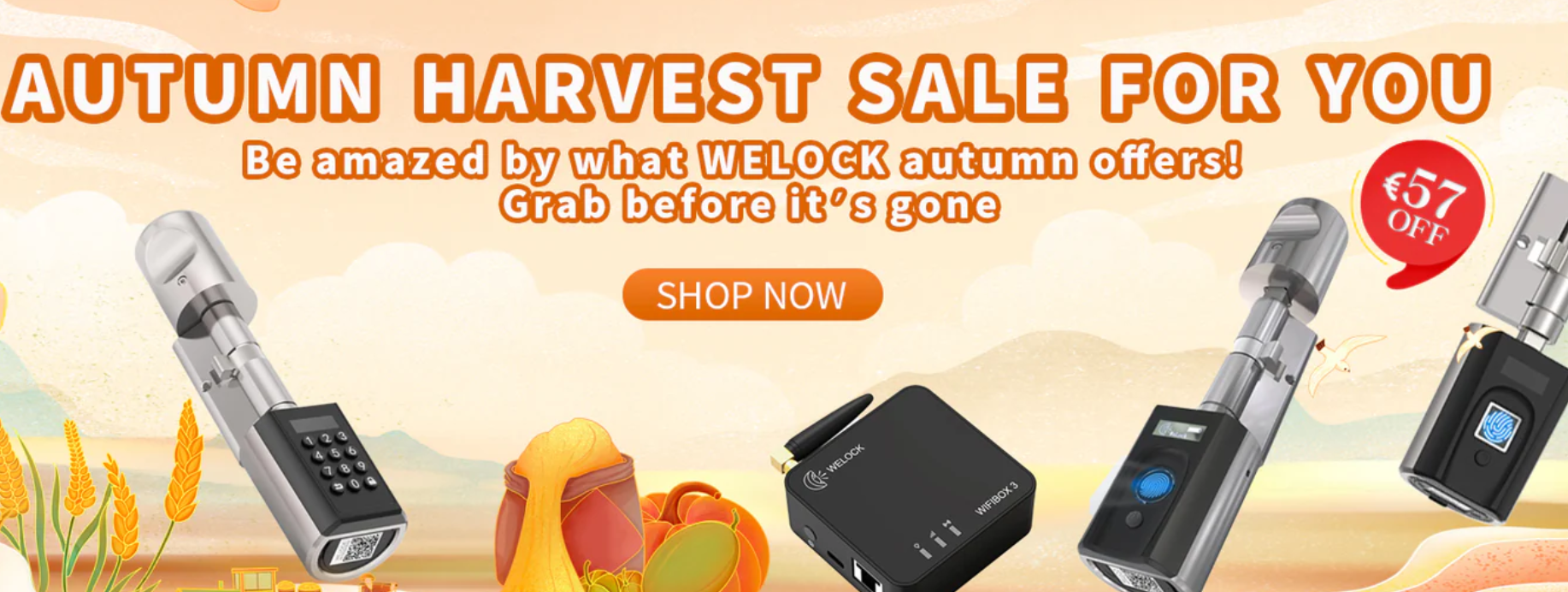
We have been testing out WELOCK products over the years and now they have a sale on so check out their latest offers which have tasty prices making it more affordable to secure your home, with the winter approaching and the dark evenings and mornings creeping in now is the best time to start making plans to keep your home secure so check out the offers below for more.
Item1: PCB41 keypad smart lock
  • Multiple Ways To Unlock: Opening the door with a numeric code, with an RFID card, or with the WELOCK app, a temporary password. Up to 20 cards can be added to the Smart Lock. One card can be added to many locks and you can only use one smart card to open more than one of our locks. If you need a WiFi remote unlock function, please buy a Bluetooth gateway separately.
  • Easy Install:  Suitable for all doors with a thickness between  50mm-100mm. Easy to replace the existing lock cylinder in your front door or apartment door without drilling. Easy installation in 5 minutes.
  • Perfect for Home, Airbnb and rental: The WELCOK Smart Lock, is perfect for both family homes and rental properties. It can store up to 10 codes directly on the lock, including 1 admin code and 9 user codes, ideal for family members or frequent visitors. For rental scenarios, the lock provides the flexibility of adding an unlimited number of guest passwords and RFID cards with expiration dates through its app, catering seamlessly to a high turnover of tenants or short-term guests.
  • Smart WELOCK App: WELOCK Password Smart Lock can be controlled in the WeLock app for iOS and Android, you can use Bluetooth to open the door; add a smart card; add an app user; see unlocking history, and share passwords to your guests.
  • 1-Year Battery Life: The OLED displays battery status, settings, and warnings. Battery for electronic knob: 3 x AAA 1.5 V. Up to 1-year runtime with 10 openings per day. Low battery reminder When the battery is below 20%, you will be reminded to replace the battery.
  • See review 


https://www.welock.com/TECZBL28040
Origin price: 149EUR
Coupon code: AHS40
Final price: 109EUR
Item2: Touch41 fingerprint smart lock
  • Open the door by fingerprint, with RFID card or with our app. Memory for up to 100 fingerprints (3 of them with admin function). Up to 20 cards can be paired. Apps for iOS and Android are available:WELOCK.
  • Cylinder dimensions: Diameter of knobs: outside 46mm / inside 38mm; length: outside 56mm / inside 57mm. Cylinder length: adjustable outside 40mm – 55mm / inside 30mm – 60mm. Suitable for all doors with thicknesses between 50-100mm(TOUCH41)/30-70mm(TOUCH41 mini). Easy to replace the existing lock cylinder in your front door or apartment door without drilling.
  • OLED display of battery status, settings and alerts. Battery for electronic knob: 3 x AAA 1.5 V. Ten times unlocking per day will last for 8-10 months.When the battery is empty, you can use the USB backup to unlock. The USB power bank is for unlocking and can not be charged.
  • Safety: Electrostatic protection up to 30,000 volts. With an IP65 waterproof rating, Smart Lock is ready to protect homes in any location. (Only suitable for doors with roofing, not for garden gate exterior doors).Safety in case of fire etc.Can always be opened from the inside. Up to 10 million closing operations. Working temperature: -30°C to 60 °C.
  • Packaging includes: set of 1x WELOCK TOUCH41 electronic lock, 3 RFID card, 1x Special Allen key, 1x manual Material: stainless steel with zinc alloy, plastic. Warranty: two years. Our customer service is always there for you.


https://www.welock.com/TECHBL28040
Origin price: 189EUR
Coupon code: AHS57
Final price: 132EURItem3: SECBN51 fingerprint smart lock
  • Open the door by fingerprint, with RFID card, or with our app. Memory for up to 100 fingerprints (3 of them with admin function). Up to 20 cards can be paired. Apps for iOS and Android are available: WELOCK.
  • Cylinder dimensions:  Suitable for all doors with thicknesses between 30-70mm. Easy to replace the existing lock cylinder in your front door or apartment door without drilling. With an extended lock cylinder component, our lock can easily accommodate doors with a thickness of up to 100mm.
  • The OLED display of battery status, settings, and alerts. Battery for electronic knob: 3 x AAA 1.5 V. Ten times unlocking per day will last for 8-10 months. When the battery is empty, you can use the USB backup to unlock it. The USB power bank is for unlocking and can not be charged.
  • Safety: Electrostatic protection up to 30,000 volts. With an IP54 waterproof rating, Smart Lock is ready to protect homes in any location. (Only suitable for doors with roofing, not for garden gate exterior doors).Safety in case of fire etc.Can always be opened from the inside. Up to 10 million closing operations. Working temperature: -10°C to 60 °C.
  • Packaging includes: set of 1x WELOCK SECBN51 electronic lock, 3 RFID cards, 1x Special Allen key,1x extended lock cylinder component, 1x manual Material: stainless steel with zinc alloy, plastic. Warranty: two years. Our customer service is always there for you.


https://www.welock.com/TECUBL28040
Origin price: 189EUR
Coupon code: AHS57
Final price: 132EUR

Item4: Wifibox3 gateway

Smart Home Integration: Manage your WELOCK smart lock from anywhere with Alexa integration for seamless remote unlocking and a smart home experience. One WIFIBOX 3 gateway can support up to 8 WELOCK electronic locks.

New Generation for Remote Unlocking: The enhanced gateway antenna provides better Bluetooth signals for remote unlocking. Grant access to handymen, dog sitters, or delivery personnel even when you’re away.

Easy Gateway Setup: The WIFIBOX 3 offers simple connection options via Type-C data cable and RJ45 network cable. Enjoy reliable low-power Bluetooth connectivity with a range of up to 10 meters (no wall blocks).Simple setup in under 3 minutes, with USB cable, network cable, and tools included for convenience.

24/7 Home Access Control: Monitor who enters and leaves your home, whether you’re at work, traveling, or on vacation.


https://www.welock.com/TEBZBL28040
Price: 99EUR

Item5: Door sensor

  • Smart door sensor: With the WELOCK Door Sensor, you can travel with peace of mind. In combination with the WEOCK Smart Lock and the free WELOCK app, you can also see from a distance whether your door is open or securely closed
  • Always informed: Call up the status of your door (open/closed, unlocked or locked) conveniently at any time via the free WELOCK app. Receive a notification when the status changes—for example, when your child comes home.
  • Easy to install: Like all WELOCK products, the WELOCK Door Sensor is easy to install yourself. The door sensor is available in white and is discreetly attached to the door and door frame. The door sensor is set up step by step using the WELOCK app.


https://www.welock.com/TEZZBL28040
Price: 29EUR

Gamgee’s Revolutionary Wi-Fi Home Alarm System

Gamgee, a leader in digital technology and home automation, proudly unveils the Wi-Fi Home Alarm System. This state-of-the-art system leverages the widespread presence of Wi-Fi to deliver a unique and comprehensive home security solution. In a market primed for innovation, the system addresses the low adoption rates of traditional alarm systems in Europe and the U.S., where only 7% and 30-32% of homes, respectively, have alarms.

By utilizing the Wi-Fi network created by routers and mesh extenders, The Wi-Fi Home Alarm System detects disturbances caused by movement, providing a much-needed advancement in home security.

Utilizing the Wi-Fi signals emitted by routers and mesh extenders, the Wi-Fi Home Alarm System captures disturbances caused by movement within the home. Unlike conventional security systems, Gamgee’s technology goes beyond basic motion detection by analyzing disruptions in Wi-Fi signals to create a ‘body print’ of individuals.

This advanced feature allows the system to distinguish between humans, pets, and inanimate objects, and even recognizes individual humans based on their unique movement patterns.

“Our Wi-Fi Home Alarm System doesn’t just detect movement; it understands it,” said Paul Hendriks, CEO and Co-Founder of Gamgee. “By converting every router into a potential security device, we are significantly enhancing the safety and peace of mind for families everywhere.”

The system is activated and controlled via a user-friendly mobile app, allowing homeowners to arm their security system remotely. If an unrecognized person is detected, the system sends an immediate alert to the homeowner’s phone, ensuring prompt awareness of any potential security threats.

Key features of the Wi-Fi Home Alarm System include:

  • Intelligent Differentiation: Ability to identify different types of movements and persons.

  • Customizable Detection Zones: Users can map their homes in the app, setting up distinct detection zones within different rooms.

  • Enhanced Privacy: Data is processed and stored locally on routers, avoiding the need for cloud storage and ensuring user data remains private and secure.

  • Continuous Learning: Over time, the system’s AI learns and adapts, reducing false alarms and improving recognition accuracy.

In addition to these groundbreaking features, Gamgee has ensured that the system is compatible with a range of Wi-Fi setups, particularly emphasizing the use of mesh technology to ensure robust signal coverage throughout the home.

“We are also in the final stages of forming partnerships with top-tier router manufacturers to ensure that our system integrates seamlessly with the most reliable hardware on the market,” added Paul Hendriks.

The introduction of the Wi-Fi Home Alarm System represents a significant milestone for Gamgee, known for its commitment to enhancing user experience through technological innovation. This system is not just a new product but a new approach to home security, one that leverages existing technology in a novel and highly effective way.

To bring this groundbreaking product to market, they are launching a crowdfunding campaign on Indiegogo.

For more information about the Wi-Fi Home Alarm System or to learn about Gamgee’s range of digital solutions, please visit www.gamgee.com.

Millions of Britons fall victim to fake websites here is how to avoid it and be aware

Over five million Britons have been scammed on a fake website in the last year and over half of those (2.7 million) have lost money from it according to a new study by F-Secure. With an average loss of £50 this totals up to £130m being stolen from Britons’ pockets, and the UK economy.

It’s no secret that cyber criminals employ sophisticated tactics to orchestrate shopping scams, and the creation of fake websites that mimic well-known, established brands is just one of those ways.

In a recent study by F-Secure, research uncovered what Britons are buying when they are hit by fake websites and it’s impacting a spectrum of industries. The most common products are:

  1. Technology
  2. Clothing
  3. Home furnishings
  4. Cosmetics
  5. Footwear

In a bigger twist, further research by F-Secure found that six in 10 consumers have avoided shopping with small and independent businesses: expressing a preference for shopping with better-known and established brands. However, more than half of the identified fake websites were impersonating three leading global mass-market brands.

Here, F-Secure’s Tom Gaffney, talks more about the issue of brand impersonation and what consumers should look out for.

The presumption that bigger brands are safer is where the danger lies because they are more prone to impersonation. They are easier to impersonate and often big brands that offer high demand items (the latest Nike shoe, Apple device for example), can be more lucrative for cybercriminals.

Fraudsters are clever – leveraging brand assets such as imagery, logos, and colours – fraudsters lure consumers in with an illusion of authenticity. They also use nefarious domains, employing slight misspellings that go unnoticed, or using subtle unconventional domains like ‘.shop’ or ‘.xyz’. This all poses a challenge in discerning their legitimacy.

The primary goal of brand impersonation is to deceive consumers into providing sensitive personal information, such as credit card details, or to lure them into purchasing counterfeit or compromised goods and taking their money. Alternatively, scammers may simply aim to defraud customers by accepting payments without delivering the promised products or services.

It’s important that consumers stay vigilant to ensure the best protection for themselves and their wallets against online scamming tactics. Here are nine top tips to staying safe when shopping online:

Check if a website is safe to use: 

Use a trusted tool like F-Secure Online Shopping Checker to check if a website is safe to buy from.

Monitor your bank accounts and credit cards

Regularly check your bank and credit card statements for any unauthorised transactions and report any suspicious activity to your financial institution immediately.

Use unique and strong passwords

If user details are stolen from a legitimate retailer via a data breach, shoppers could be at risk. So it’s important to use a strong, unique password when creating your online accounts.

Enable two-factor authentication (2FA)

Always enable two-factor authentication (2FA) where available. Two-factor authentication works by adding extra security to online accounts (beyond your username and password).

Be vigilant about email scams

If you receive a suspicious email claiming to be from a big brand urging you to click a link, don’t do it. If you think it’s genuine, go directly to the official website by typing the URL into your browser.

Use a credit card or PayPal

Many credit card providers offer insurance against fraud. PayPal also offers some support for safe online shopping. Avoid wire transfers or other untraceable payment methods.

Beware of big bargains

Nowadays, comparison engines have essentially removed the need for retailers to provide large discounts. So, it’s important to be wary of huge offers that seem too good to be true.

Be vigilant even with brands you know and trust

Given that scammers often impersonate bigger brands, make sure to remain vigilant even when shopping with the brands you know.

Use a reliable internet security app

The best way to stay safe online is by using a trusted internet security product. With F-Secure Total, your passwords are monitored, you’ll be alerted of breaches if they occur, and your access to potentially harmful shopping sites will be automatically blocked.

The Technology Behind Today’s Smart House Alarms

Gone are the days when a house alarm simply shrieked to alert the neighborhood of a break-in. Today, safeguarding our homes involves intricate networks of interconnected devices, each playing a specific role in a sophisticated security dance. This evolution, while offering unparalleled protection, can be overwhelming for homeowners simply seeking peace of mind.

Sensors

Motion sensors come in two main flavors: passive infrared (PIR) and microwave. PIR sensors detect the heat emitted by moving bodies, while microwave sensors bounce radar waves to sense changes in the environment. Both boast a wide reach but are occasionally tricked by the playful movements of pets.

Ever wondered how your alarm system knows when a door or window has been opened? Door and window sensors work their magic through a simple but clever mechanism. Two magnetic fields, perfectly aligned when the door or window is closed, are disrupted when opened, triggering an alert. Some systems even take this a step further, offering sensors that virtually disappear into the woodwork, keeping your security discreet and your aesthetic intact.

Glass break sensors listen for the distinct frequency of shattering glass. These devices aren’t fooled by the everyday sounds of a bustling household. Their finely-tuned “ears” are specifically calibrated to detect the unique frequency of breaking glass. Whether it’s a window pane or a sliding glass door, these sensors can differentiate between a harmless bump and a potential security breach.

But modern alarms extend beyond the basic detection of intruders. Environmental sensors, like those for smoke, carbon monoxide, flooding, or extreme temperature fluctuations, broaden the scope of protection. They act as early warning systems for potential hazards, ensuring your home is safeguarded not just from intruders, but from a wider array of threats.

Communication Technologies

Modern house alarms are more than just sensors detecting disturbances. They need to communicate those detections effectively, both within the home and to the outside world. The method of communication can drastically affect the alarm’s reliability and capabilities.

The backbone of this communication can be a traditional landline, offering reliable connectivity but susceptible to tampering. Cellular communication, on the other hand, provides a wireless lifeline, immune to cut wires but potentially pricier. For those embracing the smart home revolution, Wi-Fi and protocols like Z-Wave or Zigbee weave together sensors, sirens, and apps into a seamless system.

But what happens when the power grid fails? Battery backup systems step in, ensuring your alarm remains vigilant even in darkness. Some alarms take communication a step further, directly alerting professional monitoring services who can dispatch authorities if needed. Others empower homeowners with self-monitoring, delivering alerts straight to their smartphones, a choice balancing cost and control.

Smart Home Integration

Today’s home alarms transcend their traditional role as mere security devices. They’ve become integral members of the smart home ecosystem, offering convenience and automation alongside protection.

Imagine strolling into your home, a simple voice command like “Alexa, I’m home” disarming your security system and turning on the lights. That’s the power of voice control, where virtual assistants become your alarm’s command center. But this integration goes far beyond the front door. With remote access via smartphone apps, you can arm or disarm your system from anywhere, receive real-time alerts, and even peek in on your property through live camera feeds.

Smart home alarms are masters of automation. They can orchestrate a symphony of actions triggered by an alarm event. Doors lock automatically, lights illuminate dark corners, and the thermostat adjusts to a pre-set temperature, all while you receive a notification on your phone.

But of course, all this comes with a few caveats. Ensuring the security of your smart home system through strong passwords and regular software updates becomes paramount in this interconnected landscape. The convenience of smart home integration is undeniable, but it’s essential to navigate this territory with an eye towards both the benefits and the potential pitfalls.

Choosing the Right System for You

The ideal alarm system is as unique as the home it protects. According to Conerney estate agents in Dublin, selecting the right one involves a careful balance of needs, budget, and future considerations.

Financial considerations are a natural starting point. Alarm systems span a wide range of costs, from basic DIY kits to elaborate professionally installed setups with monthly monitoring fees. It’s about finding the sweet spot between your security needs and what your wallet allows.

Speaking of DIY, some homeowners relish the challenge of installing their own alarm systems, while others prefer the peace of mind that comes with professional installation. Weigh the pros and cons, considering your comfort level with technology and the complexity of your chosen system. Remember that you could end up spending more money if you fail to install the alarm system properly. If in doubt, it’s best to leave this task in the hands of professionals.

Think ahead, too. Choose a system that can evolve alongside your needs. Perhaps you’ll want to add cameras in the future or integrate with other smart home devices. Opt for a system that offers flexibility and expansion options to avoid outgrowing your security setup prematurely.

Making the Smart Choice for Your Home

Understanding the technology used in modern house alarms is key to making informed decisions about protecting your home. From invisible motion detectors to door sensors that blend seamlessly into your home’s aesthetic, modern alarms offer a robust shield against intrusion. And with the added benefits of smart home integration, remote control, and automation, they offer not only security but a more convenient and connected lifestyle.

Mitipi partners with Foncia to improve home security in France

Mitipi, the manufacturer of the KEVIN anti-intrusion device, partners with Foncia and joins the marketplace of France’s leading property management and rental company. This collaboration aims to improve home security through innovative technologies in France. KEVIN has proven to reduce the probability of burglaries by up to 100%.

A lot of burglaries in France

According to the Service statistique ministériel de la sécurité intérieure (SSMSI), in France (excluding Mayotte), 211,400 burglaries or attempted burglaries were recorded by the national police and gendarmerie services in 2022. This represents an average of 5.8 burglaries per 1,000 homes, one of the highest burglary rates in the world. According to initial, as yet unofficial estimates, these figures have risen again in 2023[1].

Improving home security in France

KEVIN, developed by Swiss company Mitipi, is a pioneering solution for deterring burglars. The device simulates human behavior using cutting-edge technology, making it harder for burglars to tell the difference between an empty and an inhabited house. Inspired by the “Home Alone” films, KEVIN® offers a series of patented functions, including the adjustment of light and shadow effects and the reproduction of pre-recorded authentic sounds. In addition, users can record and simulate their own noises, such as dog barking, domestic activities, TV viewing, and conversations between residents.

Mitipi has obtained US and EU patents for the “method, device and system for simulating human presence” and the “device and method for simulating a person’s shadow and/or noise”. Field research in collaboration with the police, burglars, and universities has shown that the presence of people is the best protection against burglary. In the thousands of homes where KEVIN® is already in use, no break-ins have been recorded, and the user recommendation rate has reached an impressive 92%.

We are delighted to welcome Mitipi as a new partner to the Foncia Marketplace. Mitipi’s innovative home security solution enhances the range of products and services selected by our teams. This new collaboration reinforces our commitment to our customers to offer innovative and accessible technological solutions that enhance the experience of living better at home,” explains Arnaud Dufour, Foncia’s Director of Marketing, Digital and Customer Experience.

Patrick Cotting, Director of Mitipi, emphasized the importance of this partnership for home security in France: “French tenants and landlords suffer from a huge number of burglaries. We are all the more grateful that Foncia offers its customers a simple and affordable solution against burglaries.

[1] Source: https://www.interieur.gouv.fr/actualites/communiques-de-presse/insecurite-et-delinquance-en-2023-premiere-photographie

Cybersecurity Mastery: 6 Insider Tips to Safeguard Your Data and Identity

In today’s digital age, cybersecurity is a growing concern for individuals and businesses alike. With the constantly evolving technology landscape, the risk of cyber-attacks and data breaches has become more prevalent than ever before. From phishing emails to ransomware attacks, our personal information and sensitive data are under threat every day.

As we continue to rely on technology for work, communication, and daily tasks, we must take proactive measures to protect ourselves from these potential threats. Let’s dive in and learn how to master cybersecurity!

Consider Removing Your Data

Many people are unaware that their personal information is publicly available on various websites, making them vulnerable to identity theft and other cybercrimes. If you no longer need your account or just want to remove your online presence, you should know how to remove info from MyLife and similar websites. By doing so, you will reduce the chances of your data being accessed by unwanted parties.

Use Strong, Unique Passwords

Having a strong, unique password for each of your online accounts is no longer a recommendation but a necessity. Hackers and cybercriminals constantly come up with new ways to access personal data, and using easily guessed information like birthdays or common words only makes it easier for them. To ensure your online security, it’s best to use a combination of uppercase and lowercase letters, numbers, and special characters that aren’t easily tied to your personal information. The next time you’re creating a password, think beyond the obvious and get creative!

Activate Two-Factor Authentication

Two-factor authentication, also known as 2FA, is an additional layer of security that requires users to provide two forms of identification before accessing their accounts. This typically involves a password and a unique code sent to your phone or email.

Once you enable 2FA, you add another level of protection against unauthorized access to your accounts, even if someone manages to obtain your password. Many popular websites and apps offer this feature, so be sure to activate it whenever possible.

Stay Alert for Phishing Attempts

Phishing is a common tactic used by hackers to steal personal information through deceptive emails or websites. These fraudulent attempts often appear legitimate and may include links, attachments, or requests for personal information.

To safeguard against phishing attacks, you must stay alert and never click on suspicious links or provide personal data unless you’re absolutely certain of the source. Even some seemingly authentic emails can be phishing attempts, so always double-check the sender’s email address and verify any requests for sensitive information before taking action.

Keep Software and Devices Updated

Regularly updating your devices and software is one of the simplest yet most effective ways to protect your digital footprint. These updates are not just about adding new features or improving performance — they often contain important security patches that safeguard against known vulnerabilities.

If you keep your devices and software up to date, you can minimize the risk of cyber-attacks and protect your sensitive information. Don’t procrastinate on those pesky updates because your cybersecurity depends on it!

Use Reliable Antivirus Software

Reputable antivirus software offers real-time protection and detects any malicious activity or attempts to access your personal information. Make sure to research and choose a trusted antivirus software that fits your needs, and keep it updated regularly. Antivirus software can also provide additional features such as anti-phishing tools and ad blockers to further enhance your online security.

By following these insider tips, you can better protect yourself against potential cyber threats and safeguard your data and identity. Remember, cybersecurity is an ongoing effort, so stay vigilant and keep up with the latest best practices to ensure your digital safety. Don’t let cybercriminals get the upper hand — take control of your cybersecurity today!

ESET HOME—a new comprehensive security management platform

ESET, a global leader in cybersecurity, today announced the launch of its new innovative and streamlined offering for consumers. With more than 30 years on the market, ESET has moved to unify its broadly deployed consumer product portfolio. Specifically, ESET is introducing three brand-new customer-centric subscription tiers, providing both broad and reliable digital life protection via new features such as Virtual Private Network (VPN), Identity Protection, and a Browser Privacy & Security extension. To meet customer demand for an all-in-one approach that enables easy and intuitive use with all these new features, ESET has introduced an improved ESET HOME, the complete security management platform. It is available on all major operating systems —Windows, macOS, Android, and iOS—and includes visibility into home networks and connected smart devices.

At ESET, we’re thrilled to unveil our cutting-edge consumer solutions. It’s more than just security – it’s a comprehensive portfolio designed to keep our customers safe in today’s digital landscape. We’re dedicated to advancing technology without compromising their safety. Our team has poured their expertise into creating a powerful blend of AI, human insight, and cloud protection, delivering a state-of-the-art defense against a multitude of cyber threats. The new ESET HOME Security subscription tiers offer multilayered security, protect privacy, and keep the devices and homes of our customers safe. With ESET, they’re not just protected; they’re empowered to explore, connect, and thrive securely,“ said Mária Trnková, Chief Marketing Officer at ESET.

Complete security management platform

Research among ESET customers shows that the vast majority of ESET HOME users define themselves as home admins, those who take care of their household’s digital security. They are tech savvy but don’t want to spend much time managing ESET products. To meet customers’ needs, ESET has made improvements to ESET HOME. Now, as a complete security management platform, it is a seamless part of the user experience. In this version, managing devices, making online purchases, subscription activation and renewal, downloading or upgrading security solutions, and enabling powerful functionalities like Identity Protection,1 VPN security, Password Manager and more, are all a seamless part of existing user flows.

To enhance user experience and simplify the platform’s management, ESET has made several interface changes, including the introduction of our Overall Protection Status, so users can see the level of protection for their households in one view. This combines both the validity status of a user’s licenses and the security status of devices connected to the account in three categories: Protected, Attention Required, and Security Alert.

These changes aim to provide customers with cutting-edge protection, while minimal interaction is needed to set up the product. At the same time, this new ecosystem provides meaningful options and functionality for proactive users who want to control and customize it. ESET HOME is an easy-to-use web portal and mobile app available for both iOS and Android.

Explore new subscription tiers and their features

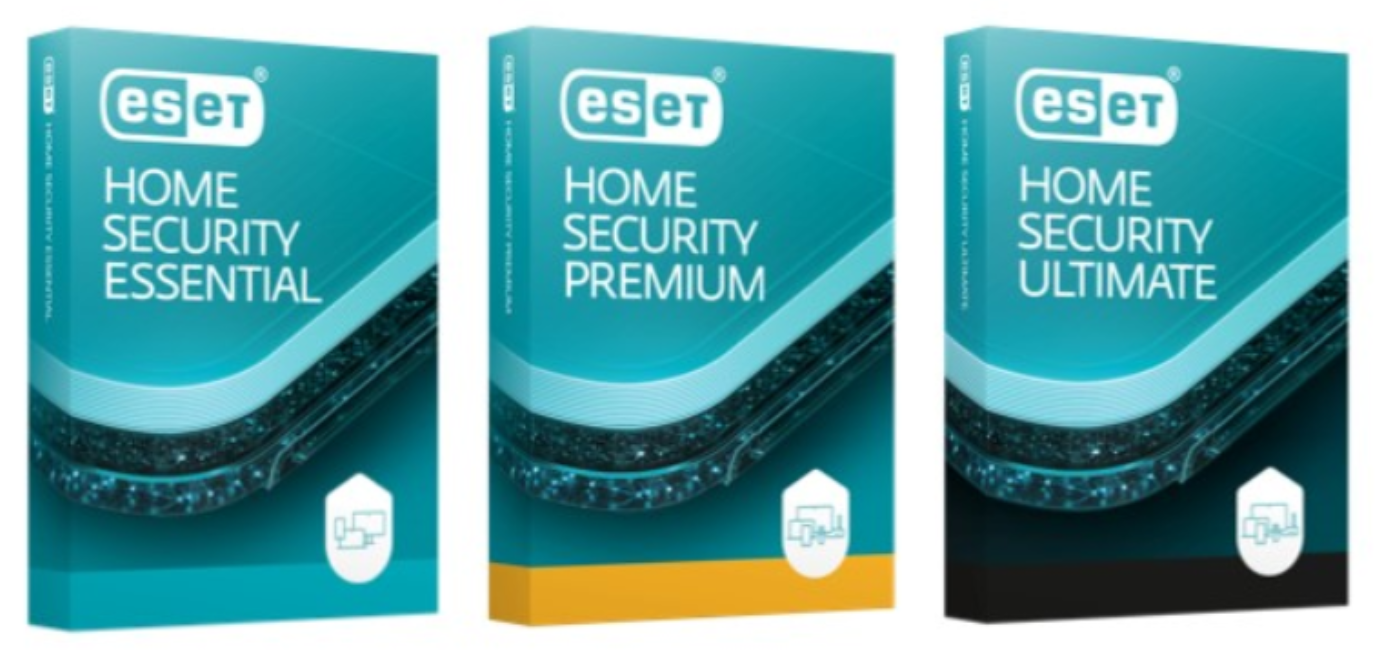
Also introduced with this launch are three subscription tiers for this new ecosystem—ESET HOME Security Essential, ESET HOME Security Premium, and ESET HOME Security Ultimate. Subscription tiers provide all-in-one protection, from the entry level of protection up to the ultimate level, covering the complex needs of individuals and their households for digital life privacy and security. ESET HOME Security subscriptions are available on all major operating systems —Windows, macOS, Android, and iOS.

ESET HOME Security Essential is an entry-level subscription tier with protection features, including improved modern endpoint security and multilayered real-time protection, as well as additional tools that further enhance the user’s ability to protect against various threats. Included are the Safe Banking and Safe Browsing features, designed to protect users’ sensitive data, and Network Inspector, a diagnostic tool providing information on the security of the user’s router and display of devices connected to the network. Newly developed browser extensions provide enhancement of the Browser Privacy & Security feature. This includes cleanup tools, such as Browser Cleanup, which cleans cookies, history, and much more from the browser, regularly or on demand.

The middle tier, ESET HOME Security Premium, extends the feature set further by adding other security functionalities such as a Password Manager, which protects and stores users’ passwords and personal data. This includes an automatic and accurate form-filling feature, saving users time when filling out web forms. Secure Data functionality boosts their privacy and security with powerful encryption of files and removable media, preventing data theft in the event of USB or laptop loss, and ensuring secure collaboration and data sharing. ESET HOME Security Premium offers the ESET LiveGuard tool, cloud-based protection specifically designed to mitigate never-before-seen threats.

ESET HOME Security Ultimate is the most advanced subscription tier; it seamlessly provides complex all-in-one protection and introduces brand-new ESET features: Identity Protection1 and VPN.  These features are also complemented by the browser extension functionality (Browser Privacy & Security), to ensure that the user’s browsing is protected. Additionally, Metadata Cleanup removes metadata from uploaded pictures to the browsers on Windows. Website Settings Review allows users to easily review and change permissions granted to websites.

Enhancing online security: Introducing VPN, Identity Protection1 feature

With the new offering, ESET introduces two groundbreaking features aimed at bolstering online security and privacy—VPN and Identity Protection1.

VPN functionality offers users a confidential internet experience by establishing a private network connection guaranteeing protection while using public Wi-Fi, and enforcing a strict no-logs policy to make it more difficult to track. It encrypts users’ online activities and enables unlimited bandwidth access to geo-restricted content, including unrestricted and private access to websites in more than 60 countries worldwide. Thanks to this feature, users can securely access their home countries’ TV shows and movies while traveling or enjoy their favorite streaming services from different parts of the world. Even more features are available on the VPN service running on desktop, including DNS leak protection, MAC spoofing, proxy gateway for other devices, firewall, and split tunneling.

The new Identity Protection1 feature actively scans for compromised user identities and monitors user-input data, cross-referencing it against known online data leaks on the dark web. Users enter their data such as email accounts, or IDs that they want to check. When a match is made, the user is immediately notified, enabling swift action against potential misuse of their personal information.

All new features reflect customer demand for elevated data and identity protection, as evidenced by the findings of recent surveys, notably the 2022 Consumer Digital Life Protection Survey. By adding VPN and Identity Protection1 on iOS, ESET is strengthening its presence on this platform where Password Manager and ESET HOME are already established.

Device-tailored security solutions

ESET HOME Security takes device protection to a new level by seamlessly integrating a suite of standalone device protection solutions tailored to meet customers’ security needs. This includes ESET NOD32 AntivirusESET Mobile Security for AndroidParental Control for Android, and ESET Smart TV Security.

More information about the new consumer offering and subscription tiers can be found here. 1. The Identity Protection functionality is currently available in the US market only, with global roll out planned in H1/2024.

The Top 5 Home Security Gadgets for Ultimate Protection

Concerns about home security are common, and recent data underscores their validity. In April 2023, statistics from the Irish home security company Phone Watch indicated a significant 10% increase in the number of burglaries nationwide in 2022 compared to the previous year. This rise, the first in the last five years, saw substantial increases in several counties, including Meath with a 34% increase, Mayo with 33%, Kerry with 28%, and Kildare with 26%.

Fortunately, there are various steps homeowners can take to enhance their home’s security. These measures often involve basic precautions and the services of a residential locksmith to prevent thefts by opportunistic criminals in the neighborhood. However, this article will focus on home security gadgets offering additional assurance and peace of mind, ensuring your property is more effectively protected.

Smart Lock Systems

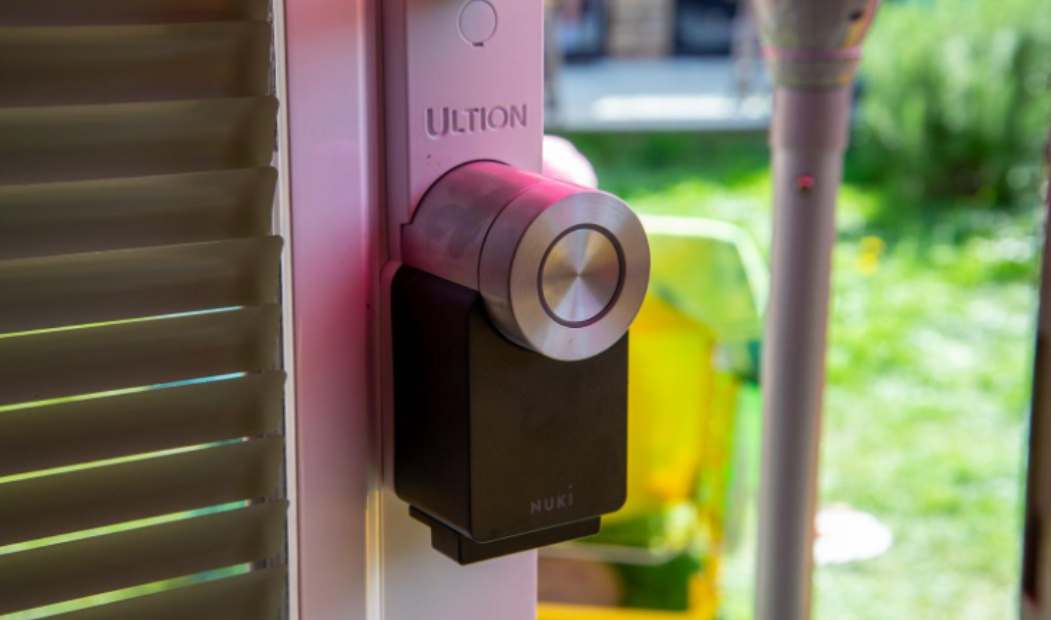
Besides the immediate convenience of getting rid of the bulky key ring in your pocket, smart locks come with several other perks. They let you enjoy keyless door management for locking and unlocking the front door using Bluetooth on your smartphone, tablet, or smartwatch. By eliminating the need to use keys, you also eliminate the risks of losing, misplacing, or having the keys stolen or jammed inside the lock. 

The best smart lock systems feature auto-unlocking that lets you walk up to the front door and watch it unlock itself while adjusting the timing for the locking/unlocking. DB Security are one of the best security & cctv company in Stoke-on-Trent

Best Smart Locks for Homeowners

While the August Smart Lock is one of the most popular options for several reasons, it is certainly not the only alternative available. Most of today’s smart locks can instantly turn any iOS/Android smartphone or smartwatch into a virtual key while letting you track all assigned virtual keys and know who goes in and out of the house 24/7. Research, decide which features you want your lock to have, and allocate a budget.

Best Smart Lock for Renters/Airnbnb

If you frequently rent out your home via Airbnb, opt for a coded entry smart lock to allow guests to easily get in and out with a unique code that will expire as soon as their pre-booked stay expires. The Ultraloq U-Bolt Pro is one of the best choices thanks to the physical buttons that work well no matter the weather conditions, the built-in fingerprint sensor, and the sneaky front face that can be easily flipped down to show the keyhole. It also supports voice control via Google Assistant and Alexa.

Smart Key Lock Mechanism 

A security gadget that works similarly to smart locks is Haven, a key lock mechanism that must be placed at the bottom of the front door to work as an obstacle that can stop unwanted entry. This gadget works with a key fob connected via Bluetooth and is made of sturdy steel and glass-reinforced aluminum and nylon. Haven can be easily integrated with other types of gadgets that are part of a Smart Home system.

Smart Video Doorbells

A video doorbell is an excellent addition to a front door that does not have a prefabricated peephole. However, this is not the only reason these gadgets are so popular today. When connected to mobile apps, they send immediate alerts or snapshots to your phone whenever someone rings the doorbell and let you communicate using two-way sound and video functions. The battery-powered devices can be installed anywhere inside and outside the house. 

Google Nest Doorbell and Arlo Essential are the best options thanks to their ability to send quick alerts, capture crisp images and sounds, and allow 24-hour recording.

Smart Indoor Cameras

These devices feature 180-degree fields of view, excellent zoom capabilities, and built-in smoke alarms on models like the Ecobee. Opt for one to closely monitor your pets, children, or family while traveling. Choose a model with motion detection that issues notifications to your smartphone in case of unwanted movement or smoke detection.

Smart Indoor Sirens and Smart Smoke Detectors

These smart alarms notify you of unusual activity or if they detect smoke inside the house. They automatically activate and deactivate themselves. Installation is a breeze, even though consulting a home locksmith could broaden your horizon significantly. Netatmo is a good option for a smart indoor siren due to the prerecorded noises it features and its easy-to-use app. Novi is an excellent smart smoke detector gadget with a motion sensor, 170-degree HD real-time camera recording, and a loud 90dB siren to deter intruders.

Final Thoughts

From home security cameras to video doorbells, these home security gadgets offer advanced features to ensure the safety of your property and loved ones. Take your pick or use a combo for optimum results.

6 Ways To Protect Yourself From Hackers

Hacking has been making waves in the tech world, especially since the rise of cryptocurrency. It’s a realm where brilliant minds seek innovation and disruptors try to cause chaos. Shockingly, recent data show that Ireland saw a 37% surge in cryptocurrency theft, totalling about €1.8 billion. Here’s the reality: the risk of getting hacked is greater than ever as these cunning cybercriminals evolve. However, you can fortify your defences by understanding their tactics. Here are six ways you could fall victim to hacking. 

  1. Smartphone apps 

Many people have and love those handy apps that make life easier. In today’s digital world, they’ve become essential. However, your smartphone could be more vulnerable if you’re an Android user without two-factor authentication (2FA). Android’s open-source operating system, while offering flexibility, can be a playground for viruses, making it less secure than the iPhone. When you open an app, you often share sensitive information, potentially giving hackers an open door. The solution is to be picky with your app choices, focus on the ones with credible ratings and reviews, and beef up your security with Two-Factor Authentication on all apps and devices. Don’t forget to double-check your links too. 

    2. Sites-cloning and phishing

Site cloning and phishing are a classic that has been around since the ‘dot-com revolution.’ As they say, ‘the old ones are the best.’ In one scenario, the cyber tricksters create a near-perfect replica of a legitimate website, hoping to trick you into entering your password or secret key. They might even slightly alter the website’s domain, so be vigilant. In the second scenario, they send emails that look identical to official communications but aim to trick you into clicking a malicious link and giving away your data. Trust your instincts, and if something feels off, delete it. Stick to websites with genuine HTTPS protocol. 

   3. Beware of public Wi-Fi

Public Wi-Fi is a hacking scenario that many naturally fear. Your device can connect to a hacker’s Wi-Fi network through a misleading link or accidentally choosing the wrong network. Anything you download or send while connected to that network is fair game for hackers. They can access your private keys from crypto wallets, online banking details, email passwords, and more. This issue is especially critical when using public Wi-Fi in railway stations, airports, hotels, or any crowded spot. Hackers can lurk incognito, waiting for an unsuspecting victim. The rule of thumb here is never to use public Wi-Fi for financial or sensitive transactions, not even with a VPN. Also, keep your router firmware updated, as manufacturers frequently release updates. Meanwhile, you can use SSID as an alternative. But what is SSID? It stands for Service Set Identifier, enabling you to learn more ways to protect yourself on Wi-Fi networks. 

   4. Malicious USB sticks 

You’ve probably heard stories of people finding USB sticks in parking lots and trying to do the right thing by returning them. However, there’s a darker side to this scenario. Sometimes, these USB sticks are loaded with malware and intentionally left by criminals. You don’t need to be the target of a specific attack to fall victim to malware. Inserting random devices like CDs, DVDs, USB drives, or any other found peripherals, such as a mouse or keyboard, puts you at risk of getting hacked. To protect yourself, use reputable antivirus software and make sure it scans all connected devices. While it’s not foolproof and can’t catch every threat, it significantly reduces the chances of falling prey to random malware or malware created by less skilled attackers. 

    5. SMS authentication 

SMS for authentication may seem like a quick and familiar way to confirm your identity, but it’s not as secure as you think. Positive Technologies, a cybersecurity company, has shown how easy it is for attackers to intercept SMS messages containing password confirmations, thanks to the Signalling System 7 (SS7) protocol used worldwide. They demonstrated that any system relying solely on SMS can be accessed by hackers, even if 2FA is used. To protect yourself, turn off call forwarding to prevent data access and consider using a software-based authentication solution instead. 

    6. Malicious documents

Hackers often hide malware in seemingly harmless Office documents like Word or Excel. When you open these files, your computer can get instantly infected. These malicious documents typically arrive in your inbox, disguised as seemingly secure emails. Upon opening, you might receive a pop-up message prompting you to enable macros to view the document’s content. If you allow macros, your computer becomes susceptible to malware attacks. So, avoid enabling macros and never open attachments from suspicious emails or unknown contacts.