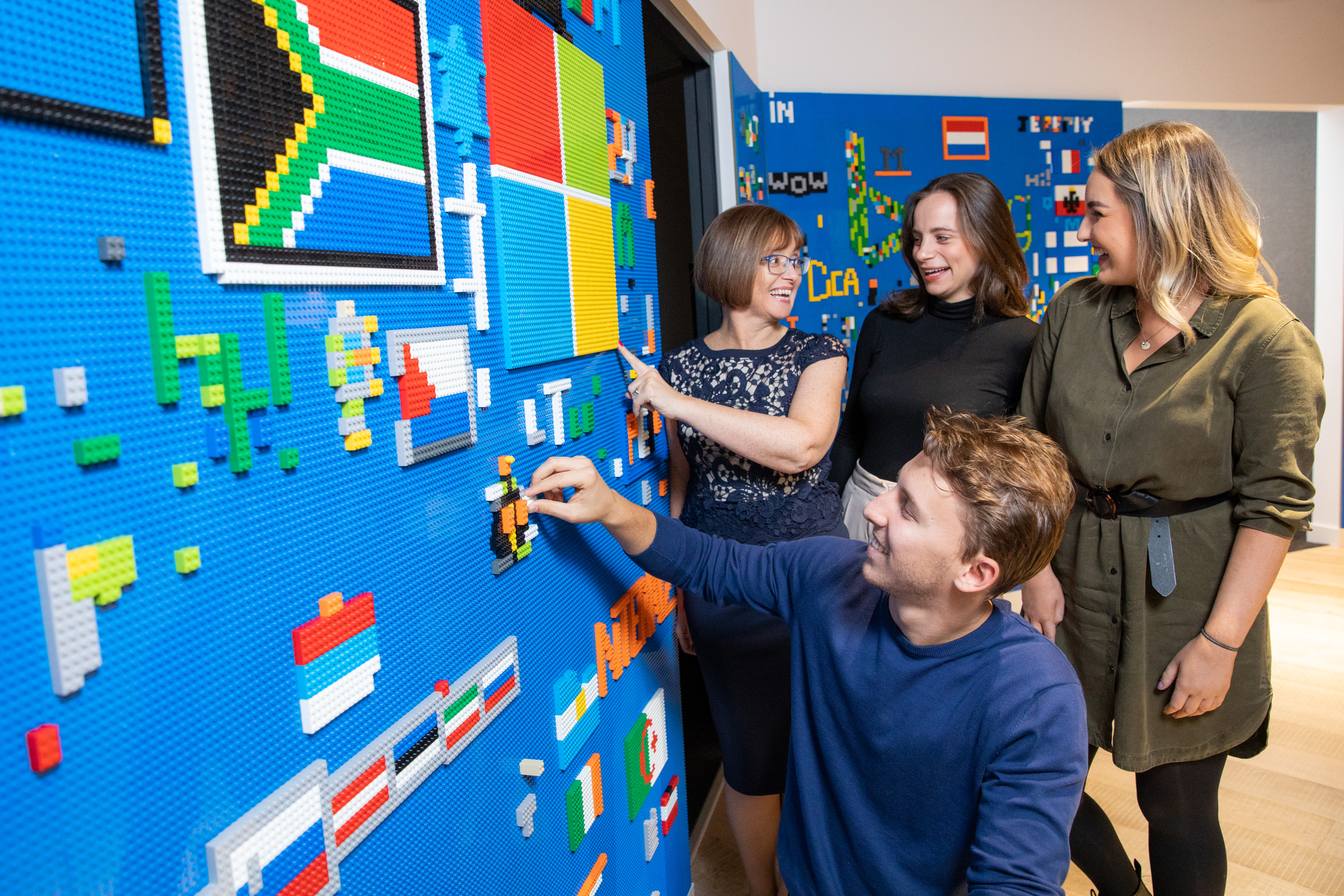
Microsoft today announced that Anne Sheehan has been appointed General Manager of Microsoft Ireland. She will assume the role at the beginning of October taking on responsibility for the sales, marketing and services business across the island of Ireland with a particular focus on delivering business transformation with Microsoft’s customers and partners within the public and private sectors.
Anne joins from Vodafone UK where she is currently the Enterprise Director with responsibility for sales, brand, product and solution design, services and government relations across multiple lines of business. Before assuming the UK responsibilities, Anne ran Vodafone Ireland’s enterprise business in Ireland for four years. Prior to that, Anne worked at IBM for 16 years in a number of senior positions including Vice President of Sales and Services for the Nordic Region, Sales and Services Director for IBM Ireland, Head of Channel, and Head of Infrastructure & Technology Services.
Commenting on the appointment, Cindy Rose, President, Microsoft Western Europe, said: “I’ve had the pleasure of working with Anne in the past, during my own time at Vodafone. I was always impressed by her high energy and pace, her growth mindset and customer obsession. I know she is passionate about partnering with businesses and the public sector, whatever their size, industry or ambitions, to help them find ways to use technology to drive success now and in the future. I also know her to be an empathetic and caring leader with deep commitment to building diverse and inclusive teams. I am confident that Anne will bring all of these qualities and more as she builds on the incredible foundation that the Microsoft Ireland team has established and to help accelerate the growth and transformation of Microsoft’s customers in Ireland.”
Anne Sheehan commented: “I am delighted and honoured to join Microsoft. It is a company I have admired and worked in partnership with over recent years. Microsoft has been on a very exciting journey in Ireland. I look forward to working with the team to take the business forward in a market that has huge opportunity. I am motivated by working with great teams, collaborating with our customers and winning in the market. I am passionate about fostering an environment where learning, being curious, bold and ambitious are core to achieving our goals. I feel incredibly privileged to be joining such a great team, and I look forward to us working to support our customers on their digital transformation journey together.”
Anne’s appointment follows the decision by Cathriona Hallahan to retire from the company following more than 35 years of service in a wide variety of global and regional operations and sales roles.
Cindy Rose added: “I would also like to take this opportunity to thank Cathriona Hallahan for her exceptional contribution to Microsoft. Not only did she drive strong commercial growth within the business but her passion for unlocking the power of technology to drive transformation and ensure inclusiveness across the economy and society was infectious. Certainly, her contribution will have an impact on generations to come.”
Cathriona Hallahan concludes: “I would like to wish Anne well in her new role in what is an exciting time for Microsoft in Ireland. Leaving Microsoft is bittersweet for me. I have had such an amazing journey – literally and metaphorically – as I essentially grew up and matured in parallel with the company. I have truly had a fantastic time and appreciate all that the company has enabled me to do and to learn. I now look forward to my next chapter, which will see me take on new and exciting challenges and apply my experience and knowledge to support other organisations to transform and grow.”
Microsoft Ireland was joined today by the Taoiseach Micheál Martin TD to announce a further expansion of its Dublin-based EMEA Digital Sales team with the creation of 200 new jobs. The company also unveiled details of its new Microsoft Sales Academy, which will enable 25 recruits from a variety of backgrounds and with little or no digital skills to establish a career in digital sales. Today’s announcement builds on Microsoft Ireland’s November 2020 engineering investment announcement, which saw the creation of 200 new engineering roles and an investment of €27m in a new Engineering Hub at its growing campus in Leopardstown, Dublin.
Microsoft Ireland today announced the expansion of its Dublin-based EMEA Digital Sales team with the creation of 200 new jobs. Recruitment for the 200 new positions at Microsoft is underway with the intention to have all roles filled before May 2021. For more visit: careers.microsoft.com. Pictures taken outside Microsoft’s campus in Leopardstown, One Microsoft Place. Pic:Naoise Culhane –
Recruitment for the 200 new positions is underway with the intention to have all roles filled before May 2021. Microsoft Ireland is seeking applications to fill a broad array of digital sales positions including Sales Representatives, Technical Sales Specialists, Cloud Solution Architects, Account Executives and Sales Managers. The company is seeking candidates with fluency in languages including English, French, German, Dutch, Swedish, Norwegian, Italian, and Spanish to help meet the needs of customers across the EMEA region.
Speaking at today’s announcement, Taoiseach Micheál Martin TD said: “I warmly welcome this latest job announcement by Microsoft as a strong vote of confidence in Ireland as a destination for investment, and in the talent of our workforce.
“In the coming months we will be focusing on delivering a recovery that is both inclusive and sustainable, central to this will be getting people back to work and protecting and creating employment fit for the future. Attracting highly sought-after digital jobs like those created by Microsoft today is an important step in that journey.”
Cathriona Hallahan, Managing Director, Microsoft Ireland said: “We are delighted to be in a position to announce the further deepening of our footprint in Ireland. Following so soon after our Engineering investment, it highlights the importance of our Irish based operations to Microsoft globally. The growth of our EMEA Digital Sales team reflects the dynamism and growth mindset that is at the heart of our company. Our existing digital sales team has been working hard to provide organisations in Ireland and across Europe, the Middle East and Africa with digital technologies they need to transform their business model and achieve success.
“The creation of the Microsoft Sales Academy further supports those efforts by building and nurturing a diverse pipeline of talent both now and into the future, ensuring our team reflects the diversity of the customers we serve. By adding to the diversity of skills and backgrounds within our Dublin-based team, we can continue to innovate at speed as we reimagine Ireland’s future.”
Microsoft Ireland today announced the expansion of its Dublin-based EMEA Digital Sales team with the creation of 200 new jobs. Recruitment for the 200 new positions at Microsoft is underway with the intention to have all roles filled before May 2021. For more visit: careers.microsoft.com. Pic:Naoise Culhane
Lisa Dillon, Vice-President, Microsoft EMEA Digital Sales said: “I am delighted that we are expanding our EMEA Digital Sales team so that we can best meet the evolving needs of our customers. In just four years, we will have established and grown the team to over 1,000 employees. This rapid growth is creating superb career development opportunities for the dynamic team which today represents more than 75 nationalities and fluency in over 35 different languages.
“The EMEA Digital Sales team leverage Microsoft technologies, including AI and machine learning, and enhance them with digital selling capabilities to transform our engagement with customers. This allows us to meet and exceed the needs of our customers and partners, engaging them at the right time in their digital journey to help drive their business success. I am looking forward to welcoming our new recruits and supporting them as they contribute to the continued growth and success of the team.”
The new Microsoft Sales Academy will provide recruits from a variety of backgrounds, experiences and skillsets with the sales and technical skills to succeed in a digital sales environment. The Academy builds on Microsoft’s ongoing digital education and training programmes to help people to participate fully in the digital economy. With four intake waves planned per calendar year, the six-month sales training programme will provide recruits with the expertise to support the digital transformation journey of organisations globally. At the end of the programme, recruits will transition into a Digital Sales Representative role with the skills to support customers’ digital transformations. 25 of the new jobs announced today are for Sales Academy positions.
New recruits will join an existing team of more than 1,000 highly trained sellers leveraging cutting-edge technology platforms and analytics to better meet customer needs. First established in 2017 with an initial headcount of 500 employees, the EMEA Digital Sales team in Dublin has expanded rapidly as organisations globally embrace digital transformation. Upon conclusion of the current phase of recruitment Microsoft Ireland will employ more than 2,800 people in Ireland across its Leopardstown campus and within its Data Centre operations.
Microsoft Ireland offers an extensive array of benefits in addition to a competitive package for the right candidates. For those interested in a starting or furthering a career in digital sales, visit: careers.microsoft.com.
Microsoft Ireland today launched its virtual DreamSpace Digital Education Programme. Developed over the Summer by Microsoft’s education team, the programme will support schools and teachers to engage students in critical digital skills learning whilst current restrictions preclude students from visiting the DreamSpace hub located at Microsoft’s campus in Leopardstown, Dublin.
Amongst the new suite of supports is the option for schools to participate in a Virtual DreamSpace experience. Designed by the Microsoft education team, tailored experiences are available to primary and post-primary students who wish to get a glimpse into the world of technology. Engaging two schools per day in this digital experience, each session is two hours long and learning experiences include a virtual tour of Microsoft, exploration of AI, STEM activities focused on 21st century skills and coding. The experiences are tailored to the participating school’s own resources.
Additionally, Microsoft has created DreamSpace TVto bring students, whilst at school or at home, on a STEAM learning journey focused on computational thinking, creativity and problem-solving. The lessons, which are aimed at 4th to 6th class students in primary schools, will go live every Tuesday over the next ten weeks. Subsequent episodes, which will support both primary and post-primary students, will follow in January 2021. The first DreamSpace TV episode will go live at 10am on Tuesday 29th of September and, as Microsoft has partnered with RTÉjr to extend the reach of the lessons to as many teachers and students as possible, the episodes will be available to view at www.aka.ms/DreamSpaceTV and www.rte.ie/learn.
Microsoft has also developed DreamSpace Teacher, which empowers teachers to deliver their own DreamSpace experience in the classroom or by way of independent learning modules for students. Each DreamSpace Teacher package contains a structured scheme of work, as well as classroom resources that include tutorial videos, worksheets, challenge activities and extension activities, enabling each student to work at their own pace.
Speaking today, Cathriona Hallahan, Managing Director, Microsoft Ireland said: “We’re delighted to launch our virtual DreamSpace Digital Education Programme, a suite of supports for schools, teachers and of course students to enjoy over the coming academic year. Our DreamSpace experience is extremely popular and since launching in 2018 it has engaged over 40,000 students in tailored STEAM experiences, opening their minds to a new way of learning and the possibility that technology holds for them in their future careers.
“With schools back open, we can continue to connect with and engage schools, teachers and students across the country through a number of exciting and immersive STEAM education programmes. In its virtual form, our DreamSpace experience will once again bring STEAM education alive and DreamSpace TV will enable even more students to engage in and learn through STEAM experiences. It’s testament to the quality of the TV series created that we have teamed up with RTÉjr to extend the weekly lessons to their online audience.”
The new DreamSpace learning and teaching supports build on the success of DreamSpace HomeSpace, a dedicated online resource that was launched in March of this year as schools closed due to the pandemic. DreamSpace HomeSpace enabled young people to engage in STEAM from home via free webinars. Additionally, Microsoft provided free remote learning resources and support to teachers, parents and students to support learning at home and remote teaching.
The announcement today comes as Science Foundation Ireland (SFI) confirmed last week funding for a project by Maynooth University and Microsoft Ireland to understand the impact of the DreamSpace HomeSpace series that ran earlier this year. In addition to providing a repository of STEAM education resources that can be used to support the STEAM education of all Irish families, the project will also serve to explore the impact that home-schooling has had on families and understand how DreamSpace HomeSpace encourages students to learn STEAM subjects. The funding also ensures the continuance of STEAM education by way of DreamSpace TV.
Today AVer Information Inc., an award-winning provider of video conferencing solutions, announced a collaboration focused on creating video conferencing technologies that work seamlessly with Microsoft software. AVer Video Collaboration Solutions for Microsoft will be a complete line of AVer USB video conferencing products developed and certified with Microsoft Teams in mind. These AVer products will feature HD cameras, professional-grade speakers, far-field microphones, and will easily connect to any Windows 10 PC via a single USB cable.
Ilya Bukshteyn, Partner Director, Microsoft Teams Devices at Microsoft Corp. said, “AVer is a new addition to the Microsoft Teams ecosystem of Certified device partners, helping our customers have the best possible audio and video experience in Teams meetings. Our collaboration with AVer expands the Teams meeting devices offerings for our medium and large meeting room solutions with a partner experienced in high quality cameras and other video hardware.”
Through this collaboration, AVer offers an elevated meeting room experience to Microsoft Teams users by providing professional, intuitive, and reliable meeting spaces that will work seamlessly with Microsoft software. AVer’s enterprise-grade video conferencing solutions boost professionalism with innovations such as SmartFrame, True WDR, IP based management, and streaming.
“This collaboration provides a fast, simple, cost-efficient way to meet virtually, eliminating complicated hardware installation for improved collaboration and productivity, solidifying AVer’s position at the forefront of the video conferencing peripheral device market. AVer solutions are easy to deploy, affordable, and easy to manage across an entire organization,” said Charles Montoya, VP of Sales & Marketing for AVer.
AVer, in collaboration with Microsoft, is breaking down audiovisual barriers by delivering vibrant HD video and brilliant audio to Microsoft Teams workspaces. The first AVer products to be certified for Microsoft Teams, the CAM540, and CAM520 PRO conference cameras, were tested extensively using Microsoft’s Teams criteria to validate audio and video quality and determine their compatibility with Microsoft’s Teams features.
AVer’s plug-and-play USB cameras offer an award-winning design, superior HD video, amazing audio, smooth PTZ movement, and a simplified user experience. AVer’s innovative technology brings Microsoft users high-quality, affordable, and seamless video collaboration solutions to any meeting space.
Perhaps the most remarkable achievement Microsoft has pulled off over the last decade has been making Windows far more user friendly. While cliché to say, it’s nevertheless a distilled report of UX from users. From its beginnings as a tech geek, relatively cool product that – at times – frustrated non-technical folk, Microsoft has clearly listened to consumers over the years. Today, Windows 10 epitomises the marriage of its technical ability with a far more intuitive end user experience.
Microsoft has dominated the working world for years, and for good reason. Even early critics of Windows struggled to find the kind of apps Microsoft had already made mainstream 30 years ago. Not only does Microsoft Office suite remain streets ahead of competition in enabling businesses big and small, but Microsoft’s enterprise-grade Server products have enabled network access and management for thousands of large corporations. Both user security and efficiency have driven Microsoft’s overall suite development in the new millennium.
A heads up for everyone still running Windows XP or 7: those Windows versions are unsupported now, which means no security patches or upgrades of any kind are in your future. Unfortunately for you, that means high vulnerability and low security for your PC. Windows 8 was an unpopular option for many, as it followed a touchscreen design layout; in particular, business users weren’t ready to abandon their familiarity with previous versions. Which brings us to Windows 10, and some good news – it’s the best Windows ever.
Here’s why.
The benefits of Windows 10 for small business are many
Loyalties and bias aside, excerpts from a top IT concern in London covering What Are the Benefits of Windows 10 for Small Business? will win over many former critics. As a testament to Microsoft’s ability to respond to the market, they’re focus is on user experience, mobile access and the right box of tools.
Updates are (almost) pleasant now
Faced with competitors of various hues that included upgrades as a part of ‘maintenance’ at no charge, Microsoft has adopted a ‘software as a service’ (SaaS) approach, too. Facing the loss of consumer appetite for paid upgrades, Microsoft has reinvented its approach in line with such expectations. While small business users had to opt in and install Windows 10 when it arrived, future upgrades will roll out seamlessly in the background. In other words, they’ve taken the roundabout way of installing an OS and automated it.
A tiny tweak perhaps, but with huge implications for UX. Buying an installation disc or being billed for an online upgrade is over, too. The standard offering will be free, while users who employ more extensive versions or apps within Windows will pay per use.
Security is state of the art
Enterprise now has a clear legal responsibility in terms of GDPR. Personal data is regulated, and the onus on business to both safeguard against and react towards its illicit dissemination is clear, with punitive measures against those who are negligent in looking after users’ or clients’ data.
Today, it’s surprisingly best not to supplement the Windows Defender suite of programs with other antivirus apps. Windows’ in-house security is tight, performs alongside the best, and makes extrapolation of security measures a cinch when needed. In other words, having Windows Defender up and running as it should be on the OS covers business in terms of its liabilities concerning personal data. It makes small business compliant, identifies and secures individual app access, and can limit files that apps can access.
Enterprise users can expect to be forewarned of illicit activity around access, and Bitlocker makes encryption a standard possibility for business now – not just James Bond.
Multiple device commonality
Sticking with user-driven common sense, the Windows 10 OS runs on desktops, laptops and tablets. It presents as a familiar face, with the design reminiscent of the older Windows the whole world became accustomed to over the initial years of use. That might seem unimpressive, but for working personnel, it’s the difference between feeling confident (in presentations or other participation where data needs to be shared) or feeling technically challenged.
As cloud computing becomes the norm, Microsoft’s OneDrive allows users to access data whenever and wherever. Being able to consistently access data easily between devices is now so commonplace that it might be overlooked as a new feature, but significant hard work went into making that possible.
Toggling devices and operating times
In an emerging gig economy, many people take work home and work at all hours of the day and night. The ability (continuity) to do so is, again, something we all simply expect as a default; but that, too, is a new feature with Windows 10.
Transitioning effortlessly between devices while drawing files down from OneDrive makes working access simple, anytime. The Timeline feature enables a linear work route too, as scrolling back through chronologically listed file access makes locating specific information easy. Likewise, using the Files On-Demand OneDrive feature allows users fast access without relying on a slower local drive.
Identity management
Apart from BitLocker, Windows Hello assimilates biometric data on users to grant access to files. Users typically encounter a two-factor authentication process that adds further security to business dealings. This might seem banal, but the reality is all these tweaks and touches have been modelled on user expectations and preferences, as well as the logic of easy, secure computing. Microsoft has become adept at imagining the experience of daily users, and designed Windows 10 in accordance with that.
Assorted local and networked resources can be accessed by identified individuals or groups. Managing access across a staff contingent, freelancers and clients has become a push-button process, as opposed to someone having to physically dole out and collect documents, or otherwise police company data. Office 365 Business and Enterprise users can also employ Azure Active Directory accounts to the same end.
Flexibility to scale
Offering users software subscriptions has changed Microsoft product licensing to the benefit of users. Utilising a per month or per user billing model has made Windows significantly more scalable – and pleasurable to use – because of it.
Should a small business need to add new staff, whether freelance or otherwise, per user costs can be defined based on deliverables for any project. Decreasing the number of users is now a simple matter, whereas before customers were ‘locked in’ to Windows for a term.
Upfront costs have disappeared, and business accounting departments across the globe are loving the predictability of a per user structure, too. Any small business paying for Windows products can be assured that they are utilising the same platform expertise as any large corporation elsewhere. The inbuilt universality of Windows 10 means top drawer service and security to all subscribers – a nice touch by Microsoft towards a level commercial playing field.
An assistant called Cortana
Cortana is Microsoft’s response to Alexa and Siri – an interactive voice command feature, with personality! Having had the benefit of watching assistants like Siri roll out and noting where they stumbled, Microsoft’s Cortana has started out at a higher level. She’s almost a personality (she has opinions on general life, too) and definitely an aide that will become indispensable once a user starts using the feature.
Cortana is simple to use but not simplistic in abilities, and pleasingly responsive and intuitive. Full of a host of time-saver tweaks once engaged, Cortana is a genuine efficiency boost in a busy digital world.
Microsoft products work very well together
Another major perk of Windows 10 is it’s the most enabling platform for any of the other Microsoft business suite products. Truly an undiscovered benefit until a company runs Office 365 or Microsoft Server, it’s often in expansion that a business realises what a hassle-free, empowering platform Windows 10 is. Microsoft Business Suite products are optimised on the Windows 10 OS in a manner that simply doesn’t happen any other way.
Windows 10 is a feel-good Windows version, and a smart response to user issues over the years. Microsoft has responded well – even critics grudgingly agree that many of their complaints are now addressed with this version of Windows. Security is still benchmark, upgrades are no longer a looming hassle, and the access and identity management of Windows 10 makes for pleasurable working. Any small business would be hard pressed to better enable business processes, resident and remote staff, as well as the overall demands of daily business without it.
Microsoft Corp. has announced an ambitious goal and a new plan to reduce and ultimately remove its carbon footprint. By 2030 Microsoft will be carbon negative, and by 2050 Microsoft will remove from the environment all the carbon the company has emitted either directly or by electrical consumption since it was founded in 1975.
At an event at its Redmond campus, Microsoft Chief Executive Officer Satya Nadella, President Brad Smith, Chief Financial Officer Amy Hood, and Chief Environmental Officer Lucas Joppa announced the company’s new goals and a detailed plan to become carbon negative.
Microsoft President Brad Smith, Chief Financial Officer Amy Hood and CEO Satya Nadella preparing to announce Microsoft’s plan to be carbon negative by 2030. (Jan. 15, 2020/Photo by Brian Smale)
“While the world will need to reach net zero, those of us who can afford to move faster and go further should do so. That’s why today we are announcing an ambitious goal and a new plan to reduce and ultimately remove Microsoft’s carbon footprint,” said Microsoft President Brad Smith. “By 2030 Microsoft will be carbon negative, and by 2050 Microsoft will remove from the environment all the carbon the company has emitted either directly or by electrical consumption since it was founded in 1975.”
The Official Microsoft Blog has more information about the company’s bold goal and detailed plan to remove its carbon footprint: https://blogs.microsoft.com/?p=52558785.
The company announced an aggressive program to cut carbon emissions by more than half by 2030, both for our direct emissions and for our entire supply and value chain. This includes driving down our own direct emissions and emissions related to the energy we use to near zero by the middle of this decade. It also announced a new initiative to use Microsoft technology to help our suppliers and customers around the world reduce their own carbon footprints and a new $1 billion climate innovation fund to accelerate the global development of carbon reduction, capture and removal technologies.
Beginning next year, the company will also make carbon reduction an explicit aspect of our procurement processes for our supply chain. A new annual Environmental Sustainability Report will detail Microsoft’s carbon impact and reduction journey. And lastly, the company will use its voice and advocacy to support public policy that will accelerate carbon reduction and removal opportunities.
Microsoft (Nasdaq “MSFT” @microsoft) enables digital transformation for the era of an intelligent cloud and an intelligent edge. Its mission is to empower every person and every organization on the planet to achieve more.
Microsoft today held the first of 10 regional pop-up DreamSpace events at St Eunan’s College in Letterkenny, Donegal. The educational experience, which has been running at its Sandyford campus since last year, is now being rolled out across rural Ireland to ensure that every school and every student in Ireland has the opportunity to experience DreamSpace.
Today registrations open for schools to take part in the free DreamSpace experience at Microsoft’s Sandyford campus over the next academic year. Microsoft hopes to build on the hugely successful academic year from September 2018 to June 2019 where it anticipates over 15,000 students and 500 teachers will have visited DreamSpace at One Microsoft Place.
The 10 regional pop-up events will take place across Munster, Ulster and Connacht by the end of this academic year with dates and locations to be announced in the coming weeks. The events will include more than one school so that smaller rural schools can take part in Microsoft’s immersive educational event.
Photo shows: Minister for Education and Skills, Joe McHugh TD with fifth class students from Scoil Mhuire Gan Smál, letterkenny, Shruti Oommen, Zoe Guichard, Naomi Lecky, Rachel McGranaghan and Summer Haughey. Photo: Naoise Culhane.
Today the Minister for Education and Skills, Joe McHugh TD joined students from Killian National School in Inver; Letterkenny schools Scoil Mhuire Gan Smal, Educate Together and St Eunan’s College and Cloughfin National School in Lifford at the DreamSpace on the Road session.
The digital skills experience aims to inspire students to potentially choose a career that involves technology. Students engage in an interactive event that helps them develop collaborative, critical thinking and problem-solving skills. Today’s event, which aims to help young people understand the power of technology across all industries, includes design and coding.
Speaking at the launch, Minister for Education and Skills, Joe McHugh TD said, “I’m pleased to join Microsoft in launching the first regional DreamSpace. It is important to bring this learning experience to students in rural communities like Donegal. I have enjoyed watching the local primary and secondary school students work together to navigate the challenges posed by this learning experience. They have discovered how technology together with their imagination can help them develop ingenious solutions. I believe that these events across rural Ireland will help inspire students and encourage them to see that STEM subjects are critical to success as the digital transformation takes place across every aspect of our world. I’d like to thank Microsoft for creating this unique learning environment and for its ongoing support and investment in education in Ireland”.
Photo shows: Fifth class students from Scoil Mhuire Gan Smál, letterkenny, Wictoria Kos, Lorena Lawrence, Saoirse Owens and Maja Ziarko Photo: Naoise Culhane.
Kevin Marshall, Head of Education at Microsoft Ireland added, “Microsoft is committed to Ireland and the students of Ireland. We are supporting the Department of Education’s ambition for Ireland to be Europe’s STEM leader by 2026. The completion of our EUR134m state of the art campus in Sandyford included a EUR5m investment in our dedicated education hub, DreamSpace. This immersive experience is a critical resource to show students the power of technology and help them understand how they can participate in the digital age. We are now rolling out this experience across the country with these pop-up events”.
“The DreamSpace experience helps students understand their place in the world, inspires them to realise their full potential and embrace the world of the future. We have developed a tailored experience for students based on their age, skills level and areas of interest. Technology has a place across many industries and careers and DreamSpace allows students to see how technology can empower them to be a critical part of tomorrow’s world”.
Due to its popularity and the success of the project there is expected to be significant demand for the free experience. Schools or youth groups interested in the opportunity can register by logging onto Microsoft.com/DreamSpace and follow Microsoft’s twitter handle @MS_eduIRL.
Microsoft celebrated the start of EU Code Week with the launch of the ‘CoderDojo Champion Training Programme’ which aims to give an extra 5,000 young people the opportunity to develop their digital skills by forging the next generation of Dojo trainers.
EU Code Week is an annual, grassroots initiative supported by the European Commission aimed at encouraging young people to try coding and improve their digital skills. Microsoft has been a supporter of EU Code Week since its launch in 2013. To mark EU Code Week, the Microsoft CoderDojo Club will also be hosting a special evening for all its members in Microsoft’s DreamSpace the company’s bespoke innovation and education hub.
MICROSOFT EU CODE WEEK: Pictured at left is Cathriona Hallahan, Managing Director, Microsoft Ireland; and Giustina Mizzoni, Executive Director, CoderDojo in Microsoft to celebrate the start of EU Code Week. Pic:Naoise Culhane.
Commenting at the launch of the programme, Cathriona Hallahan, Managing Director of Microsoft Ireland said: “At Microsoft, we are committed to ensuring that every young person – no matter where they live or what their background may be – has the digital skills to achieve more. To realise this ambition, we have developed a long-term relationship with the team at CoderDojo and supported them on a number of key initiatives including Hour of Code, Coolest Projects and CoderDojo Girls Initiative.
The emphasis is always on supporting the growth of CoderDojo in Ireland but also inspiring more young people to join a Dojos and in recent years a particular focus to attract more girls. Despite the growing number of Dojos run by incredible volunteers right around the country, there are still many young people, including girls and those in disadvantaged areas, that have yet to experience how technology can open up a world of opportunities.
MICROSOFT EU CODE WEEK: Pictured from left Cathriona Hallahan, Managing Director, Microsoft Ireland;Giustina Mizzoni, Executive Director,CoderDojo;Luca Roviaro; and Amy Hallahan in Microsoft to celebrate the start of EU Code Week. .Pic:Naoise Culhane.
“That is why to celebrate EU Code Week 2018 we have committed to training 250 youth workers to start their own dojos, reaching and enabling 5,000 young people in underserved areas throughout Ireland to develop their own digital skills. Through the CoderDojo Champion Training Programme, they will be provided with the training, supports and above all confidence to pass on their passion for technology to the next generation. I would encourage any youth leader interested, to sign-up for the free, one-day workshops today”
Giustina Mizzoni, Executive Director, CoderDojo said: “We are delighted to have worked with Microsoft to create a dedicated, CIPD-approved curriculum that primarily focuses on equipping youth workers with the digital confidence to start their own dojo. Many youth leaders have incredible skills in working with young people, but they can sometimes lack the confidence to deliver opportunities in digital literacy to others. Microsoft’s support for the CoderDojo Champion Training Programme will help us to bridge that gap. We will help youth workers to plan ways to integrate coding into existing youth programmes and teach coding skills to they can become the champion trainers of the future.”
The ‘CoderDojo Champion Training Programme’ is being rolled out in a number of locations across Ireland including the Cork Migrant Centre, Kilkenny Bank of Ireland Workbench, Wexford FDYS, Blanchardstown Library, Creative Zone, Boole Library, UCC, Maynooth University, Inishowen Development Partnership, Shannon Library, Carlow IT. Before its launch, the programme had been piloted with 30 participants.
For those youth leaders and organisations looking to get involved, check out the upcoming training dates and locations at https://coderdojo.com/youthworktraining.
The Microsoft All-in-One Media Keyboard design looks like a standard keyboard with a few extras, a spill-resistant design, built sturdy to survive accidental sit-ons and occasional drops The Keyboard looked and felt solid with a clever Microsoft nano receiver (dongle) that has a magnet, this allows the dongle to be fitted cleverly under the battery compartment when not required. Microsoft have placed their logo on the dongle ensuring an authentic kit is visible.
Box Contains:
1 x All-in-One media keyboard
2 x AAA alkaline battery
Dimensions:
Length: 14.4″ / 367mm
Width: 5.20″ / 132mm
Product Description:
Supported operating systems: Windows 10/8.1/8/RT 8.1/RT and 7, Windows Phone 10, Mac OS X v.10.7-10.10, Android 3.2/4.2/4.4.4 and 5.0
Connectivity: USB
Setup:
The setup worked straight away, requiring no configuration. The dongle plugs directly into the standard USB connection and works straight away with no configuration required. The Keyboard was used with a standard laptop & an android gaming box. The multi touch trackpad took a while to get use to, the finger motions worked well when mastered. Using the keyboard on the Android box worked great allowing the usual websites easily accessible. The range within a standard room worked well. The basic keyboard functionality can be used with select USB HID compliant Smart TVs gaming consoles.
There is an option to setup media hotkeys allowing shortcuts to your music, photos, and videos. The volume controls option allows control of the audio. Shortcuts options to music, photos and videos are possible but are not essential on the setup.
Security
The keyboard uses Wireless connectivity (USB) with a connection of up to 30 feet. (Approx. 9 metres) This has Advanced Encryption Standard (AES) 128-Bit Encryption electronic data encryption technology. The keyboard is permanently paired with its receiver at the factory with no key information shared over the air ensuring the info is protected.
Conclusion:
The Microsoft All in one media Keyboard is good quality without breaking the bank. The requirement for a keyboard is still relevant today from its initial conception back in 1868 when used as a typewriter with Microsoft getting in on the act of ergonomic keyboard for computers, in 1994. The keyboard may not be ergonomic comfortable keyboard for the usual 40 hour working week but for short use can’t fault this keyboard. The advantage in terms of no cable. practical and works is very beneficial in a busy lifestyle. The Keyboard was comfortable but did not have the lugs to tilt the keyboard, the keyboard did not have a backlight and a bit smaller than an unusual keyboard. The keyboard is slightly shorter than a laptop 15.5 laptop keyboard, with the keys narrower than a standard keyboard. The Integrated multi-touch trackpad takes up some space making the keyboard keys shorter than a typical keyboard. All the function buttons expected on a standard keyboard are available on the keyboard.
The keyboard is full-size keyset with an integrated multi-touch trackpad – type, swipe, drag, zoom option. The sturdy build quality which you expect from Microsoft is clear and cleverly design. This branded premium product comes at a reasonable price that works well, allows the flexibility on the move especially when using on a smart TV. Depending on your requirement whether occasional few hours use, or daily business use, this may justify the model to use. If considering a limited use of the keyboard looking at cheaper alternatives would be a poor consideration, This Microsoft All-in-One Media Keyboard works well with a few nifty tricks at a realistic price, certainly a keyboard to consider.