
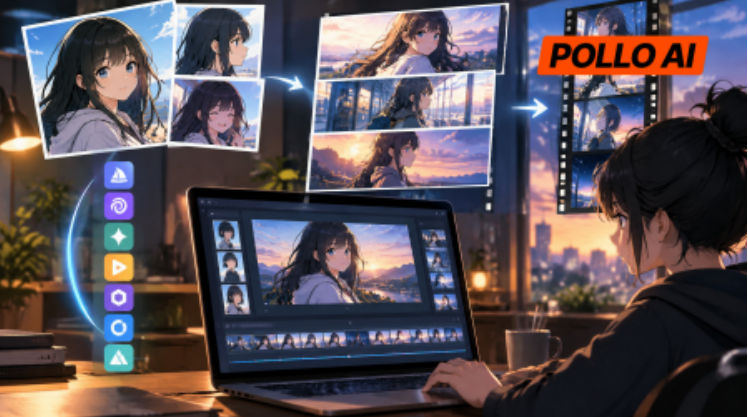
Keeping an anime character recognizable across different scenes is one of the biggest challenges in AI video creation. After testing 15+ tools, seven stand out for their reference-image support, character consistency, and ability to create anime-style videos. Here’s what each offers and where it fits into an actual production workflow.
- Pollo AI – Best for Creating Anime Stories from Scripts and References

Pollo AI has two features worth looking at for this type of project: its AI Anime Video Generator and Reference to Video. They serve different purposes. The anime generator turns scripts into animated stories, while Reference to Video helps keep selected characters or objects recognizable as a scene changes.
The AI Anime Video Generator accepts scripts, character reference images, and up to five reference links. Creators can upload 1–9 character images, choose an anime style such as action, sci-fi, or romance, and generate videos ranging from 30 to 90 seconds. It also supports automatic music generation and both 16:9 and 9:16 formats.
Reference to Video is useful when a creator already has a character design and wants to animate it in different settings. Users upload one or more images, select the subject to preserve, and describe the desired scene or movement. For a series, the two workflows can complement each other: one handles story creation, while the other provides more focused control over individual shots.
Pros
- Dedicated script-to-anime generation.
- Supports character references and up to five reference links.
- Offers several anime styles, video lengths, and aspect ratios.
Cons
- Generated scenes still need checking for changes in facial features and clothing. ● Longer episodes may require separate generations and editing.
Best for: Creators turning original anime scripts and character designs into short animated stories.
- Vidu AI – Best for Multi-Reference Anime Scenes
Vidu AI is an AI video generator with a dedicated Reference to Video feature. Instead of relying on a single starting image, it lets creators combine up to seven references in one generation.
Its RefHub feature makes the workflow more practical. Creators can build or select references that capture specific characters, visual styles, compositions, camera movements, and environments. These can then guide new scenes.
For example, someone making a fantasy anime could upload references for two main characters, a castle, and the overall art style. A prompt describing their interaction gives Vidu the context needed to generate the scene. This is especially useful when a story moves between locations but needs to retain the same cast and visual direction.
Pros
- Supports up to seven references simultaneously.
- RefHub makes it easier to organize and reuse visual references.
- Supports character, scene, style, and camera guidance.
Cons
- Conflicting references can make the intended visual direction less clear. ● Multi-character scenes may need several attempts to get the interaction right.
Best for: Anime creators working with multiple recurring characters and detailed scene references.
- Kling AI – Best for Complex Reference-Driven Scenes
Kling AI offers a multimodal video generation workflow through Kling 4.0’s Omni Reference feature. It supports up to 15 combined reference assets, including images, videos, and reusable subject elements. The individual limits include up to 10 images and five videos.
This gives creators more ways to communicate what a scene should look like and how it should move. For instance, an anime creator can use character images to establish appearance, a video reference to guide a fight sequence, and additional visuals to define the setting.
Kling 4.0 also supports multiple keyframes, which can help when a scene needs specific visual moments rather than one continuous action. It’s a useful option for projects involving action, camera changes, and several visual elements.
Pros
- Combines image, video, and subject references.
- Supports up to 10 keyframe images.
- Offers video generation from 3 to 30 seconds.
Cons
- Preparing and labeling multiple references takes time.
- Complex scenes still need careful prompt writing and output review.
Best for: Creators making action-heavy anime scenes with multiple characters, camera movements, and visual references.
- Runway – Best for Designing Consistent Anime Characters Before Animation
Runway takes a slightly different approach. Its Gen-4 References feature helps creators generate consistent character images across different environments, lighting conditions, and compositions. It supports up to three reference images in one generation.
Once the character artwork is ready, creators can move to Gen-4.5 Image to Video to animate the selected image. This makes Runway useful for people who prefer to settle the character design and scene composition before working on movement.
For example, an anime creator can first generate a protagonist in several locations, check that the hairstyle and outfit remain recognizable, and then animate the best images individually. It’s a more deliberate process, but it gives creators room to make visual decisions before generating clips.
Pros
- Gen-4 References supports reusable visual references.
- Useful for creating characters in different settings and lighting conditions. ● Allows image creation and video animation to be handled separately.
Cons
- Gen-4 References creates images rather than directly generating videos. ● The workflow requires an additional image-to-video step.
Best for: Creators who want to refine anime character designs and scene artwork before animation.
- PixVerse – Best for Short Multi-Shot Anime Sequences
PixVerse V6 combines image-to-video generation, reference-to-video capabilities, and native multi-shot generation. Rather than producing only a single continuous shot, it can create short sequences with multiple camera angles and scene transitions.
For anime creators, this is useful when a moment needs more visual variety. A character might enter a room, exchange a few words with another character, and then appear in a
close-up. Reference images help establish the visual direction, while the prompt describes the action and sequence.
V6 supports clips of up to 15 seconds, making it better suited to short scenes than complete episodes. Creators can generate several sequences and assemble them into a longer anime video during editing.
Pros
- Supports reference-to-video and image-to-video workflows.
- Native multi-shot generation.
- Offers several aspect ratios and resolutions, including 1080p.
Cons
- Short generation limits make longer stories a multi-clip project.
- Complex scene transitions may need additional iterations.
Best for: Creators making short anime sequences with multiple camera angles and scene changes.
- Pika – Best for Creating Reusable Anime Character Sheets
Pika offers Character Studio, which helps creators build a reusable character from a description, selected traits, or an uploaded image. It generates a character sheet with a full-body view, a three-quarter portrait, and expression close-ups.
The sheet can be saved to the Library and reused in supported image and video workflows. This is handy for independent anime creators who want to settle a character’s appearance before generating different scenes.
For example, a creator can establish a protagonist’s hairstyle, outfit, facial features, and proportions in Character Studio, then bring that reference into Video Studio when generating a new shot. This avoids having to recreate the same character description from scratch every time.
Pros
- Creates character sheets with multiple views and expressions.
- Supports image-based and text-based character creation.
- Saved characters can be reused in later projects.
Cons
- Character Studio prepares references rather than generating a complete anime series.
- Generated videos still need checking for changes in appearance.
Best for: Independent creators who need reusable character designs for multiple anime scenes.
- Hailuo AI – Best for Animating Existing Anime Illustrations
Hailuo AI offers image-to-video generation through models such as Hailuo 2.3, which supports stylized visuals, including anime-inspired imagery. This makes it worth considering for creators who already have finished character illustrations and want to add movement.
Another feature is S2V-01 Subject Reference, which uses a single reference image to guide a subject’s appearance across generated scenes. However, this is a separate workflow, and its official documentation focuses on maintaining the identity of human subjects rather than providing a dedicated multi-character anime consistency system.
For an anime creator, Hailuo is most useful for turning existing artwork into short clips, such as a character introduction, an expressive close-up, or a simple movement sequence. It is less suited to managing a large recurring cast across an entire series.
Pros
- Image-to-video generation supports stylized artwork.
- S2V-01 offers single-image subject reference.
- Text prompts can guide expressions, posture, and movement.
Cons
- Subject Reference is not designed as a complete multi-character anime workflow. ● Complex scenes may show changes in appearance or background details.
Best for: Creators who already have anime illustrations and want to animate them into short video clips.
Which AI Video Generator Should Anime Creators Choose? The best choice comes down to how creators prefer to build their anime projects.
Pollo AI is the strongest starting point for script-based anime production. Its AI Anime Video Generator handles the story-to-video process, while Reference to Video provides another option for animating specific characters from existing images.
For creators working with several characters and scene references, Vidu AI and Kling AI are better fits. Vidu offers a straightforward seven-reference workflow, while Kling provides more flexibility with combined image, video, and subject references.
Runway and Pika make more sense when character design comes first. Runway lets creators develop consistent character images before animating them, while Pika provides reusable character sheets. PixVerse is a good option for short multi-shot sequences, and Hailuo works well when the main goal is to animate an existing anime illustration.
One thing worth remembering: no reference feature guarantees perfect consistency. A clean character sheet, a fixed description of defining details, and clearly assigned reference images can make a noticeable difference. It’s also worth checking each finished clip before moving on to the next scene.
Conclusion
Making an AI anime series is less about finding a model that produces one impressive clip and more about keeping the characters recognizable throughout the story. The right tool depends on whether the project starts with a script, a character sheet, or finished illustrations.
For creators who already have a story and character references, Pollo AI is a practical place to start. Its AI Anime Video Generator handles script-based creation, while Reference to Video can help with individual scenes that need more focused character continuity. Both are worth exploring before committing to a longer production workflow.
Note: No Waitlist refers to publicly accessible product entry points, not unlimited free generation. Credits, subscription requirements, and feature availability vary by platform and account.