
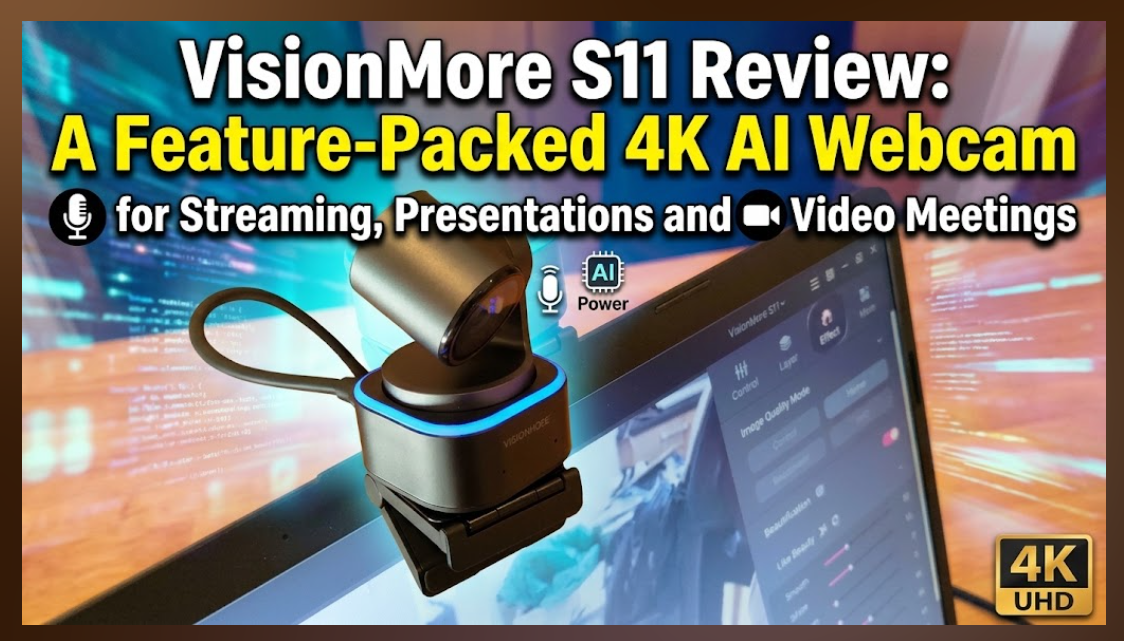
The webcam market has become increasingly crowded in recent years, but the VisionMore S11 aims to stand apart from traditional USB cameras by combining high-resolution imaging with AI-powered tracking, PTZ functionality and presentation-focused features and the VisionMore S11 is a Feature-Packed 4K AI Webcam for Streaming, Presentations and Video Meetings.
Designed for content creators, educators, streamers and professionals, the VisionMore S11 is more than a standard webcam for Microsoft Teams or Zoom calls. It combines a 50MP sensor, intelligent tracking, gesture controls, whiteboard enhancement and virtual camera capabilities into a compact desktop device.
In this VisionMore S11 review, we tested the camera in everyday scenarios including video conferencing, presentations and content creation workflows to see whether its extensive feature set delivers real-world benefits or simply adds unnecessary complexity.
Design, Build Quality and Mounting Options
The VisionMore S11 makes a strong first impression. Measuring 50 x 50 x 70 mm and weighing just 106g without the supplied magnetic bracket, it remains compact enough for portable use while still feeling solid and well constructed.
Despite the relatively lightweight design, there is no sense of fragility. The housing feels robust and capable of handling regular repositioning between desks, laptops and home studio setups.
Included in the box is a foldable magnetic suction bracket that allows the camera to be mounted securely on top of a laptop display or monitor. The mounting system proved flexible during testing and is one of the more practical aspects of the design.
What immediately differentiates the VisionMore S11 from a conventional webcam is its built-in motorised two-axis gimbal. With pan movement up to ±158 degrees and tilt movement up to ±90 degrees, the camera can physically follow subjects rather than relying solely on digital cropping.
Privacy has also been thoughtfully implemented. When not in use, the camera can be manually tilted downward into Privacy Mode, physically directing the lens away from the user. This provides a more reassuring solution than a software-based privacy toggle alone.
Features, Software and Initial Setup
Setting up the VisionMore S11 is refreshingly straightforward.
The camera is essentially plug-and-play. Connecting the supplied USB Type-C cable to a USB 3.0 port allows the device to be recognised quickly by Windows and macOS systems. VisionMore recommends a USB 3.0 connection or higher to ensure sufficient bandwidth and power delivery, and it is advice worth following.
Basic operation requires no additional software, but installing the free VisionMore Image Master application is essential if you want to access the camera’s advanced features.
The software unlocks:
- AI Tracking
- AI Auto Framing
- Hand Tracking
- Whiteboard Mode
- Gesture Controls
- Virtual Backgrounds
- Background Blur
- Beauty Effects
- Image Parameter Controls
- Preset Camera Positions
- Recording Functions
Users can switch between different operating modes including standard camera mode, portrait mode and AI-powered virtual background options.
One useful feature is the camera’s ability to generate real-time transcripts across platforms such as Microsoft Teams, Zoom and Google Meet without requiring additional subscriptions. For users regularly attending online meetings or delivering presentations, this adds practical value beyond simple video capture.
The VisionMore S11 also supports virtual camera functionality, allowing users to apply effects and enhancements before feeding the output into conferencing or streaming software.
There is, however, some room for improvement. During testing, parts of the software tutorial content appeared in Chinese with limited localisation. While the visual guides help explain key functions, new users unfamiliar with AI camera systems may initially find the learning process more difficult than necessary.

4K Image Quality, AI Tracking and Real-World Performance
The VisionMore S11 is built around a 1/1.3-inch CMOS sensor with a quoted 50MP resolution and support for up to 4K video at 30fps.
Image quality is one of the camera’s strengths. The large sensor helps produce a detailed image with respectable colour reproduction and good overall clarity. The f/1.95 aperture also assists in maintaining image quality in less-than-ideal lighting conditions.
Autofocus performance proved particularly impressive. VisionMore quotes a 0.3-second focus speed, and during testing focus adjustments were fast and smooth with very little hunting. Whether moving around a room or presenting objects to the camera, focus transitions remained controlled and professional-looking.
The real highlight, however, is the AI tracking system.
The VisionMore S11 supports:
- Full body tracking
- Half body tracking
- Face tracking
- Hand tracking
- Multi-person tracking
- Whiteboard tracking
Movement tracking was consistently fluid throughout testing. The camera followed subjects naturally without jerky movements or sudden framing changes. Unlike some AI tracking systems that can feel distracting, the VisionMore S11 generally remains smooth and unobtrusive.
For educators and business users, Whiteboard Mode is particularly useful. Once enabled through the Image Master software, the camera automatically identifies a whiteboard within the frame and corrects perspective distortion to present content more clearly. During demonstrations, text and diagrams remained noticeably easier to read.


Gesture controls also work surprisingly well once users become familiar with them. Various hand gestures can be used to activate functions and control tracking modes without touching the software interface.
Preset camera positions are another practical addition, allowing users to quickly switch between presentation views, desk demonstrations and standard meeting setups.
The built-in dual omnidirectional microphones feature noise reduction and automatic gain control. While dedicated external microphones will still produce superior results for content creation, the onboard microphones are perfectly serviceable for conference calls and general communications.

Using the VisionMore S11 for Meetings, Streaming and Presentations
A major advantage of the VisionMore S11 is its flexibility.
For professionals working remotely, the camera integrates smoothly with Microsoft Teams, Zoom and Google Meet. AI tracking and auto framing allow users to move naturally during presentations without constantly adjusting camera positioning.
For educators, trainers and presenters, the combination of AI tracking, whiteboard enhancement and hand tracking creates a much more interactive experience than could be achieved with a standard webcam.
Content creators and streamers are also well catered for. The VisionMore S11 supports workflows across YouTube, Twitch and Facebook Live while offering virtual camera functionality for streaming software. Features such as AI virtual backgrounds, image enhancements and multiple camera presets can reduce reliance on additional accessories and hardware.
One particularly useful feature is the AI-powered background replacement system, which creates virtual backgrounds without requiring a physical green screen. While it may not entirely replace a dedicated studio setup, it performs well enough for professional presentations and online meetings.
The software offers extensive image controls including brightness, contrast, saturation, exposure, gain and white balance adjustments. Users who enjoy fine-tuning their camera image will appreciate having this level of control available.
The flip side is that the wealth of features introduces a learning curve. Users looking for a simple webcam for occasional video calls may never use a significant portion of what the camera offers.


Living With The Product
After spending time with the VisionMore S11, it becomes clear that this is a specialised product aimed at users who spend significant amounts of time on camera.
Those who only attend the occasional Teams meeting may struggle to justify the additional features. However, professionals who regularly present, teach, stream or create content are more likely to see the value.
The gimbal tracking system worked reliably throughout testing and quickly became one of the features we missed when returning to a standard webcam.
The Image Master software is generally easy enough to use once familiar, although some tutorial content would benefit from improved localisation and clearer onboarding.
The manufacturer’s website could also provide a smoother user experience. The cookie consent implementation feels more intrusive than it needs to be, and navigating directly to certain download resources was not always as seamless as expected.
As with most modern hardware, we would recommend installing any available firmware updates immediately after setup to ensure optimal performance and access to the latest features.
VisionMore provides the VisionMore Image Master software as a free download through its support portal, along with firmware updates and user documentation.
Verdict
The VisionMore S11 is one of the more ambitious AI webcams currently available, offering far more functionality than a typical 4K webcam.
Its combination of 4K video quality, AI tracking, rapid autofocus, gesture controls, whiteboard enhancement and virtual camera capabilities makes it an attractive option for content creators, educators, streamers and professionals who regularly present online.
The tracking system performed particularly well during testing, remaining smooth and reliable while following movement around a workspace. Build quality is solid, setup is straightforward, and the extensive software controls allow users to tailor the experience to their requirements.
The camera is not without drawbacks. Some software tutorials need better localisation, and the substantial feature set means there is a learning curve that casual users may not wish to tackle.
However, for anyone searching for a feature-rich 4K AI webcam for Microsoft Teams, Zoom, Google Meet, online teaching, presentations or live streaming, the VisionMore S11 delivers a capable and versatile all-in-one solution that successfully bridges the gap between a conventional webcam and a dedicated production camera.