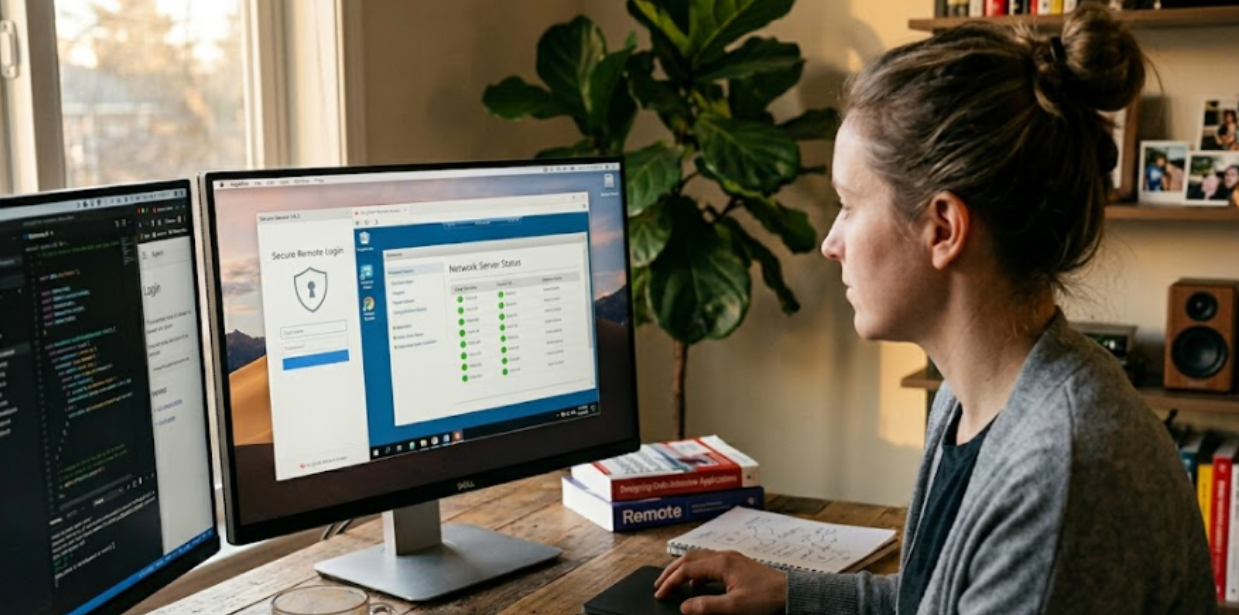
The way people work has changed permanently. Employees connect to corporate systems from home offices, hotels, client sites, and coffee shops. IT teams support devices spread across cities and countries. Businesses manage infrastructure that spans on-premises servers, cloud platforms, and hybrid environments. At the center of all of this is a technology that makes it possible to operate across physical distances without sacrificing performance, security, or control.
Remote access is that technology. Understanding what it is, how it functions, and what makes a deployment secure is increasingly essential knowledge for IT professionals, business leaders, and anyone responsible for managing a distributed workforce.
Defining Remote Access
Remote access is the ability to connect to and control a computer, network, or system from a location other than where that system physically exists. A support technician who troubleshoots a colleague’s laptop from a different floor is using remote access. So is a developer who connects to a cloud-based server from a home workstation, or an executive who reviews files on a company desktop while traveling.
The connection can take many forms depending on the use case, the network environment, and the level of access required. What all forms share is the fundamental capability to bridge physical distance and make a remote machine or resource behave as if it were local.
For organizations evaluating the options available to them, understanding what is remote access software helps clarify the distinctions between consumer-grade tools, enterprise platforms, and the specific capabilities that matter most for professional and IT use cases.
How Remote Access Works
The mechanics of remote access involve three core elements: the host device, the client device, and the connection method between them.
The host device is the machine being accessed remotely. It runs software that allows an incoming connection, transmits its screen output to the client, and receives input commands back. The client device is where the user is physically located. It runs software that receives the host’s screen data and sends keyboard, mouse, and other inputs back to the host. The connection is the encrypted channel over the internet or a private network that carries all of this data securely between the two endpoints.
Connection Protocols and Transmission
Modern remote access platforms use a combination of display protocols to transmit screen data efficiently. These protocols compress and encode the visual output of the host machine and stream it to the client device in real time. The quality of the experience depends on the protocol’s ability to prioritize different types of screen content, such as video playback versus static document editing, and adapt to available bandwidth.
The connection itself is typically secured using encryption standards such as TLS, ensuring that the data stream cannot be intercepted or read by unauthorized parties. Authentication is a separate layer, typically involving username and password at a minimum, with multi-factor authentication increasingly standard for enterprise deployments.
Network Traversal
One of the practical challenges of remote access is establishing a connection when both the host and client are behind firewalls or network address translation layers. Direct connections between two devices behind NAT are not straightforward to establish. Remote access platforms address this through relay servers, which act as intermediaries, or through techniques such as NAT traversal that allow a direct peer-to-peer connection to be established through firewall boundaries.
The choice between relay-based and direct connections affects latency and bandwidth consumption. Well-designed platforms attempt direct connections first and fall back to relay infrastructure when direct paths are not available.
Types of Remote Access
Remote access comes in several distinct forms, each suited to different use cases.
Remote Desktop Access
Remote desktop access provides a complete view of and control over a host machine’s desktop environment. The user sees the host screen in real time, can open applications, edit files, and perform any action they could take if physically at the machine. This is the most common form used for IT support, remote work, and accessing a work computer from home.
Remote Support
Remote support tools allow one user to view and control another user’s machine, typically to provide technical assistance. The person being helped can often observe what the support technician is doing, making it a useful tool for both troubleshooting and training. Many enterprise remote support platforms include features such as session recording, chat, and file transfer.
Remote Application Access
Rather than presenting the entire desktop of a host machine, remote application access delivers individual applications to the client device. The application runs on the remote host but appears in a window on the client device as if it were installed locally. This approach reduces bandwidth requirements and can be more efficient when users only need access to specific tools rather than the full desktop.
Unattended Remote Accessten
Unattended access allows a user to connect to a host machine without anyone present at that machine to accept or initiate the connection. This is commonly used for IT administrators who need to manage servers, workstations, or devices outside of business hours, and for support teams that need to access point-of-sale terminals or kiosks in retail environments.
Security Considerations for Remote Access
Every remote connection represents a potential entry point into an organization’s systems. Securing remote access properly requires attention to several layers of control.
Authentication is the first line of defense. Strong passwords combined with multi-factor authentication significantly reduce the risk of unauthorized access even if credentials are compromised. Session encryption ensures that traffic cannot be intercepted in transit. Access controls determine which users can connect to which machines, preventing lateral movement within the network if one account is compromised.
Device verification adds another layer by checking the security posture of the connecting device before granting access. A device that lacks current patches or runs without endpoint protection may be denied access or placed in a restricted environment until it meets compliance requirements.
The security risks associated with remote access technologies are well documented by standards organizations. Guidance covering secure configurations for enterprise telework and remote access deployments, including recommendations for authentication, encryption, and client device security, is available in published frameworks such as the enterprise telework security guide from NIST.
The Impact of Remote Work on Access Technology
The widespread shift to distributed work has accelerated the adoption and maturation of remote access technology considerably. What was once used primarily by IT administrators and traveling executives is now a core productivity tool for knowledge workers across virtually every industry.
This shift has also changed the performance expectations placed on remote access platforms. Users who spend entire workdays connected to a remote machine expect the experience to feel nearly indistinguishable from working locally. That standard requires platforms to optimize for low latency, efficient bandwidth use, and stable connections across a wide variety of network conditions.
Research into remote work patterns has highlighted that application performance is one of the most significant factors affecting productivity for distributed employees. When remote access tools introduce noticeable lag or visual degradation, the practical value of the remote session declines quickly. Understanding how remote work technology adoption has affected productivity expectations is a useful context for anyone evaluating platforms for enterprise deployment, as explored in coverage on remote work productivity trends.
Choosing the Right Remote Access Approach
Selecting a remote access solution depends on a clear understanding of the use cases it needs to serve. IT support teams have different requirements than knowledge workers accessing their own desktops. Organizations managing hundreds of unattended endpoints have different needs than a small team of remote employees connecting from home.
Key factors to evaluate include the security architecture of the platform, the quality of the protocol under different network conditions, the administrative controls available to IT teams, the supported operating systems and devices, and the compliance certifications the platform holds. For regulated industries, certifications such as SOC 2, HIPAA compliance, and ISO 27001 alignment are often prerequisites rather than optional considerations.
The deployment model also matters. Cloud-based platforms require no on-premises infrastructure and are typically faster to deploy and easier to scale. On-premises or hybrid deployments offer greater control over where data resides, which is important for organizations with strict data sovereignty requirements.
Frequently Asked Questions
Is remote access the same as a VPN?
No. A VPN creates an encrypted tunnel that connects a remote device to a private network, giving that device access to network resources as if it were on-site. Remote access, by contrast, connects directly to a specific machine and allows control of that machine’s desktop or applications. The two technologies address different needs and are often used together rather than as alternatives.
What kind of internet connection is needed for reliable remote access?
Most remote access platforms perform well on standard broadband connections. Latency matters more than raw bandwidth for interactive desktop sessions. A stable connection with under 100 milliseconds of round-trip latency will provide a smooth experience for most users, while higher latency introduces noticeable delays in cursor movement and keyboard response.
Can remote access work across different operating systems?
Yes. Modern remote access platforms support cross-platform connections, allowing a user on a Windows device to connect to a Mac host, or a mobile device to access a desktop computer. The availability of specific features, such as file transfer, clipboard sharing, and audio redirection, may vary depending on the operating system combination involved.