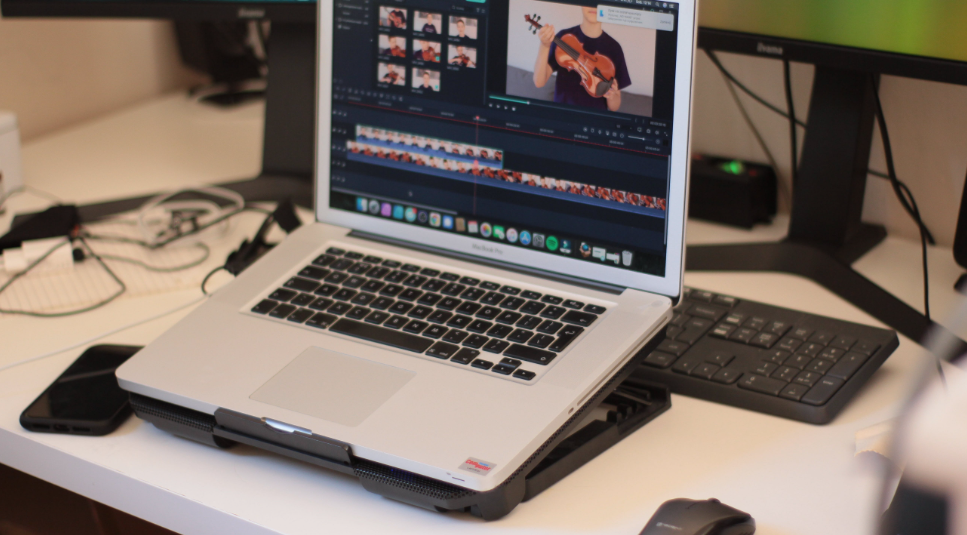
Professional video editing software plays an essential role in enhancing the quality and appeal of videos, whether for personal projects, business presentations, or content creation.
This article explores the best video editing software for PC users, emphasizing the significance of selecting the right software for the best outcomes.
How Useful Is Professional Video Editing Software for PC?
Professional video editing software is valuable for both beginners and experts. The best video editing software should include the following features:
1.Advanced Editing
Video editing software has several advanced options to help customers make great videos. This may involve multi-track editing, special effects, color correction, etc.
2. High-quality output
Professional software lets users export videos in multiple resolutions and formats with high-quality output. This is essential for creating social media and professional presentation content.
3. Productivity and efficiency
These tools boost productivity with streamlined workflows, keyboard shortcuts, and advanced editing. This efficiency is crucial for content creators and video editors with tight schedules.
4. Pro Effects and Transitions
Professional video editing software has several effects and transitions to improve video quality. Advanced transitions, motion graphics, and 3D effects give the product a professional look.
How Do You Select the Best Video Editing Software?
Choosing the best video editor software involves careful consideration of several factors. Here are three essential methods to guide you in making an informed decision:
- Assess Your Editing Needs: Determine whether you need basic editing tools, advanced features, or professional-grade capabilities for your specific projects.
- Compatibility Check: Ensure the selected software is compatible with your PC’s operating system, hardware specifications, and any additional peripherals you may use.
- User Interface and Learning Curve: Evaluate the software’s user interface and consider the learning curve. Opt for software that aligns with your skill level, whether you are a beginner or an experienced video editor software.
Part 1. Top 10 Professional Video Editors for PC
Explore PC’s top 10 professional video editors, each offering unique features and capabilities.
-
HitPaw Edimakor – Perfect Automatic Video Editor
HitPaw Edimakor is a powerful automatic video editor designed for beginners and professionals. It simplifies the editing process with its user-friendly interface and automatic editing features.

Features:
- Best Automatic video editing
- intuitive interface
- Wonderful and useful editing tools
Pros:
- Suitable for beginners and time-saving
- Powerful and various AI features
- Excellent and smooth operation
Cons:
- Limited advanced editing features
Overall Rating:
5.0 (6.93K) reviews
100% safe. Try it right now. Guaranteed to be completely secure. There are 6 billion users. Lifetime Update. Simple to use.
-
Descript
Descript is a unique video editing software integrating advanced transcription and text-based editing. It allows users to edit videos by directly manipulating the text, making it an innovative tool for content creators.

Features:
- Text-based editing
- Automatic transcription
- Collaborative editing
- Voice synthesis.
Pros:
- Unique text-based editing
- Easy collaboration
- Powerful transcription features.
Cons:
- More advanced video editing features compared to traditional editors.
Overall Rating:
4.8 (163) Reviews
-
CyberLink PowerDirector
CyberLink PowerDirector is a versatile and user-friendly video editing software known for its robust features. It caters to beginners and professionals, offering various editing tools and effects.

Features:
- Multi-track editing
- 360-degree video editing
- Motion tracking
- Color correction
Pros:
- Intuitive interface
- Powerful editing capabilities
Cons:
- Some advanced features may have a learning curve for beginners.
Overall Rating:
4.5 (1.59M) Reviews
-
Vegas Pro 18
Vegas Pro 18 is a professional video editing software with a strong reputation for its advanced editing features and real-time collaboration capabilities. It is widely used in the film and broadcasting industry.

Features:
- Multi-camera editing
- 3D editing
- Advanced audio editing
- Robust color grading.
Pros:
- Professional-grade features
- Real-time collaboration and efficient workflow.
Cons:
The steeper learning curve may be overwhelming for beginners.
Overall Rating:
4.2 (36) Reviews
-
Filmora
Filmora is a simple video editor for beginners. Pre-built effects and creative tools simplify video editing for new users.

Features:
- Easy drag-and-drop interface
- Built-in music library
- Motion tracking
Pros:
- It is intuitive for beginners
- Affordable
- Numerous pre-built effects.
Cons:
- Limited advanced features for professionals.
Overall Rating:
- (859K) reviews
-
CapCut
CapCut, developed by ByteDance, is a mobile-friendly video editing app that has gained popularity for its simplicity and ease of use. It offers basic to intermediate editing features.

Features:
- Basic editing tools
- Transitions, effects
- Easy social media sharing
Pros:
- The interface is designed to be user-friendly, making it quick and easy to edit.
Cons:
- Lacks advanced features compared to desktop software.
Overall Rating:
4.5 (7.7M) reviews
-
Riverside
Riverside is a cloud-based video editing platform designed for remote collaboration. It provides tools for live streaming, recording, and editing content with real-time collaboration features.

Features:
- Live streaming capabilities
- Cloud-based collaboration
- Real-time editing
Pros:
- Ideal for remote collaboration and live streaming features.
Cons:
- Limited compared to standalone editing software.
Overall Rating:
3.8 (2.24K) reviews
-
Lightworks
Lightworks has been used by professionals in the film and television industries. Anyone, from pros to new users, can benefit from its free edition with premium features.

Features:
- Multi-format support
- Professional-grade color correction
- Real-time effects.
Pros:
- Powerful editing tools
- Professional-grade features
- Free version available.
Cons:
- Learning curve for beginners.
Overall Rating:
4.2 (33) reviews
-
Adobe Premiere Pro
Because of its extensive feature set and quick interaction with the rest of the Adobe Creative Cloud, Adobe Premiere Pro is popular among video editors.

Features:
- Advanced editing tools
- Seamless integration with Adobe products
- Extensive effects library
Pros:
- Professional-grade features
- Industry-standard
- Constant updates
Cons:
- Subscription-based pricing.
Overall Rating:
4.9 (184) reviews
VideoProc Vlogger
VideoProc Vlogger is video editing software suitable for beginners and experienced users. It also includes several tools for transcoding and processing videos.

Features:
- Video editing
- Conversion
- Screen recording
- Webcam recording.
Pros:
- All-in-one solution,
- User-friendly interface.
Cons:
- Some advanced features may be limited.
Overall Rating:
4.4 (5) Reviews
Part 2. Tips for Editing Videos with the Best Video Editor
Learn the essential steps to edit videos using HitPaw Edimakor:
- Import Your Footage: Open HitPaw Edimakor and import your video footage into the editor.
- Automatic Editing: Utilize Edimakor’s automatic editing feature to analyze and enhance your video with one click.
- Manual Adjustments: Fine-tune your video by making manual adjustments such as trimming, cutting, or adding effects.
- Export Your Video: Once satisfied, export your edited video in your preferred format and resolution.
Conclusion
In conclusion, choosing professional video editing software is crucial for achieving high-quality results. Among the options discussed, HitPaw Edimakor stands out for its user-friendly interface and efficient automatic editing capabilities, making it an excellent recommendation for beginners and experienced editors.
FAQ:
1. What do most YouTubers use to edit their videos?
Many YouTubers prefer to use Windows video editors like Adobe Premiere Pro and HitPaw Edimakor.
2. Which software is the best for video editing?
HitPaw Edimakor, a highly recognized alternative, is the best video editor.
3. What is the most recommended video editing software?
HitPaw Edimakor is a popular video editing tool due to its functionality and usability.
4. What is an excellent computer to edit videos on?
You need a strong computer with a quick CPU, excellent processing power, and a separate graphics card to edit videos effectively. Computers with powerful specs, such as those from Dell or HP or custom-built ones, are frequently used for video editing.