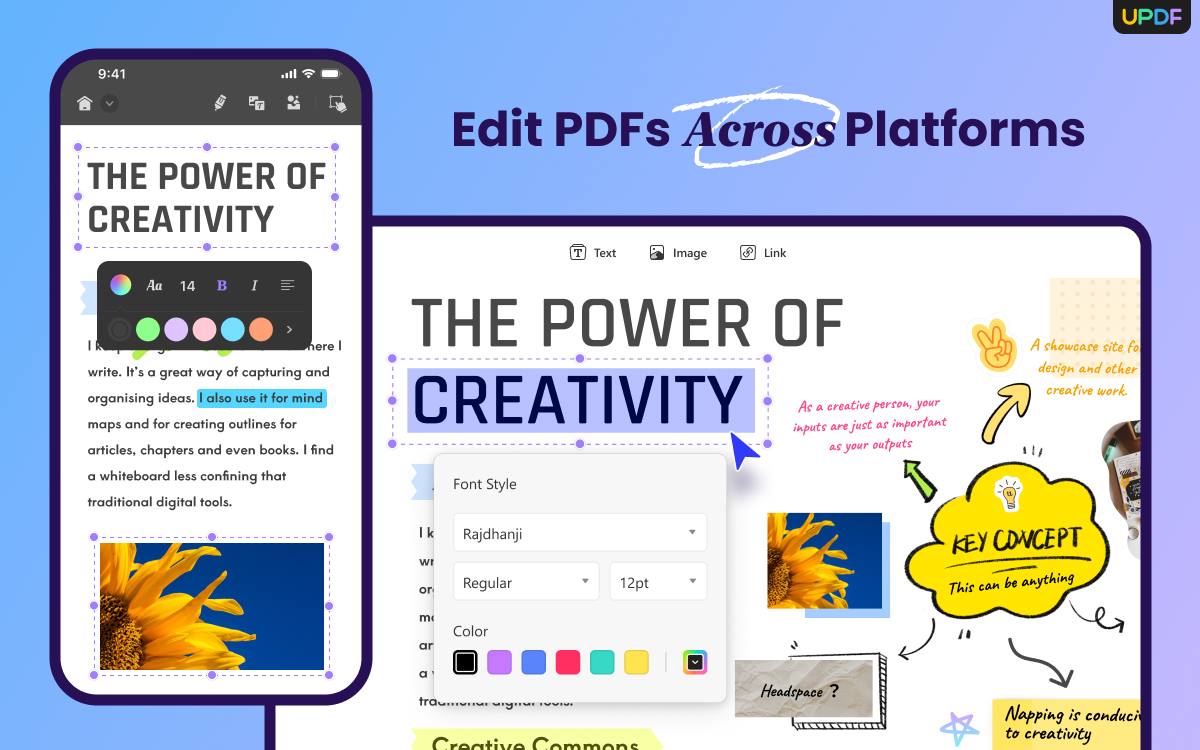
PDF has become an integral part of our daily lives, and finding the right PDF editor can be a daunting task. Fortunately, UPDF is here to provide the perfect solution for all your PDF editing needs. With its affordable pricing and streamlined user interface, UPDF is the best choice for anyone looking for a reliable and comprehensive PDF editor.
The best part is that UPDF is compatible with all platforms, including Windows, Android, macOS, iOS, and iPadOS, making it the most versatile PDF editor available. It offers a comprehensive set of features, including Edit, Annotate, Convert, OCR, Fill forms, AI, Cloud, Batch, Compress, Protect, and organize, making it an all-in-one PDF editor.
UPDF is offering the exclusive discount on UPDF Pro with an AI add-on, and you could download now to have a try! Read this article to find out more about this incredible tool.
The Features I Like the Most on UPDF.
Though UPDF is equipped with bundles of amazing features, below I have shortlisted my all-time favorite ones. Let’s have a look!
Cross-Platform Compatibility
One of the best features that I like is its good cross-platform availability. With a single account or purchase, I can use UPDF on up to 4 different devices, including Windows, Mac, iOS, and Android. This means that I can access my PDF files from any device and edit them anytime, anywhere. This is especially helpful when working on a project that requires switching between multiple devices.
UPDF AI
Another fantastic feature of UPDF is its AI-powered capability. UPDF’s AI feature is unique and rare to find in other PDF tools. With UPDF AI, I can summarize, explain, write, translate, and even ask questions related to my PDF files.
For example, I can upload a sale or labor contract and ask the AI if there are any risks associated with signing it. All these AI-powered features prove incredibly helpful when I need to analyze a document quickly and efficiently.

Plethora of Editing Features
UPDF also comes with a comprehensive set of editing functions that allows me to edit PDF files effectively. I can edit text, images, links, backgrounds, stamps, and more on Android devices, which are not supported by many PDF tools.

Additionally, UPDF provides cloud storage, signature, and even scanning to PDF on iOS. The editing tools are user-friendly, making it easy to edit PDF files, even for first-time users.
OCR-Powered Conversion
Another fantastic feature of UPDF is the OCR-powered conversion. With UPDF’s OCR feature, I can convert images to editable text, making my work paperless. This feature is particularly helpful when I need to extract text from images or even want to convert PDF to XML.

Up to 20 GB Cloud Storage
Lastly, UPDF offers a generous 20 GB Cloud storage, accessible from any device, including Android and Windows. This makes it a better option than iCloud, which is only available on Apple devices. With UPDF’s cloud storage, I can keep my files safe and accessible on every device I use. This is incredibly convenient, as I don’t need to worry about transferring files between devices manually.
UPDF vs. Acrobat: Why UPDF Might Be Your New Best Friend
While Adobe Acrobat has long dominated the PDF editing scene, a challenger has emerged: UPDF. Both boast impressive features, but which one reigns supreme? Let’s compare them to find out:

Price
UPDF wins, hands down. For a fraction of Acrobat’s hefty annual fee, exactly 1/12th you get access to most of its essential features. This budget-friendliness makes UPDF ideal for students, individuals, and small businesses, as it costs less than half the price of Adobe.
Features
Both offer editing, annotating, and conversion tools, but UPDF has some surprises. Its user interface is more intuitive and customizable, while features like text box editing and drag-and-drop annotations feel smoother. That being the case, for most day-to-day tasks, UPDF delivers the essentials with ease.
Read this article to learn how to make a fillable PDF form without Acrobat.
Performance
UPDF shines here. Its lightweight design translates to faster startup times and document processing. This snappiness makes it a joy to use, especially on older machines. Acrobat, while powerful, can feel sluggish at times.
Security
Both platforms offer password protection and encryption, but UPDF takes it a step further with 256-bit AES encryption, surpassing even Acrobat’s standard protection. This extra layer of security might be critical for sensitive documents.
While Acrobat remains the industry giant, UPDF presents a compelling alternative. Its competitive price, user-friendly interface, and surprisingly robust features make it a serious contender. For most users, UPDF offers everything they need in a PDF editor at a fraction of the cost. If you’re looking for a powerful yet affordable option, UPDF is definitely worth a try!
The Bottom Line!
In my opinion, UPDF is an impressive representative of the new generation of PDFs, making it an ideal replacement for many of the familiar PDF software masters out there. With its AI-powered technology, UPDF offers remarkable editing capabilities that are unmatched in the market.
If you haven’t yet upgraded to UPDF Pro, I highly recommend doing so to unlock the program’s full potential. And for those looking for even more advanced features, UPDF offers an attractive discount on UPDF Pro with an AI add-on.