Most Popular Holiday Backgrounds On Zoom Revealed. #Zoom #Tech

With the effect of coronavirus meaning that holiday plans have had to be postponed, a lot of us are missing the ability to explore the world.

It’s perhaps unsurprising then that many people are using video calls as an opportunity to virtually travel, with holiday-style Zoom backgrounds seeing a huge 9,900% increase in searches according to Google Trends data.

Noticing the increase in demand, and anecdotally hearing of people using their destination imagery as video call backgrounds, luxury travel company Kuoni has released a select set of images and video to be used as Zoom backgrounds.

Kuoni has made 14 backgrounds available, 12 images and two dynamic videos, that reflect some of their most popular destinations. From Bangkok cityscapes to crystal-clear Caribbean waters, the collection offers a range of amazing travel landscapes.

James Nye from Kuoni comments: “Just a few days into lockdown we started to hear about people using our destination images as backgrounds to their video calls, to at least momentarily transport them to somewhere else in the world. Coupled with the increase in online searches for travel-inspired video call backgrounds, we wanted to release a collection that hopefully gives people a slice of their dream holiday whilst they’re at home. The collection includes some of our most popular destinations and we hope the range of landscapes means you can switch up the backgrounds depending on where you want your wanderlust to take you.”

Destination Zoom backgrounds have seen a spike in popularity


Kuoni also delved into the search data to discover which destinations and landscapes are currently seeing the largest surge in popularity for virtual backgrounds. With its beautiful beaches and sparkling waters, it may come as no surprise that the Caribbean is the most popular Zoom background right now – seeing a whopping 9,900% increase in searches. The data shows that long-haul destinations are the favourites, with just Sweden making it into the top five from Europe.

Most Popular Zoom Background Destinations

  1. Caribbean +9,900%
  2. =Australia +9,800%
  1. =Maldives +9,800%
  2. =Vietnam +9,700%
  1. =New Zealand +9,700%
  1. =Sweden +9,700%
  2. Philippines +8,800%
  3. =Canada +8,500%
  1. =Brazil +8,500%
  2. USA +8,100%
  3. Ireland +7,200%
  4. India +6,500%
  5. Portugal +5,000%
  6. Spain +4,900%

When looking at holiday types, such as dramatic mountain scenes or serene waterfalls, it’s safari backdrops that are currently the most popular followed by mountain views and cityscapes.

Most Popular Zoom Background Landscapes

  1. Safari +9,900%
  2. Mountain +9,800%
  3. Cityscape +8,100%
  4. Beach +7,800%
  5. Waterfall +6,600%
  6. Sea +6,400%
  7. Rainforest +5,000%
  8. Field +4,000%
  9. Desert +3,200%
  10. Lake +1,500%

To download all the backgrounds and for further information visit: https://www.kuoni.co.uk/travel-zoom-backgrounds

The (real) benefits of Windows 10 for small business. #Windows10 #Business

Perhaps the most remarkable achievement Microsoft has pulled off over the last decade has been making Windows far more user friendly. While cliché to say, it’s nevertheless a distilled report of UX from users. From its beginnings as a tech geek, relatively cool product that – at times – frustrated non-technical folk, Microsoft has clearly listened to consumers over the years. Today, Windows 10 epitomises the marriage of its technical ability with a far more intuitive end user experience.

Microsoft has dominated the working world for years, and for good reason. Even early critics of Windows struggled to find the kind of apps Microsoft had already made mainstream 30 years ago. Not only does Microsoft Office suite remain streets ahead of competition in enabling businesses big and small, but Microsoft’s enterprise-grade Server products have enabled network access and management for thousands of large corporations. Both user security and efficiency have driven Microsoft’s overall suite development in the new millennium.

A heads up for everyone still running Windows XP or 7: those Windows versions are unsupported now, which means no security patches or upgrades of any kind are in your future. Unfortunately for you, that means high vulnerability and low security for your PC. Windows 8 was an unpopular option for many, as it followed a touchscreen design layout; in particular, business users weren’t ready to abandon their familiarity with previous versions. Which brings us to Windows 10, and some good news – it’s the best Windows ever

Here’s why.

The benefits of Windows 10 for small business are many

Loyalties and bias aside, excerpts from a top IT concern in London covering What Are the Benefits of Windows 10 for Small Business? will win over many former critics. As a testament to Microsoft’s ability to respond to the market, they’re focus is on user experience, mobile access and the right box of tools.


  • Updates are (almost) pleasant now


Faced with competitors of various hues that included upgrades as a part of ‘maintenance’ at no charge, Microsoft has adopted a ‘software as a service’ (SaaS) approach, too. Facing the loss of consumer appetite for paid upgrades, Microsoft has reinvented its approach in line with such expectations. While small business users had to opt in and install Windows 10 when it arrived, future upgrades will roll out seamlessly in the background. In other words, they’ve taken the roundabout way of installing an OS and automated it. 

A tiny tweak perhaps, but with huge implications for UX. Buying an installation disc or being billed for an online upgrade is over, too. The standard offering will be free, while users who employ more extensive versions or apps within Windows will pay per use.


  • Security is state of the art


Enterprise now has a clear legal responsibility in terms of GDPR. Personal data is regulated, and the onus on business to both safeguard against and react towards its illicit dissemination is clear, with punitive measures against those who are negligent in looking after users’ or clients’ data.

Today, it’s surprisingly best not to supplement the Windows Defender suite of programs with other antivirus apps. Windows’ in-house security is tight, performs alongside the best, and makes extrapolation of security measures a cinch when needed. In other words, having Windows Defender up and running as it should be on the OS covers business in terms of its liabilities concerning personal data. It makes small business compliant, identifies and secures individual app access, and can limit files that apps can access. 

Enterprise users can expect to be forewarned of illicit activity around access, and Bitlocker makes encryption a standard possibility for business now – not just James Bond.


  • Multiple device commonality


Sticking with user-driven common sense, the Windows 10 OS runs on desktops, laptops and tablets. It presents as a familiar face, with the design reminiscent of the older Windows the whole world became accustomed to over the initial years of use. That might seem unimpressive, but for working personnel, it’s the difference between feeling confident (in presentations or other participation where data needs to be shared) or feeling technically challenged.

As cloud computing becomes the norm, Microsoft’s OneDrive allows users to access data whenever and wherever. Being able to consistently access data easily between devices is now so commonplace that it might be overlooked as a new feature, but significant hard work went into making that possible.


  • Toggling devices and operating times


In an emerging gig economy, many people take work home and work at all hours of the day and night. The ability (continuity) to do so is, again, something we all simply expect as a default; but that, too, is a new feature with Windows 10.

Transitioning effortlessly between devices while drawing files down from OneDrive makes working access simple, anytime. The Timeline feature enables a linear work route too, as scrolling back through chronologically listed file access makes locating specific information easy. Likewise, using the Files On-Demand OneDrive feature allows users fast access without relying on a slower local drive.


  • Identity management


Apart from BitLocker, Windows Hello assimilates biometric data on users to grant access to files. Users typically encounter a two-factor authentication process that adds further security to business dealings. This might seem banal, but the reality is all these tweaks and touches have been modelled on user expectations and preferences, as well as the logic of easy, secure computing. Microsoft has become adept at imagining the experience of daily users, and designed Windows 10 in accordance with that.

Assorted local and networked resources can be accessed by identified individuals or groups. Managing access across a staff contingent, freelancers and clients has become a push-button process, as opposed to someone having to physically dole out and collect documents, or otherwise police company data. Office 365 Business and Enterprise users can also employ Azure Active Directory accounts to the same end.


  • Flexibility to scale


Offering users software subscriptions has changed Microsoft product licensing to the benefit of users. Utilising a per month or per user billing model has made Windows significantly more scalable – and pleasurable to use – because of it. 

Should a small business need to add new staff, whether freelance or otherwise, per user costs can be defined based on deliverables for any project. Decreasing the number of users is now a simple matter, whereas before customers were ‘locked in’ to Windows for a term. 

Upfront costs have disappeared, and business accounting departments across the globe are loving the predictability of a per user structure, too. Any small business paying for Windows products can be assured that they are utilising the same platform expertise as any large corporation elsewhere. The inbuilt universality of Windows 10 means top drawer service and security to all subscribers – a nice touch by Microsoft towards a level commercial playing field.


  • An assistant called Cortana


Cortana is Microsoft’s response to Alexa and Siri – an interactive voice command feature, with personality! Having had the benefit of watching assistants like Siri roll out and noting where they stumbled, Microsoft’s Cortana has started out at a higher level. She’s almost a personality (she has opinions on general life, too) and definitely an aide that will become indispensable once a user starts using the feature.

Cortana is simple to use but not simplistic in abilities, and pleasingly responsive and intuitive. Full of a host of time-saver tweaks once engaged, Cortana is a genuine efficiency boost in a busy digital world.

Microsoft products work very well together

Another major perk of Windows 10 is it’s the most enabling platform for any of the other Microsoft business suite products. Truly an undiscovered benefit until a company runs Office 365 or Microsoft Server, it’s often in expansion that a business realises what a hassle-free, empowering platform Windows 10 is. Microsoft Business Suite products are optimised on the Windows 10 OS in a manner that simply doesn’t happen any other way.

Windows 10 is a feel-good Windows version, and a smart response to user issues over the years. Microsoft has responded well – even critics grudgingly agree that many of their complaints are now addressed with this version of Windows. Security is still benchmark, upgrades are no longer a looming hassle, and the access and identity management of Windows 10 makes for pleasurable working. Any small business would be hard pressed to better enable business processes, resident and remote staff, as well as the overall demands of daily business without it.

How Technology is helping TUH during the COVID-19 Pandemic #TUH #COVID19Ireland

In recent weeks Tallaght University Hospital has introduced numerous new digital solutions to assist patient care and also enable patients and their families keep in touch during the COVID-19 pandemic. New technology combined with existing innovation has been put in place to support hospital staff communicating with colleagues in order to efficiently treat and diagnose patients as well as helping them provide support for community settings such as hospices and nursing homes.

Speaking about the impact COVID-19 is having on patients and staff, David Wall, Director of ICT at TUH said, “Last December the Hospital launched a five year strategy with a heavy emphasis on Digital Enabled Care, we did not realise that we would be introducing so many elements of that care within a few weeks. With the support of an incredible team of ICT, medical, nursing and Health and Social Care Professional staff the Hospital has been able to introduce a number of new innovations in the Hospital very quickly. The use of this technology is proving to be critical in supporting our response to patients’ needs during this challenging time.  Combined with technology already in use in the Hospital, over the last number of weeks we have been enabling safe and efficient communication between colleagues as well as patients and their families.  Advances in ICT at TUH have facilitated a number of ‘firsts’ for the Hospital including an online interactive lecture series using Zoom, medical teams being able to consult with colleagues using wearable cameras, remote monitoring and virtual visiting.”

Donations from companies, volunteer groups such as Covid4comfort.org and gift cards from Amazon have helped TUH enhance the technology being used in the Hospital.  In ICU and Theatre, Echo Show devices enable two-way video calling so clinicians can consult with team members on video, rather than in person therefore reducing the level of foot traffic into a restricted area. The Hospital is also trialling voice activated, hands free devices that will also enabling communication between patients and their families over Skype.

Commenting on the assisted technology, Prof Paul Ridgway, Consultant Surgeon and Perioperative Director at TUH said, “The smart speaker technology enables our carers to more effectively communicate masked-face to masked-face. I have been very impressed how using Alexa has facilitated very effective staff to staff communications, reducing the need to enter areas where PPE is required saving both time and stock of PPE.”

Redzinc, an Irish based technology company have also donated five pairs of video glasses to TUH for six months. The wearable, point of view, wireless headsets are enabling medical teams to interact with each other in real time in order to diagnose and treat patients.

Dr. Peter Lavin, Consultant Nephrologist and Clinical Director of the Medical Directorate of TUH said, “The Redzinc glasses have been extremely useful and enable us to step into a clinical situation as if we were there. We are using them in theatre, the ED and ICU and they are helping us to reduce footfall into critical areas with vulnerable patients.”

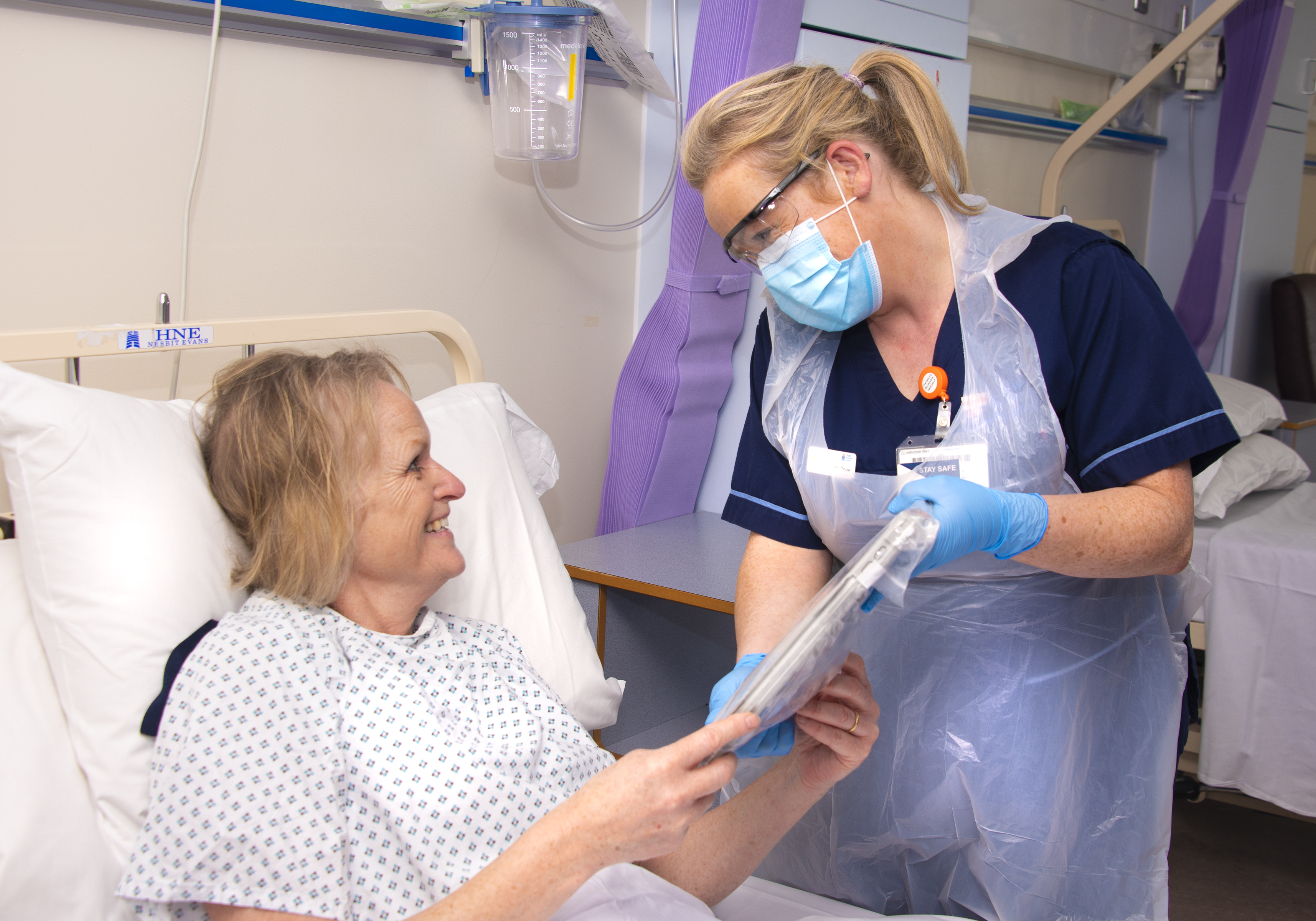
IPad’s been placed on all wards to help patients keep in contact with family and friends at a time when visiting is restricted in the Hospital. The iPads are housed in c leanable, healthcare compliant cases and have been set up with Skype, Facetime and Google Hangout.

Áine Lynch, Director of Nursing at TUH said, “Maintaining a human connection with friends and family is vitally important for our patients and their loved ones. In the absence of face to face visiting, virtual connection has become so important. The nursing staff are helping patients use the technology so they can see as much of their families and friends as possible during this time.”

As one of the two main teaching hospitals of Trinity College Dublin, the hospital specialises in the training and development of staff in the community and so Age-Related Healthcare at TUH have collaborated with the All-Ireland Institute of Hospice and Palliative Care to deliver an interactive virtual lecture series for nursing home staff to update them on changing guidelines and provide clinical education in order to enhance care. Four lectures have been delivered to date with an average of between 300 and 600 participants. Participants can submit questions in real time and themes are identified and answered by panellists.

Speaking about the innovative lecture series, Dr. Dan Ryan, Consultant Geriatrician at TUH said, “We have made the series as interactive as possible and the majority of the hour is dedicated to an open Q&A to provide a platform for answering practical questions that arise from staff. Nursing homes have traditionally been geographically cut-off from centres of learning and this current COVID crisis has exposed a historical lack of education investment provided to care homes”.

Other panellists have included TUH Consultants; Dr. John Cullen, Respiratory Consultant, Dr. Anna Rose Prior, Microbiologist, Prof. Sean Kennelly, Geriatrician with frequent panellist attendance from Dr. Stephen Higgins and Dr. Cliona Lorton, Palliative Care Consultants at TUH and Our Lady’s Hospice along with Claire Noonan, Advanced Nurse Practitioner in Older Persons at TUH.

The Hospital Robot Doctor, LUCY, has continued to provide invaluable help during ward rounds to support staff and patients during the pandemic. To help support staff, a number of which are now working in locations outside of the Hospital or redeployed within the Hospital, a staff app has been developed to ensure they are kept up to date with hospital news. Pastoral Care have also launched a video service, “Chat with the Chaplain” enabling chaplains to virtually visit patients and can be access through mobile phone or email.

During this Pandemic, the Hospital is also supporting the care of over 1,000 residents in 14 local nursing homes.  This sector has been particularly severely impacted by the COVID-19 pandemic and the TUH specialist team to support these services has used technology to facilitate communication and clinical review. Prof Sean Kennelly, Consultant Geriatrician at TUH said “Unfortunately nursing homes have been disproportionately impacted by COVID-19, with many residents becoming unwell. We have developed a telehealth outreach service for general practitioners and directors of nursing to our local residential care facilities, including video-consultations to support care in place. The multidisciplinary team has managed over 400 contacts in the last six-weeks, and this link to a specialist service has been essential in supporting these care facilities during a very challenging time.”