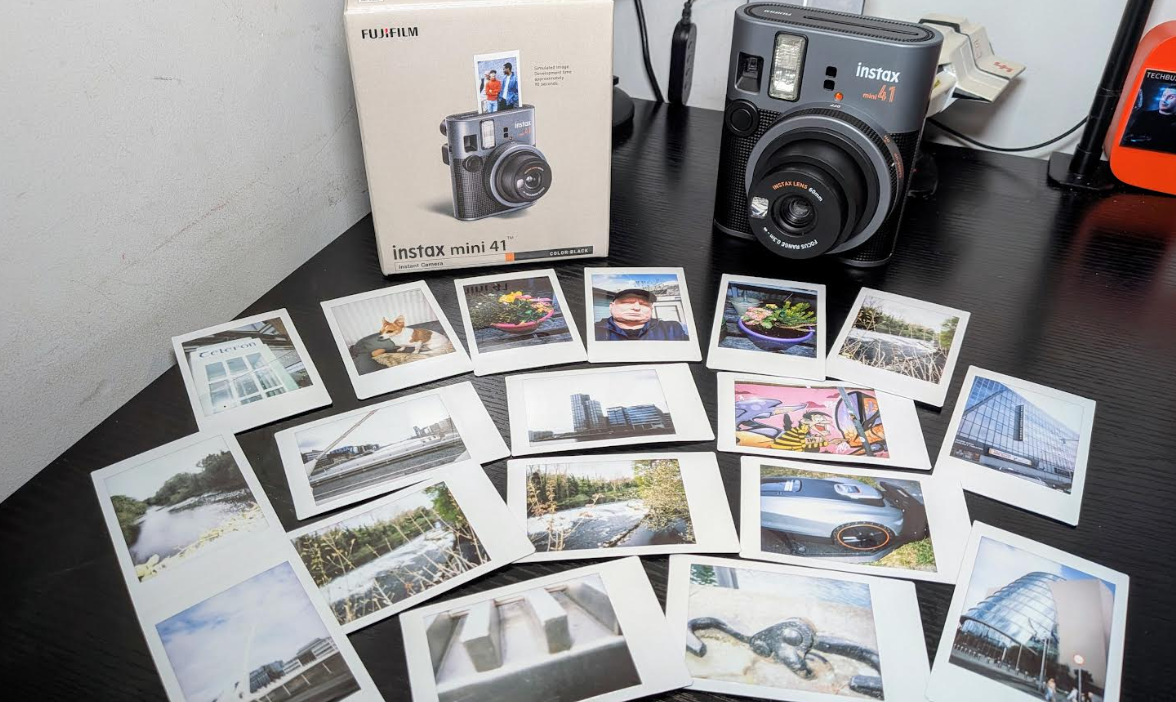
The instax mini 41 instant camera from FUJIFILM is their latest offering and a fun camera to use for those who like instant cameras and instant shots and this is no different than their other products on the market in this respect.
The snaps on this model are smaller than others is so keep this in mind they are not the larger based photo prints from other models we have tested before.
The camera is smaller than others however hence the smaller photos it prints but still has that nostalgic experience and the mini 41 camera is a joy to us it is simple to use and anyone can use it be it a pro or beginner.
To turn the camera on all you need to do is turn the ring on the lens and you have two focal lengths to play with 30-50cm and has much improved viewing window but be careful not to get your finger in some shots as I did on testing.
The build quality of the camera is also excellent here and has all the right rough edges in the right places making it easy to hold in both portrait and landscape mode and not as cumbersome as one would think some have asked what it was but I think they are more interested in the lens as is always with these that twist open on these cameras.
1
2
There is a flash on the camera however this cant be turned off which I found odd but it is what it is they put it there as is for a reason I guess and handy for night shots and low light situations when using the camera.
The images produced are as expected pretty good in most cases some came out over saturated or had a greyish hue to them but mostly good this time around I had no prints that came out white which has happened in past models. Photos again take about 90 seconds to process but let them sit a bit longer and watch them. This is a basic point and shoot camera which requires no skills no settings to play around with all day like other cameras and is fun to use it is not for everyone however as always with these cameras they are a joy to use and just simple and who does not like that.
Key mini 41 features include:
Automatic Exposure functionality
The Automatic Exposure function automatically senses the level of ambient light when the shutter button is pressed, optimizing the shutter speed and flash output according to the scene. It allows users to produce high-quality photo prints on-the-spot in a variety of interior or exterior environments.
Close-up Mode with Parallax Correction
The mini 41’s close-up mode features Parallax Correction, which helps center close-up images (including selfies) by adjusting the position of the ‘focus’ mark to the lower left of the frame.
Updated, easily portable design
Building off the classic design elements of its predecessor, the textured, tactile body of mini 41 provides secure, ergonomic grip, and the subtle metallic-like finish and orange color accents add unique design elements to the camera body.
The instax mini 41 joins a fun and versatile lineup of instax instant cameras and smartphone printers. Fujifilm’s instax mini 41 instant camera will be available at a manufacturer’s suggested retail price of €110.00 (inc, VAT). It will be expected to be available for purchase from 17th April 2025 at FUJIFILM retailers nationwide.
FUJIFILM Europe GmbH, Imaging Solutions Division,today announced the introduction of its new instax mini 41™ Instant Camera (“mini 41”). Updated with a stylish new look and improved functionality over its predecessor, instax mini 40™, including advancements in parallax correction and automatic flash control.
“The mini 41 is made for image makers who care about both form and function,” said Shin Udono, Senior Vice President, Imaging Solutions, FUJIFILM Europe. “mini 41 takes everything our consumers loved about mini 40 and levels up with enhanced performance and a modern design update – it’s easy to carry, easy to use, and matches the stylish aesthetic so many of our users bring to their photography.”
Key mini 41 features include:
Automatic Exposure functionality
The Automatic Exposure function automatically senses the level of ambient light when the shutter button is pressed, optimizing the shutter speed and flash output according to the scene. It allows users to produce high-quality photo prints on-the-spot in a variety of interior or exterior environments.
Close-up Mode with Parallax Correction
The mini 41’s close-up mode features Parallax Correction, which helps center close-up images (including selfies) by adjusting the position of the ‘focus’ mark to the lower left of the frame.
Updated, easily portable design
Building off the classic design elements of its predecessor, the textured, tactile body of mini 41 provides secure, ergonomic grip, and the subtle metallic-like finish and orange color accents add unique design elements to the camera body.
Pricing and Availability:
The instax mini 41™ joins a fun and versatile lineup of instax™ instant cameras and smartphone printers. Fujifilm’s instax mini 41™ instant camera will be available at a manufacturer’s suggested retail price of €110.00 (inc, VAT). It will be expected to be available for purchase from 17th April 2025 at FUJIFILM retailers nationwide.
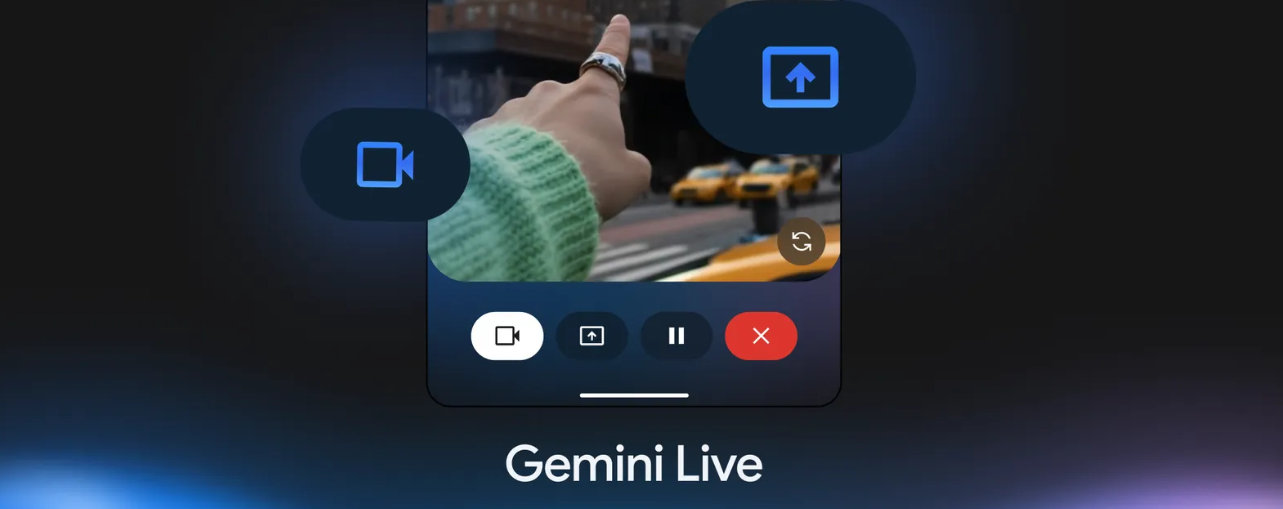
Today Google has just announced some exciting updates to the Gemini app. As of today, the Gemini Live Camera & Screen Sharing feature, initially announced in March, is fully rolled out to all Gemini Advanced subscribers on compatible Android devices. It has also been expanded to all Gemini Basic users on Pixel 9 and Samsung S25 devices.
Imagine the possibilities: Gemini Live now allows for natural conversations in over 45 languages, enhanced by the ability to share your camera or screen. This means real-time, intuitive help for everyday tasks – from getting styling advice and tech support to brainstorming interior design ideas and so much more.
This enhanced Gemini Live experience, rooted in the Project Astra research prototype showcased at Google I/O last May, represents a significant step towards a universal AI assistant that truly understands and interacts with the world around you.
Google is building an AI assistant that understands your world, and this update is a powerful demonstration of that vision. By bringing the ability to share your camera or phone screen with Gemini and discuss it in real time, users can share even more context, interacting naturally and unlocking a new level of intuitive help that can simplify and enrich their lives.
See more below
5 ways to use Gemini Live with camera and screen sharing
In March, we began rolling out the ability to talk live with Gemini about anything you see, whether it’s through your phone’s screen or through its camera. This is now available to all Gemini Advanced subscribers on Android devices, and today we’re bringing it to more people, starting with all Gemini app users on Pixel 9 and Samsung Galaxy S25 devices.
Gemini Live lets you have natural, free-flowing conversations with Gemini in over 45 different languages. Want to give it a try? Check out these five ways people have told us that using their camera or sharing their screen with Gemini Live has made life easier.
1. Organize your space
Feeling overwhelmed by spring cleaning? Start by aiming your camera at a messy drawer, a cluttered closet or an overflowing shelf. Ask Gemini for suggestions on how to categorize items, maximize space or even identify what you can donate or discard. Get real-time advice and visual guidance as you declutter, letting Gemini be your organization partner.
2. Brainstorm creative projects
If you’re stuck in a creative rut, brainstorm out loud with Gemini. Show your photos to Gemini by sharing your screen: you could share images of something that inspires you, like the textures of a tree or the colors of a bustling market, and ask Gemini to spark ideas for designs, creative writing or even crafts.
3. Troubleshoot and get input
Have a squeaky chair? A glitching record player? With Gemini Live’s camera input, you can show Gemini what you’re seeing in real time and get quick input while you work. Just point your camera at the issue and chat with Gemini to figure out a plan.
4. Get personal shopping advice
Tired of endless tabs and indecisive online shopping? Share your screen in Gemini Live as you browse online retailers, and Gemini can be your personal shopping assistant. Ask for comparisons between products or for style advice on outfits. You can even show Gemini specific items and ask what would compliment them using your camera to show your own wardrobe. Get instant feedback on your choices, ensuring you make informed (and stylish) purchases.
5. Develop your skills and get feedback
Share your screen with Gemini and get valuable feedback on your work, whether it’s your latest blog post, social media campaign or collection of photos. Get advice on everything from profile pictures and captions to overall layout and design. Gemini can analyze your content, identify areas for improvement and provide personalized recommendations to help you make a lasting impression.
Viltrox will be unveiling a wide range of important and previously-unreleased camera lenses, monitors and flash lights at NAB 2025 in Las Vegas. Organized by the US National Association of Broadcasters, NAB is one of the top events on the calendar for creative professionals in video, photography, media and broadcasting. Notable photographers will be speaking at the Viltrox booth daily, including Viltrox Partner, Dgphotoholic, Viltrox Ambassador, Francisco Joel Hernandez, and noted DP and Cinematographer, Daniel Woiwode (@cineharmonia).
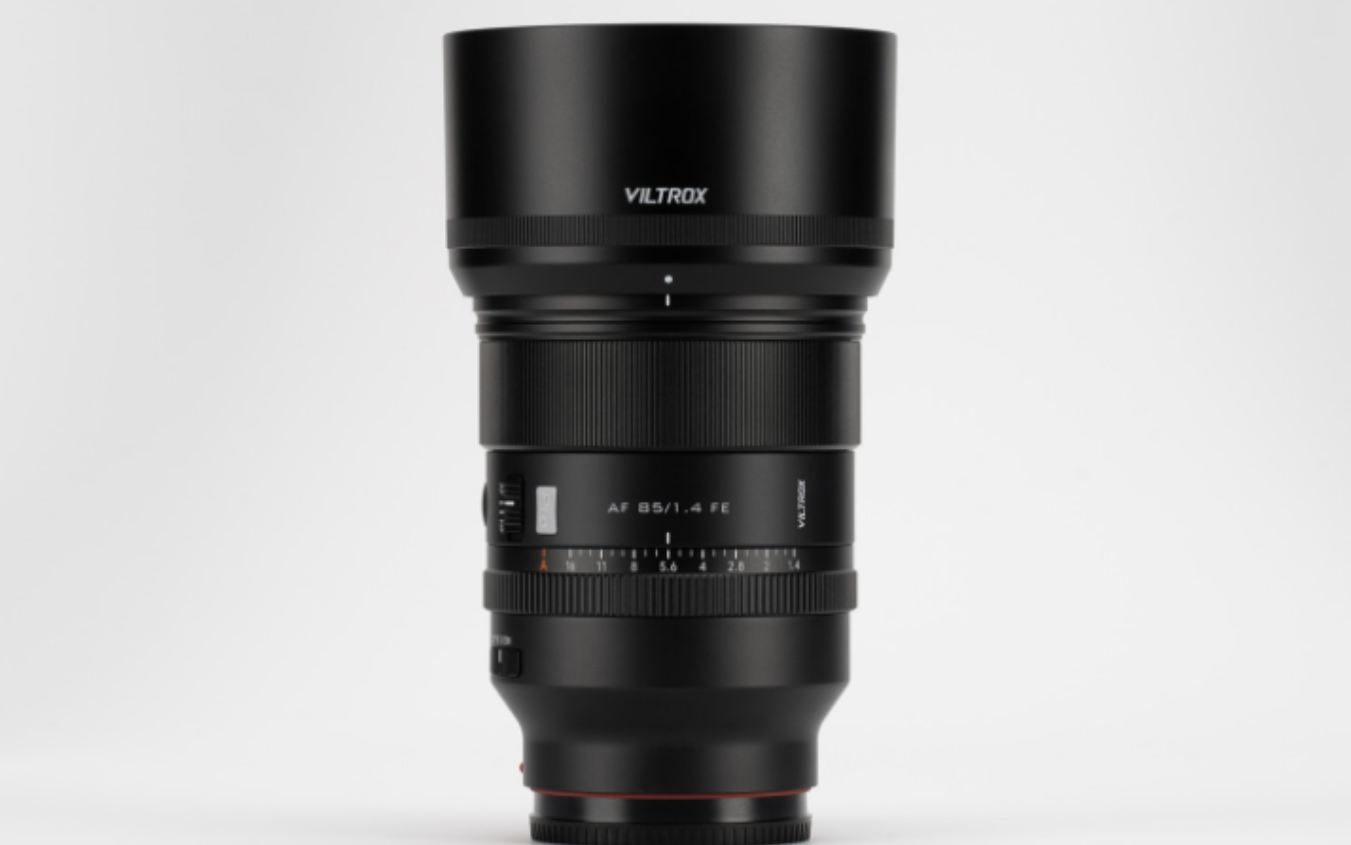
Viltrox will show unreleased products, including the Viltrox AF 35mm F1.2 LAB FE lens, the Viltrox AF 85mm F1.4 Pro FE lens, the Viltrox DC A1 Monitor, the Viltrox DC L1/L2 monitor and the Vintage Z1 Flash Light. An extensive range of other Viltrox lenses, monitors and accessories will also be on show at the booth. NAB 2025 takes place from April 6-9, 2025 at the Las Vegas Convention Center South Hall Lower, and Viltrox will be in booth SL11010.
Important new lenses and flash light
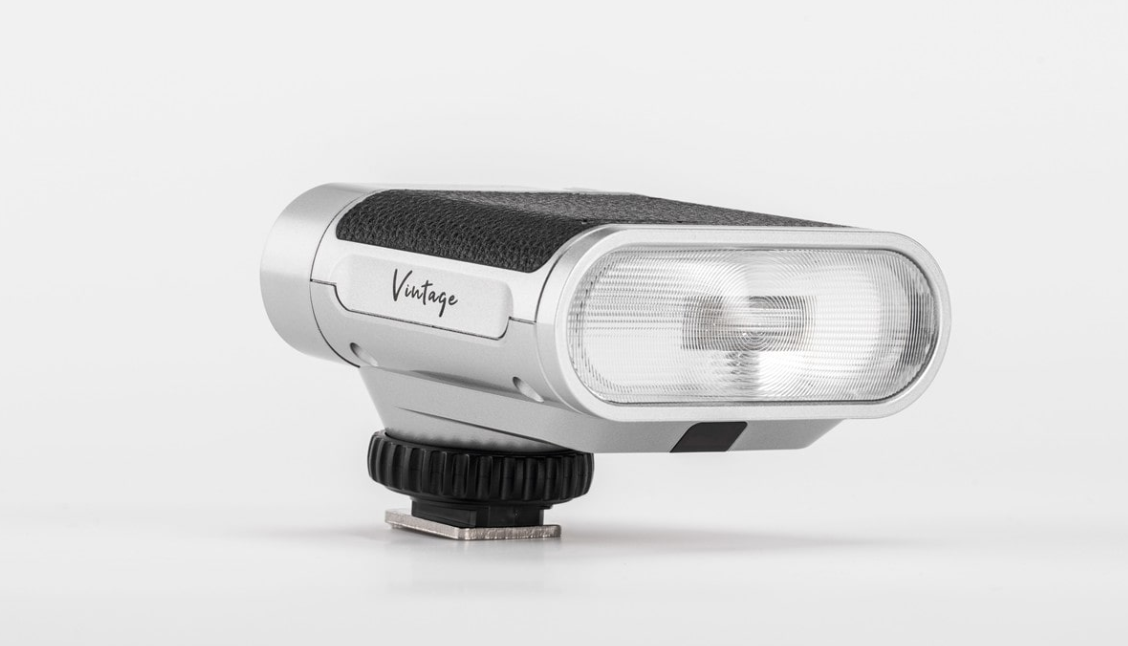
Viltrox will be showing some great new lenses, including the AF 35mm F1.2 LAB FE, which delivers exceptional image quality and low-light performance; the AF 85mm F1.4 Pro FE, a full-frame large aperture autofocus lens which redefines portrait photography with sharp details – even in low light – and stunning background bokeh; and also the new Viltrox 50mm F2.0 Air lens. Complementing these lenses is the new Viltrox Vintage Z1 Flash Light, a compact, lightweight retro-style flash light with professional control and great battery life.
New Viltrox monitors
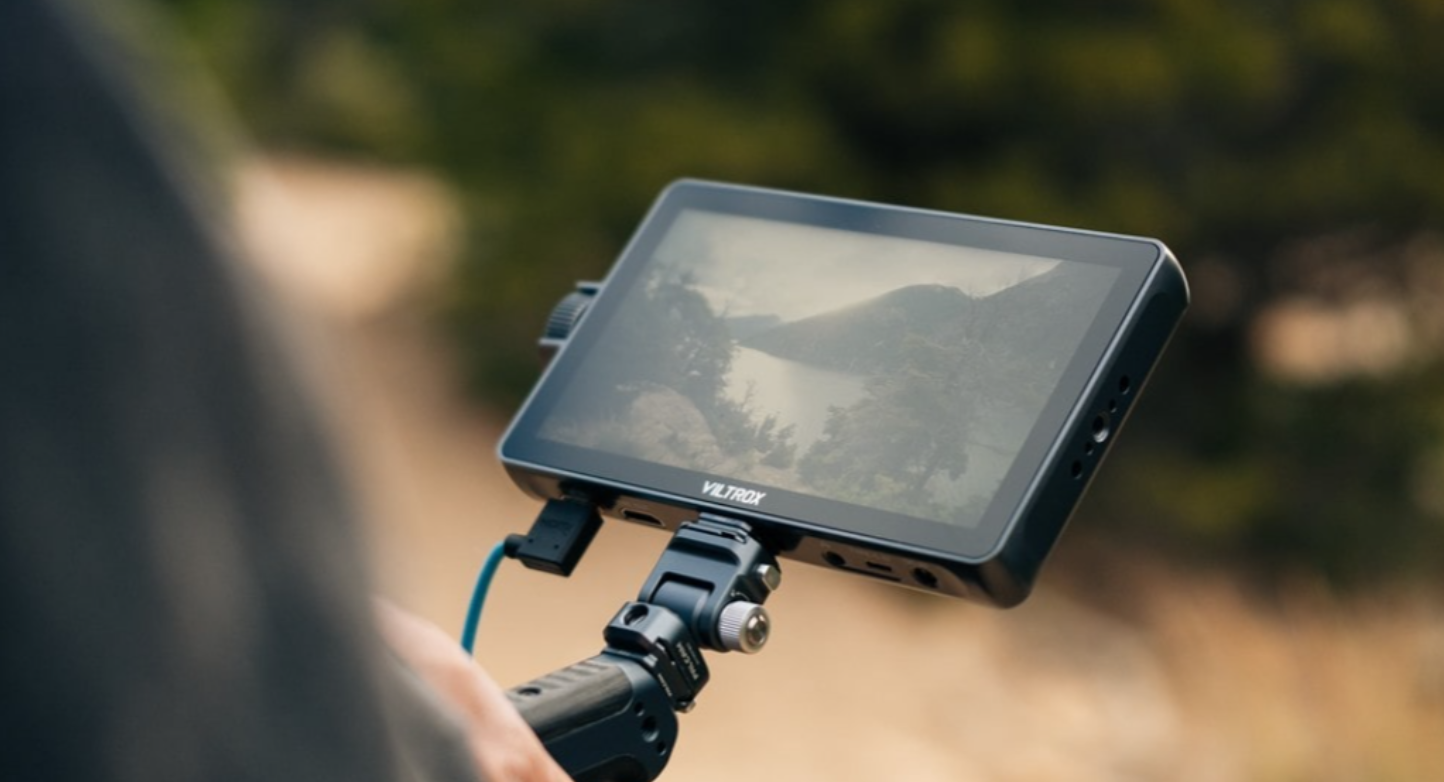
Viltrox will also be showing the DC-A1 Camera Monitor, a 7-inch ultra-bright HD touchscreen monitor designed to meet the needs of professional filmmakers and photographers with an impressive 2800-nit ultra-bright display, and the Viltrox DC L1/L2 monitor, which provides a powerful display and exceptional performance from its large but lightweight 7-inch screen – with a 170° viewing angle and multi-angle frame for a detailed, immersive monitoring experience.
Viltrox guest speakers and special events
On each day of the NAB 2025 show, Viltrox will hold a regular series of events at the Viltrox booth, with photographers speaking, and prize raffles of exclusive Viltrox gear for attendees. From April 6-8 these events will occur at the same time each day.
David Guerrero (Dgphotoholic) will talk from 11:00am to 11:45am about ‘The Magic of Bokeh: Creating Dreamy Portrait via LAB Series Lenses’. From 1:30pm to 2:15pm, Viltrox Ambassador, Francisco Joel Hernandez (Francisco) will share his thoughts on ‘Framing the Soul: The Art of Portrait Photography via LAB Series Lenses’. From 3:00pm to 3:45pm, noted DP and Cinematographer, Daniel Woiwode (@cineharmonia), will speak on the subject of ‘Cinematic and Commercial Shots by Viltrox Anamorphic’.
Each of these speeches will be followed by a raffle with multiple Viltrox lenses and monitors as prizes: including AF 135mm F1.8 LAB FE lenses, DC-X Series Monitors, AF 56mm F1.7 Air XF lenses, and AF 20mm F2.8 Air FE lenses.
On the concluding day of the NAB show, April 9, from 10:00 AM to 10:45 AM, there will be one final event: Francisco Joel Hernandez (Francisco) will again give a talk on ‘Framing the Soul: The Art of Portrait Photography’. Two Viltrox DC-X Series Monitors will be raffled as prizes to the audience immediately following this talk.
NAB 2025, organized by the National Association of Broadcasters
Website: nabshow.com/las-vegas/exhibit/
Date: April 6-9, 2025
Location: Las Vegas Convention Center South Hall Lower, 3150 Paradise Rd, Las Vegas, NV, USA
Viltrox Booth: SL11010
In a fast-moving business world, businesses looking for future growth need a scalable and robust security infrastructure. Verkada offers an all-inclusive surveillance system, but businesses that want more flexibility, a cost-effective approach or better customization may want other options. Below, we present some of the best Verkada alternatives that enable seamless scalability, centralized control, and remote access for growing businesses.
1. Coram.ai
Coram.ai is an innovative and AI-powered safety service for organizations that want advanced security processes without binding to proprietary technology. Coram.ai software works with any IP camera system, making it exceptionally flexible and scalable.
AI-Based Video Analytics: Coram.ai utilization of artificial intelligence to deliver near real-time notifications of significant events, including unauthorized access, unusual behavior, and slip-and-fall accidents.
Natural Language Search: Natural language search makes it possible for users to quickly and simply search through recorded video for specific footage using ordinary natural language search terms, making the investigation and reporting process far easier.
Scalability: As businesses grow, it is easy to add additional cameras and locations for business activities and do this without extensive changes to infrastructure.
2. Cisco Meraki MV
Cisco Meraki MV is a cloud-based video surveillance solution that makes installation, monitoring, and management easy for organizations with changing security needs.
Cloud-Based Centralized Management: All cameras can be managed from one Meraki dashboard, making it easy to scale across multiple chargeable locations.
Edge Storage Technology: Each camera has storage built into the device which leads to low bandwidth usage and allows for continuous recording even if the network goes down.
AI Security Features: Meraki MV has an analytics feature that enables a company to monitor for possible suspicious activity without the need for additional hardware or software.
3. Avigilon (Motorola Solutions)
Avigilon, a subsidiary of Motorola Solutions, provides enterprise video surveillance solutions with an AI-enhanced analytics engine and a scalable system architecture.
Avigilon’s High Definition Stream Management (HDSM) technology reduces the amount of bandwidth and storage required for high-quality video streams by adapting compression in real-time rather than burdening the network.
The self-learning video analytics can recognize and learn from activity patterns, and provide more sophisticated threat detection and response.
Avigilon’s open-platform software also allows businesses to integrate their existing security systems and customize it to their needs.
4. Rhombus Systems
Rhombus Systems provides a cloud-enabled, smart security solution purpose-built for companies seeking a system that can easily scale.
Plug-and-Play Installation : Rhombus cameras are built for speedy installation allowing companies to grow and scale a surveillance ecosystem without having to involve IT.
AI-Driven Threat Detection : When combined with features that enable facial recognition, license plate recognition, or behavioral analysis, AI takes the monitoring process to the next level.
Remote Access: Users can securely access live and recorded video from anywhere using the Rhombus cloud platform.
5. Genetec Security Center
Genetec offers an integrated security system comprised of video surveillance, access control, and license plate recognition, which makes it a single infrastructure solution for organizations that need a complete security system.
Security Center Platform: Organizations can manage all security functions from a single user interface, so expanding security coverage is easy and adding on to existing installations is straightforward.
Deployment Options: Genetec offers cloud deployment, on-premises deployment, or a hybrid deployment (cloud-on-premises) to suit the needs of the organization.
Advanced Security Analytics: Genetec has incorporated artificial intelligence (AI) into video analytics, verbal recognition of license plates, and intrusion detection to improve overall security efficiency.
Key Takeaways
Adaptability is a requirement: It does not matter how big or small the business, but when evaluating security systems, ensure you choose a system that is adaptable and that can change and grow with your needs, as your business continues to expand.
Cloud vs. On-Prem: Businesses may want to utilize a cloud system for simple scalability and management while away, and an on-prem system gives you a little more control. Artificial Intelligence & Automation: AI-enabled threat detection and automated alerts, to help improve response times and mitigate security risks.
Conclusion
Although Verkada offers a singular security solution, organizations wanting more flexibility, better data analytics, and inherent scalability look to alternatives. The unique security needs of your organization may offer solutions ranging from Coram.ai with it’s AI-powered capabilities, to Cisco Meraki with it’s cloud managed video security platforms, to Avigilon’s powerful enterprise-grade capabilities. Investing in a future-proof and scalable video surveillance solution will lead to excellent protection for any organization as it grows.
The Google Pixel 9a has just dropped and this time it has no hump some had a hump over the hump some did not i fall into the later and it drops at an aggressively priced 559 euro in Ireland which will raise some eyebrows.
With a more premium finish than before the Google Pixel 9a will comes packed with AI features as expected with Gemini on board and of course more of Google’s software prowess.
The Pixel 9a arguably the best phone in its tier for the price also comes with great cameras on board as you would expect and for me using these devices some years now they are the best point and shoot devices be it the pro version or the now popular a series. The cameras are 48 MP main camera and 13 MP ultrawide cameras and has macro focus,add me and of course night sight.
The Pixel 9a comes with a better screen too with 120hz refresh which will be welcome which is flat and this is now a trend we are seeing more of with smartphone manufacturers. The phone is also IP68 rated.
Stay tuned for a review soon and also we have quite a few cases here ready to review soon for the all new Pixel 9a
Ten things to know about the Google Pixel 9a
1
Magic made
simple.
Meet Pixel 9a – engineered by Google with more features than you expect, for less than you think. Like Gemini built in to help supercharge your productivity and creativity.1 An incredible camera. All-day battery.2 Durable design. And seven years of updates so it keeps feeling like new.
2
Easy, amazing photography.
With a 48 MP main camera and 13 MP ultrawide camera, you can take photos so amazing, you won’t believe you actually took them. For the first time on an A-Series phone, you can capture the smallest details using Macro Focus. With Add Me, you can make sure that no one is left out of a group photo – just take one photo with the group, then swap in the photographer. Pixel magically merges them together.
Night Sight on Pixel 9a enables you to take amazing photos at night and even capture a short clip of the stars with Astrophotography, a first on an A-Series phone. With Real Tone, all skin tones are represented beautifully and accurately in photos and videos.
3
Magical
editing.
With Pixel 9a’s editing tools, taking a photo is just the beginning. Google AI letsyou create perfect group photos with Best Take, and fix blurry images withPhoto Unblur. Magic Editor can automatically reframe your photo, suggest the best crop and even expand your image to get more of the scene. You can also use Reimagine in Magic Editor to give your photos a whole new vision – like adding a bed of flowers or greener grass.5 Just tap what part you want to change in the photo, and type what you want to see. And with Pixel Studio, make your own memes, stickers and whatever else you can dream up in seconds, from wherever you’re typing.6A surfing tiger, anime style? And make it a sticker? You got it.
4
Built to last.
Pixel 9a is Google’s most durable A-Series phone yet. With a metal frame and improved IP68 protection, it can handle water and dust.It has a newscratch-resistant Actua display. And it’s made with recycled aluminium, glassand plastic.With over 30 hours of power, the largest battery in an A-Seriesyet, Pixel 9a is dependable through the day.Additionally, seven years of PixelDrops and OS and security updates makes Pixel 9a a phone you’ll love to holdon to.
5
Gemini. Your built-in AI
assistant.
Gemini helps you supercharge your ideas. Press and hold the power button to start writing, planning, learning and more.Gemini can help you find info and take action across your Google apps on the go, like pulling party details from an invitation in Gmail and suggesting nearby florists in Maps.Chat with Gemini to get more info or take action on what’s on your screen.Or instead of typing, use Gemini Live and have a natural, free-flowing conversation. Gemini follows along, even if you change the topic or switch the question mid-sentence.
6
Smooth lines, durable
design.
Pixel 9a has been crafted with a new streamlined camera design that looks flat-out fresh, a unique design that’s a first for the A-Series while still iconically Pixel. Inspired by nature and water droplets, the Camera Bar is slightly domed, simple and beautiful. The phone is made with recycled materials and a recycled aluminium frame to help reduce carbon impact.Even the back cover is 81% recycled plastic – plus, the packaging is 100% plastic free.And Pixel 9a comes in four colours: Iris, Peony, Porcelain and Obsidian.
7
That
new-phone
feeling every few months.
With Pixel Drops, your phone keeps getting better over time, automatically for seven years. It gets brand-new features, so you don’t have to keep getting a new phone. These may include features for camera, battery, calling, AI and more.
8
Protects you and your
information.
Pixel 9a is designed for your peace of mind. It helps protect you from spam, scams and other threats, and also looks out for your safety.Pixel is built with safety features that help you prepare and react in an emergency. It can quickly call emergency services and share accurate location info so they know where to send help.You even have protection if your phone is in the wrong hands. If suspicious activity is detected, Pixel automatically locks to give you peace of mind that your sensitive information will stay private.
9
Built to
protect.
Beautifully.
Made specifically for Pixel 9a, the ultra-smooth Pixel 9a Case sits perfectly along the streamlined camera design. Match it precisely to the hue of your phone, or mix things up. The case is designed together with the phone for
seamless charging, clear audio and uninterrupted calls.And it’s made with at least 40% recycled plastic.
10
Get more with Pixel 9a.
It’s easy to switch to Pixel, and it comes with the best of Google. Pixel 9a includes three months of Google One,20three months of YouTube Premium21and six months of Fitbit Premium22to help you get the most out of your new phone. Google One keeps your photos and files safe with 100 GB of storage and automatic phone backup. With YouTube Premium, you can enjoy YouTube videos and music without ads, and offline. And give your motivation a healthy boost with six months of Fitbit Premium wellness content, including workouts, mindfulness sessions, healthy recipes and more.
Phone repairs might seem to be very simple, but they require a great deal of skill, patience, and attention to detail. If you are planning to get your phone repaired, you can improve the success rate with the right information and guidance. Opting for DIY repairs might not always lead to success. Therefore, it is better to contact professionals who are familiar with the intricacies of your phone and make sure the repairs go smoothly. In this article, we will learn common iPhone issues and tips to get them fixed.
Common Issues Associated with iPhone
Before you learn about some iPhone repair tips, have a look at these common iPhone problems you might have to deal with:
Motherboard
Water damage, overheating, and other factors can lead to problems with the motherboard. The problems can range from glitchy performance to total failure.
Screen
Your mobile phone screen can crack and shatter. Dead pixels are another problem. Similarly, screen damage can reduce visibility and touch responsiveness.
Battery
Over time, the phone’s batteries can degrade and their lifespan becomes shorter. Reduction in capacity, overheating, swelling, or unforeseen drops in battery life can cause problems.
Cameras
Camera issues include focus problems, blurred images, or issues in taking photos. Dust and debris can affect your mobile phone camera lens. Some software glitches can impact camera functionality too.
Follow these steps for repairing a broken or damaged phone screen. You can fix it using screwdrivers, a replacement screen, and plastic picks. Safely power off your phone and disassemble it to remove the broken screen. Remove the old screen and replace it with a new one. Now, assemble the phone and make sure that all factors are rightly secured. Power on the phone and test the new display screen’s functionality. Although you can replace the phone screen on your own, it is better to seek professional assistance for iPhone screen repair as it requires skill and practice.
Battery Replacement
For replacing your iPhone’s old battery, power it off and remove the screen. Now precisely remove the battery and fit a new one. Make sure the battery is properly connected to your phone. Reattach the screen and switch on your iPhone. Monitor battery performance to determine whether it is performing correctly or not.
Fixing Water Damage
If your phone has been damaged due to exposure to liquid, you can fix it by using simple steps. Power off your phone immediately and remove its battery if possible. Disassemble the phone to expose its elements. Dry all the elements of your phone using silica gel or a fur-free cloth. Once enough time has passed for the components to dry completely, reassemble your phone and power it on to check its functionality. Alternatively, get your phone checked by professionals to make sure it is fully functional and no internal components have been damaged.
Resolving Software Issues
For addressing software issues, you can try resetting the phone to its factory settings. However, the best way to get software problems resolved is to contact professional iPhone repair experts. They fix your phone by streamlining your operating system or using technical software tools.
Tips for Smooth Phone Repairs
Follow these tips and tricks to ensure smooth repairs:
Disassemble Properly
Understand the structure of your phone before attempting any repairs. Consult repair guides from official sources to get detailed insights into the internal layout of your phone, regardless of its model. Know the location of each component in your phone and learn how they fit together to avoid causing additional damage during disassembly.
Avoid Long Screw Damage
The motherboard of a cell phone is a complicated structure comprising many layers and numerous power lines. Using the wrong screw can cause irreversible damage to your iPhone’s motherboard and other components. You can avoid this by organizing your screws cautiously using a magnetic screw mat. It helps to keep track of different screws and prevents confusion.
Avoid using Short Killer
A short killer is a tool used for detecting short circuits. Although it is a quick solution, it carries significant risk of damage. High current output can further damage the motherboard if not applied correctly. If you want to identify short circuits in your phone, consider using a safer method that involves using a DC power supply to apply controlled current and identifying the shorted components using a thermal imager or rosin inspection method.
Handle Water Damage Carefully
Some iPhone technicians recommend using an ultrasonic cleaning machine for the water-damaged phones. However, this problem can worsen sometimes due to the machine’s high vibration frequencies. Instead, you can use a soft brush and a PCB cleaner to clean the motherboard. It is a gentle and safer method that reduces the risk of dislodging components or causing poor solder joints.
Prepare Your Workspace
If you are opting for a DIY phone repair, make sure to have a clean and well-organized workplace. An organized workplace reduces the risk of losing small parts and ensures all tools are within reach.
Choose the Right Tools
Using high quality tools can make a great difference in the ease and success of your phone repairs. Make sure to invest in good quality equipment such as precision tweezers and a reliable heat gun to prevent further damage and assure careful handling of delicate components.
Backup Data
Never forget to backup your data before starting any repair. This precaution helps you protect data in case something goes wrong during the project.
Test Functions Before and After the Repairs
Conduct a functionality test to check all main features of your phone before disassembling it to check what is working well and what’s not. Repeat the same test after the repair to make sure everything is still functioning well.
Prioritize Safety
Your phone’s safety should be your first priority during the repair. Always switch off the phone and remove the battery before starting any repairs. Use an antistatic wrist strap to prevent electrostatic discharge, which can damage sensitive components.
Common Cell Phone Repair Tools
Have a look at this list of different tools that might be required for the repair:
The screen, battery, cameras, and motherboard of your phone can be damaged due to various reasons such as dropping or exposure to liquid. If you have the required skills, practice, and tools, you can repair your iPhone by yourself. But some phone issues cannot be resolved on your own. Professional phone repairs make sure that your phone is fully functional. We recommend contacting reliable technicians for phone repairs!
The Samsung Galaxy S25 Ultra is the latest flagship on off but seen as an iterative upgrade from last years model which to be fair is a common trend amongst smartphone manufacturers and playing it safe, as the saying goes if it aint broke dont fix it.
Having had most the the flagship range over the years Samsung did give some small changes to the phone but you would find hard to distinguish between the last few models from the rear if you are not into your gadgets and the most notable one was the sharp edges ditched it is lighter and has a flat front display which is all good.
OK so it feels better in the hand before but if you have a case no different than any other previous behemoth phone which is good but this time around it looks and feels better. We done a walkthrough of the device here so you can have a better look at the UI and features
AI is the core here and I think people now are getting fed up with the AI terminology being used on a daily basis this is of course for some and not for others and even for me I am fed up hearing about it day in and day out however it is useful once implemented correctly and now all phone makers have their own interpretation of it and most of this we have already seen with Google who may stop Samsung in their tracks.
What are the differences between this year and last years models you might as well here we go.
S25 Ultra weighs in at 218g vs the 24s 232g
The Screen 6.9 vs 6.8 on last years
Main Camera is again 200mp ultrawide is 12mp over last years 50mp the zoom is better this time around being sharper in detail.
In video we have 4K60-24-30. 8K and 4K120 on the S25 on ultra wide while last years maxed out at 4K120
Both have the same 5000mAh battery this time the Spen has no bluetooth which is an odd omission for those who used it, there is a novelty factor to it I hardly used but did come in handy at times I will add and I am sure more productive people may miss this and for me did not use it as much as I would like too but it is great to have the functionality of it still present minus the bluetooth.
When it comes to being a workhorse it is I really liked the NOW briefing this is handy and easy to get the feel of and use to which I think many will enjoy over time as it gets to know you.
As one who used their phone all day long for blogging docs videos social and email and all heavy this was a breeze for me on the S25 Ultra and rightly so this is what it is for and it worked well with no issues no lag nor and shutdowns during the test period.
For camera and video again worked really well better than last years only slightly but you can be the judge of the samples below, yes we actually went out took photos and video day and night so you can see.
Overall for me the S25 Ultra is again a great smartphone to have but I have been asked if it is worth the upgrade which most of it is software based and will come to other devices in their portfolio so for me if you want the latest and greatest well yes of course if you have last years and sat on the fence and in a two year contract for example with the S24 I would wait until next upgrade is due. There is great features on the S25 Ultra and some already borrowed from Pixel devices which I use daily and it really comes down then to brand loyalists here as to what they want or might already have elsewhere but either way you cant loose on said devices or the S25 Ultra.
The instax WIDE Evo Hybrid Camera has been the latest camera I have been testing over the last few weeks and as always with instax it is a step back in time but current and if you are a fan of all things nostalgia you know the drill with these cameras we have been reviewing for some years now.
This camera again is bug but so what, might not be ideal to put in your bag but doable for some if you are one to take photos when out with your friends and family it is a talking point when taken out so and people do not realise instant photos can still be done like rather than take one on your phone have this camera at hand and get your photo there and then.
There is lots going on with the WIDE Evo hybrid when it comes to features and several buttons to mess around with for me an overkill I am a point and shoot but having played around with this I can see why these features are there and again I am not one to edit photos once taken either but there is features galore all listed below and the editing options at hand.
With the big screen you see more and you also have wide angle shooting with this camera it is pretty cool all the options here and the array of buttons to play around with is a photographers dream. You have your focus lens, You have ten lens effects and ten film effects to begin with the dial on both sides you can scroll through them all we demo all this in the video review and also some of this in the unboxing video
There is a button up top for film style too with cool effects and then you have the lens to chose effects that suit you then you move down to the navi key and other buttons under the LCD display for more options and of course in image editing options, there is so much here to do for the real photography enthusiast. You have a dedicated shutter key this time it is not a button but a lever I would call it and below is the wide angle switch and you can notice the difference here unlike you can even on some phones today. You get your power on/off dial too this time rather than a button.
The stand out feature probably is the print crank which takes you back to days of old here and again people were somewhat looking at me funny when I took it out one night explaining to them how this works and what these cameras do.
You can add a micro SD card if you want and again print images from this and connect to the app if you wish and of course connect to their printers which is also cool. as for the image quality it is decent you can load them on to your laptop if you like and scroll through them there or the screen on the camera itself you have the best of both worlds here you can also connect to your phone and share.
instax WIDE Evo app
front
rear
Features
Integrated Wide Angle Option
WIDE Evo features the widest lens on any instax™ instant camera, at 16mm. Users can choose to take images at the standard width, or opt for Wide-angle Mode, which maximizes the camera’s lens capabilities to get all of the action into the photo.
10 Lens Effects x 10 Film Effect Options
Like the instax mini Evo™ instant camera, WIDE Evo features 10 lens effects and 10 film effect options, offering 100 different combinations for users to express themselves. WIDE Evo adds Degree Control, which allows the user to determine the degree to which each lens effect is applied to their image.
Enhance The Look Of The Image
WIDE Evo offers 6 film styles to customize images even further, with options including normal, a cinematic look with black bars across the top and bottom of the image, a classic film strip look, a traditional date/time stamp format, a contact sheet look, or a vintage collodion process effect.
Selfies, Storage, and More
WIDE Evo also features a 3.5-inch LCD Monitor on the back of the camera to allow users to view added effects and edits and is supported by a built-in Lithium-ion battery which enables the camera to print up to 100 images per charge, depending on the specific use case. A Micro SD card slot (Micro SD Card sold separately) ensures there’s plenty of room to store additional images for later enjoyment (approximately 45 images can be stored in the camera’s internal memory), while the Selfie Mirror helps users nail selfies every time.
Film Styles
Exercise your creative control with five film styles (plus standard output). From cinematic to date stamp to film strip, each one delivers a unique analog-like effect burnt into the image to set your pictures apart.
Normal / Cinematic / Collodion Process / Contact Sheet / Date Stamp / Film Strip
Degree Control Dial
Satisfy your vision with the Degree Control Dial. Simply twist the lens to play with your chosen lens effects, creating subtle or dramatic images (and everything in between).
Wide-angle Lens
The instax WIDE Evo™ expands your view to capture more of the action, as it happens. And by using a single compact lens, whether Wide-angle mode is switched on or off, image quality is truly impressive.
Design Focused
Analog aesthetics
Finished in a modern, yet sophisticated design, and sporting a premium charcoal grey body with jet-black colour accents, this hybrid camera looks as good as it shoots.
Print Crank
Reminiscent of an analog experience, rotate the print crank located on the side of the camera to begin the printing of your latest creations.
Shutter Lever
Press the shutter lever down and feel the satisfying, responsive ‘click’ of the shutter as each photo is taken. Want to ‘lock’ the focus? Half press the lever.
Lens Cap
A premium lens needs a premium lens cap to protect it when not in use. Which is why the instax WIDE Evo™ comes with a handy detachable lens cap.
Wide-angle Switch
Effortlessly switch from wide-angle scenes to intimate moments using the wide-angle switch (handily positioned on the front, so you don’t have to take your eye off the shot).
Easy scrolling
On the left you have the Lens Effect Dial, on the right the Film Effect Dial. Both satisfyingly manual. Both easy to scroll through. Each perfect for turning the ordinary into extraordinary.
Degree Control Dial
Circling the lens you’ll find the Degree Control Dial, a ‘disc’ that your fingers can glide round, helping you change the degree of your shot to discover your exact vision.
Selfie Mirror
Some only see what’s in front of them. Not you. The selfie mirror, positioned on the front of this hybrid camera, lets you capture what’s usually behind the camera… you!
USB-C Charging
Unleash the full potential of the instax WIDE Evo™ by keeping it fully charged. With a USB-Type C port, plugging in for power couldn’t be easier.
LCD Screen
The high-resolution LCD screen on the rear gives you complete accuracy – what you see is what you print – helping you turn your vision into a physical, WIDE-format photo.
Tripod Mount
Fully equipped with a threaded hole, the instax WIDE Evo™ is tripod-ready. Useful for remote shooting, night-time shots or composites that require that extra steady ‘hand’.
Printed images, shared
For safe keeping
Insert a microSD card (sold separately) into the microSD card slot to back up your images – perfect for ultimate peace of mind, and ideal for those who want to ‘carry’ even more photographs.
Prints. From your camera roll
Not all photos are lucky enough to be shot on the instax WIDE Evo™. Which is why this hybrid instant camera also accepts shots from your smartphone, before dutifully printing them.
Inspiration at your fingertips
Explore the Discover Feed tab in-app for a daily boost of inspiration. A place where you can see and download the settings from other users’ images, ready to be used when the shot calls for it.
Social zone
Instantly share your WIDE format images via your smartphone. Pair the instax WIDE Evo™ with your smartphone, save your instax™ photos as digitally framed shots, then post your favourites to your social in a variety of creative templates.
Conclusion
Over this is a really cool camera with lots of features on board and takes decent photos, with the ability to share and print said photos via your phone or compatible printer makes it even more enjoyable to use and is a great talking point when taken out in a crowd.