The Benefits of Implementing Real-Time Location Systems Across Industries

Real-time location systems (RTLS) have emerged as a groundbreaking technology, revolutionizing the way organizations track and manage assets, personnel, and overall workflow across various industries. By utilizing advanced wireless communication technologies such as RFID, Wi-Fi, and Bluetooth, RTLS enables accurate, real-time tracking of objects and individuals, delivering valuable insights that significantly enhance operational efficiency, safety, and decision-making. As more businesses recognize the immense potential of this technology, industries ranging from healthcare and manufacturing to logistics and retail are increasingly adopting RTLS for its ability to improve productivity, reduce costs, and optimize operations across the board.

Improved Asset Management

One of the foremost benefits of implementing RTLS is the significant enhancement in asset management capabilities. In environments where valuable assets are in constant use or movement, knowing their exact location can save time and reduce costs. Hospitals equipped with RTLS technology can effortlessly track medical equipment like wheelchairs, infusion pumps, and portable X-ray machines. Hospitals utilizing RTLS reported a 40% reduction in the time spent searching for equipment. This improvement not only boosts staff productivity but also ensures that patients receive timely medical attention, ultimately enhancing patient outcomes.

Enhancing Employee Safety

Another crucial aspect of RTLS is its role in enhancing employee safety, especially in industries like construction, warehousing, and manufacturing. By integrating RTLS, organizations can closely monitor the movements of their workforce, ensuring that safety protocols are strictly followed. RTLS can detect when an employee enters a hazardous area, triggering alerts to prevent accidents. In the event of an emergency, real-time tracking facilitates faster evacuation and response times. The ability to locate personnel quickly in crisis situations can significantly minimize risks and potentially save lives.

Optimizing Operational Efficiency

RTLS can also lead to major improvements in operational efficiency by streamlining processes and reducing waste. With better visibility of asset locations, businesses can identify bottlenecks in workflow and take corrective action swiftly. Industries that rely heavily on inventory management, such as retail and logistics, benefit immensely from using RTLS technology. Accurate inventory tracking reduces excess stock and shrinkage, leading to lower operational costs. Manufacturers reported cost savings of up to 30% through better inventory management made possible by RTLS. Effective implementation of this technology yields more predictable operation timelines, enhancing overall productivity.

Data Insights and Analytics

Leveraging the data collected through RTLS allows organizations to gain insights that were previously unobtainable. By analyzing location data, companies can optimize their operational strategies and make informed decisions based on real-time trends. If you pay attention to https://www.pozyx.io, you’ll see how such knowledge enables companies to adapt to changing conditions and improve their overall performance. A logistics company utilizing RTLS can track delivery times and analyze route efficiencies, thereby reducing transportation costs and improving customer satisfaction. The source of this insightful data can often be found by exploring various providers, including specialized platform, which focuses on offering tailored solutions for RTLS implementation across multiple sectors. With the right systems in place, businesses can become more agile and responsive, gaining a competitive edge in their markets.

Enhancing Customer Experience

In addition to optimizing internal processes, RTLS can significantly enhance customer experience. Retailers using RTLS to track customer behavior in-store can analyze foot traffic patterns, determine which products attract the most attention, and personalize marketing strategies accordingly. By providing tailored services and promotions based on customer movements, businesses can not only increase sales but also foster customer loyalty. Companies that apply RTLS to track customer engagement see increased satisfaction ratings as they can address customer needs proactively.

The Future of RTLS

The future of real-time location systems looks promising, with continuous advancements in technologies creating even more opportunities for innovation across industries. As Internet of Things (IoT) devices proliferate, RTLS will become increasingly integrated into smart manufacturing and smart cities, facilitating seamless operations. Advancements in machine learning and artificial intelligence can enhance data processing and provide even deeper insights into location-based analytics. The combination of these technologies could lead to unprecedented levels of automation and optimization, fundamentally changing how organizations operate. As industries realize the multitude of benefits provided by real-time location systems, the movement toward their adoption will only gain momentum. 

Real-time location systems (RTLS) are revolutionizing industries by offering unparalleled benefits in asset management, employee safety, operational efficiency, and customer experience. As businesses continue to adopt and integrate this technology, they unlock new opportunities for streamlining processes, improving decision-making, and staying ahead of the competition. With ongoing advancements in IoT, AI, and machine learning, RTLS will undoubtedly shape the future of operations across various sectors, driving innovation and growth.

A Comprehensive Guide On Tech Used In Modern Recording Studios

When it comes to music production, the evolution of technology has transformed recording studios into sophisticated hubs where creativity and precision intersect. Today’s recording studios are a far cry from the humble beginnings of analogue equipment and tape machines. From digital audio workstations (DAWs) to cutting-edge soundproofing materials, technology has reshaped the way music is created, mixed, and mastered. This guide will explore the various tech used in modern recording studios, highlighting key tools and how they contribute to the music production process.


  1. Digital Audio Workstations (DAWs)


At the very core of every modern recording studio lies the DAW. DAWs are software platforms that allow musicians, producers, and sound engineers to record, edit, mix, and produce audio files. They serve as the digital equivalent of a traditional mixing console, with added benefits of flexibility, precision, and automation.


Popular DAWs such as Ableton Live, Pro Tools, Logic Pro, and Cubase are staples in professional studios like thelockup.ie. These platforms offer a wide array of features, including multi-track recording, MIDI functionality, advanced editing tools, virtual instruments, and effects plugins. DAWs can be paired with powerful audio interfaces and control surfaces to enhance the user experience, allowing for seamless integration with both hardware and software.


  1. Audio Interfaces and Preamps


An essential component of any studio setup is the audio interface, which acts as a bridge between the analogue world of microphones and instruments and the digital realm of your DAW. Audio interfaces convert sound signals into a format that a computer can process, typically through USB, 

Thunderbolt, or PCI connections.


Many audio interfaces come equipped with built-in preamps, which amplify weak audio signals (such as those from microphones) to a level suitable for recording. The quality of the preamp is crucial, as it directly influences the warmth and clarity of the recorded sound. The choice of audio interface and preamp can significantly impact the overall sound of a project. High-end preamps, such as those made by Universal Audio or Avalon, are prized for their transparent sound and ability to add character to recordings.


  1. Microphones


Microphones are the primary tools used to capture sound, and their selection depends on the type of sound being recorded. The most commonly used types of microphones in recording studios are dynamic and condenser microphones.


  • Dynamic Microphones: These are typically used for live sound and louder instruments such as electric guitars and drums. They are known for their durability and ability to take in extreme sound pressure levels. 


  • Condenser Microphones: Condenser mics are prized for their sensitivity and wide frequency response, making them ideal for recording vocals, acoustic guitars, and delicate instruments. They are powered by a phantom power supply, which provides the necessary charge to their internal circuitry. The Neumann U87 is an industry-standard condenser microphone, often used for both vocals and instrumental recordings due to its crisp and accurate sound.


The choice of microphone can have a massive impact on the tonal quality of a recording, with each type offering its own strengths and limitations. Many studios will have a selection of microphones on hand, allowing producers to choose the best option for each recording session.


  1. Studio Monitors and Headphones


Accurate monitoring is a vital aspect of music production, and for this, studio monitors and headphones are indispensable tools. Studio monitors are designed to provide a flat, neutral sound so that the producer or engineer can hear the recording as it truly sounds, without colouration or distortion. This ensures that mix decisions are based on accurate representation of the audio.

Some of the most respected studio monitors include the Genelec 8000 Series, Yamaha HS Series, and Adam Audio A7X. These monitors are known for their clarity, precise frequency response, and ability to reveal subtle details in a mix.


On the other hand, headphones such as the Beyerdynamic DT 770 Pro or Sennheiser HD 600 are used for more detailed listening during tracking, mixing, and mastering. They offer isolation from the surrounding environment, allowing engineers to make decisions without distractions.


  1. MIDI Controllers and Virtual Instruments


In the modern studio, MIDI controllers have replaced many traditional instruments, allowing producers to control virtual instruments and software synthesizers. MIDI (Musical Instrument Digital Interface) is a protocol that enables electronic devices to communicate with each other, transmitting data about pitch, velocity, and other performance aspects.


MIDI controllers come in various forms, from simple keyboard controllers to more complex devices with faders, knobs, and pads. By using MIDI controllers, producers can access a vast library of virtual instruments, ranging from synthesizers and drum machines to orchestral sounds and sampled instruments. 


  1. Mixing Consoles and Control Surfaces


While DAWs have largely replaced traditional mixing consoles in many studios, larger professional studios used by producers such DJ Benen Tierney still rely on analogue or digital mixing consoles for certain aspects of the production process. These consoles are used to route audio signals, adjust levels, and apply effects in real-time.


However, with the rise of digital technologies, many studios now use control surfaces — hardware interfaces that provide tactile control over the DAW. Control surfaces, such as the Avid S6 or SSL AWS, offer faders, knobs, and buttons that mimic the layout of a traditional mixing desk, giving producers and engineers greater control and precision when mixing and automating.


  1. Signal Processors and Effects


To shape the sound of individual tracks or the overall mix, signal processors and effects units are indispensable tools. These can be hardware-based (outboard gear) or software-based (plugins within the DAW).


Equalisers (EQ) allow producers to adjust the balance of different frequencies, compressors control the dynamics of a track, and reverb adds spatial depth to recordings. Classic pieces of hardware like the Universal Audio 1176 Compressor or the Lexicon PCM96 Reverb are often sought after for their character and warmth. However, with the advent of high-quality plugins, many producers now use software versions of these processors, such as the Waves or FabFilter plugins, which offer unparalleled flexibility and ease of use.


  1. Acoustic Treatment and Soundproofing


The environment in which a recording is made plays a significant role in the quality of the final product. In professional studios, acoustic treatment is used to control sound reflections, minimise reverberation, and eliminate unwanted noise. This may include the use of bass traps, diffusers, and absorptive panels to optimise the room’s acoustic properties.


Soundproofing is another essential element, ensuring that external noise doesn’t interfere with recording sessions. This is typically achieved by adding mass to walls, using soundproof doors and windows, and employing isolation booths for vocal or instrument recordings.


Final Word


The recording studio has come a long way from its analogue roots, and the array of technology used today enables artists and producers to push the boundaries of creativity. From DAWs and microphones to MIDI controllers and signal processors, each piece of technology plays a vital role in the recording process. As advancements continue to shape the industry, the tools available to modern producers and musicians will only become more sophisticated, allowing them to create ever more innovative and polished music.

Migration from MySQL to PostgreSQL

Database migration between advanced DBMS such as MySQL and PostgreSQL can be a complicated procedure. However, the benefits of PostgreSQL, such as better support for advanced features, superior performance for certain use cases, and compliance with SQL standards, make it an appealing option for many developers and organizations. Below is a comprehensive guide on why and how to migrate from MySQL to PostgreSQL.

Why Migrate to PostgreSQL?

    • SQL Standards Compliance: PostgreSQL is known for its adherence to SQL standards, making it more predictable and portable. While MySQL has made improvements over the years, it is not as fully compliant with SQL standards as PostgreSQL.
    • Data Integrity: PostgreSQL supports advanced features like full ACID compliance, foreign keys, joins, and subqueries more robustly than MySQL. 
    • Complex Queries: PostgreSQL has support for complex queries, indexing, and powerful optimization techniques that MySQL does not always handle well. 
    • JSON and JSONB: PostgreSQL’s JSONB type provides more efficient storage and querying capabilities for JSON data compared to MySQL’s JSON support. 
    • Concurrency and MVCC: PostgreSQL provides better concurrency control and uses Multi-Version Concurrency Control (MVCC), which ensures better read consistency under heavy load, compared to MySQL’s default InnoDB engine. 
  • Extensibility: PostgreSQL supports custom data types, operators, and functions, allowing for much more flexibility and extensibility.
  • Optimized for Read and Write Operations: PostgreSQL handles heavy read and write loads more efficiently in certain applications compared to MySQL.
  • Better Support for OLAP and OLTP: PostgreSQL shines in handling both Online Analytical Processing (OLAP) and Online Transaction Processing (OLTP) workloads. MySQL generally performs better for simple OLTP workloads, but PostgreSQL outperforms MySQL in analytics-heavy applications.
Challenges of Migration

MySQL and PostgreSQL have different default data types. For example, MySQL TINYBLOB, BLOB, MEDIUMBLOB, LONGBLOB must be mapped in PostgreSQL BYTEA. Integer or BIGINT types with AUTO_INCREMENT attribute in MySQL are mapped to SERIAL or BIGSERIAL in PostgreSQL.

SQL syntax in MySQL and PostgreSQL can differ, especially for advanced queries. Queries or functions written for MySQL may need to be rewritten for PostgreSQL. Certain MySQL-specific functions and features (like AUTO_INCREMENT, GROUP_CONCAT, etc.) do not exist in PostgreSQL, requiring adjustments.

MySQL and PostgreSQL use different procedural languages for stored procedures and triggers (MySQL uses SQL/PSM while PostgreSQL uses PL/pgSQL). This means you might need to rewrite complex stored procedures, triggers, or functions.

Migrate from MySQL to PostgreSQL Using pgLoader

pgLoader is an open-source, command-line tool to load data from various sources into a PostgreSQL database. The tool uses COPY command of PostgreSQL to load the source data from database or CSV file into the target database. It automates the process of converting and transferring databases from one format to another, handling schema and data migration.


On Ubuntu pgLoader is available in the default repository and can be installed via apt. However, to migrate from MySQL over an SSL connection, we need particular version of pgLoader (3.5.1 and newer). This can only be installed from GitHub repository.

Before proceeding with the installation of pgLoader, we have to install prerequisites:

  • sbcl: Common Lisp compiler
  • unzip: decompressor for .zip files
  • gawk: pattern scanning and processing language
  • make: tool to manage package compilation
  • libzip-dev: A library for managing zip archives


Install these dependencies as follows:

sudo apt install sbcl unzip libsqlite3-dev gawk curl make freetds-dev libzip-dev

Then download and unpack pgLoader itself: 

  1. curl -fsSLO https://github.com/dimitri/pgloader/archive/v3.6.9.tar.gz
  2. tar xvf v3.6.9.tar.gz

Build the pgloader executable from sources via make pgloader. After building is completed, move the binary file into the standard location of binary files sudo mv ./build/bin/pgloader /usr/local/bin

Once pgLoader is installed, you need to configure access to PostgreSQL and MySQL instances.

Create a Postgres Role and Database

pgLoader extracts data from the source file or database and loads it into a PostgreSQL database. To successfully execute this operation, you must either run pgLoader as a Linux user who has the sufficient privileges for PostgreSQL database or specify a PostgreSQL role with the necessary grants in the load command.

In PostgreSQL, database access is controlled through roles, which can be thought of as either individual database users or groups of users, depending on the configuration. While most relational databases use a CREATE USER SQL command to create a user, PostgreSQL provides a convenient createuser script that acts as a wrapper around this command, allowing you to create users directly from the console.

Note: By default, PostgreSQL uses the ident authentication method, which maps the client’s Linux username to the PostgreSQL database username, rather than requiring a password. While this method offers increased security in many scenarios, it can present challenges when an external program, like pgLoader, needs to connect to a PostgreSQL database.

If you’re using pgLoader, you can migrate data to the PostgreSQL database through the role authenticated through the ident method, as long as the role’s name matches the Linux user profile executing the pgLoader command. However, for clarity and ease of use, this guide recommends setting up a separate PostgreSQL role that authenticates using a password instead of the ident method.

To create this new role, run the following command on your PostgreSQL server:

sudo -u postgres createuser –interactive -P

Confirm that new role should have superuser permissions as it is required for using pgLoader. Then you can create new empty PostgreSQL database as follows:

sudo -u postgres createdb new_db

Create a MySQL User and Manage Certificates

Protecting data from unauthorized access is extremely important during the database migration, since there’s a risk that malicious actors could intercept the data transferring across the network if the connection isn’t encrypted. To prevent this, we will create special MySQL user that pgLoader will use to perform the migrate securely over an SSL-encrypted channel.

Run MySQL command line client: mysql -u root -p and create a new MySQL user as follows:

CREATE USER ‘pgloader’@‘postgres_server_ip’ IDENTIFIED BY ‘password’ REQUIRE SSL;

Of course, ‘postgres_server_ip’ must be replaced by actual IP address of the PostgreSQL server. REQUIRE SSL clause at the end of the statement restricts the user ‘pgloader’ to access the database through SSL connection only. 

Now we have to grant user ‘pgloader’ access to the target database ‘mydb’ in this example:

GRANT ALL ON mydb.* TO ‘pgloader’@‘postgresql_server_ip’;

Execute FLUSH PRIVILEGES statement to renew the grant tables and exit from the MySQL prompt. 

Then attempt to connect to MySQL as new user ‘pgloader’ from PostgreSQL server:

mysql -u pgloader -p -h mysql_server_ip

If you see the MySQL prompt, the command succeeded. Now we have a special MySQL user who is able to connect the source database from PostgreSQL machine. Afterall pgloader will fail to migrate using SSL since it cannot read MySQL config files and does not know where to look for necessary certificates

Instead of bypassing SSL requirements, pgLoader enforces the use of trusted certificates when SSL is required to connect to MySQL. To address this, you need to add the ca.pem and client-cert.pem files to Ubuntu trusted certificate store by copying the ca.pem and client-cert.pem files into the /usr/local/share/ca-certificates. Be sure to rename the files with a .crt extension, as this is necessary for your system to recognize the new certificates. 

Now everything is ready to migrate from MySQL to PostgreSQL.

Migrating the Database

pgLoader enables users to migrate MySQL database to a PostgreSQL server using this command: 

pgloader mysql://mysql_username:password@mysql_server_ip_/source_database_name?option_1=value&option_n=value postgresql://postgresql_role_name:password@postgresql_server_ip/target_database_name?option_1=value&option_n=value

This command line includes 2 connection strings – for MySQL and PostgreSQL databases. Each connection string starts by DBMS type followed by the username and password, the host address of the database server, the database name and miscellaneous options that configure migration. MySQL connection string must include option useSSL=true for secured connection to the database. 

If this command succeeded, you will see an output table indicating the migration progress.

Migrate Using Foreign Data Wrapper

Migrating from MySQL to PostgreSQL using Foreign Data Wrappers (FDW) allows you to access MySQL data directly within PostgreSQL without fully importing it. This method is useful for hybrid systems where you want to gradually transition or integrate MySQL data into PostgreSQL without moving everything at once.

  1. Install the PostgreSQL MySQL FDW Extension

First, ensure that the mysql_fdw extension is installed on your PostgreSQL server. This extension allows PostgreSQL to interact with MySQL databases via Foreign Data Wrappers. Once the FDW extension is installed, you need to enable it in PostgreSQL:

CREATE EXTENSION mysql_fdw;

  1. Create a Foreign Server for the MySQL Database

Now you need to define the MySQL database as a foreign server in PostgreSQL. CREATE SERVER statement provides connection information for a Foreign Data Wrapper to access external data source:

  1. CREATE SERVER mysql_server
  2.     FOREIGN DATA WRAPPER mysql_fdw
  3.     OPTIONS (host ‘mysql_host’, port ‘3306’, dbname ‘mysql_db’);

Replace mysql_host with the address of your MySQL server, mysql_db – with the name of your MySQL database. You can also specify the port if it’s different from the default 3306.


  1. Create a User Mapping for MySQL

Create a user mapping in PostgreSQL to allow it to authenticate with the MySQL database. It includes the connection details required by the Foreign Data Wrapper, along with the information from the foreign server to access an external data source:

  1. CREATE USER MAPPING FOR postgres
  2. SERVER mysql_server
  3. OPTIONS (username ‘mysql_user’, password ‘mysql_password’);

Replace mysql_user and mysql_password with the appropriate MySQL credentials.


  1. Create Foreign Tables

Once the foreign server and user mapping are set up, you can create foreign tables in PostgreSQL that map to the MySQL tables:

  1. CREATE FOREIGN TABLE my_table (
  2.     id integer,
  3.     name text,
  4.     — other columns as in the MySQL table
  5. )
  6. SERVER mysql_server
  7. OPTIONS (tablename ‘mysql_table’);

Replace mysql_table with the actual table name in MySQL.

  1. Migrate Data

To migrate data from MySQL to PostgreSQL, you can copy the data from the foreign table to a native PostgreSQL table. Create the PostgreSQL table:

  1. CREATE TABLE pg_table (
  2.     id integer,
  3.     name text,
  4.     — other columns
  5. );

Insert Data from Foreign Table:

INSERT INTO pg_table SELECT * FROM my_table;

This will copy the data from MySQL (through the foreign data wrapper) into the local PostgreSQL table. Repeat the process of creating foreign tables and migrating data for all the relevant tables you need to migrate.

Once all the data has been successfully transferred and you’re confident that PostgreSQL is ready to take over, you can stop using the FDW and migrate all remaining data directly into PostgreSQL. You may choose to drop the foreign tables and foreign server when done.

Migrate Using Intelligent Converters Software

As you may see two previous methods require plenty of manual effort for installing and configuring tools. For those who look for more automated solutions, it is suggested to consider dedicated commercial converters. 

One of these tools is MySQL-to-PostgreSQL developed by Intelligent Converters. This converter works with all modern versions of MySQL and PostgreSQL including such forks as MariaDB, Percona and DBaaS platforms such as Azure for MySQL, Heroku, Amazon RDS, ClearDB, Google Cloud.

Other features:

  • schemas, tables, data, indexes, constraints and views are migrated
  • option to merge or synchronize PostgreSQL database with MySQL data
  • option to filter data via SELECT-queries
  • target tables can be fully customized (modify name, type, default values for every column, exclude columns from migration)
  • conversion settings are serialized into profile
  • command line support

Conclusion

Database migration from MySQL to PostgreSQL can be a straightforward process with the right tools and careful planning. It’s extremely important to take care on differences in data types, indexing, and SQL dialects between the two databases. Tools like MySQL-to-PostgreSQL by Intelligent Converters streamline the migration of both schema and data, reducing manual effort. Thorough testing post-migration is crucial to ensure data integrity, application compatibility, and performance. By following the outlined steps and leveraging the appropriate migration tools, you can successfully transition from MySQL to PostgreSQL, taking advantage of PostgreSQL’s advanced features and reliability for your applications.

Cell Phone Troubles? Your Go-To Guide for iPhone Repair

Phone repairs might seem to be very simple, but they require a great deal of skill, patience, and attention to detail. If you are planning to get your phone repaired, you can improve the success rate with the right information and guidance. Opting for DIY repairs might not always lead to success. Therefore, it is better to contact professionals who are familiar with the intricacies of your phone and make sure the repairs go smoothly. In this article, we will learn common iPhone issues and tips to get them fixed.

Common Issues Associated with iPhone

Before you learn about some iPhone repair tips, have a look at these common iPhone problems you might have to deal with:

  • Motherboard

Water damage, overheating, and other factors can lead to problems with the motherboard. The problems can range from glitchy performance to total failure.

  • Screen

Your mobile phone screen can crack and shatter. Dead pixels are another problem. Similarly, screen damage can reduce visibility and touch responsiveness.

  • Battery

Over time, the phone’s batteries can degrade and their lifespan becomes shorter. Reduction in capacity, overheating, swelling, or unforeseen drops in battery life can cause problems.

  • Cameras

Camera issues include focus problems, blurred images, or issues in taking photos. Dust and debris can affect your mobile phone camera lens. Some software glitches can impact camera functionality too.

How to Repair Common iPhone Issues

Here is how you can repair some common iPhone issues:

  • Screen Repair

Follow these steps for repairing a broken or damaged phone screen. You can fix it using screwdrivers, a replacement screen, and plastic picks. Safely power off your phone and disassemble it to remove the broken screen. Remove the old screen and replace it with a new one. Now, assemble the phone and make sure that all factors are rightly secured. Power on the phone and test the new display screen’s functionality. Although you can replace the phone screen on your own, it is better to seek professional assistance for iPhone screen repair as it requires skill and practice. 

  • Battery Replacement

For replacing your iPhone’s old battery, power it off and remove the screen. Now precisely remove the battery and fit a new one. Make sure the battery is properly connected to your phone. Reattach the screen and switch on your iPhone. Monitor battery performance to determine whether it is performing correctly or not. 

  • Fixing Water Damage

If your phone has been damaged due to exposure to liquid, you can fix it by using simple steps. Power off your phone immediately and remove its battery if possible. Disassemble the phone to expose its elements. Dry all the elements of your phone using silica gel or a fur-free cloth. Once enough time has passed for the components to dry completely, reassemble your phone and power it on to check its functionality. Alternatively, get your phone checked by professionals to make sure it is fully functional and no internal components have been damaged.

  • Resolving Software Issues

For addressing software issues, you can try resetting the phone to its factory settings. However, the best way to get software problems resolved is to contact professional iPhone repair experts. They fix your phone by streamlining your operating system or using technical software tools. 

Tips for Smooth Phone Repairs

Follow these tips and tricks to ensure smooth repairs:

  • Disassemble Properly

Understand the structure of your phone before attempting any repairs. Consult repair guides from official sources to get detailed insights into the internal layout of your phone, regardless of its model. Know the location of each component in your phone and learn how they fit together to avoid causing additional damage during disassembly.

  • Avoid Long Screw Damage

The motherboard of a cell phone is a complicated structure comprising many layers and numerous power lines. Using the wrong screw can cause irreversible damage to your iPhone’s motherboard and other components. You can avoid this by organizing your screws cautiously using a magnetic screw mat. It helps to keep track of different screws and prevents confusion. 

  • Avoid using Short Killer

A short killer is a tool used for detecting short circuits. Although it is a quick solution, it carries significant risk of damage. High current output can further damage the motherboard if not applied correctly. If you want to identify short circuits in your phone, consider using a safer method that involves using a DC power supply to apply controlled current and identifying the shorted components using a thermal imager or rosin inspection method. 

  • Handle Water Damage Carefully

Some iPhone technicians recommend using an ultrasonic cleaning machine for the water-damaged phones. However, this problem can worsen sometimes due to the machine’s high vibration frequencies. Instead, you can use a soft brush and a PCB cleaner to clean the motherboard. It is a gentle and safer method that reduces the risk of dislodging components or causing poor solder joints. 

  • Prepare Your Workspace

If you are opting for a DIY phone repair, make sure to have a clean and well-organized workplace. An organized workplace reduces the risk of losing small parts and ensures all tools are within reach. 

  • Choose the Right Tools

Using high quality tools can make a great difference in the ease and success of your phone repairs. Make sure to invest in good quality equipment such as precision tweezers and a reliable heat gun to prevent further damage and assure careful handling of delicate components.

  • Backup Data

Never forget to backup your data before starting any repair. This precaution helps you protect data in case something goes wrong during the project.

  • Test Functions Before and After the Repairs

 Conduct a functionality test to check all main features of your phone before disassembling it to check what is working well and what’s not. Repeat the same test after the repair to make sure everything is still functioning well.

  • Prioritize Safety

Your phone’s safety should be your first priority during the repair. Always switch off the phone and remove the battery before starting any repairs. Use an antistatic wrist strap to prevent electrostatic discharge, which can damage sensitive components.

Common Cell Phone Repair Tools

Have a look at this list of different tools that might be required for the repair:


  • Screwdrivers
  • Pliers
  • Tweezers
  • Hot air gun
  • DC power supply
  • Microscope
  • Phone opening tools
  • Suction cups
  • Electric power tools
  • Digital multimeter

Use DIY Repair or Consult Professionals for Help!

The screen, battery, cameras, and motherboard of your phone can be damaged due to various reasons such as dropping or exposure to liquid. If you have the required skills, practice, and tools, you can repair your iPhone by yourself. But some phone issues cannot be resolved on your own. Professional phone repairs make sure that your phone is fully functional. We recommend contacting reliable technicians for phone repairs!

Best Strategies for Handling Tech Devices During Office Relocation

Relocating an office is a big job. There’s a lot to think about, from packing up desks to ensuring that technology is safely transported. Technology is the backbone of most businesses today, so taking care of tech devices during an office move is crucial.

If you don’t plan well, things could break, or important data could be lost. But don’t worry! We have simple strategies to help you handle tech devices smoothly during your office relocation.

Start Early and Plan Ahead

When moving tech, it’s important to start planning well in advance. Don’t wait until the last minute to think about how to move computers, printers, or servers. Create a timeline for the relocation, and include the tech move.

The earlier you start, the better you’ll be able to identify potential issues. You may need special equipment to transport sensitive devices or backup plans for any tech problems during the move.

Label Everything Clearly

A simple way to stay organized is to label all your tech devices. Labels should indicate where each item, including cords, chargers, and accessories, belongs in the new office space. If you have multiple computers or devices, give them clear labels.

Back Up Data Before the Move

Before packing devices with important business information, back up all your data. This is crucial for avoiding the risk of losing valuable files. Check that all files are fully synced if your company uses cloud storage.

If you store files locally, back up your data to external drives or cloud services. This ensures that you won’t lose crucial documents or information if something happens during the move.

Choose the Right Packing Materials

Tech devices need to be packed carefully to avoid damage during the move. The proper materials include bubble wrap, foam padding, and sturdy boxes.

Avoid using old boxes that might not provide enough protection. Each device should be wrapped securely to prevent scratches or damage. Be especially careful with fragile items, such as computer monitors or printers.

Hire Experts for Special Equipment

If you have large servers or other high-tech equipment, consider hiring experts specializing in handling technology, such as office removal services near Dublin. They will have the tools needed to move sensitive equipment safely, reducing the risk of damage.

Special equipment, such as server racks or climate-controlled transportation, may be necessary for some moves. To ensure everything arrives safely, it’s best to leave this to the professionals.

Ensure Proper Setup in the New Office

Once the tech devices are safely transported, it’s time to set them up. Make sure everything is connected correctly and tested before employees start using it. Double-check that all cables are plugged in and devices are powered up. 

Tech Devices: The Key to a Smooth Transition

Following these strategies doesn’t have to be stressful to relocate an office. You can ensure a smooth transition by planning, labeling everything, and backing up your data. Start early, stay organized, and you’ll be ready for the new office quickly.

Time to Make Your Move

Office relocations can be tricky, but with a little planning and care, your tech devices will be ready for action. Use these strategies to help make the transition as smooth as possible. If you want more tips on handling the moving process, keep reading our articles on office relocation. We’ve got all the advice you need!

For more on this content, visit the rest of our blog!


Innovative Technologies Reshaping Medical Malpractice Cases: A Look at How Tech is Enhancing Legal Outcomes

In recent years, the healthcare landscape has transformed dramatically due to advancements in technology. From telemedicine to artificial intelligence, innovations have enhanced patient care, enabling healthcare providers to deliver more accurate diagnoses and efficient treatments. However, this rapid evolution also presents new challenges, particularly in the realm of medical malpractice. As technology plays a more significant role in healthcare, personal injury lawyers must adapt to these changes to effectively represent their clients in medical malpractice cases.

Understanding the intersection of technology and law is crucial for legal professionals. As healthcare technology evolves, it reshapes the way medical malpractice cases are approached. Lawyers must stay informed about the latest advancements to leverage these technologies in their clients’ favor. This blog will explore how innovative technologies are reshaping medical malpractice cases, highlighting their benefits and challenges while emphasizing the importance of adapting legal strategies to this evolving landscape.

Telemedicine: New Challenges and Opportunities

According to one legal practice, telemedicine has gained tremendous popularity, especially in light of the recent global pandemic. It offers patients the convenience of remote consultations, eliminating geographical barriers and improving access to healthcare. However, the rise of telemedicine also introduces unique challenges in medical malpractice cases. For instance, remote consultations can lead to misdiagnoses due to a lack of comprehensive physical examinations. This raises questions about the standard of care expected from healthcare providers operating in a virtual environment.

Moreover, the reliance on technology can create vulnerabilities in patient-provider relationships. In some cases, patients may feel less comfortable discussing their symptoms over a video call than in person. This discomfort can hinder accurate communication, potentially leading to adverse health outcomes. As personal injury lawyers navigate these complexities, they must consider the nuances of telemedicine in their legal strategies. Understanding the unique challenges it presents will enable lawyers to build stronger cases and advocate effectively for their clients.

Artificial Intelligence in Medical Diagnostics

Artificial intelligence (AI) is revolutionizing the way healthcare professionals diagnose and treat patients. AI-driven tools analyze vast amounts of medical data to identify patterns, assisting doctors in making more informed decisions. While these technologies enhance diagnostic accuracy, they also raise important legal considerations in medical malpractice cases. For instance, if a healthcare provider relies on AI-generated diagnostics, determining liability in case of an error can become complex.

Personal injury lawyers must grasp the implications of AI in their cases. They should investigate whether the healthcare provider adhered to the expected standard of care when utilizing AI tools. If a misdiagnosis occurs due to faulty AI technology, understanding the underlying algorithms and their reliability becomes crucial in establishing liability. By staying informed about AI advancements, lawyers can effectively advocate for their clients, ensuring that justice is served in medical malpractice cases.

Wearable Health Tech and Patient Monitoring

Wearable health technology, such as fitness trackers and smartwatches, has become increasingly popular among patients. These devices provide real-time health data, allowing individuals to monitor their conditions and share information with healthcare providers. The integration of wearable technology into patient care offers both opportunities and challenges in medical malpractice cases. On one hand, this technology can enhance patient engagement and empower individuals to take charge of their health. On the other hand, the reliance on wearable data can complicate legal proceedings.

For personal injury lawyers, the challenge lies in accurately interpreting the data collected from wearables. If a patient experiences adverse effects due to a healthcare provider’s negligence, the lawyer must determine how the wearable data correlates with the case. For example, if a patient suffers a heart attack despite wearing a device that indicated stable health, lawyers must examine the accuracy of the data and whether the healthcare provider acted appropriately based on that information. By understanding the implications of wearable technology, lawyers can effectively use this evidence to support their clients’ claims.

The Role of Digital Evidence in Courtrooms

As technology advances, digital evidence plays an increasingly critical role in legal proceedings. In medical malpractice cases, electronic health records (EHRs), digital communications, and telehealth documentation can provide invaluable insights into patient care. However, the admissibility of digital evidence in court can be complex, as legal professionals must navigate issues of data privacy and security. Personal injury lawyers must be adept at collecting, analyzing, and presenting digital evidence to build strong cases for their clients.

Furthermore, understanding the nuances of data protection laws is essential for lawyers handling digital evidence. If patient data is mishandled or improperly disclosed, it can compromise the integrity of the case. Lawyers must also be prepared to challenge the validity of opposing evidence, especially if it relies on questionable digital sources. By staying informed about digital evidence and data privacy regulations, personal injury lawyers can effectively advocate for their clients, ensuring that justice prevails in medical malpractice cases.

Future Trends: Predictive Analytics and Risk Management

Predictive analytics is an emerging trend in healthcare that utilizes data to forecast potential risks and outcomes. By analyzing patient data, healthcare providers can identify trends and implement proactive measures to minimize the likelihood of malpractice. This innovative approach not only enhances patient safety but also reshapes how personal injury lawyers approach their cases. As predictive analytics becomes more prevalent, legal professionals must adapt their strategies to align with this trend.

Personal injury lawyers can leverage predictive analytics to strengthen their arguments in medical malpractice cases. For instance, if a healthcare provider’s data indicates a high risk of complications for certain procedures, lawyers can argue that failing to inform the patient of these risks constitutes negligence. Additionally, understanding predictive analytics can help lawyers identify patterns in malpractice claims, allowing them to develop more effective legal strategies. Embracing this trend will enable lawyers to provide better representation for their clients, ultimately improving outcomes in medical malpractice cases.

Conclusion: Embracing Technology for Better Legal Outcomes

In conclusion, innovative technologies are reshaping the landscape of medical malpractice cases, presenting both challenges and opportunities for personal injury lawyers. As telemedicine, artificial intelligence, wearable health tech, and digital evidence continue to evolve, legal professionals must stay informed about these advancements to effectively advocate for their clients. Understanding the implications of technology in healthcare will enable lawyers to build stronger cases, ensuring justice is served for those affected by medical negligence.

By embracing technology and adapting their strategies, personal injury lawyers can navigate the complexities of medical malpractice cases with confidence. The integration of innovative tools and data-driven insights will empower legal professionals to achieve better outcomes for their clients, ultimately transforming the way medical malpractice cases are approached in the modern legal landscape. As the intersection of technology and law continues to evolve, it is crucial for legal professionals to remain proactive and informed, ensuring they are prepared for the challenges that lie ahead.


How Do Optical Beam Splitters Work & Applications

Optical beam splitters are important components across multiple optical systems since they serve applications throughout telecommunications and scientific research. These devices split one light beam into two or more separate light beams. Standard Beam splitters enable light control by using  polarization orientation or wavelength properties, while diffractive beam splitter enable universal control insensitive to wavelength or polarization

Types of Optical Beam Splitters

The different types of optical splitters exist to serve specific requirements in optical applications. Multiple versions exist of optical splitters, including these main types:


  1. Plate Beam Splitters


A plate beam splitter uses thin glass combined with a reflective coating as its structure. Its compact design makes it desirable when minimising physical space is essential. However, the flat design of these devices causes minor path deviations in the split beam path.


  1. Cube Beam Splitters


Beam splitters in cube form result from the bonding technique between two prism structures. These splitters provide better alignment stability and reduce surface reflections compared to plate models, but are unsuitable to high power laser applications


  1. Polarizing Beam Splitters (PBS)


The design purpose of these beam splitters includes polarization-based light division. A PBS functions to split unpolarized light into two primarily polarised beams oriented at right angles thus becoming useful for microscopy and optical communication.


  1. Wavelength-Selective Beam Splitters


The optical filters implemented in these devices create wavelength-based reflection of light. Fluorescence imaging and spectroscopy heavily rely on this device for their operations.


  1. Diffractive  Splitters


Diffractive beam splitters, or Damman gratings, are thin window like components that split a laser beam into an array of bams with precise separations and power ratios. Unlike 1-4 types of beam splitters, they do not have to split the beams at 90 degrees, but can rather generate small separation and a fan-out array of beams all going forward to the work plane. 

Applications of Optical Beam Splitters

Many fields rely on optical beam splitters as critical or necessary for operation. These tools’ basic light manipulation capabilities are vital in contemporary technological advancements.


  1. Laser Systems


In laser applications, multiple laser beam paths emerge from single beam distribution through use of diffractive beam splitters. The functionality is mandatory in applications such as laserskin treatment, perforation, and interferometry. High-power laser equipment commonly relies on anti-reflective diffractive beam splitters because of their effectiveness.


  1. Scientific Research


The scientific community depends on optical splitters as essential components for their experiments, mainly in fields such as quantum mechanics and optics. The operation of Michelson’s interferometer depends on beam splitters, which split and unite light paths to conduct precise distance and phase shift measurements.


  1. Biomedical Imaging


Chromatic Beam splitters in fluorescence microscopy and optical coherence tomography (OCT) serve to transmit particular wavelengths towards a sample while acquiring the sample-produced emissions. Including optical filters in the splitter system improves the quality of imaging results. In applications such as STED microscopy, diffractive beam splitters generate arrays of donut illumination to enable faster scanning of samples. 


  1. Telecommunications


The signal routing and multiplexing operations in fiber optic communication systems depends on beam splitters. Wavelength-selective splitters extended data transfer capacity through simultaneous multiplexing of multiple data streams which run across single optic fibers.


  1. Optical Instrumentation


Beam splitters efficiently direct light beams in spectrometers and rangefinders. Semi conductor metrology often relies on diffractive beam splitter gratings to generate reference points with absolute angular accuracy. 

FAQs


  1. What is the difference between a cube and plate beam splitter?


The cube beam splitter is more robust during sensitive alignment procedures compared to plate beam splitters as it adds no beam deviation . For high power applications, a plate beam splitter is often referred  to their higher laser damage threshold compared to cube beam splitters. 


  1. How does polarization affect a beam splitter?


A polarizing beam splitter uses polarized light to determine its transmission and reflection outcomes. PBS devices are essential optical components because they apply specific polarization-based splitting to light signals for advanced systems. Other types of beam splitters are unaffected by polarization.

Conclusion

Current optical technology heavily utilized   optical beam splitters because they deliver exact light control in multiple applications. Engineers and scientists can select appropriate beam splitters for their applications by comprehending the operational mechanisms and practical implementations of the different beam splitter types. These flexible devices continue to influence future optical developments in laser systems while enhancing biomedical imaging and telecommunications applications.

Useful travel gadgets and accessories for holidays and trips in 2025

Need to up your tech game for your trips and holidays well here below is some you might want to check out for the year ahead with the latest tech on the market from cables to watches bluetooth speakers and more there is something for everyone that is also affordable and will make life easier in 2025
Twelve South PlugBug Travel Kit
Price: £79.99 (50w), £129.99 (120w)
Available from Twelve South UK and Apple
Twelve South’s PlugBug is the first ever USB-C plug with built-in Find My! Travellers will never leave their charger in the hotel or airport lounge again. Simply launch the Find My app on an iPhone so see exactly where it is, even if it’s on the other side of the world. The PlugBug can also act as an AirTag tracker for any bag it’s in, allowing users to find both their bag and charger. Users can even utilise the Notify When Left Behind feature to help ensure it’s not lost in the first place.

It can charge Power Delivery compatible devices much faster than a standard USB-C charger and detects which devices are being charged and delivers the right amount of fast charging power to them. Available in 50W with two ports or 120W with four ports, the Plug Bug also includes EU (Type C) and UK (Type G) interchangeable adaptors.

Folding prongs and ports that are accessible from the bottom of the charger rather than the back, make it easy to plug in to wall outlets in tight spaces, such as behind a sofa or side table. The all new travel version includes adaptors for US, UK, EU, AU KR and CN as well as a handy travel case to keep things organised.

QDOS PowerMotion Ultra 4.0 USB cable
Price: £39.99
Available from QDOS
The new QDOS PowerMotion Ultra USB-C to USB-C cables offer high performance both in terms of power delivery and data transfer. Users can enjoy up to 40Gbps of data transfer, making it the ideal travel accessory for creatives who travel, gaming, and those who want to transfer large files.
What’s more its 100% recycled TPE stepped connector means it’s compatible with all USB-C and high power enabled devices including Macbooks, laptops, smartphones, tablets and more.
Vango Tempest Airbeam pump from Outdoor World Direct
Price: £89.99
Available from Outdoor World Direct
The most intuitive pump for air tents available, the Vango Tempest pump offers easy inflation of any air tent or awning (not just Vango’s), meaning there is no need to carry and work a manual pump. The rechargeable pump simply plugs into the valve and inflates any tent to the correct pressure, offering effortless, fast-pitching when camping. The included attachments mean it can also inflate other gear like airbeds. It also has a deflate function to safely set down the tent. The LED screen features PSI (pressure gauge) and there’s even a USB port so it serves as a powerbank for charging other devices, like phones. What’s more it weighs just 1kg, so doesn’t add to a backpacker’s or festival goer’s load.
Highlander Ben Nevis 52L rucksack from Outdoor World Direct

Price: £99.99

Available in petrol blue for women and grey for men from Outdoor World Direct in March

Ideal for those who love hiking, and embark on multi-day hikes for pleasure or  the Highlander Ben Nevis 52L Rucksack in men’s or women’s from Outdoor World Direct is specially tailored for women’s bodies and designed for comfort.
The adjustable height system and dual webbing on the shoulder and hip straps prevents shoulder pain from long periods of carrying. Hydration bladder compatibility means no need to lift the rucksack off once it’s comfortably in place to drink to stay hydrated.
Large front and side pockets provide easy access and the included rain cover keeps belongings dry in wet conditions. It also features dedicated points for ice axes, walking poles, and a Pole-Park system for more technical hikes.
Highlander Venture Backpack from Outdoor World Direct
Price: £24.99
Available from Outdoor World Direct
This 20L day pack by Highlander is ideal for day trips, whether exploring the mountains or cities. It is also within cabin baggage size guidelines (H48 x W27 x D16cm) and so can make a useful hand luggage option, especially as it’s packed with features.
The main compartment has compression straps for neat packing and hydration bladder compatibility for outdoors activities. A bungee corded front pouch makes handy storage for a helmet or compressing a jacket, while the elasticated side pockets are perfect for a water bottle and umbrella.
Adjustable chest and shoulder straps allow for correct load distribution, preventing aching shoulders.
Groov-e Kidz Headphones – new upgraded version
Price: £17.99
Available from Amazon now and Currys and Robert Dyas in March
New and improved for 2025, these headphones now have a volume limiter switch of 85db or 100db to help protect little ears. Ideal for keeping them entertained on long car journeys or flights, they can be used wirelessly via Bluetooth or with the included 3.5mm cable (so compatible with in-flight entertainment).
The integrated mic is ideal for catching up with friends or gaming online. The generous 20-hours playback, adjustable headband and soft, padded ear cups make them ideal for long durations. When they’ve finished listening, the Kidz fold down to a compact size for storage or transportation.

Styletech Portable LED Speaker

Price: £19.99

Available from Very

This affordable, compact Bluetooth speaker is ideal for enjoying music and more when travelling. Enjoy up to 11 hours playback and punchy sound from the 5w speaker, while the 11 RGB animated light options on the LED ring – including 5 static colours and 6 animated – are perfect for setting the mood, or turn them off entirely.
Integrated buttons mean controlling playback can easily be done on the speaker, as well as from the connected device. Standing just 105mm tall and with a handy carry loop, it’s the perfect speaker for holidays and adventures.
Maxcom Gold and Silver 2

RRP: £79.99

Available from Amazon in gold and silver

Maxcom Gold and Maxcom Silver 2 smartwatches combine a classic look with advanced technology for managing life on the go. Designed to look and feel like a stunning piece of jewellery, perfect for dinners out when on holiday, its round stainless steel body and shiny gold or silver bracelet accessories any outfit perfectly.

The watches are ideal for travel; make calls and texts, check the local weather and receive important notifications on the go, as well as track steps and outdoor activities. They also continually measure pulse and blood pressure and analyse sleep quality, suggest breathing exercises, measure stress and mood and send reminders to stay hydrated.

Dedicated female focussed features allow women to track their menstrual cycle, fertile periods and pregnancy. A versatile fitness trainer, it also counts calories burned, distance travelled and supports over 70 sports disciplines.

The 1.2-inch AMOLED touch screen is bright and easy to read. Always-On-Display mode allows users to display the time on a blank screen, giving it the feel of a traditional watch. Users can choose from unique, original dials or from over 100 free watch faces that are available in the app. Its efficient battery lasts for up to seven days without charging.

Maxcom FW66 IronR review

Groov-e Triton
RRP: £20
Available from Groov-e, Moto motorway services, House of FraserSports DirectAmazon

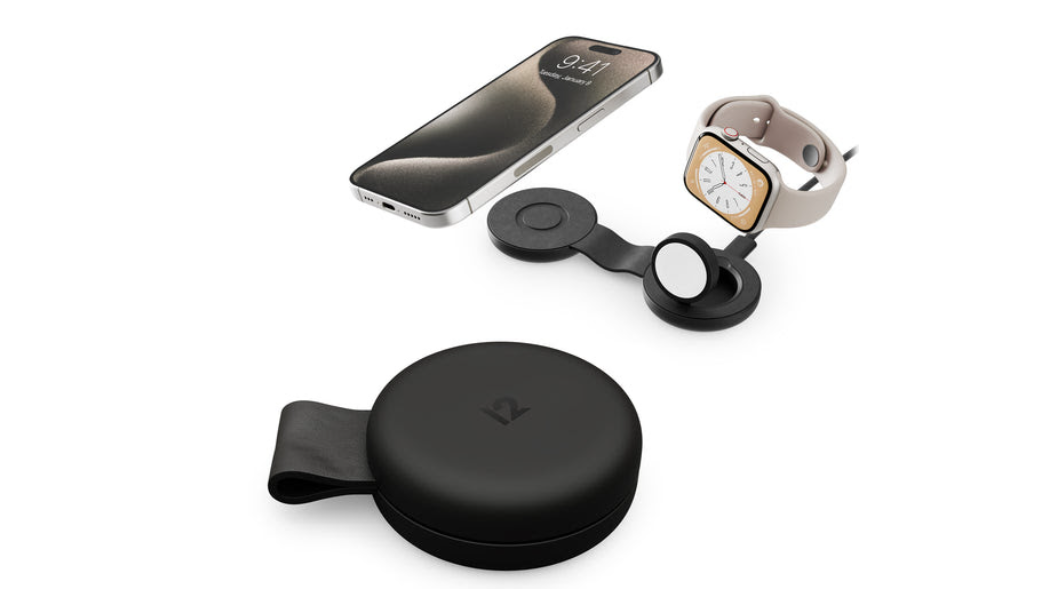
Ideal for keeping your devices charged on the go, Groov-e Triton is a folding 3-in-1 portable magnetic wireless charger. Compact and no bigger than a post-it note when folded, it fits easily in a handbag, backpack or carry-on bag, meaning users don’t need to take multiple cables or chargers with them.

When unfolded, it has three separate Qi wireless charging pads that lay flat to provide power to multiple compatible devices. Whether that’s an Android or Apple mobile device, Apple Watch, AirPods or wireless earphones, users can charge them at the same time. Triton can also be folded into a rigid stand, allowing users to watch videos or take calls whilst charging.

Microsoft receives IDA Ireland Special Recognition Award

An Taoiseach Micheál Martin joined IDA Ireland today to recognise Microsoft’s significant contribution to the Irish economy by awarding the company its Special Recognition Award (SRA). This acknowledgement coincides with Microsoft celebrating its 50th anniversary globally, and its 40th year in Ireland.

The Special Recognition Award is presented to companies who have made a significant contribution to both the Irish economy and to Irish society in general. It also highlights Ireland’s strong proposition and attraction for foreign direct investment which includes its talent, innovation, and stable enterprise policies. Previous recipients of the award include Pfizer, Apple, and Google.

The award was presented by Taoiseach Micheál Martin to Brad Smith, Microsoft’s Vice Chair and President, at a special event entitled, “Our Shared Digital Future”, held this morning at Dublin’s Mansion House. The event was attended by over 400 guests from IDA client companies, policymakers, business leaders and Microsoft employees, customers and partners.

Microsoft first established a presence in Dublin in 1985 with a small manufacturing operation with less than 100 people. Through successive investments, transformation and the diversification of its operations, Ireland has become a significant international hub for Microsoft with more than 4,000 people providing software development, engineering, data centres, finance, operations, and sales and marketing services for the EMEA region.

Building on its 40-year history of investment in Ireland, last November Microsoft announced a new strategic investment in its operations with the creation of 550 new Irish-based engineering and R&D roles that will be involved in pioneering the development of new AI technologies.

In presenting the award Taoiseach Micheál Martin said: “I am delighted to present this Special Recognition Award to Microsoft, one of the world’s most successful technology companies. The fact that it has had a presence here for 40 of its 50 years is testament to the value proposition that Ireland offers companies looking to internationalise their business. Microsoft’s decision to choose Ireland as a location from which to expand its operations has contributed immensely to the vibrant and innovative tech ecosystem that has evolved here over the past four decades, not to mention its economic and social impact. I want to both congratulate and thank Brad Smith and all the team for Microsoft’s presence and its continued investments in Ireland, and to assure them of the ongoing support of the Irish Government, through IDA Ireland, as Microsoft continues to innovate, transform, and shape the future of AI.”

CEO of IDA Ireland, Michael Lohan said, “Our Special Recognition Award celebrates the substantial contributions our client companies make to the Irish economy and to the people of Ireland. Foreign Direct Investment continues to be a substantive driver of the Irish economy. Many of our client companies have demonstrated longevity, resilience, and continued commitment, by creating jobs and delivering real economic impact, both nationally and regionally.  Microsoft is one such company and is a very deserving winner of our Special Recognition Award 2025. IDA Ireland and Microsoft have built a longstanding, trusted partnership over four decades of expansion and growth in Ireland and I look forward to our continued partnership throughout the next decades as the company continues to develop the next wave of AI-powered software and technology.”

Accepting the IDA Special Recognition Award Brad Smith, Vice Chair and President of Microsoft said: “For four decades, Microsoft has shared a special relationship with the people and government of Ireland. From our first European Operations centre that shipped software in boxes to customers, to one of our most advanced cloud datacentre campuses delivering AI solutions, Microsoft Ireland continues to play a pivotal role in driving innovation and transformation across the EU.”