
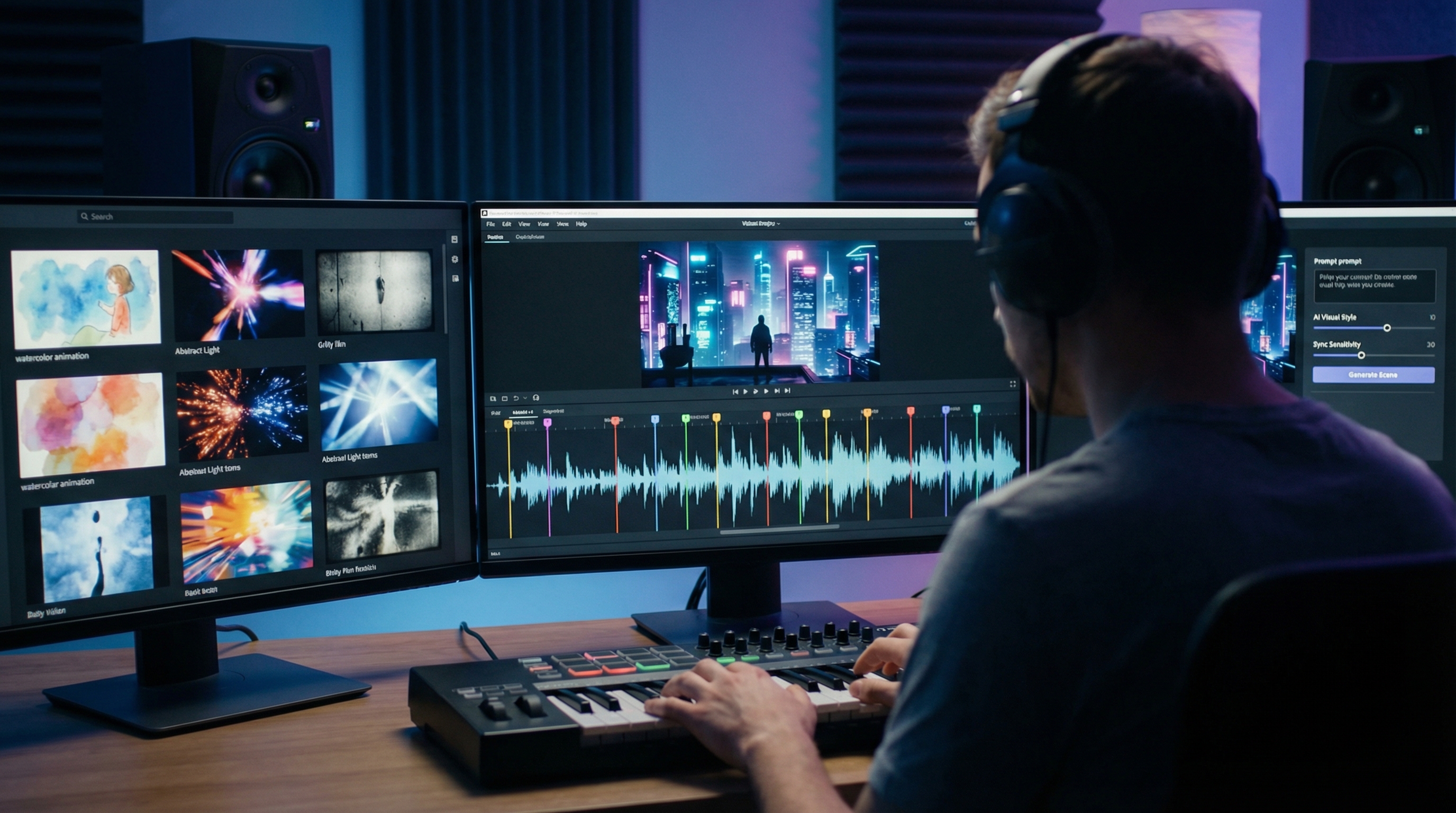
AI-powered visuals are reshaping how songs come to life on screen. A few clicks can now do the work of an entire film crew. Analysts value the generative-AI-in-music market at about $643 million in 2024 and project it to top $3 billion by 2030, a 29% yearly climb. With that growth comes an overcrowded toolbox, so we spent three weeks pressure-testing 18 platforms and ranked the seven that deliver the best results for your budget and your audience.
How We Picked The Winners
We didn’t rely on flashy promo reels or influencer hype. We spent three solid weeks hammer-testing every major AI music-video platform we could access, 18 tools in total, then scored each one on six make-or-break factors.
Visual quality came first. If footage looked blurry, glitchy, or flat, it was out. A music video should turn heads, not spark a Reddit roast.
Next was synchronization. A clever algorithm that hits the downbeat is worth more than a thousand stock clips. We checked whether each tool sensed tempo shifts, verse breaks, and subtle vocal swells.
Neuralframes.com is a prime example.
According to Neural Frames’ ai music video generator Autopilot page, a three-minute song renders in about five minutes while the engine locks every cut to the track’s kicks, snares, and vocal peaks using audio-reactive keyframes.
That real-time sync became our benchmark during testing, and the free 20-credit sandbox lets you verify the precision before opening your wallet.
Ease of use mattered. You deserve speed, not a night class in node-based compositing, so clear menus and one-click workflows earned big points.
Feature depth followed. Can you storyboard multiple scenes, swap models mid-track, and export vertical plus widescreen in the same session? The richer the toolbox, the higher the score.
Speed and stability sat close behind. We timed every render and noted crashes. If a platform stalled longer than the song itself, we docked it.
Finally, we checked pricing and rights. Transparent plans, fair credit models, and clear commercial licenses separated serious players from quick cash grabs.
Each factor carried its own weight, yet visual polish and beat accuracy led the pack. After testing, only seven tools cleared our high bar, and together they cover creative needs from rooftop lyric videos to cyberpunk epics.

Scan The Field At A Glance
Before we explore each platform, here’s the overview.
Spend thirty seconds with the scorecard below and you’ll see which tools meet your top priorities, whether that is razor-sharp 4K footage, one-click beat-sync, or a price that keeps the merch budget intact.
| Tool | Visual punch | Beat accuracy | Ease of use | Creative control | Render speed | Value |
| Neural Frames | ★★★★☆ | ★★★★★ | ★★★☆☆ | ★★★★☆ | ★★★★☆ | ★★★★★ |
| LTX Studio | ★★★★★ | ★★★☆☆ | ★★☆☆☆ | ★★★★★ | ★★★☆☆ | ★★★☆☆ |
| Runway ML | ★★★★★ | ★★☆☆☆ | ★★☆☆☆ | ★★★★☆ | ★★★☆☆ | ★★☆☆☆ |
| Kaiber | ★★★★☆ | ★★★★☆ | ★★★★☆ | ★★★☆☆ | ★★★★☆ | ★★★☆☆ |
| Revid AI | ★★★☆☆ | ★★★★☆ | ★★★★★ | ★★☆☆☆ | ★★★★★ | ★★★★★ |
| PlazmaPunk | ★★★★☆ | ★★★★☆ | ★★☆☆☆ | ★★★★★ | ★★★☆☆ | ★★★★☆ |
| Shai Creative | ★★★☆☆ | ★★★★★ | ★★★★☆ | ★★★☆☆ | ★★★★★ | ★★★★☆ |
Stars compare the tools within this list, not the entire industry. Treat them as pointers to each platform’s strongest lanes and skip what you don’t need.
1. Neural Frames: Autopilot Videos That Hit Every Beat
Imagine handing your song to an editor who instantly feels its groove, slices footage to every snare, and nails the drop without a single note from you. That is Neural Frames, an ai music video generator that nails the drop without a single note from you.
Upload the track, choose Autopilot, and the engine dissects tempo, stems, and emotional contour. In about the time it takes to refill your mug, you get a full-length video whose cuts land right on the one.
Prefer more control? Switch to the timeline view. Your waveform appears like a DAW session. Drag markers, assign fresh prompts to choruses, swap visual models on the bridge, and let the system handle the transitions.

Neural Frames Autopilot and beat-synced timeline interface screenshot.
Quality matches creativity. Multiple backend models, such as Runway Gen-3 and custom Stable Diffusion forks, render up to true 4K. Character-consistency tools carry a logo or mascot from verse to verse, so branding never wanders.
Plans start at $19 a month, with a free 20-credit sandbox to test the waters. Credits roll over, so if you start on the starter plan at Neuralframes.com, you can carry unused minutes into the next month. For musicians who want pro-level sync without touching a timeline, Neural Frames is a reliable set-and-forget option.
2. Ltx Studio: Cinematic Control Without The Crew
If your song needs a mini-movie, LTX Studio is the place to start.
You storyboard in plain language. “Neon skyline at dusk, singer on a rooftop.” The platform turns that line into a fully lit, camera-tracked shot. Add another prompt and it builds the next scene while keeping characters and colors consistent.
Quality stands out. Footage lands in true 4K, faces stay consistent, and even wind-whipped hair looks natural. Because you adjust camera angles, lighting, and pacing inside the browser, the process feels closer to directing than prompting.
Expect a learning curve. You pay with “compute seconds,” and early sessions vanish quickly while you experiment. Once you find a groove, a one-minute concept video can finish in less time than it takes to brew coffee.
Pricing starts at $15 a month with a free trial. That tier covers personal releases, so indie artists can drop a film-grade clip on day one without draining the gas fund.
3. Runway Ml: The Vfx Playground In Your Browser
Runway feels less like an app and more like a box of cinematic superpowers.
Fire up Gen-3 or Gen-4, type “slow-motion rain on neon streets,” and 10 seconds of moody footage appears. Want something wilder? Feed the same clip into Motion Brush and paint movement onto a static skyline. Effects that once needed a blockbuster budget now sit in your browser.

Runway ML Gen-3 and Motion Brush VFX editor screenshot.
Because each generation tops out at about 10 seconds, you stitch clips on the built-in timeline. That extra step rewards planners: map chorus hits to new prompts, fade bridges with soft bokeh, and your 3 minute video snaps together like Lego.
Runway does not auto-sync. You drag clips until snare drums land on clean cuts, just like in Premiere. Editors enjoy that freedom. Newcomers may groan, yet the payoff is precision.
Credits power everything. The starter plan supplies enough to create a 30 second teaser in 4K. Bigger visions call for tiers of $15 and up, or single credit packs. Even a long night on Runway costs less than renting one fog machine.
4. Kaiber: Art-School Flair At Streaming Speed
Kaiber doesn’t just animate your song; it turns it into a moving canvas.
Drop an image, paste a prompt, and the platform breathes life into the artwork, timing scene flips to kick drums and vocal peaks. Picture watercolor wolves dissolving into cosmic dust on the bass drop. Most renders finish before the chorus ends.
Three modes keep sessions fresh: Flipbook adds hand-drawn jitter, Motion provides smooth pans and zooms, and Transform remolds existing footage into bold new styles. The new Storyboard feature chains prompts, so entire verses evolve instead of looping five-second segments.
Exploration costs $29 a month because there is no permanent free tier. The upside is unlimited experimentation within your credit pool, with no daily caps or watermarks. For visual originality per dollar, Kaiber delivers strong value.
The tool is not surgical. You can nudge intensity or color but cannot fine-tune every frame. Embrace the spontaneous brushstrokes, and you will leave with videos vibrant enough for a Spotify Canvas or a full stage backdrop.
5. Revid Ai: Social-Ready Videos In One Coffee Break
Need a vertical clip for tomorrow’s release blitz? Revid is the fastest option in this group.
Drop your song, pick a vibe—bright pop, gritty noir, glitchcore—and the engine assembles stock footage, AI loops, and kinetic text, all sliced to tempo and syllable. Verse lines flash as you sing them, and hooks land right on the beat.

Revid AI vertical social video templates and kinetic text editor screenshot.
Because templates drive the experience, results look polished from the first render. Adjust a color accent, swap a clip, then export. Most projects finish in under two minutes, with no watermark on the paid tier.
Visual depth is lighter than the artsier tools above. Think polished TikTok, not Blade Runner. For teaser trailers, lyric shorts, and sponsor shout-outs, Revid meets the brief.
Pricing starts with a free tier, but HD downloads live behind a $19 monthly plan. That fee undercuts a freelance editor and unlocks unlimited, no-queue exports, ideal for artists who post content as often as they release singles.
6. Plazmapunk: Open-Source Power For The Mad Scientist
PlazmaPunk feels like stepping into a secret lab where every knob invites a twist.
The app listens to your track, maps peaks and lulls, then routes those pulses through open-source models such as SDXL and Kandinsky. You decide which model drives each section, how color histograms carry over, and the exact prompt switch at bar 64.
Daily generation limits keep GPU bills sane. The free tier grants 20 seconds. €5 buys a full minute each day, and €12 buys five. Because seconds reset at midnight, you iterate in steady bursts instead of burning through credits overnight.
Outputs lean experimental: ideal for live VJ loops, psychedelic interludes, or any genre that thrives on visual chaos. If you need polished narrative, look elsewhere. If your brand celebrates glitch art, chromatic melt, and happy accidents, PlazmaPunk is your playground.
Developers take note: an API lets you auto-generate visuals for an entire catalog. Imagine every back-catalog track receiving beat-synced art while you sleep. That is the kind of tinkering this punk lab was built for.
7. Shai Creative: Lyric-First Visuals For Storytellers
Some songs live and die by their words, and Shai turns those syllables into storyboards before adding motion to every line.
Paste your lyrics or let the platform auto-transcribe. In seconds, it generates a reel of AI-illustrated frames, each aligned to its timestamp. The process feels as if a director mapped your entire narrative overnight.
Select “Animate” and the stills gain gentle pans, zooms, and light particle movement. Captions arrive pre-synced, so a polished lyric video sits one export away. If a frame misses the mood, tweak the prompt and regenerate only that slice—no need to redo the whole song.
Resolution tops out at 1080p on the $9 plan, which also adds vertical and square formats for Shorts and Reels. Character consistency can wobble on longer stories, yet for single-verse videos or social snippets, the subtle shifts add charm rather than chaos.
Bottom line: if your lyrics deserve a spotlight, Shai gives them a stage without demanding an editing degree.
Rights, Licensing, And Platform Policies
Great visuals mean nothing if you cannot legally post them.
Most AI video platforms now grant full commercial rights to your downloads as long as you own the underlying music. Read the fine print before you hit upload, especially if you plan to run ads or sell the video as an NFT.
Platform rules matter too. On July 18, 2025, YouTube announced that it would demonetize “inauthentic, repetitive” AI uploads that flood the feed. Artist-driven clips remain safe, but spammy loops risk yellow-dollar status. Keep edits fresh and add human touches such as captions, b-roll, or behind-the-scenes footage to stay compliant.

Copyright law is catching up as well. An August 2025 report from the U.S. Copyright Office confirmed that AI-assisted works qualify for protection when meaningful human input exists. Your prompt choices, scene edits, and color tweaks count, so document your process and save drafts in case of disputes.
Bottom line: own your audio, choose tools with clear licenses, and avoid low-effort spam. Do that and your AI video can stream, sell, and scale without legal headaches.
Choose The Right Tool For Your Next Release
Start with the outcome.
If you crave cinematic storytelling and have time to tweak, LTX or Runway will reward your patience with frame-perfect drama.
Need trippy art that drops tomorrow? Spin up Kaiber and let Autopilot ride the beat.
Want a full-length video in minutes, synced tighter than a session drummer? Neural Frames is the fast lane.
If social speed matters most, think vertical teasers or daily Reels; Revid edits itself while you refill the coffee.
Tinkerers and live-show VJs should keep PlazmaPunk in their back pocket for nightly experiments, while lyric-focused writers will find Shai’s storyboard flow tough to top.
Match your priority, whether quality, speed, narrative, or price, to the column that shines in our table. Pick one platform and dive deep. Mastery of a single tool outperforms dabbling in five. Your audience will notice the focus.