
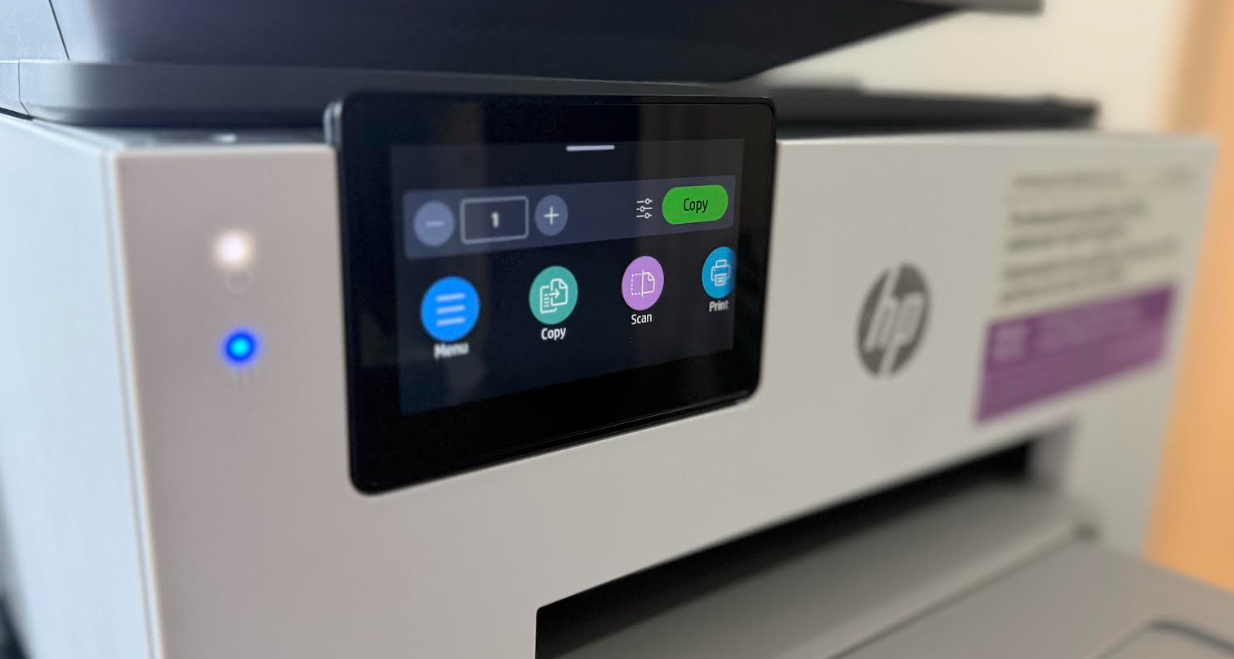
The HP OfficeJet Pro 9135e is positioned as the flagship of HP’s latest OfficeJet lineup, designed specifically for heavy-duty home offices and small businesses. It replaces the popular 9025e, bringing subtle but meaningful refinements in speed, security, and paper handling.
If you are looking for a “laser alternative” that can handle high-volume document workflows without the bulk of a toner-based machine, this is one of the strongest contenders on the market and comes with a very nice external touchscreen display and also you can print direct from your mobile phone or laptop via the HP Print app which works really well.
Key Specifications
| Feature | Performance |
| Print Speed | Up to 25 ppm (Black) / 20 ppm (Color) |
| Paper Capacity | 500 sheets (Dual 250-sheet trays) |
| Scanner | Single-pass, 2-sided (duplex) ADF (35 sheets) |
| Monthly Volume | Recommended up to 2,000 pages |
| Connectivity | Dual-band self-healing Wi-Fi, Ethernet, USB, Bluetooth |
This is a Productivity Workhorse, The standout feature is the dual 250-sheet paper trays. This allows you to keep a full ream of paper loaded at all times, or use one tray for standard A4/Letter and the other for specialized media like envelopes or letterheads.
With Efficient Scanning the single-pass duplex ADF is a lifesaver for office environments. It scans both sides of a page simultaneously, which is significantly faster and more reliable than “reversing” ADFs that physically flip the paper.
Modern Interface & Security, The 4.3-inch color touchscreen is responsive and intuitive. It also features HP Wolf Pro Security, which provides hardware-level protection against cyber threats—a rare but welcome addition for home office hardware. You can see more in the video review below.
The printer can be noisey like others when printing a large run of sheets again you can get a sample in the video below but in fairness most printers suffer this.
The HP OfficeJet Pro 9135e is a refined, reliable evolution of the 9000 series. It is best suited for users who value paper capacity and scanning speed above all else. This is Ideal for poeple that frequently scan double-sided documents and need to print 500+ pages a month without constantly refilling the paper tray.
Key Features
Duplex printing
Allows you to print on both sides of the page, cutting your paper use by up to 50%.
Scan size ADF (maximum)
Allows multiple pages to be copied or scanned at one time
Borderless
Borderless photos are printed right to the edge of the paper. You get beautiful photo prints with no trimming!
Digital sending standard features
Save time by sending scanned documents or photos directly from your printer to email recipients.
Wireless capability
HP wireless direct is a new feature that allows your Wi-Fi capable devices (for example: smart phones, tablets, or computers) to make a wireless network connection directly to your printer without using a wireless router or access point.
Connectivity standard
Add this device to your office Ethernet network to share with your workgroup.