
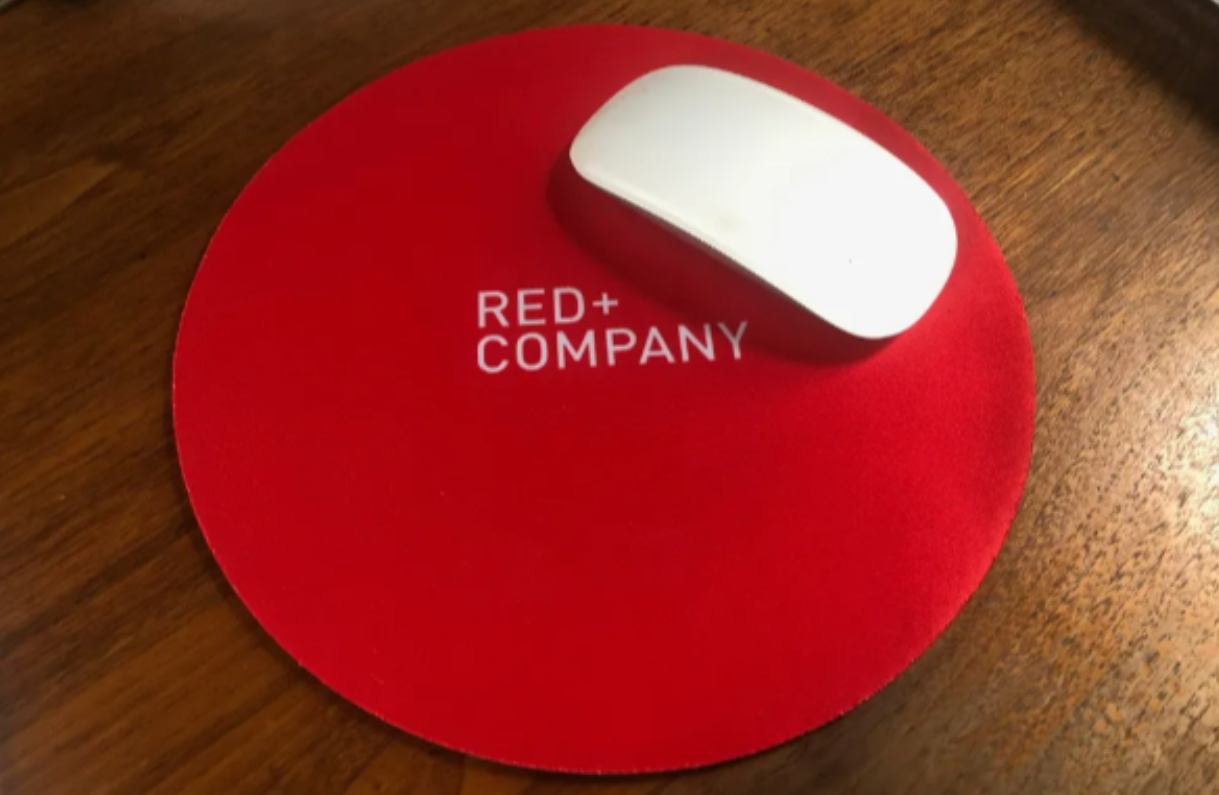
A well-designed corporate mouse pad is more than just a desk accessory. It reinforces brand identity, enhances user experience, and improves workspace aesthetics. However, many businesses overlook the finer details of print quality, material selection, and design principles—resulting in a lackluster product that fades fast.
In this guide, we’ll cover how to create high-impact custom branded mouse pads that blend style, durability, and brand consistency.
1. Understanding the Print Process: Avoiding Blurry or Washed-Out Designs
Many corporate mouse pads suffer from poor print quality, making logos and graphics appear fuzzy, pixelated, or misaligned. To avoid this, follow these key custom mouse pad printing principles:
Use High-Resolution Images: Ensure designs are created in 300 DPI (dots per inch) for sharp printing. Low-resolution images may look fine on a screen but will blur when printed.
Convert Colors to CMYK: Most printing processes use CMYK (Cyan, Magenta, Yellow, and Black) instead of RGB (Red, Green, Blue). Convert your files to CMYK to avoid unexpected color shifts.
Account for Bleed and Safe Zones: Mouse pad designs should include a 3mm bleed area around the edges to ensure full coverage without accidental cropping.
Best File Formats for Corporate Mouse Pad Printing
- Vector files (AI, EPS, or SVG) maintain quality at any size.
- High-resolution PNG or TIFF for non-vector images.
- Avoid JPEGs, as they lose quality when resized.
2. Material Matters: Picking the Right Base for Longevity
Corporate mouse pads come in various materials, each with unique benefits:
Cloth Mousepads (Fabric Surface)
- Best for precise mouse tracking and comfort.
- Works well with detailed printed designs.
- Can stain easily if not coated properly.
Hard Surface Mouse Pads (Plastic or Metal)
- Best for speed and durability.
- Easy to clean and maintain.
- Printed designs may wear off faster without a protective laminate.
Rubber and Eco-Friendly Alternatives
- Anti-slip base provides better stability.
- Sustainable options like cork or recycled rubber are gaining popularity
For corporate branding, a cloth mouse pad with non-slip properties is ideal as it combines design flexibility with functionality.
3. Balancing Aesthetics with Functionality
A visually appealing mouse pad shouldn’t compromise usability. Here’s how to balance design and function:
- Contrast and Visibility: Light logos on a dark background or vice versa ensure better legibility.
- Minimalist Layouts: Avoid clutter. Less is more when it comes to branding.
- Matte vs. Glossy Finish: A matte finish reduces glare and enhances durability.
- Rounded Corners: Reduce wear and tear while making the mouse pad look sleek.
Example of a High-Impact Layout:
- Center-aligned logo.
- Subtle brand tagline along the bottom edge
- Minimal distraction elements for a professional touch

- Optimizing for Brand Consistency & Recognition
A corporate mouse pad serves as a daily brand touchpoint. To maintain brand consistency, follow these strategies:
- Use Official Brand Colors: Extract HEX or CMYK codes from your brand guidelines.
- Stick to Approved Fonts: Avoid switching fonts for consistency.
- Include a Call-to-Action (CTA): A subtle website URL or social handle can increase engagement.
- Consider Personalized Variants: Employee names or event-specific designs add a unique touch.
Pro Tip: Use a universal design for clients and a customized version for employees or partners.
5. Avoiding Common Corporate Mouse Pad Design Mistakes

Mistakes can make a mouse pad look unprofessional or reduce its lifespan. Watch out for:
- Overcrowding the Design – Stick to one or two focal points.
- Ignoring Edge Bleed – Always account for printing margins.
- Choosing the Wrong Texture – Glossy surfaces may not work with all mouse sensors.
- Using Outdated Logos – Always use your latest branding assets.
6. Future Trends: What’s Next for Corporate Mouse Pads?
As workspaces evolve, so do mouse pad trends. Here’s what’s on the rise:
Smart Mouse Pads
- Wireless Charging: Integrated Qi-charging pads for smartphones.
- RGB Lighting: Customizable LED lights for modern branding.
- NFC Integration: Tap your phone on the mouse pad to visit a company website.
Sustainable Materials
- Cork-based or biodegradable rubber to reduce environmental impact.
- Recyclable packaging for corporate gifting.
Multi-Function Designs
- Built-in wrist support for ergonomics.
- Extendable desk mats for dual monitor setups.
- Hybrid surfaces that work for both work and gaming.
Final Thoughts: Designing the Perfect Corporate Mouse Pad
A corporate mouse pad isn’t just about aesthetics—it’s about combining branding, usability, and longevity into a single product. Whether you’re designing for internal company use, client gifting, or promotional events, focusing on print quality, material durability, and functional design will set your mouse pads apart.
By following these best practices, your branded mouse pads will not only look great from pixels to print but also offer long-term usability and brand impact.