myFirst Camera 50 20MP AI Kids Camera Review

The myFirst Camera 50 20MP AI Kids Camera is a step up from the myFirst Camera 3 we recently reviewed and comes with AI and an app to get your kids into a creative mode and all this is also kept safe and private within a selected circle of family or friends via the myFirst Circle app which is ideal for kids.

More advanced this might seem like a challenging task however it is not that hard to use and your parents can assist you along the way with nothing too difficult to digest on the way to learning more about technology in a good way.

This time around we get features to add to your photos create a diary and more you can share and saved and create your own videos with voice-overs and templates.

The camera itself is pretty good and so is the video for the target market I was impressed with the images and video given as you will see in the video below. You get on board storage and you can add storage via a micro sd card giving you ample room to get creative and take photos and videos to your hearts content and sift through them later on.

Kids can also create a journal which I like here and this is good for mental health and your wellbeing and your child can express themselves in a more realistic manner with videos images and by writing down things which is good.

The device has 20mp front camera and 16mp selfie camera and allows 1080p recording for decent images and video and all this is housed in a robust frame built to last there is also a incremental light on the front too for your selfies. One press on the shutter key is for photos and holding it down is for video.

Overall this is a great product for your child to learn about technology while having fun and being kept safe from the internet and with the app and journal here it is perfect for any child or teenager


myFirst Circle App


  • AI-Assisted Curation
  • Pin-Code Protected Video Diary
  • Child-Safety Focused Social Circle
  • Integrated Selfie Light
  • Physical Shutter Button
  • 1080P Video Recording
  • 20MP Rear Lens, 16MP Selfie Lens
  • 1GB RAM, 16GB Storage, up to 128GB Expandable Storage
  • Light and Ergonomic Design

Empower Your Child’s Creativity with AI

Designed specifically for young minds aged 5-12, Camera 50 makes it easier than ever for children to transform everyday moments into creative masterpieces, all with the help of AI. The inclusion of myDiary and our myFirst Circle app fosters good mental health practices from an early age by allowing them to better express themselves, and provide a safe space for them to store their video journal entries and share their stories.

  • Photo & Video Editing
  • AI-Assisted Curation
  • Child-Safety Focused Social Circle
  • Lightweight and Ergonomic
  • Wifi Connectivity
  • Up To 128GB Storage

Why Integrate AI in myFirst Camera 50?

Camera 50 makes video editing easy and fun for kids! Our AI helps kids create amazing videos without the hassle. With simple tools and cool effects, they can add their own touch with stickers, drawings, and even their own voice!

Cultivating Young Storytellers with AI

Help kids become filmmakers and vloggers! Our camera teaches them storytelling, boosts confidence, and lets them explore their creative side. It’s a safe and fun way to learn about making videos without needing a phone.

myFirst Camera 50 AI – Prioritizing Safety and Privacy

Not all AI cameras are the same, and the myFirst Camera 50 stands out. Unlike others, our Camera 50 helps kids create unique stories by analyzing their mood to make perfect videos, all while keeping privacy and security a top priority.

  • Privacy First: Camera 50 enhances photos and videos without tracking or collecting personal data. Our AI is focused only on content enhancement
  • Data Protection: No personal data storage or facial recognition. Your content stays secure and private, free from unauthorized access or data breaches

myFirst Camera 50 & Circle App – Safety is Our Priority

myFirst Camera 50 is designed with a safe and controlled environment for young creators, and our myFirst Circle app is the cornerstone of this safety. Here’s how Camera 50 and Circle app ensure safety:

  • Audible Shuttler: Our camera’s audible shutter lets you know when a photo is taken, safeguarding your privacy, guarantees no hidden photography
  • Limited Sharing: Through myFirst Circle, parents can control who can see their child’s creations, ensuring content stays within a trusted circle. Children can post photos in a child-friendly social circle, categorized by relationship type (Family, Besties, Friends, Acquaintances), with parents managing visibility and editing posts if necessary

A Boost for Mental Wellbeing with myDiary

Journaling helps kids’ mental health by providing a safe space to express emotions and reduce stress. It improves self-awareness and mental clarity, boosts creativity, enhances communication skills, and builds resilience by reflecting on experiences and solving problems.

myDiary – Build Your Own Journal

Kids love tech, but it’s important they use it for more than just fun. The myFirst Camera 50’s “myDiary” feature is a great way for kids to express themselves and learn about their feelings. It lets them take photos, videos, and write about their adventures. This helps them:

  • Understand their emotions
  • Build confidence
  • Create lasting memories

myDiary – Goes beyond a simple journal

  • Safe & Secure: Pin-code protection ensures your child’s entries stay private
  • AI-powered growth: The camera offers prompts and suggestions to encourage self-expression in a fun way

Fun Colors and Accessories

Pick your favorite – cool purple then make it unique with fun stickers that reflect your style. For worry-free adventures, it includes a handy anti-drop hand strap and a comfortable neck lanyard.

Kid-Proof Protection

Give your child the freedom to explore without worry. This case features rounded edges, a thick TPU frame, shock absorption, and scratch resistance, making it the perfect shield for their device during all their adventures.

Advanced Shutter Control

Understanding the nuances of photography is crucial for young creators, and the myFirst Camera 50 introduces them to professional techniques with its advanced shutter control system. The camera features a dual-function shutter button that operates on a half-press and full-press mechanism, designed specifically to enhance the shooting experience and photo quality.

The Ultimate Selfie Machine

Capture flawless selfies with the Camera 50’s built-in, adjustable Selfie Light Bar. This game-changer offers three warm lighting modes from cozy to neutral, all set to a gentle 4000K temperature, our Selfie Light Bar makes sure every selfie looks naturally awesome.

On-screen Button Tailored for Selfie Mode

Camera 50 is also designed with human natural movements in mind, the on-screen shutter button is easy to use in any hand position, making it simple to shoot the perfect selfie every time.

Enhanced Photography Features

Camera 50 takes your pictures to the next level. It features a high-resolution (20MP) rear camera with a wider-angle lens, perfect for capturing all the action and scenery. Plus, get up close and personal with the 20mm macro lens, ideal for revealing the hidden details in the world around you.

Bringing Families Closer One Memory At A Time

Camera 50 captures memories and connects families. Share photos and videos instantly with loved ones through our myFirst Circle app and all myFirst devices.


BUY

Other myFirst Reviews

Video Review

Wanbo reveal Vali 1 projector and T2 Ultra

Cutting edge portable projector tech from the Vali 1 offers best in class sound and vision performance at £269 / $319 while T2 Ultra offers a step up in entry level performance at just £229…

Vali 1

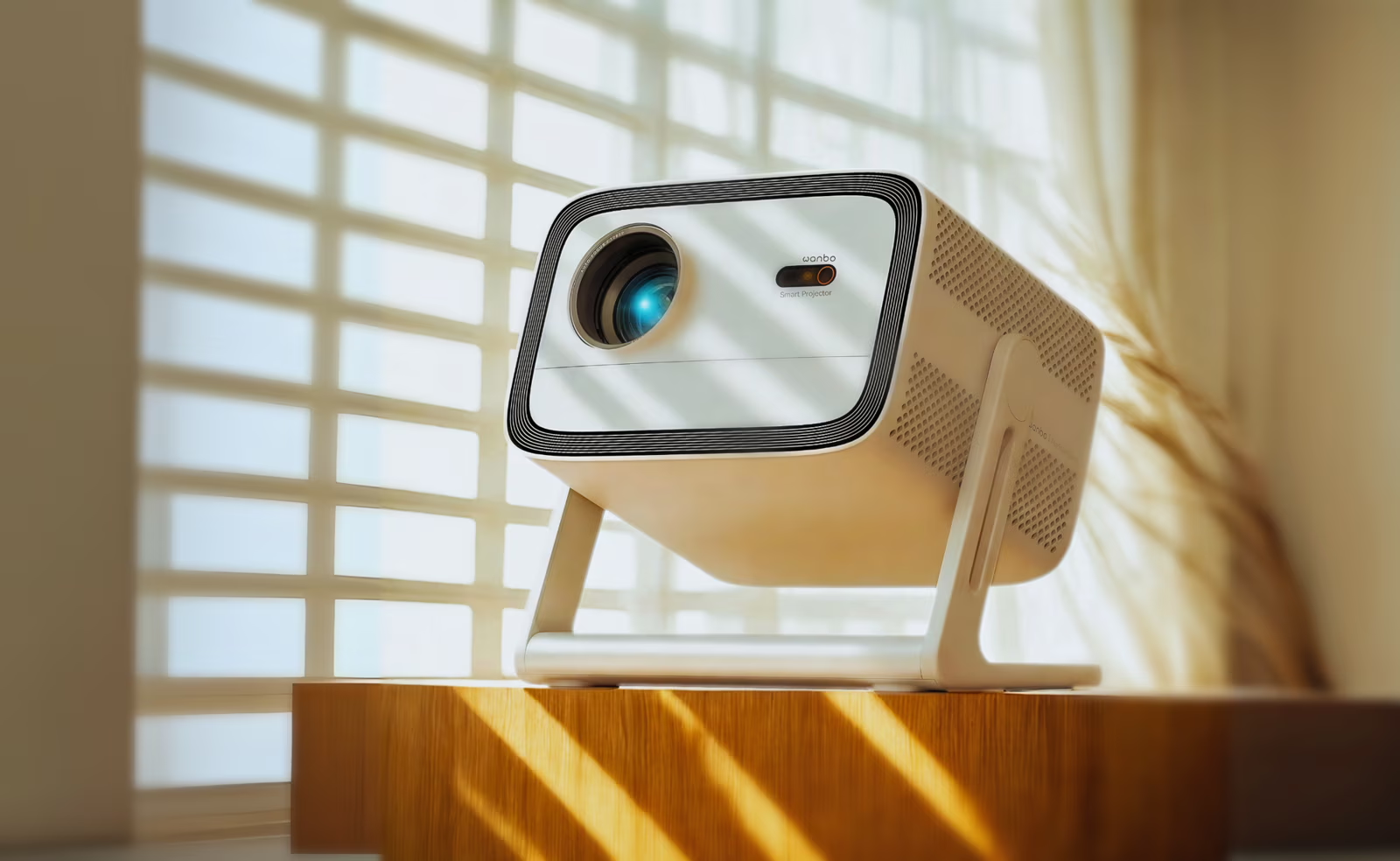
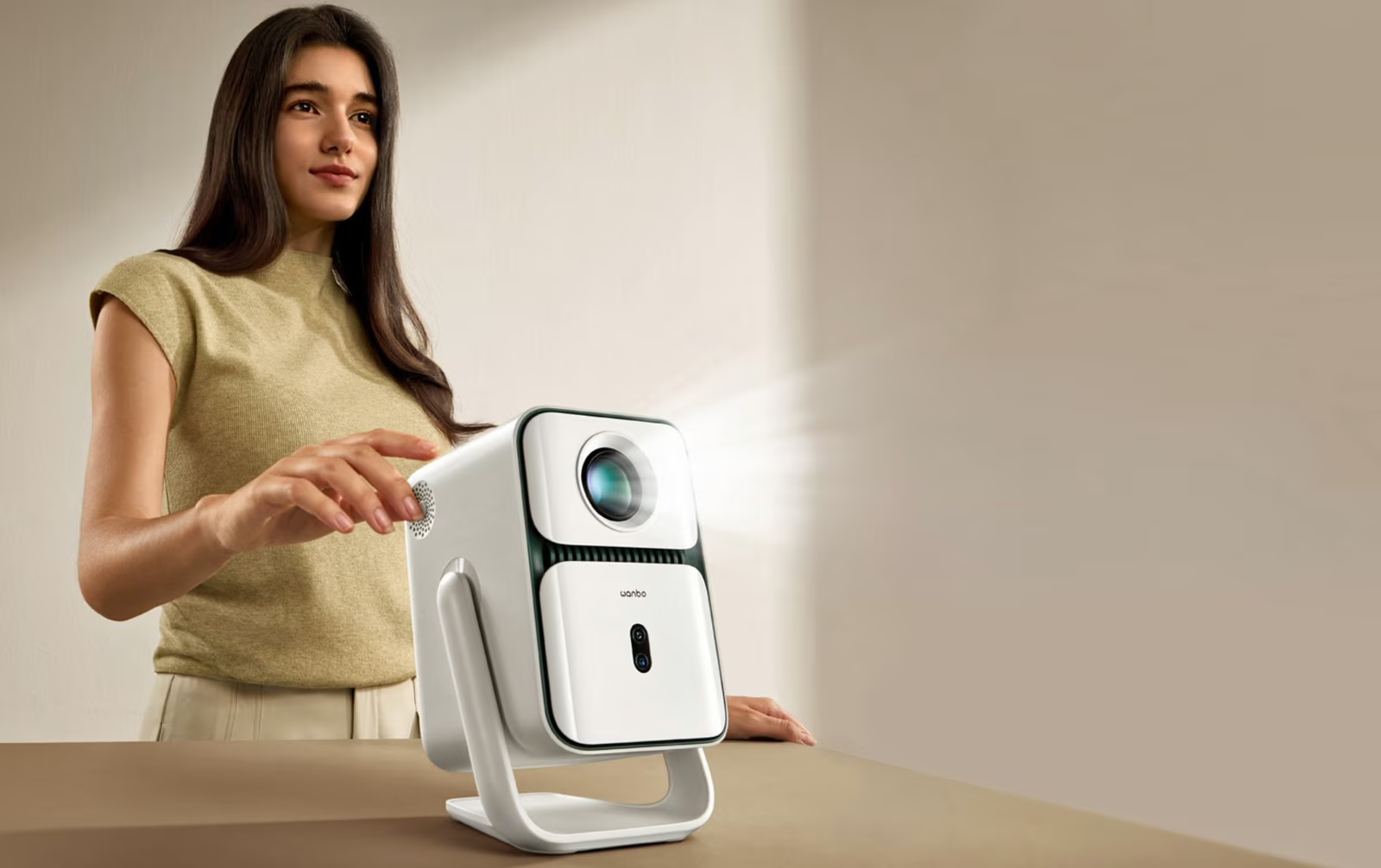
Wanbo officially introduces the Wanbo Vali 1 – a truly flexible, portable, and intelligent home cinema projector, packing big screen performance into a compact form factor.

Featuring a 200° adjustable gimbal stand, 900 lumens of brightness, Android TV 11, smart auto-calibration and a screen size of up to 130 inches, the Wanbo Vali 1 offers all the features you need at a price point that aims to shake up the market in 2025.

All the viewing angles

The Wanbo Vali 1 boasts a integrated flexible stand that rotates through a full 200° range. Users can pivot the image onto walls, ceilings and dedicated projector screens. Complemented by ±30° auto-keystone correction, it instantly straightens any image in a few seconds, making projection alignment effortless.

Whether it’s transforming a blank ceiling into a star-studded night scene or shifting from lounge based gaming to a movie night in your bedroom, the Wanbo Vali 1 allows you to enjoy your TV, movies and gaming with no mounting or manual set up required.

Double the brightness

With 900 ANSI lumens – almost double the amount of rivals, the Wanbo Vali 1 delivers vivid and vibrant visuals even in brightly lit daytime rooms. Paired with native 1080p resolution, detail pops with exceptional clarity, enabling easy viewing without the need to dim lights.

Stereo sound

A built-in pair of 6W full-range stereo speakers ensures punchy audio, creating an immersive soundstage that matches the picture quality. A headphone socket allows you to connect headphones or an external speaker.

All your favourite apps

Powered by Android 11, Wanbo Vali 1 grants easy access to over 7,000 Google Play apps including Netflix, YouTube, Disney+, HBO Max, and many more. Official Netflix certification ensures reliable, high-quality playback.

Integrated Google Assistant allows voice control hands-free, while Chromecast built-in makes wireless screen mirroring easy. A dedicated remote is included with one touch access to key streaming services.

Smart AI set up

The Wanbo Vali 1’s ASA 3.0 (Auto‑Focus + Keystone + ScreenFit + Obstacle‑Avoidance) is an intelligent projection assistant. It detects the screen’s boundaries, focuses sharply, squares the image and notes interference automatically. The advanced level of automation enables stress-free set-up across different surfaces and angles.

Quiet cooling

A standout among compact projectors, the Wanbo Vali 1 features Wanbo’s largest cooling fan to date (10 cm diameter, 3.3 cm height), optimised to maintain quiet operation at all times.

Compact Design

The power socket is mounted directly on the gimbal bracket rather than the projector, eliminating cable clutter and offers unrestricted viewing movement. Multiple mounting options including ceiling, wall, stand and bracket are supported.

Game mode and ambient art walls

For gamers, the Game Mode activates low latency and high refresh responsiveness. Artistic Ambient Wall mode casts ambient visuals (think tranquil ocean waves or starfield animations) transforming any space into a living art canvas

The Wanbo Vali 1 is out now priced £269 / $319.

UK retailers include HMV, Amazon and Robert Dyas.

If you can use the following links it would be appreciated. Review samples available now.

See our Wanbo Reviews

Amazon

https://amzn.eu/d/2RRn8aR


T2 Ultra Portable Projector


Wanbo officially launches the T2 Ultra, a bold reinvention of the portable projector that promises to redefine home entertainment with superior brightness, immersive audio, and seamless usability, all in a sleek, compact package.

Built around Android TV 11, viewers can effortlessly stream in 1080p from services like Netflix and Disney+, ensuring vibrant, high-definition playback at home or on the go.

The T2 Ultra raises the bar for visual performance too: delivering 500 ANSI lumens – this projector enhances color accuracy and contrast for truly immersive imagery.The inclusion of ASA 3.0 auto‑alignment technology guarantees pristine focus and alignment instantly, even when projecting from unconventional angles.

On the sound front, the T2 Ultra features 10W dual full-range speakers, enriched by dual bass diaphragms that extend bass respons.

Its integrated 120° gimbal stand effortlessly adapts to any projection surface (even ceilings) liberating users from the constraints of rigid projector setups.

TECHNICAL SPECIFICATION: T2 Ultra

Operating System

Android TV 11

Brightness

500 ANSI lumens

Alignment

ASA 3.0 for instant clarity

Audio

10W speakers, dual bass diaphragms, 40 Hz bass.

Bluetooth 5.0.

Form Factor

120° adjustable gimbal stand

Noise

30 dB operation

The Wanbo T2 Ultra is out now priced £229.

UK retailers include HMV, Currys, Amazon and Robert Dyas.

If you can use the following links it would be appreciated. Review samples available now.

Currys

https://www.currys.co.uk/products/wanbo-t2-ultra-smart-full-hd-home-cinema-projector-10278261.html?searchTerm=t2%20wa

Amazon

https://amzn.eu/d/39njEkb

JMGO PicoPlay Portable Projector First Look

Recently JMGO launched the PicoPlay Portable Projector and as huge projector fans and several in use at the office and in house we had to test this out. Projectors for me are a favourite over a TV and has been for years and this will not change, however the technology is changing in projectors too and becoming more popular. Check out a first look and stay tuned for a full hands on demo soon and not a stock image review with no context.

Designed for seamless usability, the PicoPlay series introduces a simplified control interface featuring an action button for app shortcuts and touch controls for fast navigation, even in the absence of a remote. The auto-keystone adjustment is powered by a gimbal-inspired design that auto-focuses and aligns the image as the projector is tilted or moved. This hands-free calibration ensures instant setup with no manual adjustment required and deliver high-definition 1080P projection using DLP technology, supported by 400–450 ISO lumens of brightness.

This enables sharp, vibrant visuals that significantly outperform conventional 100–200-lumen projectors. Integrated with official Google TV, the projectors offer access to over 10,000 apps and more than 700,000 movies and shows, with intuitive content recommendations and low-lag streaming performance.

Measuring just 85mm in diameter and weighing no more than 0.74kg, the PicoPlay series is engineered for portability. Both models are compatible with JMGO’s Power Bank Stand, a sleek, all-black accessory that functions as a projector stand and provides up to four hours of battery-powered runtime, making the projectors ideal for parties, outdoor events, or movie nights off the grid.

Features

  • 3-in-1 Entertainment Hub: PicoPlay integrates a mini projector, immersive Bluetooth speaker, and dynamic ambient light (Requires Optical Filter) to instantly set the mood for movies, parties, or chill sessions.
  • Power Your Adventures: Connect to a 65W Type-C power bank or JMGO battery tripod (sold separately) for up to 3 hours of video or 7 hours of music on the go.
  • Immersive Visual Feast: Enjoy stunning visuals with 400 ISO Lumens brightness (PicoPlay: 400, PicoPlay+:450), 90% DCI-P3 color, and crisp 1080P resolution—up to a massive 200 inches.
  • Free Angles, Easy Control: Featuring an innovative 88° Rotating Gimbal with high-precision multiple control options and instant App access
  • with customizable Action Button for seamless operation and effortless interaction.
  • No More Wait: FlexiSmart delivers real-time autofocus, auto keystone, screen alignment, and eye protection—so you’re ready to watch in seconds.

BUY 

See our Projector reviews 

Unboxing

JMGO Launches PicoPlay Series: Coffee-Cup-Sized Projectors

JMGO, a leader in optical technology, officially unveiled the PicoPlay series, a new line of coffee-cup-sized portable projectors built for modern lifestyles. The series features two models, PicoPlay and PicoPlay+, each combining compact form, powerful projection, and integrated social entertainment tools. 

The PicoPlay series is now available on Amazon and will soon be launched on offline retail channels across Europe. Both devices are designed to cater to the growing demand for flexible, on-the-go streaming and immersive visual experiences, all without the bulk of traditional projectors.

Both models deliver high-definition 1080P projection using DLP technology, supported by 400–450 ISO lumens of brightness. This enables sharp, vibrant visuals that significantly outperform conventional 100–200-lumen projectors. Integrated with official Google TV, the projectors offer access to over 10,000 apps and more than 700,000 movies and shows, with intuitive content recommendations and low-lag streaming performance.

Designed for seamless usability, the PicoPlay series introduces a simplified control interface featuring an action button for app shortcuts and touch controls for fast navigation, even in the absence of a remote. The auto-keystone adjustment is powered by a gimbal-inspired design that auto-focuses and aligns the image as the projector is tilted or moved. This hands-free calibration ensures instant setup with no manual adjustment required.

The series goes further in transforming entertainment into a social experience. Its Bluetooth speaker mode allows 360° music playback, while a Vertical Play feature optimizes TikTok, Instagram Reels, and YouTube Shorts for large-screen vertical viewing. Enhancing the ambiance, colorful ambient lights and soft shadow filters create dynamic visual effects that sync with music or elevate a room’s atmosphere, whether for winding down or hosting a party.

Measuring just 85mm in diameter and weighing no more than 0.74kg, the PicoPlay series is engineered for portability. Both models are compatible with JMGO’s Power Bank Stand, a sleek, all-black accessory that functions as a projector stand and provides up to four hours of battery-powered runtime, making the projectors ideal for parties, outdoor events, or movie nights off the grid.

See our Projector reviews 

About JMGO

Founded in 2011, JMGO has consistently aimed at creating immersive large-screen experiences that blend portability with cutting-edge design and performance capabilities. By leveraging advanced optical technology, this brand continues its commitment toward delivering versatile home entertainment solutions suitable for audiences worldwide.

For more information, please visit https://global.jmgo.com/, or follow JMGO at https://www.instagram.com/jmgo_official/.

ANNKE Whiffle -1080P Battery Powered WiFi Doorbell Camera

The ANNKE Whiffle -1080P Battery Powered WiFi Doorbell Camera with AI is their latest model of offer and with the dark evenings coming in it is best to have some extra security at your home and a video doorbell is one such instance you can use.

Setting up takes a few minutes and no real expertise required and if you have a power drill and screw drive you are good to go as no wiring is required here at all.

Placing the doorbell is important so be sure to follow the instructions given and you are good to go also ensure the fixtures are secure properly as there is doorbell thieves out there and I recently had one yanked off my wall but the idiot does not know they are famous now and forget how they work.

The doorbell can be used either flat oor with a wedge and it is best to get the most field of view as it also acts as a security camera too.

The app is straight forward and simple to use around all the doorbell features you would expect are here however there is paid and freemium models here on offer so it is up to you which suits you best and it does also take an SD card for local storage however the price models does not include that.

The alerts are on time which is fair to say and again this will depend on your own home network there can be a lag sometimes but all the detection alerts are present and some more thrown in on the premium plan.

You can see a full review below in the video of what to expect and how it works and we take a look at the app too so you can see what to expect, for the price of this product it is a fairly good  doorbell compared to those battery powered doorbells you find in bargain shops that run on a standard battery, this however will last around three weeks but again this varies depending on how you have set up alerts.

Free Vs Premium

The Free vs Premium here is something you should take note of as to what your needs are as most people differ some may need some of what’s free or what is premium or both and this is a move most smart doorbell makers are doing but with an SD card for local storage not so much.


The App

Features 
●4800mAh rechargeable batteries, ensuring 1-2 months performance
●Infrared night vision distance of up to 33 feet, capturing clear video day or night.
●PIR motion sensor, instant & accurate alerts
●Support two-way audio
●Support Amazon Alexa
●Support IOS/Android system mobile devices, remote real-time monitoring

Tech Review – Switchbot indoor home security system

Home security is a must have be it indoor or outdoors and yet I hear today so called security experts stating there is no need at all for indoor security cameras. That is a topic at hand for another day should any security expert want to challenge me on that you can certainly fire away but I feel I will be left waiting the same way I was left reeling hering such on our airwaves more than once and is simply a pathetic comment to make.

The Switchbot indoor setup comes in several packages tailored for your needs or you can customise your own they have several bundles on offer or you can make it your own which is cool but do check out the bundles they have and not only that they are amongst the cheapest out there today and while I say cheap I have tried and tested these and avoid the cheap offerings you tend to see on Facebook that will rope you into subscription plans and below par cameras.

In our setup we have a motion sensor and window sensor on the camera side we have a 1080p pan and tilt a 2K pan and tilt and an indoor camera so i strategically place these around the home and at any entry points I seen where the could be a breach so to speak given I do have an external set up around the perimeter of my house

There is an app for these and no hub required unlike the old days when you did need a hub but you can use one if you like as they have hubs available but the less things plugged in the better these days and we just went on without one and all worked well.. Check out the app below but we have a good detailed video review below to check out what you can do in the app and the features included which is plenty I might add.

With the cameras you are in control and full control it is best to get an SD card to store locally on the device which you can then see on your smartphone or tablet these also work with Google and Alexa for those interested and can be put onto you home hubs if you wish. in the app you have so many settings to pick from which we go into detail with in the video review below but in short this setup is excellent and simple to use an navigate even for a novice there is many parameters you can pick from or customise in the app and overall for me as a whole the system is well thought out and you can get going in literally minutes.

Let’s look at the products we have tried out which give real time notifications but it must be noted you need good WiFi and lag latency can be an issue with any home security package similar and is an issue for me despite having a good plan and speed regardless what my network tells me and handing over my actual speeds and we all know how it works there and on how many other devices are connected to your hub.

With all cameras there is two way audio screen shot/photo capture, pinch to zoom, quality of image and video options, zone detection, recording on the spot and much more..

SwitchBot Pan/Tilt Cam 2K

SwitchBot Pan/Tilt Cam 2K features a high-resolution lens module, with an f2.0 aperture lens and now offers approximately 50% more pixels when videoing. This means picture quality is now clearer and colors are more transparent and natural.Upgraded auto-tracking supports horizontal and vertical movement. Compared to the previous generation, the tracking range is expanded by nearly 77%. It automatically tracks and records video whenever someone enters a home as you will see in the video. You can choose to have Pan/Tilt Cam 2K patrol specific areas at certain times of the day to allow you to focus more on the places that matter to you most.


SwitchBot Pan/Tilt Cam 1080p

When using the Pan and Tilt feature our camera can swivel from left to right and is able to tilt up and down enabling you to be able to view your entire room. You can also set 6 favorite key focal points and then simply select one to automatically pan over to the position you have set making it even easier to check specific areas on the fly. Equipped with a 1080p 2-megapixel f2.0 aperture camera, SwitchBot Pan/Tilt Cam is able to let more light in. Making images more detailed, and ensuring better results in any lighting conditions. When SwitchBot Pan/Tilt Cam detects movement, you’ll be able to automatically start tracking and recording whatever is in its sight, making sure you never miss a thing. And you’ll be able to view everything using our app via your smartphone for even more convenience.

SwitchBot Sensor Combo

Contact sensor with a detection range of up to 16.4 ft (5m), 90° horizontally, and 55° vertically

Get notifications around the clock

Sensor can detect body movement across a wider area range of up to 30 ft, at an angle of up to 110° horizontally, and 55° vertically A light sensor inside that can be used to detect what kind of light environment your surroundings are in.

SwitchBot Indoor Cam 1080p
SwitchBot Indoor Camera can help monitor your home 24 hours a day and can alert you when something unexpected happens. You can also live stream to your camera anytime, anywhere (supports 2.4GHz Wi-Fi networks only). And with night vision, 1080p HD resolution, and 130º Wide angle lens you’ll be able to see everything in front of you clearer than ever before. You can customize your own detection zones to set just exactly where SwitchBot Indoor Cam should be watching when sending alerts, making it easier to focus more on the areas at home that matter most.
Important note 
SwitchBot Indoor Cam uses high-level encryption technology to ensure your data is protected with the highest security so that no one else can access it. Your recorded data is stored in the cloud even if your device is offline (via a monthly cloud service). We also use GDPR and CCPA certifications to make sure that your user data is better protected.
Check out the video for more below and for me this is easy to recommend and would even consider changing my entire setup to this. So all we need now from them is a video doorbell. One thing I would like to see going forward is not having plugs for all the cameras and go wireless but other than that you should look into their stuff as it is good value and works well.

1080p VS 720p: Which One Should You Invest In?

According to most people, there is little or no noticeable difference between 1080p (full HD) and 720p (HD). However, if you pay close attention, you’ll definitely notice that 1080p gives a smoother and clearer image. As a matter of fact, for the last few years, 1080p projectors such as Wemax Dice have become popular and more available on the market.

These projectors perform better than before, with more advancement on every new product release. However, they aren’t the only contenders; 720p projectors also receive some attention from consumers. Unfortunately, they aren’t as popular in media as they used to be, something that has resulted in their price surge to $1,500, with others selling at $1,000. Despite this, 720p projectors still deliver impeccable picture quality for the budget.

So, the main question here is: which one is better, between 1080p and 780p?

Obviously, many consumers prefer 1080p projectors, and it is for valid reasons. So, if you want the best and high picture quality, 1080p will be perfect. These projectors give you the highest resolution, better contrast, black levels, and video processing. Some of these qualities you can’t find in cheaper models. But, if you’re working on a minimal budget, a 720p projector will serve you well.

720p Is Better for DVD and HD Sports Broadcasts

Here’s why 720p might be a better choice. For starters, most people still watch standard definition DVDs, while a few have upgraded to Blu-ray. Probably this is because there are plenty of DVDs out there, while Blu-ray discs aren’t as many. Therefore, if you use DVDs as your viewing material or HD sports on broadcast HDTV, 1080p projectors won’t do you any good. Regarding image quality, they will only produce what the 720p produces. This is because all HD sports broadcasts from ESPN, Fox, and ABC are usually in 720p. As a result, they will look as clear when displayed on a 720p projector. So, if you have a 1080p projector, it won’t make these broadcasts appear better or higher in terms of resolution simply because the signals are up to 720 lines of video information per frame.

On the other hand, standard definition DVD has 480 lines of video per frame. If you’re using a 720p projector, the signal will be rescaled to 720 lines, while on a 1080p projector, it will be rescaled to 1080p lines. What this means is that if you’re using a high-quality DVD player or processor, there’s a possibility that the images on the 1080p projector will be better than those from the 720p projector. But the difference isn’t noticeable unless you pay close attention. That’s because a DVD’s picture quality is limited to 480 lines per video information frame; therefore, the source doesn’t utilize the full resolution power of any of the two projectors.

720p Is Better for Prime Time Television Programmes

Although a high percentage of the population is interested in DVD and HD sports broadcasts, the remaining few have their preferences. Probably you prefer watching prime-time television programs on NBC, CBS, and other networks. Such types of broadcasts are usually in 1080p. Newer versions of 1080p projectors don’t have the ability to make this type of programming any better than 720p projectors. As a matter of fact, there is no difference since once the 1080i signals get into the 720p displays, they look better than you can imagine.

But, there might be a minor difference in the image quality from 1080p projectors. They produce a sharper image from HDTV 1080i broadcasts, and this is due to a higher resolution that you might notice, depending on how far/close from the screen you’re seated. Bottom line is, by using a 1080p projector, you’ll only get a slightly better picture than from a 720p projector. So, if you’re working under a tight budget and looking for a projector for DVD and HDTV use, a 720p projector will give good results.

Looking for the Best Possible Video Picture?

If you’re looking for the best possible video picture quality, you should get the 1080p projector. You might also need a Blu-ray player to make it better. By now, Blu-ray is the best video source on the market, and it comes with a full 1920×1080 resolution per video frame. The pictures look better when displayed on a 1080p projector. So, suppose you are a video fanatic who is ready to spend money on video technology. In that case, you should consider getting a Blu-ray player and one of the newly released projectors, such as the Wemax Dice.

Although this combination might make you think 1080p projectors are worth investing in, don’t get carried away by the hype. You can still work with the low-priced 720p projectors and enjoy great picture quality.